

Mule 3.8-9: Creating Reusable Dataweave 1.0 Functions and Variables
Learn how to create reusable Dataweave functions and variables and explore how this will allow us to import an external Dataweave File to another Transform Message.
Join the DZone community and get the full member experience.
Join For FreeIn this article, I will explain how to create a reusable Dataweave 1.0 Function and Variable. Using readUrl() function, this will allow us to import an external Dataweave File to another Transform Message.
First, we need to create a .DWL file under src/main/resources. In this file, we are going to define our reusable function and variable on the DW Header. To expose the function and variable defined in DW Header, we need to call that on the DW Body to make it accessible when we use the readUrl() function on another Transform Message.
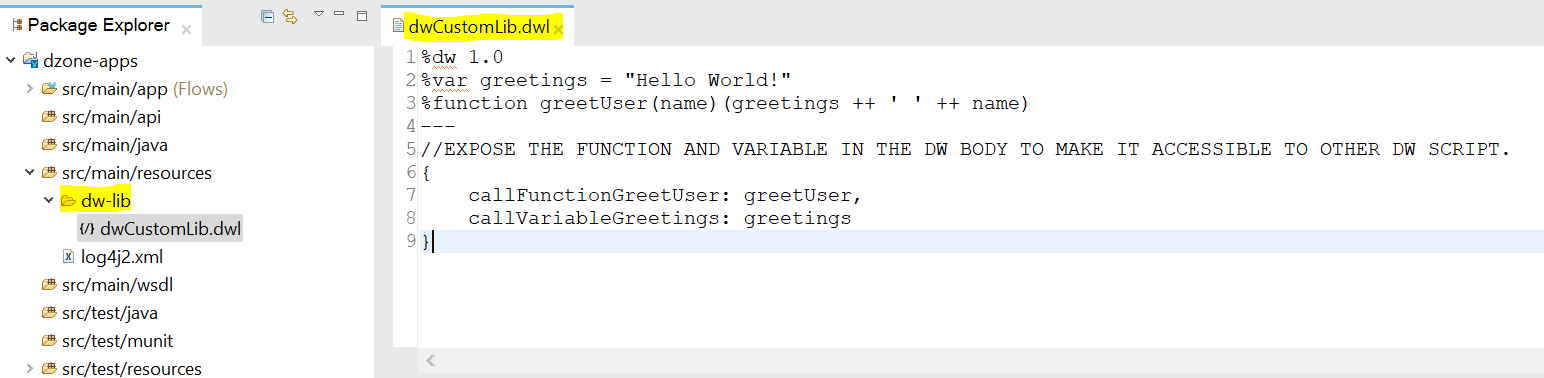
%dw 1.0
%var greetings = "Hello World!"
%function greetUser(name)(greetings ++ ' ' ++ name)
---
//EXPOSE THE FUNCTION AND VARIABLE IN THE DW BODY TO MAKE IT ACCESSIBLE TO OTHER DW SCRIPT.
{
callFunctionGreetUser: greetUser,
callVariableGreetings: greetings
}
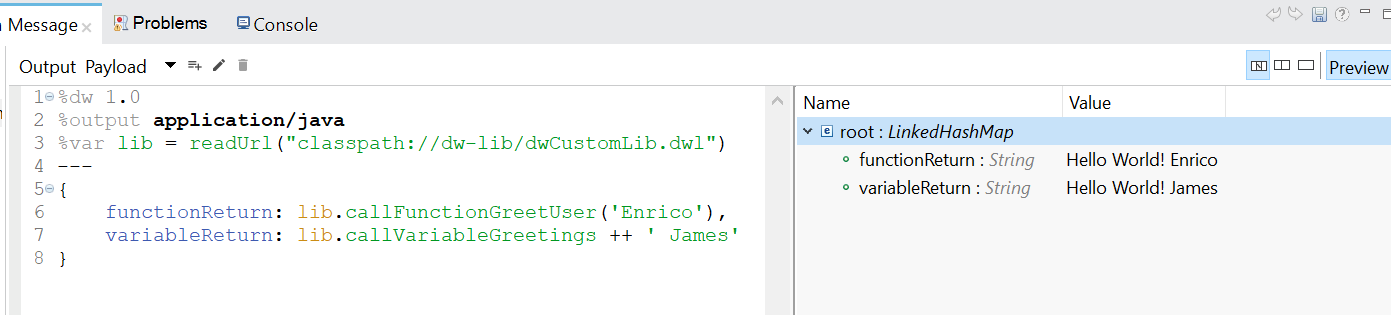
Using the readUrl() function in another Transform Message to call an external .DWL file located in src/main/resources. Basically, we are assigning the dwCustomLib.dwl DW Body to a variable lib. Then, we are using the lib variable to access the function and variable defined in our external DWL file.
%dw 1.0
%output application/java
%var lib = readUrl("classpath://dw-lib/dwCustomLib.dwl")
---
{
functionReturn: lib.callFunctionGreetUser('Enrico'),
variableReturn: lib.callVariableGreetings ++ ' James'
}
Preview:
Using the above approach will surely avoid redundancy on your all Transform Message or Dataweave Script, and it also provides an easy way of maintaining the DW Script common logic as all the functions and global variables are in a single place.
That's it; hope this helps!
Opinions expressed by DZone contributors are their own.
Comments