

Mule 3.8-9: Run Java Method on MuleSoft Application Startup
This article explains how to execute a Java method once or on MuleSoft Application Startup.
Join the DZone community and get the full member experience.
Join For FreeIn this article, I will explain how to execute a Java method once or on Mulesoft Application Startup. With this approach, we can add or execute some needed tasks before a Mule Application fully deployed such as User Notification or Data Clean-Up (Truncation of Database Tables or purging of files from the temporary storage within the server).
First, we need to create a Custom Java Class that implements the interface MuleContextNotificationListener<MuleContextNotification> and override the onNotification() method. We also need to make sure that our startup logic should run after the Mule Context started.
Custom Java Class:
package com.startup;

import org.apache.log4j.Logger;
import org.mule.api.context.notification.MuleContextNotificationListener;
import org.mule.context.notification.MuleContextNotification;

public class StartupRunner implements MuleContextNotificationListener<MuleContextNotification> {

    private static final Logger LOG = Logger.getLogger(StartupRunner.class);
    private final String MULE_CONTEXT_EVENT_STARTED = "mule context started";

    @Override
    public void onNotification(MuleContextNotification notification) {
      if (notification.getActionName() == MULE_CONTEXT_EVENT_STARTED) {
          LOG.info("################## MY STARTUP JAVA LOGIC ##################");
          LOG.info("################## ENRICO RAFOLS DELA CRUZ ##################");
          LOG.info("######## EVENT: "+notification.getActionName()+" ##########");
      }
    }
}
Mule Configuration:
Create a Spring Bean for the above Custom Java Class and reference it to the Mule Notification. We need to use the below Mule Notification to enable the event listener for the Mule Context.
<?xml version="1.0" encoding="UTF-8"?>

<mule xmlns="http://www.mulesoft.org/schema/mule/core" xmlns:doc="http://www.mulesoft.org/schema/mule/documentation"
xmlns:spring="http://www.springframework.org/schema/beans" version="EE-3.9.1"
xmlns:xsi="http://www.w3.org/2001/XMLSchema-instance"
xsi:schemaLocation="http://www.springframework.org/schema/beans http://www.springframework.org/schema/beans/spring-beans-current.xsd
http://www.mulesoft.org/schema/mule/core http://www.mulesoft.org/schema/mule/core/current/mule.xsd">

    <spring:beans >
        <spring:bean name="startupListener" class="com.startup.StartupRunner" />
    </spring:beans>

    <notifications>
        <notification event="CONTEXT" />
        <notification-listener ref="startupListener" />
    </notifications>

    <flow name="flow-execute">
        <poll doc:name="Poll">
            <fixed-frequency-scheduler frequency="20" timeUnit="SECONDS"/>
            <logger message="Start Flow" level="INFO" doc:name="Logger"/>
        </poll>
        <logger level="INFO" doc:name="Logger" message="End Flow"/>
    </flow>

</mule>
Testing:
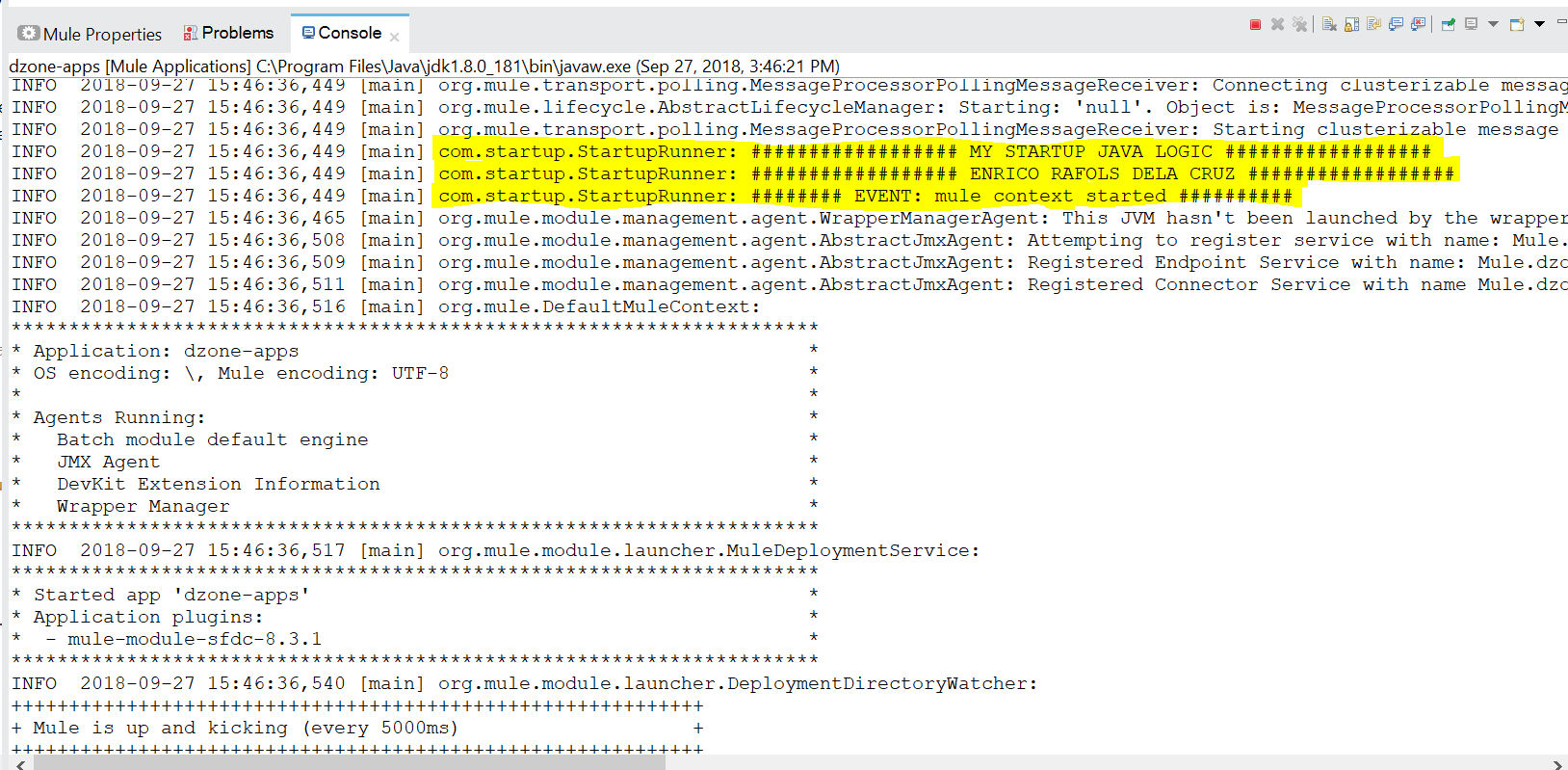
On deploying the Mule Application, we can see that the Custom Class com.startup.StartupRunner executed once during the Mule Application startup.
That's it. Hope this helps! Let me know of any thoughts or questions you might have by asking in the comments section.
Opinions expressed by DZone contributors are their own.
Comments