

End-to-End Test Automation With Playwright, GitHub Page, and Allure Reports
Learn how to build a modern test automation pipeline with Playwright, GitHub Actions, and Allure Reports for reliable, scalable web app testing.
 CORE
·
CORE
·
Join the DZone community and get the full member experience.
Join For FreeAutomated testing is essential for delivering high-quality web applications. Modern CI/CD pipelines require reliable, scalable, and transparent test automation to ensure confidence in every release.
In this article, we explore how Playwright, GitHub Actions, and Allure Reports work together to create a powerful end-to-end testing automation framework. You will learn how to set up Playwright tests, integrate them into a GitHub Actions CI pipeline, and generate professional Allure reports that provide clear insights into test execution.
This blog explains how these tools work together and provides a complete, step-by-step guide to setting up Playwright tests, integrating them with a GitHub Actions pipeline, and generating professional Allure reports.
Why Playwright?
Playwright is a modern end-to-end testing framework built by Microsoft. It is designed specifically for testing web applications across different browsers with speed and reliability.
Key Features of Playwright
- Cross-browser testing: Supports Chromium, Firefox, and WebKit.
- Auto-waiting: Automatically waits for elements to be ready, reducing flaky tests.
- Headless and headed execution: Ideal for CI environments.
- Rich debugging tools: Screenshots, videos, and traces on failures.
- Multi-language support: JavaScript, TypeScript, Python, Java, and .NET.
Playwright is especially well-suited for CI pipelines because it runs fast and is highly deterministic.
Why GitHub Actions?
GitHub Actions is GitHub’s built-in CI/CD platform that allows you to automate workflows directly from your repository.
Benefits of GitHub Actions
- Native GitHub integration
- Simple YAML-based configuration
- Free runners for public repositories
- Automatic triggers on push and pull requests
- Easy artifact and report management
Using GitHub Actions ensures your Playwright tests run automatically whenever code changes are introduced.
Why Allure Reports?
Test execution is only half the story. Teams also need clear, actionable insights from test results. Allure Reports provides a visually rich and interactive reporting solution.
What Makes Allure Unique?
- Clean test dashboards
- Step-level execution details
- Screenshots and logs attached to failures
- Test history and trends
- Easy sharing through static HTML reports
Allure turns raw test data into meaningful information for developers, QA engineers, and stakeholders.
Overall Architecture
Here’s how everything fits together:
- Playwright runs UI tests
- Allure captures test execution results
- GitHub Actions triggers tests on repository events
- Allure HTML reports are generated
- Reports are stored as artifacts or deployed to GitHub Pages (gh-page)
This creates a fully automated, end-to-end testing pipeline.
Step 1: Setting Up Playwright
Prerequisites
- Node.js (version 16 or later)
- npm or yarn
- GitHub repository
Install Playwright
Run the following commands in your project directory:
npm init -y
npm install -D @playwright/test
npx playwright install
This installs Playwright along with the required browser binaries.
Step 2: Installing and Configuring Allure for Playwright
Install the Allure Dependencies to generate the Allure report:
npm install -D allure-playwright allure-commandlineUpdate Playwright Configuration
import { defineConfig } from '@playwright/test';

export default defineConfig({
  reporter: [
    ['list'],
    ['allure-playwright']
  ],
  use: {
    screenshot: 'only-on-failure',
    video: 'retain-on-failure'
  }
});
This configuration enables Allure reporting and captures screenshots and videos for failed tests.
Step 3: Running Tests With Allure Locally
Execute End-to-end test cases locally and generate allure-results directory.
npx playwright testAllure result files will be generated in the allure-results directory.
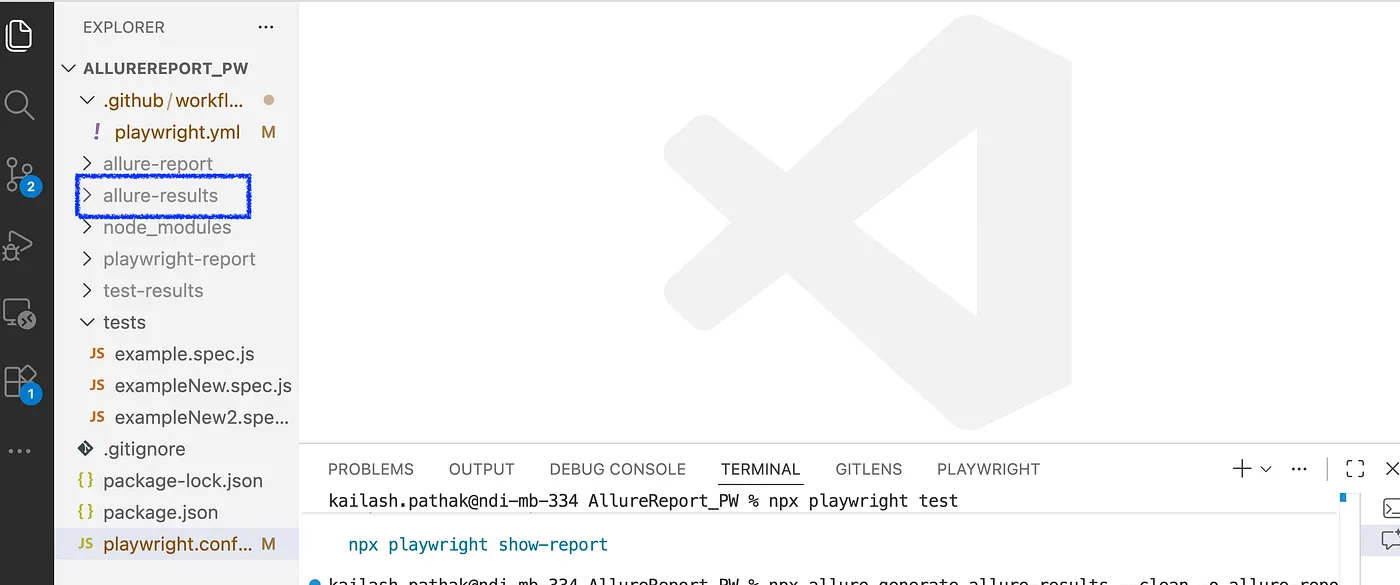
Generate Allure Report
npx allure generate allure-results --clean -o allure-reportOpen Report
Once the Allure Report is generated, the next step is to open it. The command below will help in opening the report.
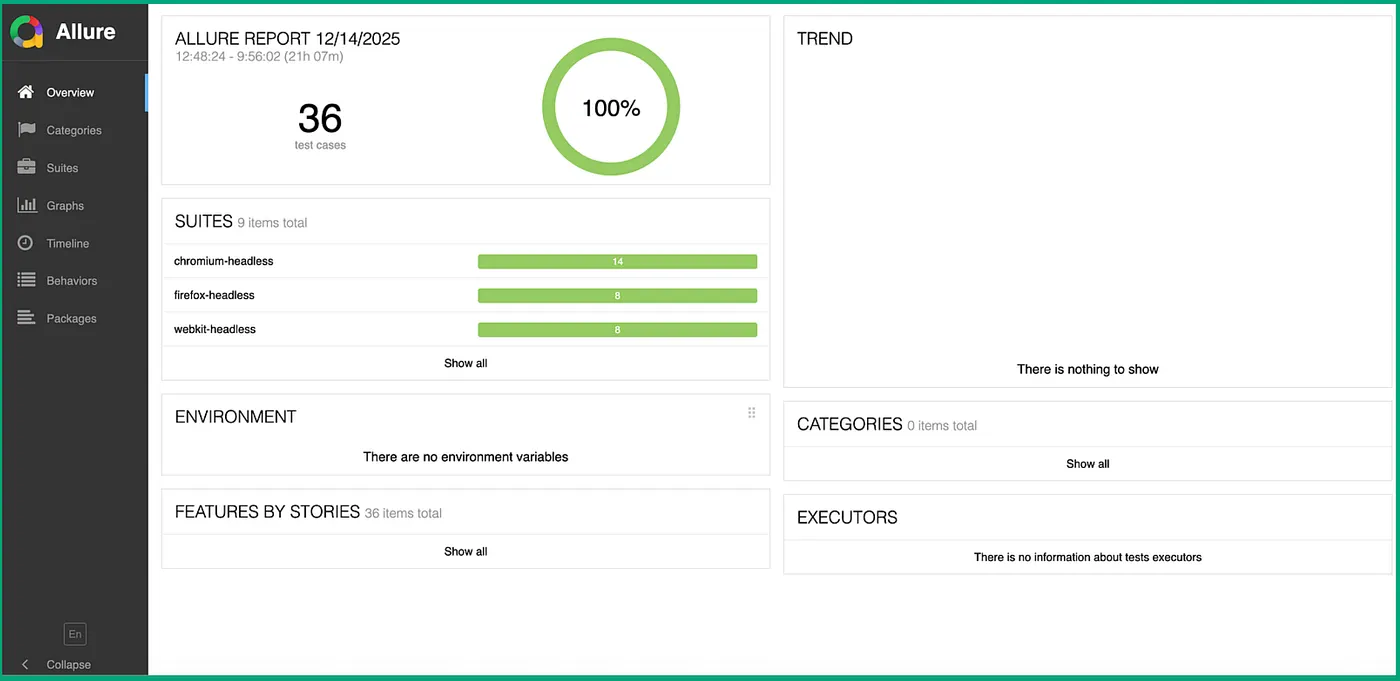
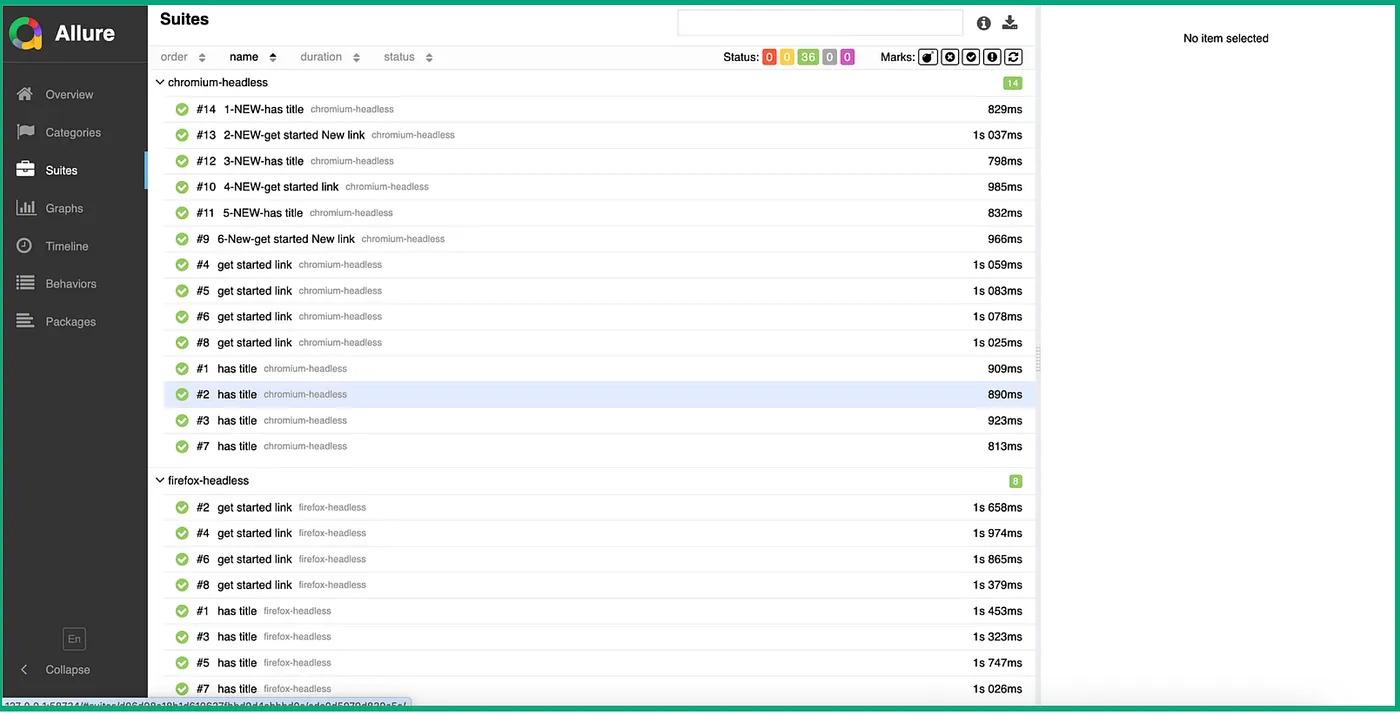
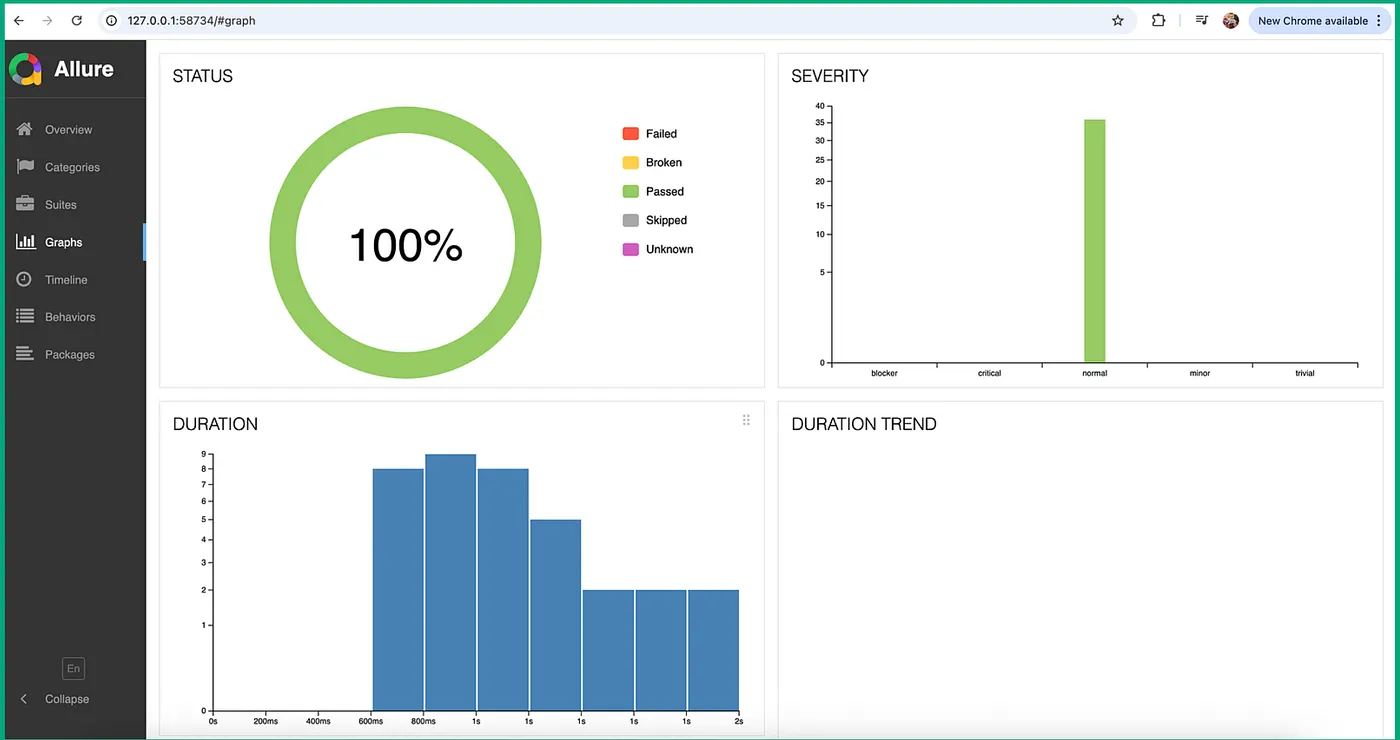
npx allure open allure-reportAt this stage, you should see a fully interactive Allure report. Below are screenshots from the Allure report.
Step 4: Integrating With GitHub Actions
The following GitHub Actions workflow runs Playwright tests and generates an Allure report:
Create Workflow File (.yml)
Create the following file in your repository:
name: Playwright Tests with Allure Report

on:
  push:
    branches: [ main ]
  pull_request:
    branches: [ main ]

jobs:
  test:
    runs-on: ubuntu-latest

    steps:
      - name: Checkout repository
        uses: actions/checkout@v4

      - name: Setup Node.js
        uses: actions/setup-node@v4
        with:
          node-version: 18

      - name: Install dependencies
        run: npm ci

      - name: Install Playwright browsers
        run: npx playwright install --with-deps

      - name: Run Playwright tests
        run: npx playwright test
        continue-on-error: true

      - name: Generate Allure report
        run: |
          npx allure generate allure-results --clean -o allure-report

      - name: Upload Allure report as artifact
        uses: actions/upload-artifact@v4
        with:
          name: allure-report
          path: allure-report
Explanation
- Tests run automatically on pushes and pull requests
- Allure report is generated after execution
- Report is uploaded as a downloadable artifact
Step 5: Publishing Allure Report Using GitHub Pages (gh-pages)
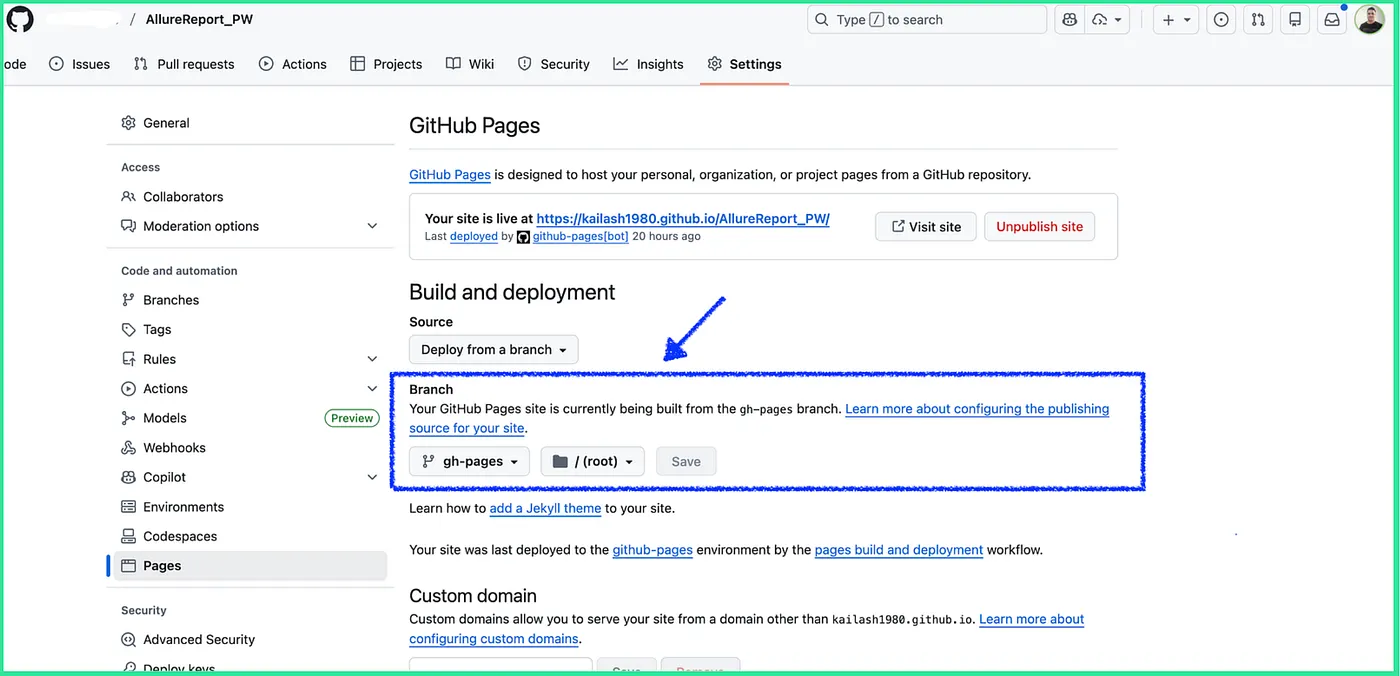
In the steps below, you will see how to make reports accessible via a browser in GitHub Actions itself.
We have to do the following configuration in GitHub Actions.
- In GitHub, open Settings –> Page
- From Source –> Deploy from a branch
- Select:
- Source: Deploy from a branch
- Branch:
gh-pages - Folder:
/ (root)
Step 6: Code Push
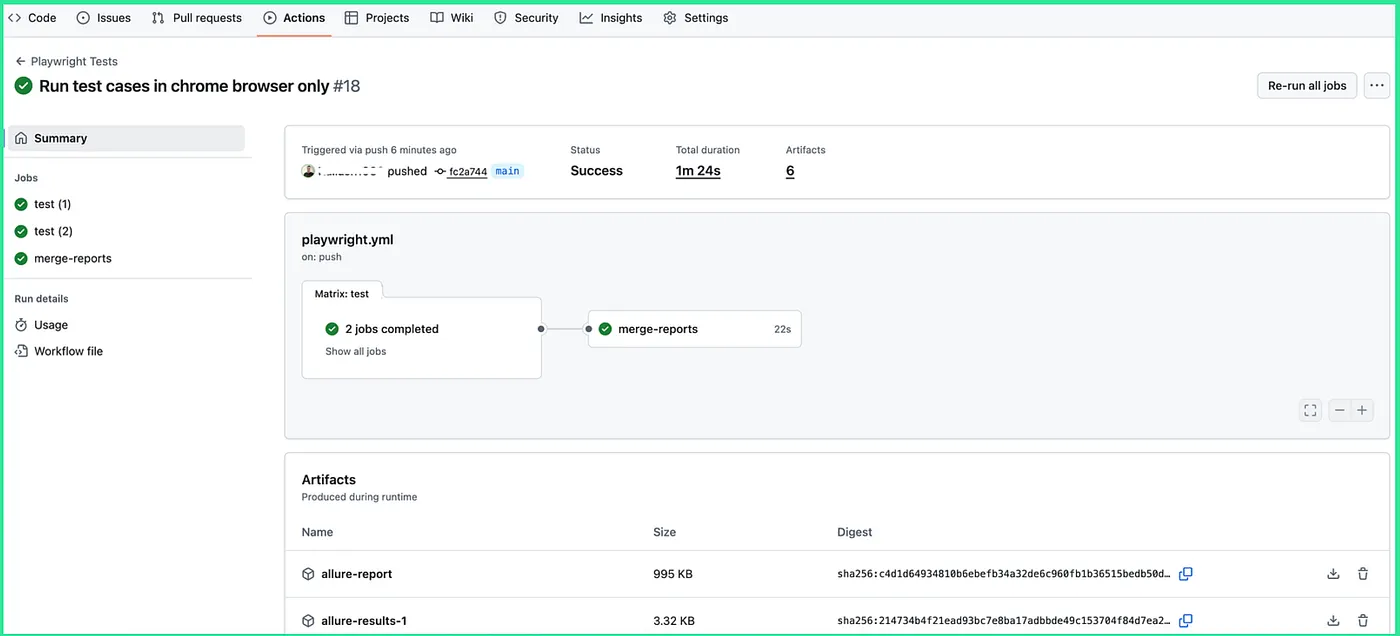
As the code push test cases start executing in GitHub. In the screenshot below, you can see that the test cases are executed successfully.
Step 7: Pages Build and Deployment
“Pages build and deployment” is an automatic GitHub Actions workflow that GitHub creates and runs when you enable GitHub Pages for a repository.
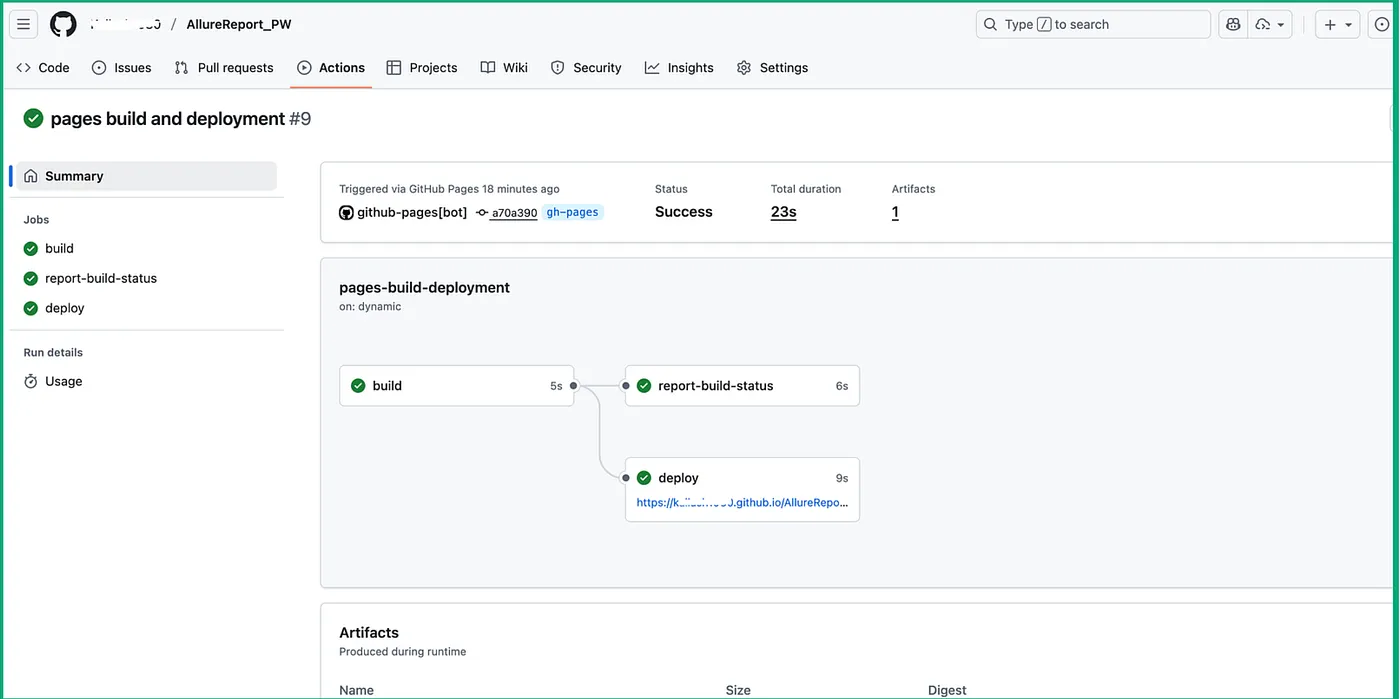
What Is “Pages build and deployment”?
Pages build and deployment is a system-managed GitHub Actions workflow that:
- Takes files from a specified branch or workflow
- Builds them (if needed)
- Deploys them to GitHub Pages
- Publishes them as a public website
You do not write this workflow yourself. GitHub creates and manages it for you.
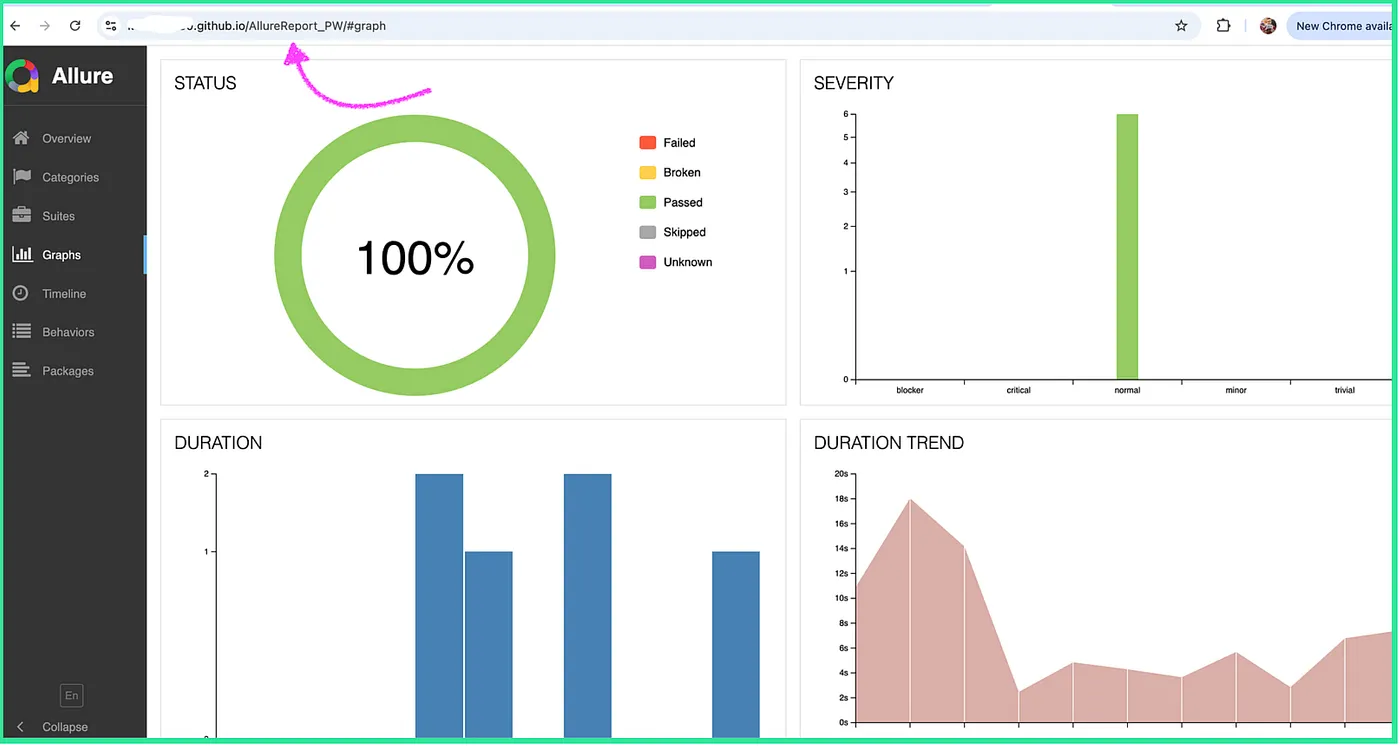
Once deployed, the report will be available at:
https://<username>.github.io/<repository-name>/In the screenshot below, you can see that the Allure report is available.
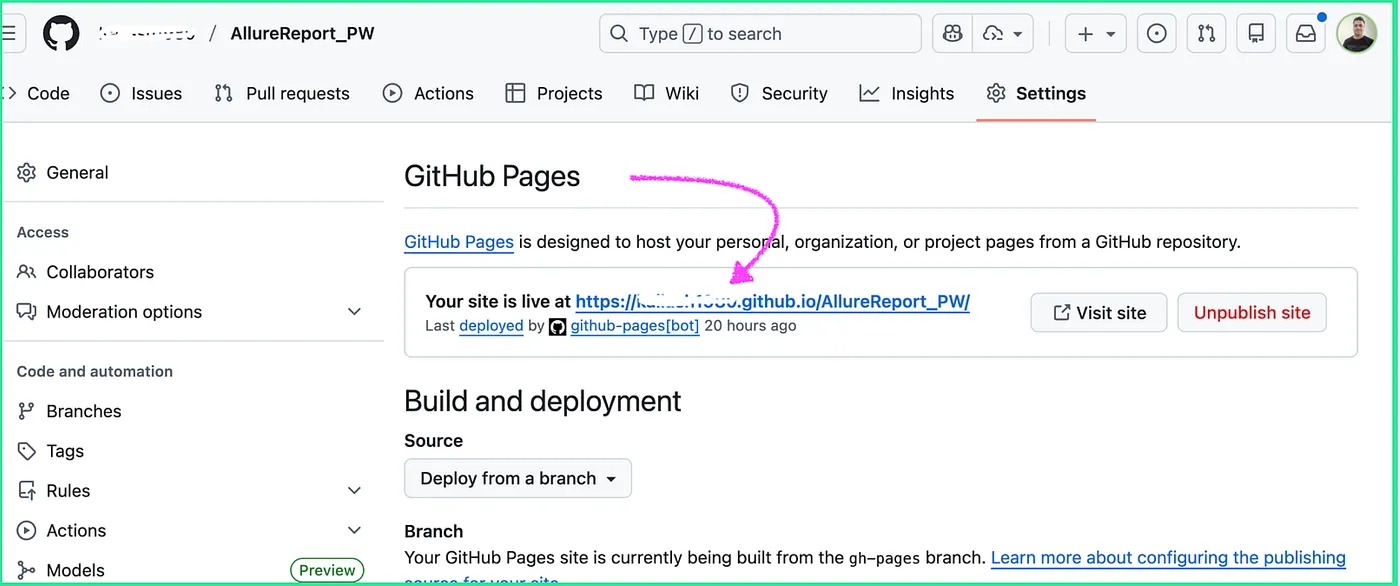
When we open the link, you can see the status of all executed test cases.
Best Practices
- Keep tests small and independent
- Use descriptive test titles
- Capture screenshots and videos on failure
- Clean old Allure results before generating new reports
- Run tests in headless mode for CI
- Protect the
gh-pagesbranch from manual edits
Conclusion
Combining Playwright, GitHub Actions, and Allure Reports creates a modern, scalable, and reliable test automation pipeline. This approach not only improves test visibility and execution reliability but also integrates seamlessly into CI/CD workflows. By adopting this setup, teams can reduce regressions, improve release confidence, and deliver high-quality web applications faster.
Opinions expressed by DZone contributors are their own.
Comments