

How to Test GET API Requests With Playwright TypeScript
Learn how to test GET API requests using Playwright with TypeScript, including params, headers, timeouts, and status code validation.
 CORE
·
CORE
·
Join the DZone community and get the full member experience.
Join For FreePlaywright is a widely used open-source test automation framework developed by Microsoft. It allows developers and test automation engineers to reliably automate web applications across multiple browsers and platforms. Playwright supports several popular programming languages, such as JavaScript, TypeScript, Java, C#, and Python. One of its standout features is built-in API automation testing, which gives it a strong advantage over many traditional web automation frameworks.
In this tutorial, we’ll explore how to use Playwright with TypeScript and learn how to automate GET API requests.
Installing Playwright With TypeScript
The first step is to install and set up Playwright with TypeScript. Let’s create a new folder and run the following command by navigating to the newly created folder:
npm init playwright@latestAfter running the above command, make sure you select “TypeScript” as the programming language.
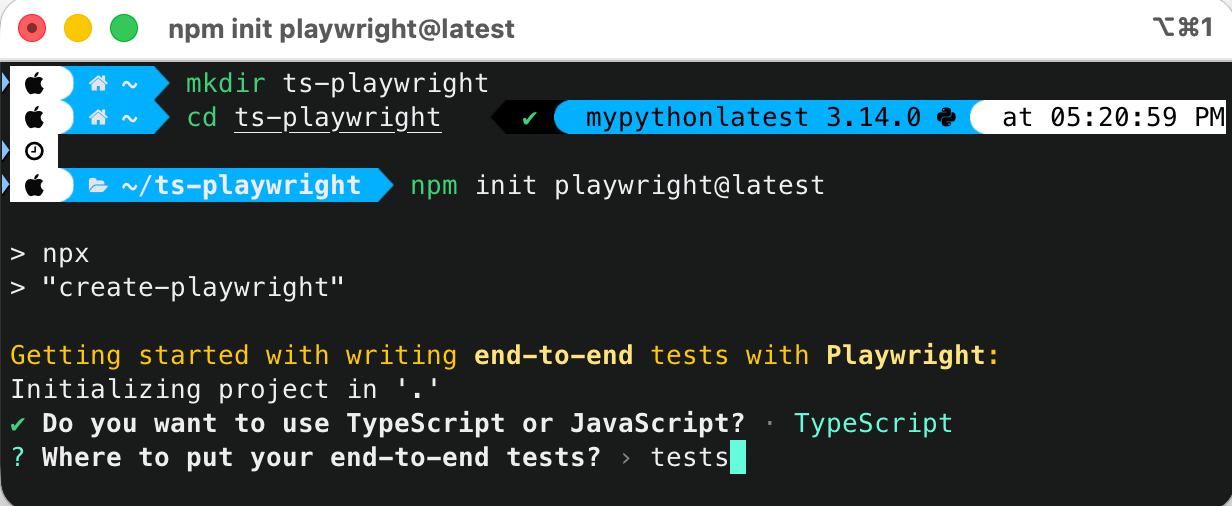
Next, select the appropriate options for the other questions asked by the Playwright setup and install Playwright and its dependencies.
Application Under Test
We’ll be using free, publicly available RESTful e-commerce APIs from a demo e-commerce application hosted on GitHub.
The project can be run locally using either Node.js or Docker and provides several order management APIs, including creating, updating, retrieving, and deleting orders.
How to Test GET API Requests With Playwright TypeScript
Playwright provides a request API that lets us create and manage HTTP request contexts. Let’s learn about sending GET requests step-by-step with different options:
Send a GET API Request and Verify the Status Code
Let’s perform a simple test by sending a GET API request and verifying that a 200 status code is returned in the response.
import { test, expect } from "@playwright/test";
test("Get Order details API test with status code check", async ({ request }) => {
  const response = await request.get("http://localhost:3004/getOrder/", {
    params: {
      user_id: "1",
    },
  });

  expect(response.status()).toBe(200);
});
Code Walkthrough
This test sends a GET request to the /getOrder API with a user_id parameter using Playwright’s request context. It verifies that the API responds successfully by checking that the status code returned is 200. The following are additional details about this test:
- test(…): The test(…) defines a Playwright test case. The string “Get Order details API test with status code check” is the name of the test and will be shown in the Playwright report.
- async ({ request }): It uses Playwright’s built-in request fixture, which injects an APIRequestContext and allows us to make HTTP calls.
- Sending a GET request: The following line sends an HTTP GET request to the /getOrder/ endpoint.
const response = await request.get("http://localhost:3004/getOrder/", {The await keyword pauses execution until the API responds. Finally, the result is stored in the response variable, which is an APIResponse object.
- Params: The following line adds a query parameter “user_id” to the GET request.
params: {
      user_id: "1",
},- expect statement: The response.status() retrieves the HTTP status code returned by the API, and expect(…).toBe(200) asserts that the API responded successfully with HTTP 200 OK.
Similarly, we can perform the assertions for a status code other than 200. In the code below, the value for the “id” parameter is updated to “2”, for which no records exist in the system.
test("Get Order details API test with status code 404", async ({ request }) => {
  const response = await request.get("http://localhost:3004/getOrder/", {
    params: {
      id: 2,
    },
  });

  expect(response.status()).toBe(404);
});
The expectation is that it should return status code 404. The expect(...) statement performs the required status code check.
Send a GET API Request With Multiple Parameters
There are situations where we need to provide multiple parameters in the GET request to filter and fetch the required records. Using Playwright TypeScript, multiple parameters can be supplied while sending a GET request, as shown below:
test("Get Order details API test with multiple params", async ({ request }) => {
  const params = {
    id: 1,
    user_id: "1",
    product_id: "79",
  };
  const response = await request.get("http://localhost:3004/getOrder/", {
    params,
  });

  expect(response.status()).toBe(200);
});
This test defines multiple query parameters (id, user_id, and product_id) in a single params object and sends them with a GET API request. Playwright automatically appends these parameters to the request URL.
Send a GET API Request With Headers
Headers play an important role in retrieving data from the server. They can be supplied in the GET request as shown below:
test("Get Order details API test with headers", async ({ request }) => {
  const response = await request.get("http://localhost:3004/getOrder/", {
    params: {
      id: 1,
      user_id: "1",
    },
    headers: {
      ContentType: "application/json",
    },
  });

  expect(response.status()).toBe(200);
});
This test sends a GET request with custom HTTP headers along with query parameters, where the headers option is used to specify that the request content type is JSON.
Similarly, other headers such as “Authorization”, “Accept”, “User-Agent”, etc. can also be supplied.
Send a GET API Request With a Timeout Option
Playwright provides the timeout option that can be passed to the request.get() method for setting a timeout to limit how long to wait for the response.
test("Get order details API test with timeout", async ({ request }) => {
  const response = await request.get("http://localhost:3004/getOrder/", {
    params: {
      user_id: 1,
    },
    headers: {
      ContentType: "application/json",
    },
    timeout: 300,
  });

  expect(response.status()).toBe(200);
});
If the API does not respond within the given timeout, Playwright fails the request and throws a timeout error. It helps prevent tests from hanging and makes failures faster and more predictable, especially for slow or unstable APIs.
Send a GET API Request With the failOnStatusCode Option
The failOnStatusCode option tells Playwright to automatically fail the request if the API responds with a non-2xx status code (such as 400, 404, 500, etc).
test("Get order details API test with fail on status code", async ({
  request,
}) => {
  const response = await request.get("http://localhost:3004/getOrder/", {
    params: {
      user_id: "1",
    },
    headers: {
      ContentType: "application/json",
    },
    failOnStatusCode: true,
  });
});
Using this option, we can get rid of performing the checks using response.status() as Playwright throws an error immediately if the API does not respond with a 2xx status code.
The failOnStatusCode option is useful when a request must succeed for the test to continue. For example, if we need to validate the response data, we must use this option to ensure that the API responds with a 2xx status code before proceeding with deeper response validation.

Test Execution
Let's execute all the tests that we discussed and also check the built-in report provided by Playwright.
To run the tests, execute the following command from the terminal:
npx playwright test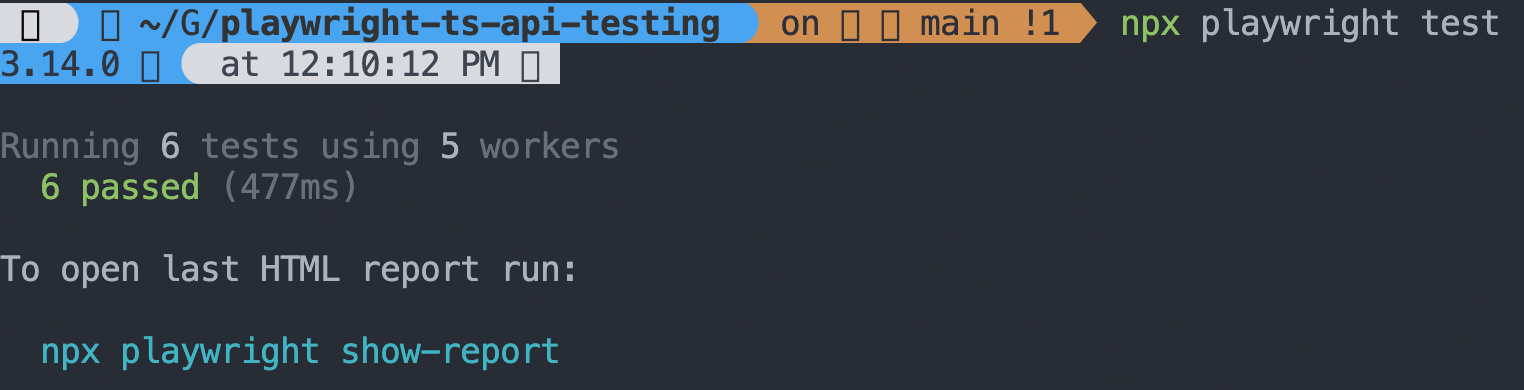
After the test execution is complete, the built-in Playwright report can be generated using the following command:
npx playwright show-report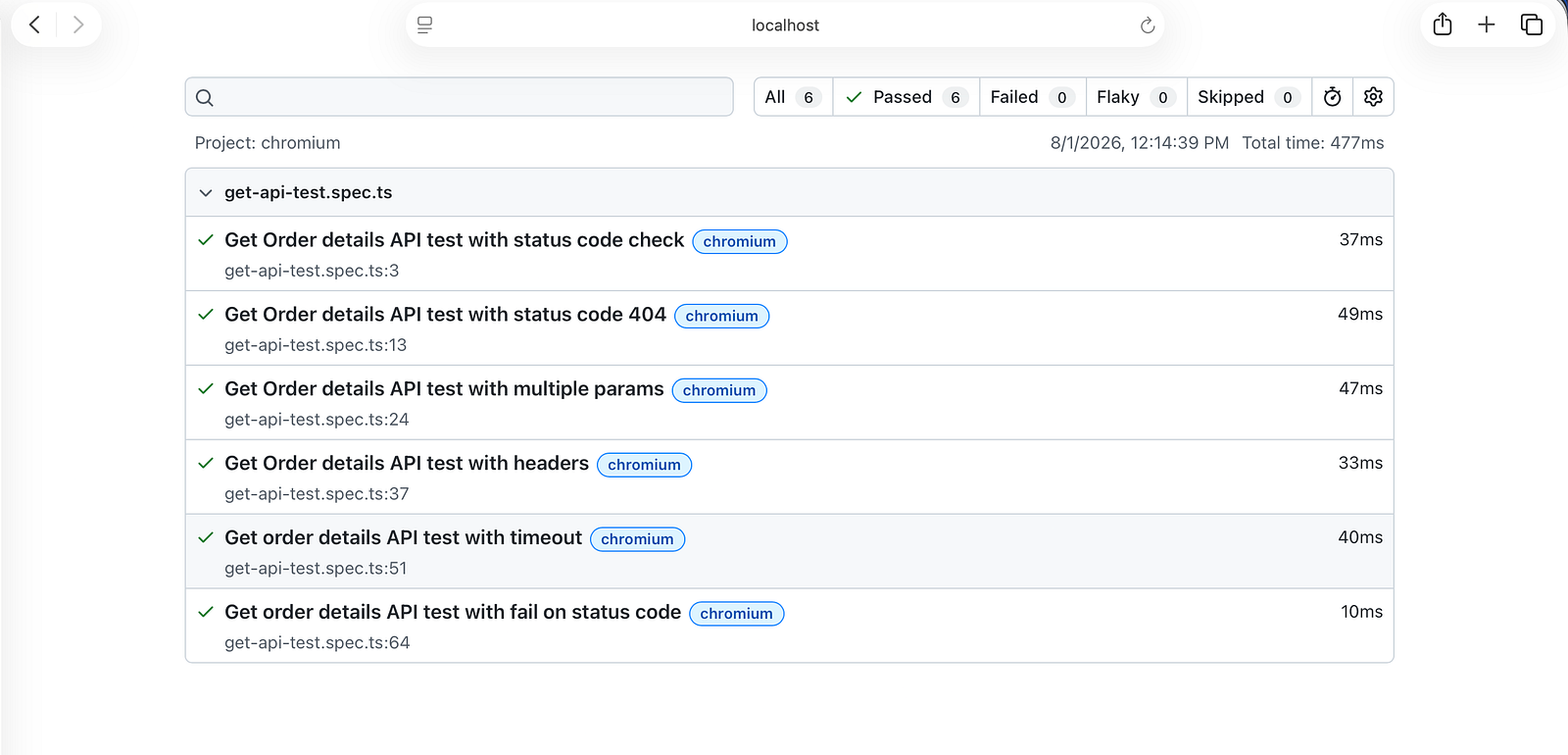
The report shows details of the test run, including test names, time taken, the browser agent used, and the number of tests executed, along with their pass/fail status.
Watch the step-by-step YouTube tutorial on how to test GET API requests with Playwright TypeScript.
Summary
Testing GET API requests with Playwright using TypeScript allows you to easily send requests with query parameters and custom headers while keeping your tests clean and readable.
Playwright also provides options such as timeout to control request duration and failOnStatusCode to automatically fail tests on non-successful responses. Together, these features help test the GET API requests efficiently.
Published at DZone with permission of Faisal Khatri. See the original article here.
Opinions expressed by DZone contributors are their own.
Comments