

Selenium Grid 4 and Appium
Selenium Grid 4 released support for non-browser WebDrivers. See how to set up a new Grid with Appium.
Join the DZone community and get the full member experience.
Join For FreeSelenium Grid 4 is already in the prerelease stage. That means that now is a great time to check updates on your current project and be ready for the changes and new features.
Hub implementation was redesigned. Now it has a distributed architecture. A few weeks ago, the developers added support for non-browser WebDrivers. In other words, you can migrate your Appium clusters to a new Grid.
Grid 3 setup with Appium for IOS was like this:

It was required to prepare a configuration file and run Appium with a pointer to that config:appium —nodeconfig config.json
The relationship between Selenium Server and Appium was very close and, after changes in Selenium code, developers needed to communicate with the Appium team for compatibility.
In a fresh implementation of Grid, a connection of non-browser WebDrivers is implemented via relay. You can set up a WebDriver endpoint, and Grid Node will send commands to it. This service endpoint can be an Appium server or any other service, even a cloud provider that supports the WebDriver API.
Selenium Grid 4 interacts with the node, and the node interacts with the connected service:
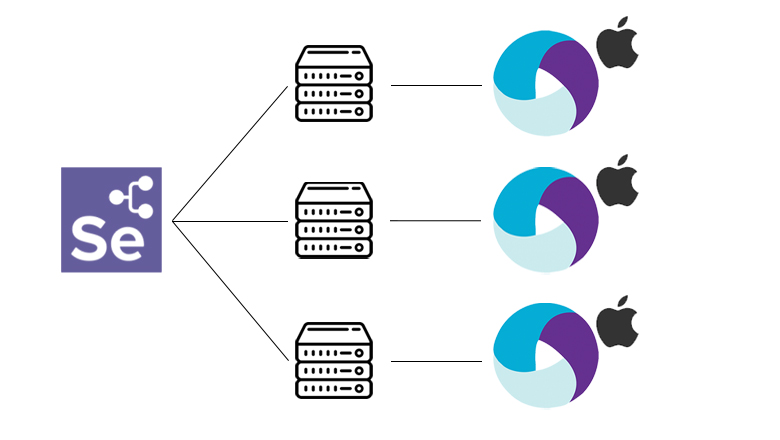
This setup is different from the previous version. First of all, you need to prepare a configuration file in toml format, where you set the Appium URL in the relay section and available environments in the config block.
[node]
detect-drivers = false

[relay]
url = "http://192.168.0.102:4724/wd/hub"
status-endpoint = "/status"
configs = [
  "1", "{\"browserName\": \"iPhone 12 Pro Max\", \"platformName\": \"iOS\", \"appium:platformVersion\": \"15.0\"}"
]
Start services:
- Appium, which will be connected to node
- Selenium Grid 4
- Selenium Grid Node the with prepared configuration
I prepared a simple docker-compose.yml, which starts a hub and nodes:
version: "3.3"
services:
  grid-4:
    container_name: grid-4
    image: selenium/hub:4.0.0-rc-2-prerelease-20210916
    environment:
      - GRID_TIMEOUT=140
      - GRID_BROWSER_TIMEOUT=120
    ports:
      - "4442-4444:4442-4444"

  node-1:
    container_name: node-1
    image: selenium/node-docker:4.0.0-rc-2-prerelease-20210916
    volumes:
      - "${PWD}/config1.toml:/opt/bin/config.toml"
    environment:
      - SE_EVENT_BUS_HOST=grid-4
      - SE_EVENT_BUS_PUBLISH_PORT=4442
      - SE_EVENT_BUS_SUBSCRIBE_PORT=4443
      - SE_NODE_HOST=grid-4

  node-2:
    container_name: node-2
    image: selenium/node-docker:4.0.0-rc-2-prerelease-20210916
    volumes:
      - "${PWD}/config2.toml:/opt/bin/config.toml"
    environment:
      - SE_EVENT_BUS_HOST=grid-4
      - SE_EVENT_BUS_PUBLISH_PORT=4442
      - SE_EVENT_BUS_SUBSCRIBE_PORT=4443
      - SE_NODE_HOST=grid-4
After services become ready, feel free to use the host and run tests. UI console now has a modern design where you can see available nodes and active sessions.
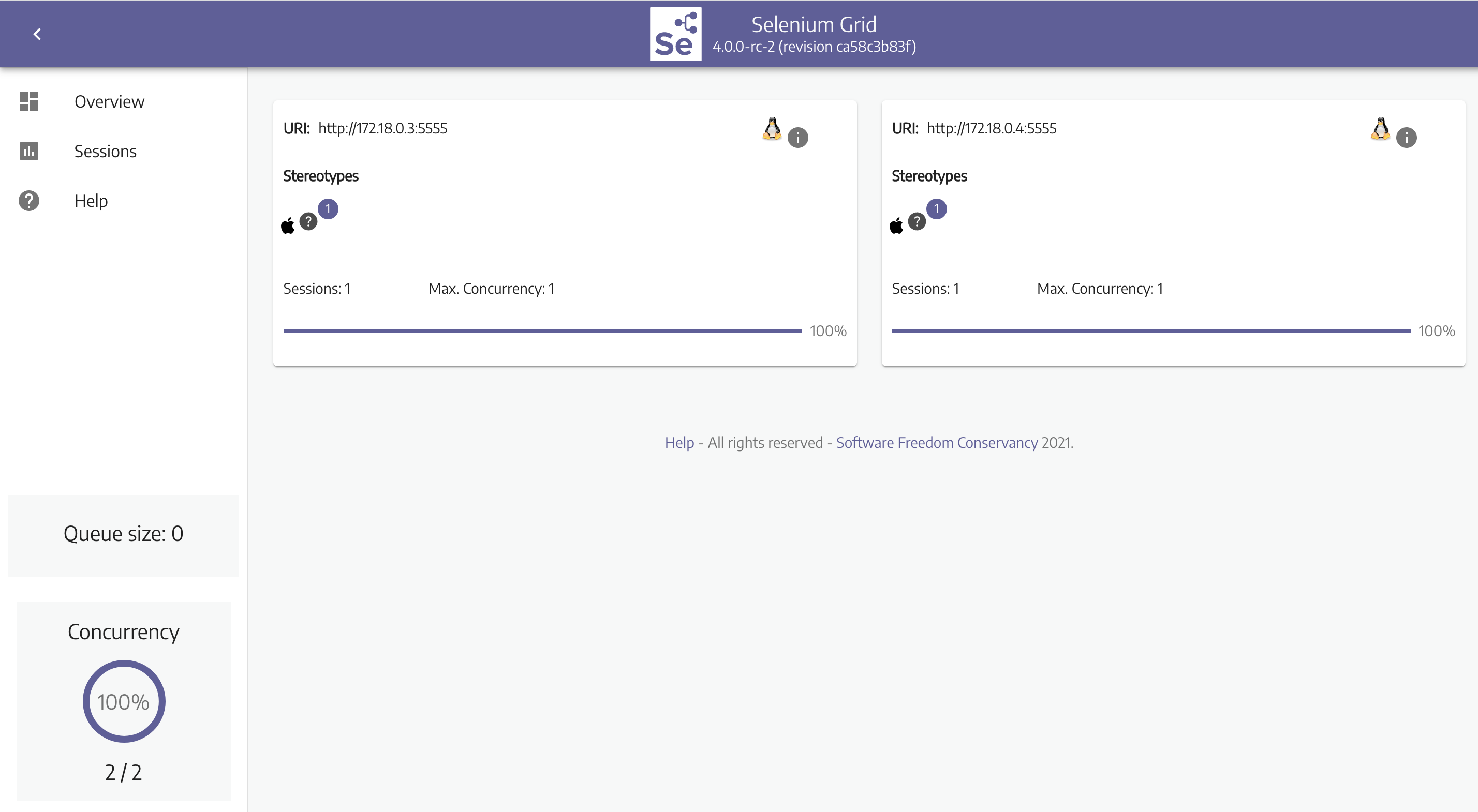

For more details, see the official documentation. I recommend trying a new Grid on your current project.
Waiting for official release.
Opinions expressed by DZone contributors are their own.
Comments