

Spring Data and R2DBC by Example
Take a look at this tutorial that show you how use R2DBC in a Spring project.
Join the DZone community and get the full member experience.
Join For FreeR2DBC is a project that enables us to develop reactive programs API with relational databases, as we can do with databases that natively offer reactive drivers, like for example, Mongo or Cassandra.
Spring Data R2DBC is an abstraction of Spring to use repositories that support R2DBC and allows us a functional approach to interact with a relational database.
I use the following:
- Gradle 6.7.1
- Scala 2.12.6 ( I like this language :) )
- JDK 15
- Intellij IDEA
- Spring Boot 2.4.4
The project structure is:
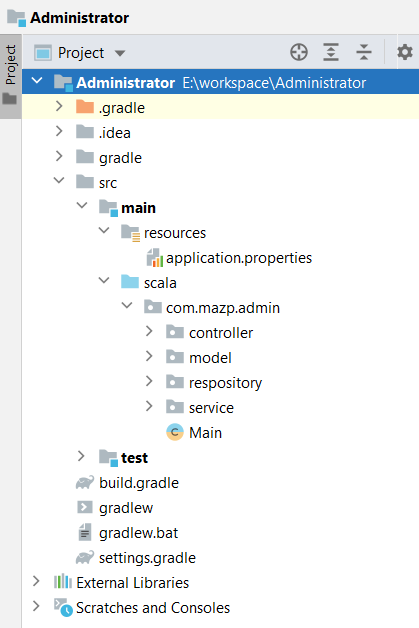
The Gradle file contains:
xxxxxxxxxx
plugins {
id 'org.springframework.boot' version '2.4.4'
id 'io.spring.dependency-management' version '1.0.11.RELEASE'
id 'java'
id 'scala'
}
group 'org.mazp.admin'
version '1.0-SNAPSHOT'
repositories {
mavenCentral()
maven { url 'https://repo.spring.io/milestone' }
maven { url 'https://repo.spring.io/snapshot' }
}
dependencies {
testImplementation 'org.junit.jupiter:junit-jupiter-api:5.7.0'
testRuntimeOnly 'org.junit.jupiter:junit-jupiter-engine:5.7.0'
implementation 'org.scala-lang:scala-library:2.12.6'
testImplementation 'org.scalatest:scalatest_2.12:3.2.3'
testImplementation 'org.scala-lang:scala-library:2.12.6'
implementation 'org.springframework.boot:spring-boot-starter-webflux'
implementation 'org.springframework.boot:spring-boot-starter-data-r2dbc'
implementation 'dev.miku:r2dbc-mysql'
implementation 'mysql:mysql-connector-java'
}
test { useJUnitPlatform() }
sourceSets {
main { scala { srcDirs = ['src/main/scala'] } }
test { scala { srcDirs = ['src/test/scala'] } }
}
springBoot {
mainClass = 'com.mazp.admin.Main'
}
The properties files is:
x
spring.r2dbc.url=r2dbc:mysql://localhost:3306/admin_r2dbc
spring.r2dbc.username=user_mysql
spring.r2dbc.password=password_user_mysql
The next class is used to map a row with an object:
xxxxxxxxxx
package com.mazp.admin.model
import org.springframework.data.annotation.Id
import org.springframework.data.relational.core.mapping.Table
("admin")
class AdminObject {
private var idAdmin:Integer = null
private var adminCode:String = null
private var description:String = null
def getDescription() = description
def setDescription(usr:String) = this.description = usr
def getAdminCode() = adminCode
def setAdminCode(ctId:String) = adminCode = ctId
def getIdAdmin() = idAdmin
def setIdAdmin(ctId:Integer) = idAdmin = ctId
}
The repository is:
xxxxxxxxxx
package com.mazp.admin.respository
import com.mazp.admin.model.AdminObject
import org.springframework.data.repository.reactive.ReactiveCrudRepository
import reactor.core.publisher.Flux
trait AdminRepository extends ReactiveCrudRepository[AdminObject, Integer ]{
/**
* This method uses the convention name
* @param adminCode
* @return
*/
def findByAdminCode(adminCode:String):Flux[AdminObject]
}
The service class is:
xxxxxxxxxx
package com.mazp.admin.service
import com.mazp.admin.respository.AdminRepository
import org.springframework.beans.factory.annotation.Autowired
import org.springframework.stereotype.Service
class AdminService ( val adminRepository: AdminRepository) {
def getAdmin(adminCode:String) =
adminRepository.findByAdminCode(adminCode)
}
The controller class is:
xxxxxxxxxx
package com.mazp.admin.controller
import com.mazp.admin.service.AdminService
import org.springframework.beans.factory.annotation.Autowired
import org.springframework.web.bind.annotation.{GetMapping, PathVariable, RequestMapping, RestControllerAdvice}
(Array("/admin"))
class AdminController( val adminService: AdminService) {
(Array("/{adminCode}"))
def route( adminCode: String) = {
adminService.getAdmin(adminCode)
}
}
The main class:
xxxxxxxxxx
package com.mazp.admin
import org.springframework.boot.SpringApplication
import org.springframework.boot.autoconfigure.{SpringBootApplication}
class Main
object Main extends App{
SpringApplication.run(classOf[Main], args:_*)
}
The table admin is:
xxxxxxxxxx
CREATE TABLE `admin` (
`id_admin` int NOT NULL AUTO_INCREMENT,
`admin_code` varchar(45) NOT NULL,
`description` varchar(45) DEFAULT NULL,
PRIMARY KEY (`id_admin`),
UNIQUE KEY `admin_code_UNIQUE` (`admin_code`)
) ENGINE=InnoDB AUTO_INCREMENT=2 DEFAULT CHARSET=utf8mb4 COLLATE=utf8mb4_0900_ai_ci;
INSERT INTO `admin_r2dbc`.`admin`(`admin_code`,`description`)
VALUES('ADMIN','Esto es para prueba R2DBC');
When you run the project, you can call:
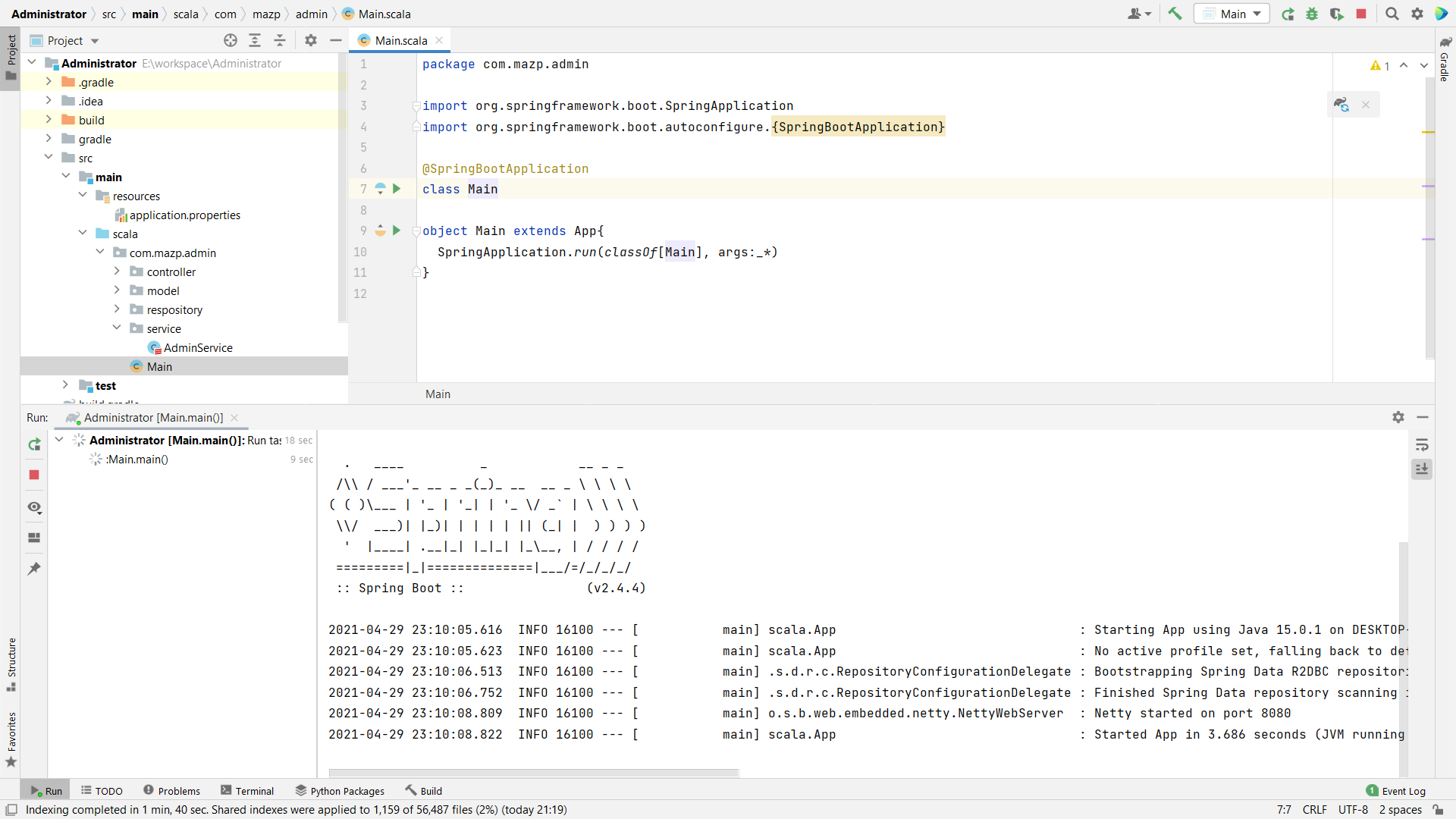
Now, we use the curl command to test the service:

Opinions expressed by DZone contributors are their own.
Comments