

Testing Updates in Insert-Only Ledger Tables and Understanding Updates in Updatable Ledger Tables
SQL Server ledger tables ensure data integrity: insert-only tables block updates, while updatable ones log every change. Learn how each handles updates.
 CORE
·
CORE
·
Join the DZone community and get the full member experience.
Join For FreeIn SQL Server, ledger tables offer powerful tamper-evident functionality, which is essential for systems that require high levels of trust and auditability. Two distinct types serve different needs: insert-only ledger tables and updatable ledger tables. Insert-only tables enforce strict immutability, allowing data to be added but never altered or deleted, making them ideal for transaction logs or event sourcing.
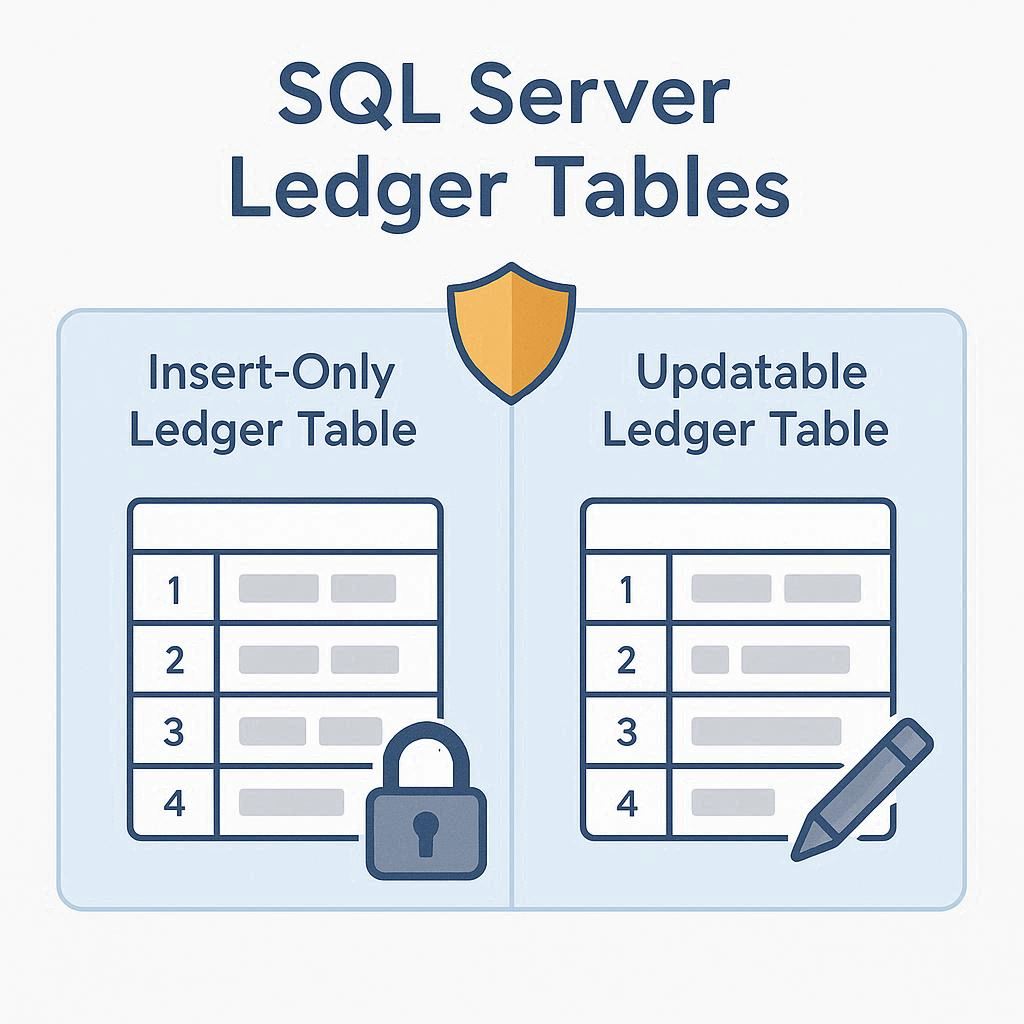
Conversely, updatable ledger tables permit modifications and deletions while meticulously maintaining a cryptographically verifiable history of all changes, much like a blockchain. This article provides a hands-on demonstration of these principles. We will test update operations against insert-only tables to confirm their constraints and then explore how updates are seamlessly and transparently managed in updatable ledger tables, complete with practical examples.
Testing Updates in Insert-Only Ledger Tables
Step 1: Create an Insert-Only Ledger Table
An insert-only ledger table ensures that data, once added, cannot be modified or deleted. For our example, we'll use a shipment tracking system. Follow the steps below to create the table:
CREATE SCHEMA [Shipping];
GO

CREATE TABLE [Shipping].[ShipmentLog] (
    [ShipmentID] INT NOT NULL PRIMARY KEY CLUSTERED,
    [PackageDetails] VARCHAR(100) NOT NULL,
    [ShipmentDate] DATE NOT NULL,
    [Destination] VARCHAR(50) NOT NULL
)
WITH (
    LEDGER = ON
);
Step 2: Insert Test Data
Insert a few records into the table for testing:
INSERT INTO [Shipping].[ShipmentLog]
VALUES (1, 'Electronics - Laptop', '2025-05-25', 'New York'),
       (2, 'Furniture - Table Set', '2025-05-26', 'Los Angeles');
This step ensures the data is successfully committed to the ledger.
Step 3: Attempt to Update Data
To test the immutability of an insert-only ledger table, try updating the destination of a shipment:
UPDATE [Shipping].[ShipmentLog]
SET [Destination] = 'Boston'
WHERE [ShipmentID] = 1;
Expected result: SQL Server will throw an error because updates are not allowed in insert-only ledger tables, as they are designed to guarantee that all data remains in its original state.
Error: Cannot update rows in table 'Shipping.ShipmentLog' because it is an append-only ledger table.This behavior protects the integrity of the table by preventing any modification to data after insertion.
Step 4: Attempt to Delete Data
Similarly, SQL Server prevents deletions in insert-only ledger tables. Running the following command:
DELETE FROM [Shipping].[ShipmentLog]
WHERE [ShipmentID] = 1;
Expected result: The attempt will fail, returning an error like:
Error: Cannot delete rows from table 'Shipping.ShipmentLog' because it is an append-only ledger table.This ensures that all historical records remain preserved and tamper-free.
How Updates Work in Updatable Ledger Tables
Unlike insert-only ledger tables, updatable ledger tables provide flexibility by allowing data to be modified or deleted. However, these changes are logged in the history table and are verifiable using cryptographic methods. This ensures an audit trail for every modification.
Step 1: Create an Updatable Ledger Table
Using a banking scenario, where account balances may frequently change, you can create an updatable ledger table as follows:
CREATE SCHEMA [Banking];
GO

CREATE TABLE [Banking].[AccountBalance] (
    [AccountID] INT NOT NULL PRIMARY KEY CLUSTERED,
    [CustomerName] VARCHAR(50) NOT NULL,
    [AccountType] VARCHAR(20) NOT NULL,
    [Balance] DECIMAL(10, 2) NOT NULL
)
WITH (
    SYSTEM_VERSIONING = ON (HISTORY_TABLE = [Banking].[AccountBalanceHistory]),
    LEDGER = ON
);
Step 2: Insert Test Data
Add some records to the table:
INSERT INTO [Banking].[AccountBalance]
VALUES
    (101, 'Mark Johnson', 'Savings', 500.00),
    (102, 'Olivia Roe', 'Checking', 1000.00);
Step 3: Update and Understand How Changes Work
Suppose Mark Johnson deposits $300 into his savings account. This results in an updated balance of $800. Run the following SQL command:
UPDATE [Banking].[AccountBalance]
SET [Balance] = 800.00
WHERE [AccountID] = 101;
What happens internally? You can view the history table by directly querying it:
SELECT * FROM [Banking].[AccountBalanceHistory];The history table shows:
Step 4: Validate the Update in the Ledger View
SQL Server maintains a ledger view for all operations, combining historical and cryptographic metadata. Query the ledger view to verify the update:
SELECT
    t.[commit_time] AS [CommitTime],
    t.[principal_name] AS [PerformedBy],
    l.[AccountID],
    l.[CustomerName],
    l.[Balance],
    l.[ledger_operation_type_desc] AS [OperationType]
FROM [Banking].[AccountBalance_Ledger] l
JOIN sys.database_ledger_transactions t
ON t.transaction_id = l.ledger_transaction_id
ORDER BY t.commit_time DESC;
In the results:
Key Differences Between Insert-Only and Updatable Ledger Tables in Updates
| Feature | Insert-Only Ledger Tables | Updatable Ledger Tables |
|---|---|---|
| Update Support | Not allowed (immutable data by design). | Updates allowed, but logged in the history table. |
| Data Integrity | Secures original data without exceptions. | Secures both original and updated states. |
| Change Tracking | Changes are not applicable due to immutability. | Updates and deletions are cryptographically tracked. |
| Use Case | Ensures permanent storage for records like logs. | Suitable for flexible yet auditable data scenarios. |
Summary
Testing the update process highlights the differing operational philosophies of insert-only and updatable ledger tables. Insert-only ledger tables prevent all modifications and deletions, guaranteeing immutable records ideal for compliance or auditing use cases.
On the other hand, updatable ledger tables strike a balance between flexibility and transparency by allowing updates while maintaining verifiable logs of all historical changes. Both these table types offer powerful tools for ensuring data integrity and trust in SQL Server, enabling businesses to choose the right configuration for their specific needs.
Opinions expressed by DZone contributors are their own.
Comments