

Throttle Spark-Kafka Streaming Volume
Time to dive into the settings to configure your loads.
This article will help any new developer who wants to control the volume of Spark Kafka streaming.
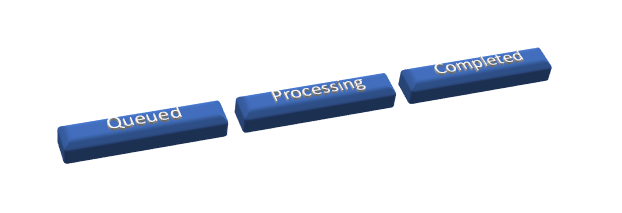
A Spark streaming job internally uses a micro-batch processing technique to stream and process data. The initial state of the job will be in the "queued" status, then it will then move to the "processing" status, and then it is marked with the "completed" status.
Prerequisites
- The developer should be familiar with Spark streaming
- The developer should have some knowledge of Kafka and Spark.
Problem Statement
Apache Spark is often used for data streaming. One of the streaming stacks it is well aligned with is Kafka. Kafka, as we know, is a powerful distributed platform. There are instances where the Spark streaming job is up and running, and the sudden increase in data volume may cause some bottlenecks.
Though Spark is a great processing engine, given a multi-tenant cluster, and if your app is consuming a high volume of Kafka messages, then there is a high chance of messages getting stuck in the queued status.
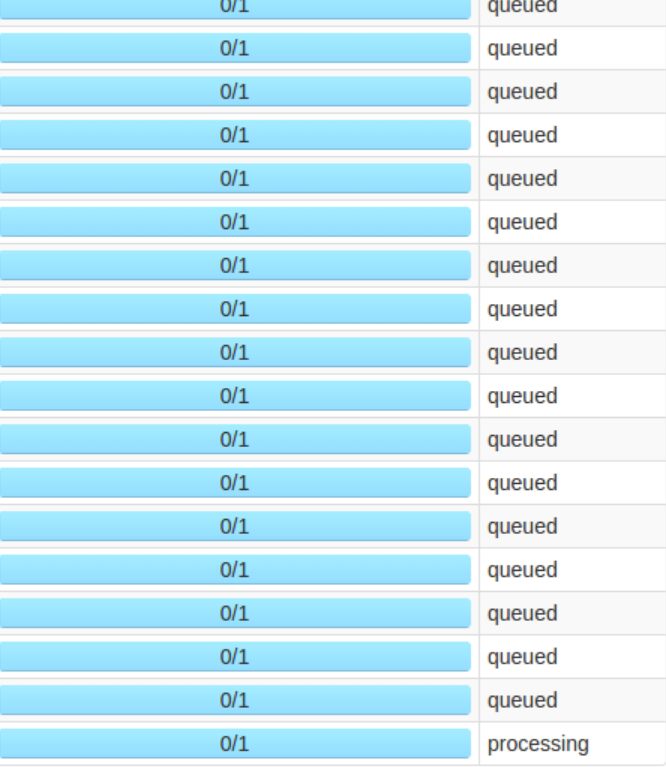
Since volume is high and there are not enough resources, there are many jobs stuck in the queue. This problem is due to the fact that your job runs on some defined configuration; let's say it normally handles 2,000 TPS, but your app suddenly got an inflow of 15,000 TPS.
This happens frequently — it can happen is when your Hadoop cluster is down for a prolonged duration, for example. Let's assume the job is down for four hours, and after it is up, when the job resumes, then a huge load of data piles up, and eventually your Spark job will not have enough resources to handle all that pending data at once.
Throttling Technique
The throttling technique comes up in rescue to solve this problem. Using this technique you can control the volume of data that your spark streaming job can handle maximum at once.
For Spark streaming Kafka, there is one key property that can be used to control the volume.
x
spark.streaming.kafka.maxRatePerPartition 3000
#Configured while creating topic
spark.kafka.topic.partition 16
In the above properties, 'spark.streaming.Kafka.maxRatePerPartition' plays a key role in throttling the messages.
Above, we defined the throttling value as 3,000, and the actual partition for this topic is 16. Now the maximum it can process at one micro-batch is:
max = 16*2*3000
So, at max, 96K messages will be processed per micro-batch.
This is one example — the actual settings will differ from job to job, and so will the max volume of data your job can process. Based on your executors and executor memory, you have to define the right configuration to throttle.
Throttling is a key technique for your job stability. Determining the right settings and configuration will play a crucial role in the processing of a high volume of data.
Opinions expressed by DZone contributors are their own.