

Top 5 RAD Platforms for Developers
A plain-spoken review of five Java-friendly RAD platforms. I cover CRUD speed, extensibility, security, deployment, support, lock-in, and pricing.
Join the DZone community and get the full member experience.
Join For FreeRapid Application Development platforms are more in demand as companies aim to deliver secure, scalable systems faster while adhering to a developer-first approach. This article reviews five popular RADs that can meet the needs of professional developers.
This blog post reviews five popular Rapid Application Development (RAD) platforms: WaveMaker, OpenXava, OutSystems, Oracle APEX, and Jmix. I will break down each platform's team fit, productivity, security, support, lock-in, licensing, exploring the advantages of each, and how easy it is to get started.
To evaluate practical performance, I took on three distinct software development aspects: building CRUDs, extensibility, and ease of deployment.
Modern State of RAD Platforms
RAD platforms are more in demand because companies aim to deliver secure, scalable business systems faster and smarter. There's a noticeable shift within central IT from solutions designed for business users towards RADs and a developer-first approach. This is driven by the desire to keep development in the hands of skilled professionals, who can maintain strict architectural, security, and compliance standards.
Digital products and services are becoming the main competitive force for businesses worldwide. Moreover, it's more often that digital initiatives in business belong to IT, which creates a need for development platforms that help professional developers, rather than seeking to replace them.
Choosing Platforms for Review
The platforms I’ve chosen for review are all friendly towards professional developers, each offering unique advantages to streamline the development process.
Some platforms complement developers’ current skill set, enabling the creation of full-stack applications. Others provide extensive low-code capabilities, allowing for the rapid development of editable prototypes that can be fine-tuned as needed. Certain platforms invite developers to apply their knowledge to similar concepts in shiny new and intuitive environments. Finally, some enhance the mainstream tools and practices that developers are already familiar with.
1. WaveMaker
WaveMaker is a powerful cloud-native platform designed to accelerate full-stack development, while minimizing the need for extensive DevOps expertise. Omdia’s Universe report for 2023–2024 positioned WaveMaker as the industry's most open low-code development platform, presenting an interesting point to explore.
Team Fit
WaveMaker is suited for developers and IT teams with technical knowledge. It helps speed up app development while allowing flexibility with open-standard technologies. Java and Angular developers can make the most of this platform.
Setup and Onboarding
WaveMaker provides its own IDE, which comes in two offerings: web-based WaveMaker Online and WaveMaker Enterprise for on-premises development. The web-based version does not require installation and allows users to start creating apps right away.
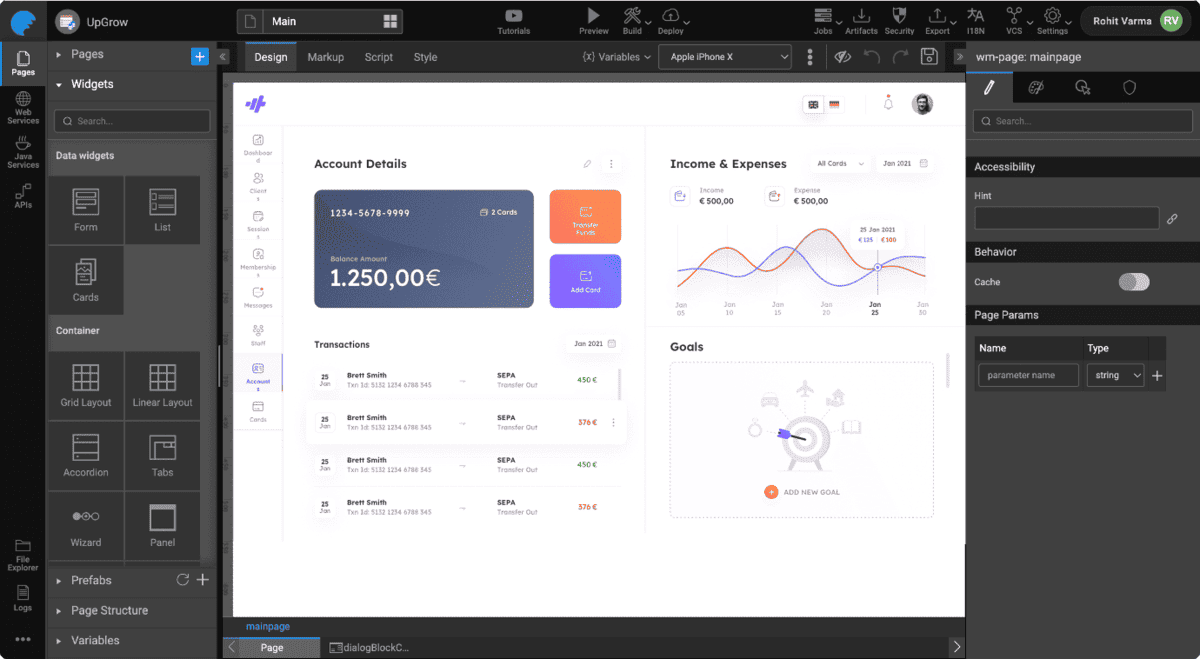
Although it may take some time to master the IDE, it seems relatively easy to navigate. Onboarding is supported by hints in the IDE, the how-to section of documentation, and video tutorials.
CRUD and UI Productivity
WaveMaker changes the way apps are built by allowing developers to create them visually, using a simple drag-and-drop interface without any complex coding. The process of building an app is organized around three layers:
- The UI layer consists of pages that developers can build using widgets. These widgets are ready-to-use components that can be easily linked to backend services.
- The services layer includes backend services that are automatically generated from databases, third-party web services, and custom Java services.
- The binding layer in the middle is made up of variables that fetch data from the services and pass it to the UI. Each variable is assigned a scope, enabling it to function either throughout the entire application or on designated pages.
Creating a simple CRUD application involves touching on each of the three layers. Typically, the process starts with connecting to a database, whether it’s new or existing.
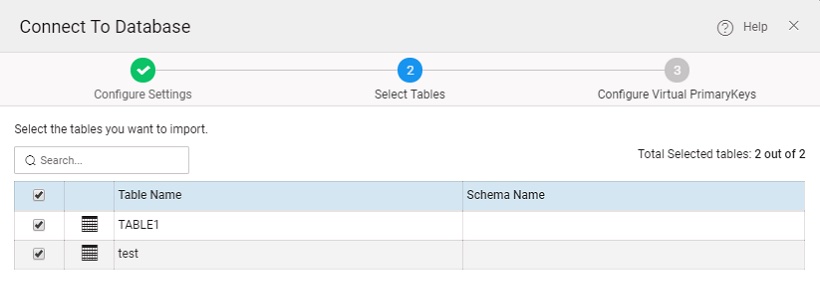
Next, users can either start with a blank page or choose a template and then drag the appropriate widget onto it.
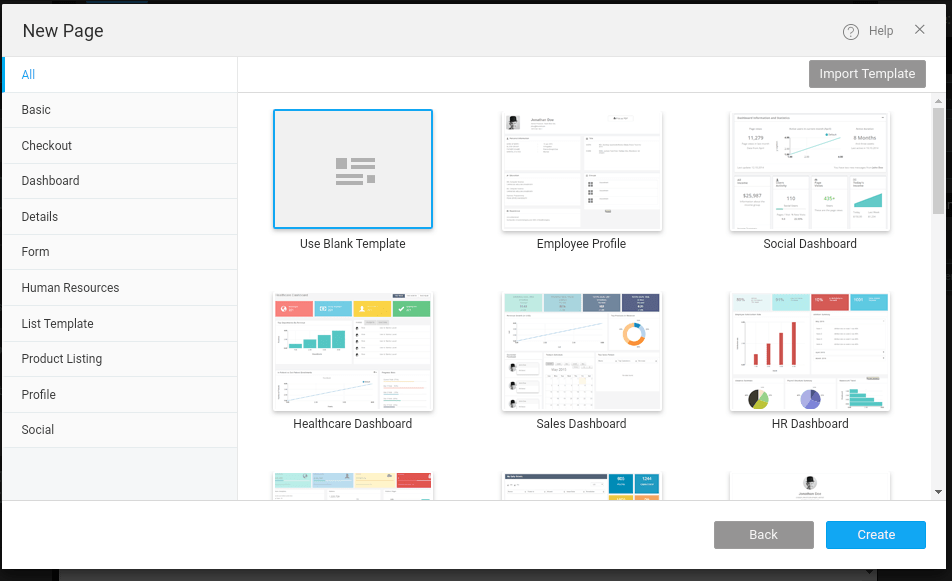
Following this, a multi-step wizard guides users in binding the widget to database records and provides several options for the widget's design. For more complex widgets, additional configuration steps are necessary to set up elements like pagination controls or scrollbars. Once these steps are completed, users can run a preview of their application or proceed to deploy it.
Figma Plugin
Perhaps the most exciting UI-related feature is the WaveMaker AutoCode Figma plugin. It enables users to transform Figma designs that use the Material 3.0 UI kit and the WaveMaker UI kit into functional code. The generated code is modifiable within WaveMaker Studio.
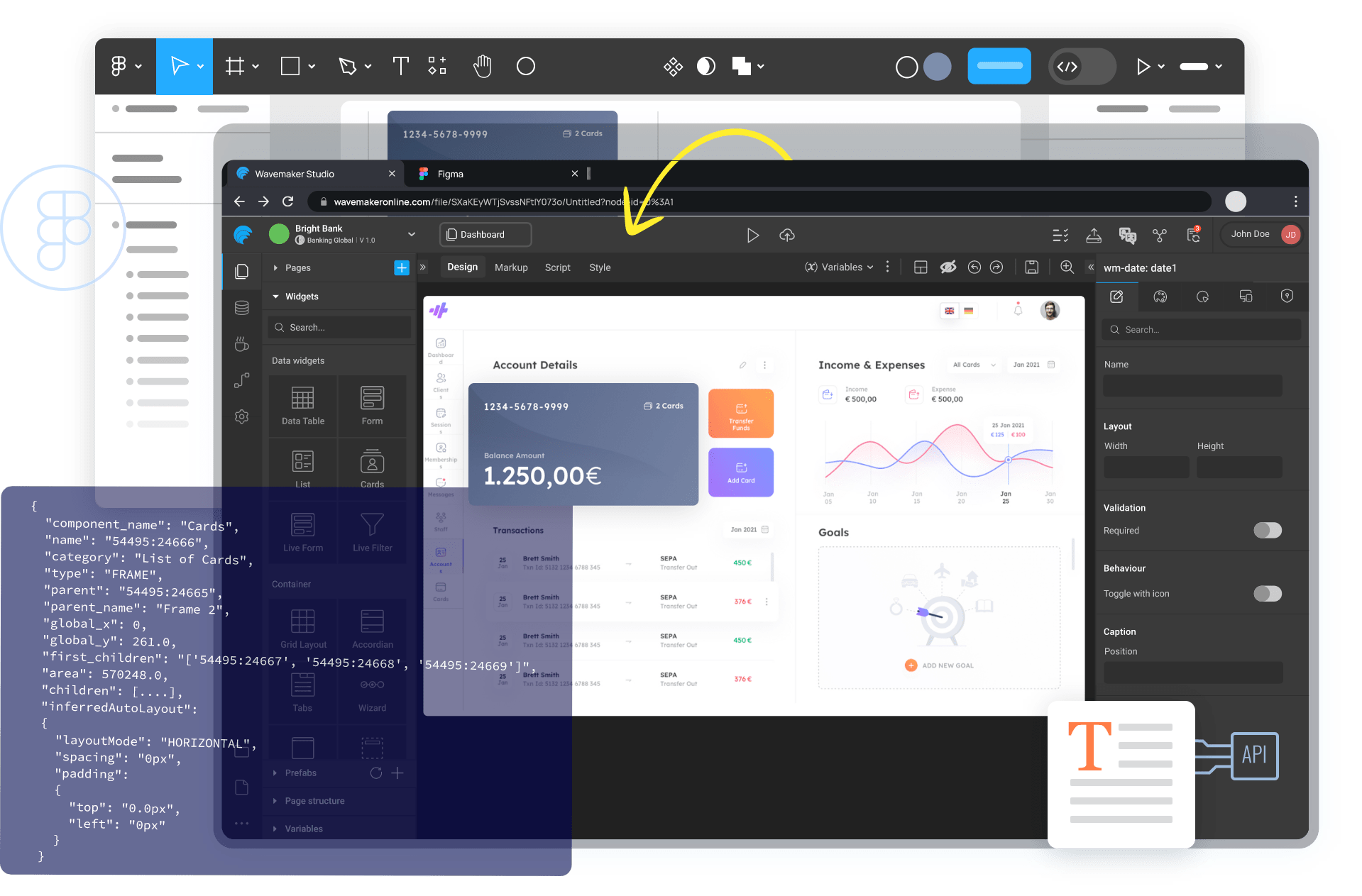
The plugin functions in both design and development modes of Figma and requires a paid Figma account. This is definitely a small price to pay, given how much it eases friction between designers, who focus on visuals, and developers, who need to make those designs functional.
Extensibility
WaveMaker allows integrations through REST, SOAP, or web sockets URLs, enabling applications to connect with third-party services, databases, and enterprise systems. Applications can store data in a number of databases like MySQL, Oracle, and Microsoft SQL Server using JDBC drivers. The official documentation provides clear instructions on the right driver version and how to set it up in the platform.
While WaveMaker provides a number of widgets and demonstrates extensibility with charts, maps, and a QR code scanner, it lacks several components commonly present in RAD platforms. To name a few, it does not include a password field, a pivot table, or a kanban board. Although developers can add these components themselves, it will require time, effort, and expertise to implement.
Security
The security subsystem offers default user role groups and individual roles, enabling developers to implement role-based access control for application resources: pages, exposed endpoints, databases, and web services. Developers can also grant permissions for prefabs — advanced and highly reusable WaveMaker components that can invoke services within them.
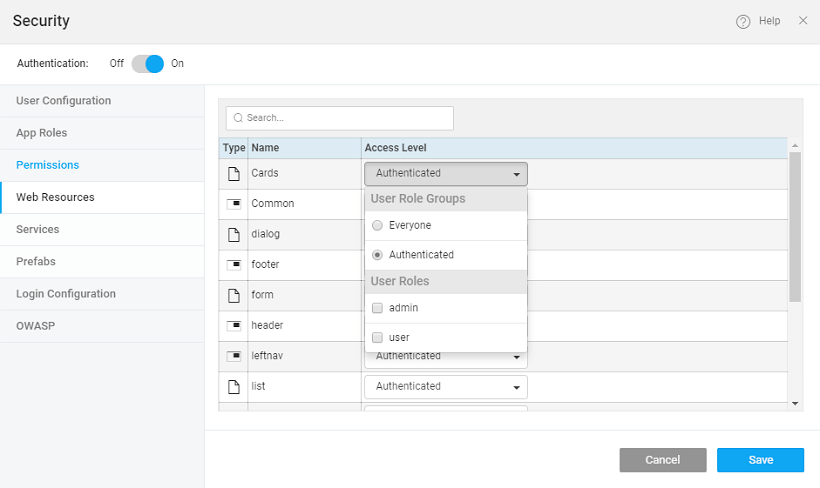
On an application level, WaveMaker provides safeguard methods such as authentication and authorization with OAuth, OpenID Connect, and integration with LDAP or Active Directory.
Deployment
WaveMaker provides a quick and easy-to-deploy solution. Developers can deploy an app to the WaveMaker Demo Cloud infrastructure with just a single click. Depending on the Studio Edition, there are different stages for release management: the Enterprise version includes QA, Stage, and Live, while the Online version has Demo and Live stages.
Popular cloud deployment options are available, as well as on-premises deployment for organizations that need full control over their infrastructure.
Lock-In
The WaveMaker offers freedom to move applications out of its platform. An application code can be owned, customized, and extended by developers. All this can happen as WaveMaker apps are Maven-compliant. Developers can easily import a project as a ZIP file and open it in any IDE like IntelliJ or Eclipse, taking advantage of their advanced code editing and debugging features.

To get the project running, it must be installed using Maven, which will download all required dependencies and create a WAR file. With the WAR file ready, Tomcat is used to run the application in debug mode. Next, developers can open the project in an IDE like IntelliJ and set up a remote debugging configuration. If any issues arise, setting breakpoints can assist in effective troubleshooting.
Once debugging is complete and any necessary changes have been made, the application can be exported back to WaveMaker. To make syncing code easier, developers can use the Workspace Sync plugin, which ensures that any code changes are pushed back to the WaveMaker platform.
Keep in mind that while the IDE can be used for editing, pages and services (other than Java services) must be created within the WaveMaker platform. The same goes for commits to version control.
Support and Community
WaveMaker offers support through its expert services from assessment and advisory to custom development and deployment. An academy is available to help users get started with the platform. Additionally, the upcoming AI Assistant in the documentation, as revealed in the recent blog post, is set to enhance the self-service experience.
Surprisingly, WaveMaker lacks a community forum. Without a dedicated space for discussions, troubleshooting, and sharing ideas, users may struggle to make the most of WaveMaker's features.
Licensing
WaveMaker offers a demo and a pilot program, allowing potential users to explore its capabilities. The license structure and its price are tailored to meet the specific needs of organizations. Some companies appreciate this model as it allows for flexibility in how the team can work, without the constraints of fixed pricing.
2. OpenXava
The OpenXava approach to rapid development can be described as an "automatic frontend engine for Java." Unlike traditional platforms that rely mostly on visual builders and step-by-step wizards, OpenXava wants developers to define the model as plain annotated Java classes, which it then uses to automatically generate a web application with a frontend.
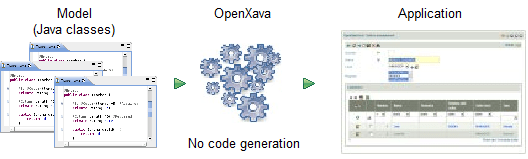
This unique approach helped OpenXava carve its niche among larger, more complex low-code and RAD platforms. By reducing the need for extensive coding, it meets the demand for faster development and a focus on business logic.
Team Fit
Teams skilled in Java and those that favor a model-driven development will find OpenXava to be a natural fit. While OpenXava automates much of frontend creation, some knowledge of the frontend stack will be necessary for effective modifications.
Setup and Onboarding
Java developers, particularly those who know their way around the Eclipse IDE, can create a new OpenXava project in no time. OpenXava Studio is based on Eclipse and makes the project creation process simple.

It is also possible to create an OpenXava project using an existing Eclipse installation. Simply set up a new Maven project using the OpenXava archetype. Besides, developers may need to download Lombok and set up the project to use it. This can also be completed in other IDEs.
CRUD and UI Productivity
Creating CRUD pages is remarkably straightforward. It is generated automatically based on entity classes. For instance, a simple Customer entity can look as follows:
@Entity
@Getter @Setter
public class Customer {

@Id
@Column(length=6)
int number;

@Column(length=50)
@Required
String name;
}
Once the developer clicks the Run button, the entity will transform into the following view:
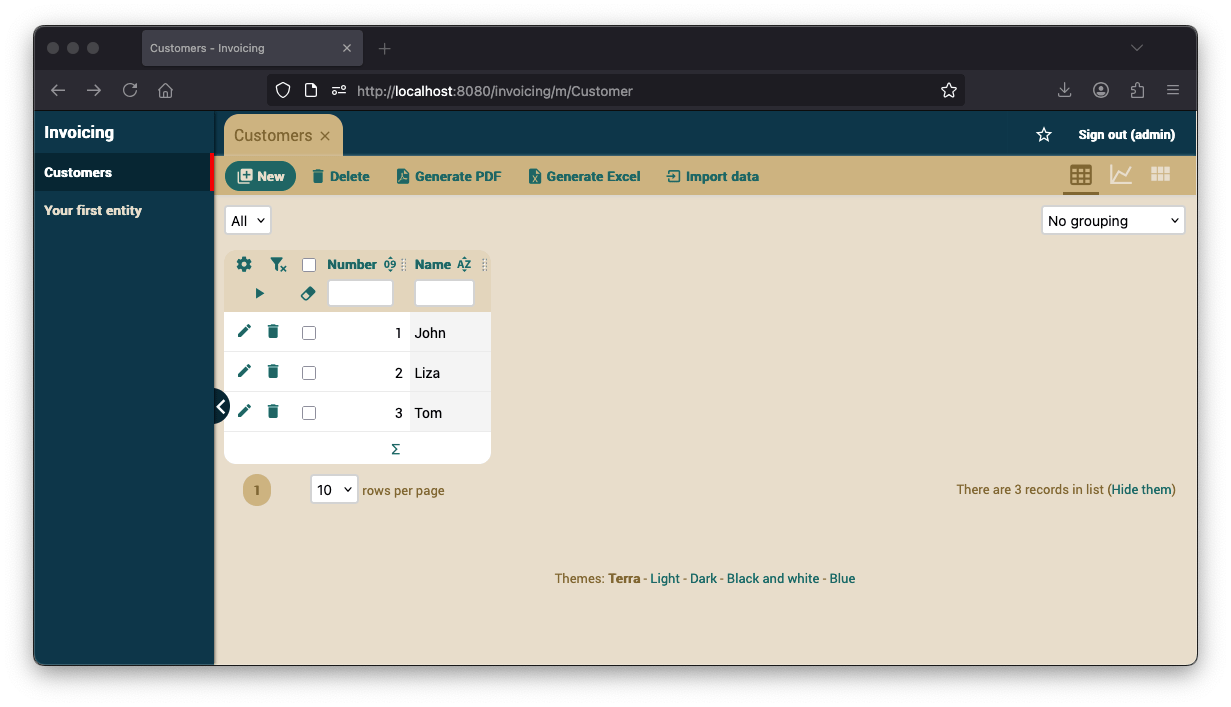
Developing a fully-fledged application will require some business logic on top of the model. In OpenXava, this involves traditional hand coding that Java developers will find familiar.
Extensibility
OpenXava is built on Maven, making it easy for Java developers to integrate with other libraries and frameworks, including Spring Boot. There’s plenty of room to get creative, too. You can design your own interfaces using JavaScript, HTML, JSP, or similar technologies, and easily add third-party JavaScript libraries.
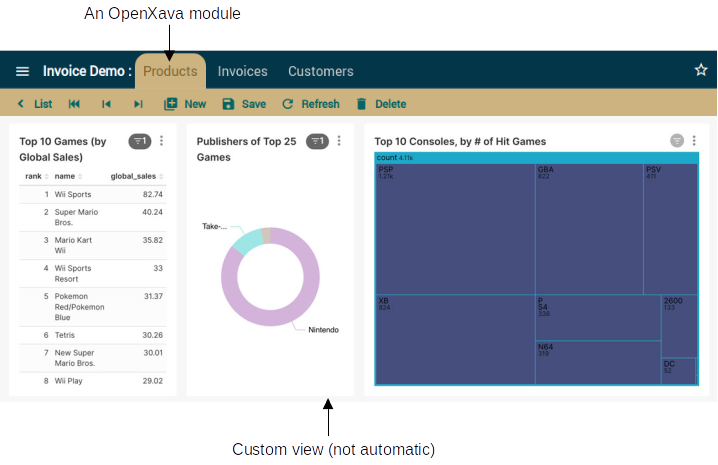
In terms of developer tooling extensibility, OpenXava Studio allows the installation of any Eclipse plugin. Additionally, the commercial XavaPro edition offers a variety of extra features, with an emphasis on security.
Security
The commercial XavaPro edition enhances your application by adding essential modules: Users, Roles, and Modules, along with the corresponding tables in your database. XavaPro also supports PCI-DSS compliant password policies, LDAP, Single Sign-On (SSO), and two-factor authentication for added security.
OpenXava applications can meet the OWASP Top Ten standards, ensuring high security for web applications. This doesn't guarantee automatic security of your application, as custom code or third-party components can still be vulnerable, and misconfiguration may happen. Still, reaching these standards is a major achievement.
Deployment
OpenXava documentation covers several deployment options that run on Java EE servers like Tomcat or JBoss. Cloud providers and hybrid deployments are likely achievable, but can be difficult to navigate.
Support and Community
While support is not guaranteed for most license tiers, the community forum is a perfect place to connect with the OpenXava team and fellow users. For more than 20 years in the RAD market, OpenXava has built a wealth of knowledge, so you're likely to find answers to most of your questions in the documentation or through the power of the community.
Licensing and Lock-in
OpenXava is free, making it a great starting point for anyone with a working knowledge of Java. For those looking for advanced features and production use, the commercial XavaPro edition is available for purchase with a perpetual license. Depending on the license tier, users can receive a year of updates, full access to the source code, and private support.
3. OutSystems
OutSystems is a low-code development platform that provides tools for companies to develop, deploy, and manage omnichannel enterprise applications. It offers a comprehensive set of tools, including an easy-to-use development environment, automated SDLC, and AI-assisted development, along with other advanced features.
Team Fit
OutSystems enables everyone from IT-adjacent roles to veteran developers to build enterprise-grade web and mobile applications without code.
Setup and Onboarding
OutSystems provides its own IDE called Service Studio that brings together the backend, the frontend, and the design into one location. To use it, developers must connect to the OutSystems environment in the cloud or an on-premise server in the data center.
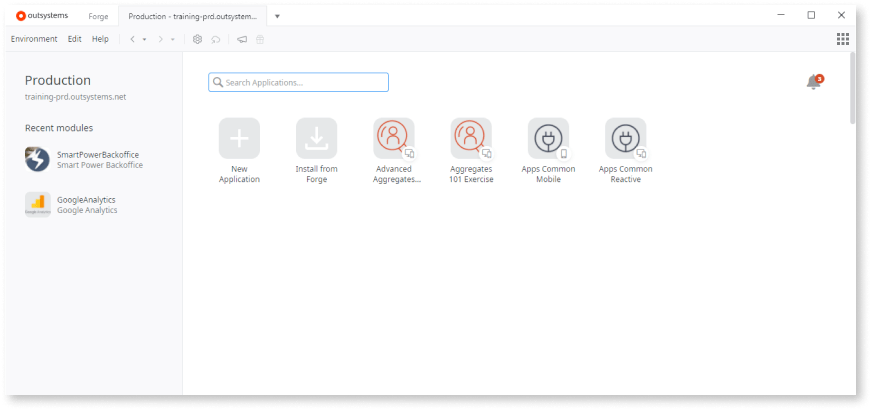
Once everything is set up, it is easy to take your first steps. This can be a fresh start with a new application or from a pre-made app that can be installed from Forge (OutSystems' repository of apps and reusable components). Learning by doing is the best way to get familiar, and further in-depth learning is supported with a variety of tutorials, video guides, and courses.
CRUD and UI Productivity
Developers build, edit, and debug apps in Service Studio, using OutSystems’ visual language. Since understanding the sequence of development is still essential, here are the steps to follow to build a simple application:
- Create a new application, name it, and choose the primary color.
- Create a database model, with an option for automatic import from Excel, among others.
- Create a Screen that lists the data from the database.
- Create a Screen to add and update records.
- Implement functionality to delete records.
This represents a standard approach across various RADs and low-codes. Likewise, Service Studio effectively organizes building different parts of an application, providing a separate workspace for each layer.
Despite everything seeming familiar, the implementation of some steps may be somewhat new. As the process moves away from coding altogether, adding CRUD actions and navigating the application takes the form of a logical flow diagram.
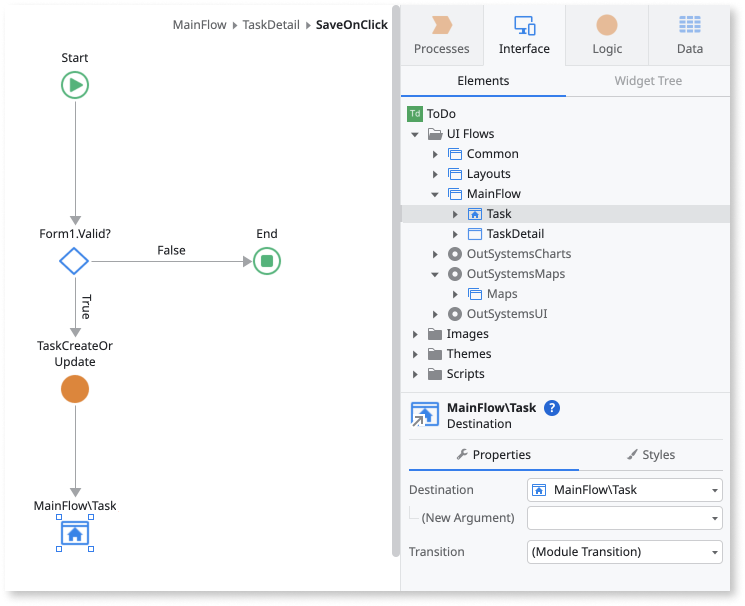
This shift requires some adjustment to notation and can feel tedious at first. But it is extremely simple. Once I completed the tutorial, I would not ask to change the process in any way. Ultimately, it either clicks or it does not.
Extensibility
OutSystems apps can communicate with external systems using the REST API as well as expose endpoints for other applications to use. Other extensibility options include SAP and SOAP Web Services.
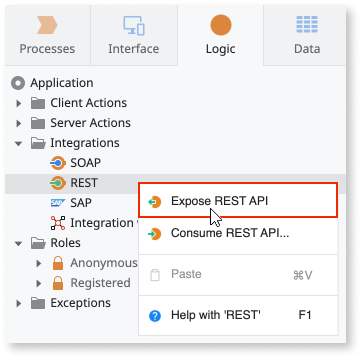
OutSystems provides built-in options to integrate with external databases like SQL Server, Oracle, MySQL, PostgreSQL, and iDB2, along with enterprise systems like SAP, Salesforce, Microsoft Dynamics 365, Microsoft Dataverse, and SharePoint Online. There are also many community-supported connectors for popular external services on Forge.
To integrate third-party libraries or non-native technologies, developers can use Integration Studio — a desktop tool that allows writing custom C# and .NET code to create extensions.
Security
OutSystems provides user roles to control access to different parts of the application. Developers can create custom roles. Roles can be set to be persistent, meaning changes are stored in the database across sessions, or non-persistent, where changes last only for a single session.
For user authentication, six distinct methods are supported: Internal, Active Directory, LDAP, SAML 2.0, Microsoft Entra, and Okta.
Deployment
Beyond everything, OutSystems is a platform for applications. It hosts, scales, releases, and monitors performance. While this is not exclusive to OutSystems, they do it very well. In fact, there is even a dedicated application, OutSystems LifeTime, designed specifically for handling DevOps tasks.
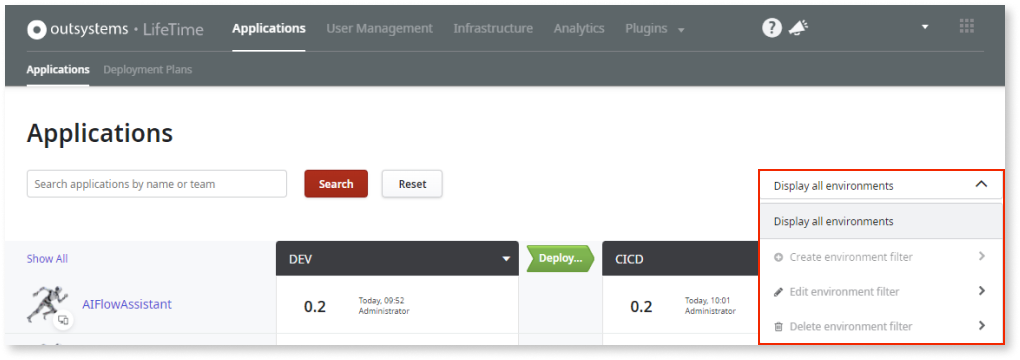
This thorough approach takes away a lot of the rigging and maintenance. At the same time, OutSystems provides an open-source accelerator to extend the built-in capabilities of LifeTime and simplify integrating with other CI/CD platforms. Official documentation provides guides on how to build the pipeline using platforms such as Jenkins or Azure DevOps.
Another noteworthy element of OutSystems is its version control system, which is built into the platform. While it lacks the branching option that developers and DevOps teams are accustomed to, the workflow is logical and comes with an easy-to-use UI for version comparison and merging.
Support and Community
OutSystems shines with its superior support. User reviews on reputable platforms like G2 claim that the SLA for tickets raised is less than 24 hours. Apart from the support portal, users can visit extensive documentation and a forum. Furthermore, Forge serves as OutSystems' app repository, providing a space for community members to share and collaborate on software projects.
Lock-In
Applications are tied to the OutSystems runtime. OutSystems uses its own proprietary technology stack, making migrating to another platform complex and costly. The application source code is only shared to the extent necessary for companies in regulated industries to run security testing. The downloadable portion of the application code doesn't compile and is not executable.
Licensing
Deemed by many as a low-code leader, OutSystems is at the expensive enterprise end of the spectrum. The subscription price is subject to the number of Application Objects (screen, entity/database table, API method) in the application and its end-user capacity. A free trial is available for evaluation, but meaningful production use will require a significant investment.
4. Oracle APEX
Oracle APEX is the world's most popular enterprise low-code platform, seamlessly integrated with the Oracle Database. In fact, if you have an Oracle Database, you get Oracle APEX at no cost. But that's not just a nice bonus, it's a superior tool with a promise that goes far beyond reducing the amount of code – it is to eliminate complexity at all layers.
Team Fit
APEX translates proficiency in SQL, PL/SQL, and Oracle Database into the ability to develop web applications. Therefore, mastering APEX will depend on the team's experience and familiarity with Oracle products. At the same time, creating basic applications, such as those that replace spreadsheets and do not require complex database interactions, is completely approachable for citizen developers and tech-savvy business users.
Setup and Onboarding
APEX can be deployed either on a locally managed Oracle environment or through Oracle Cloud Services. The installation process involves multiple steps, as outlined in the documentation, and is usually handled by the IT team, requiring no input from developers. After the setup is complete, developers sign into a shared area called a workspace and start building.
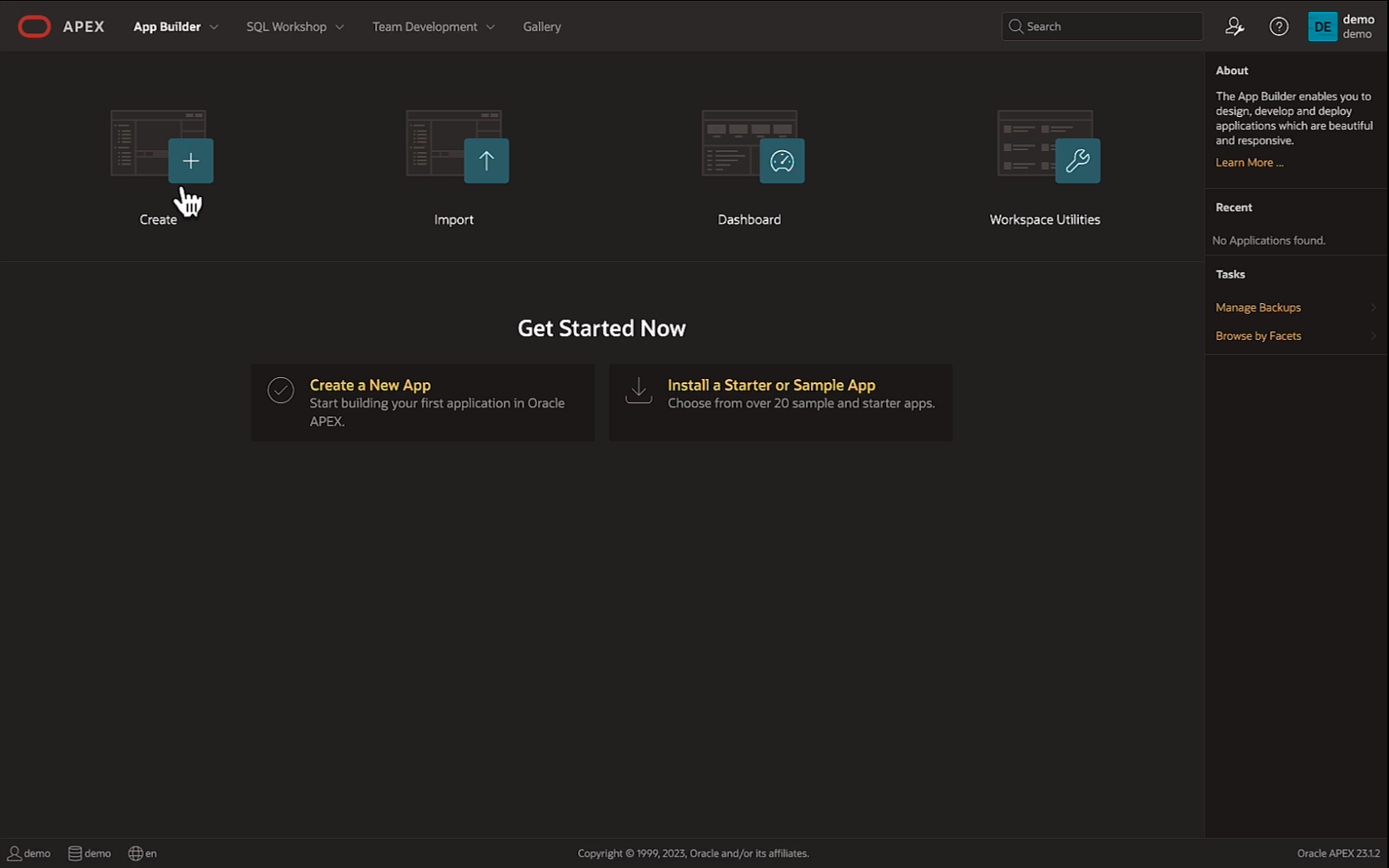
The experience is intuitive, graphical, and consistent. There is nothing extra, and it is thoughtfully minimalistic. At the same time, it's an all-in-one solution: developers navigate between the App Builder for UI tasks, SQL Workshop for all things database, and the Team Development tab for collaboration with other developers through the built-in version control system.
CRUD and UI Productivity
The App Builder presents various options to kickstart application development. Newcomers can follow the "learn by doing" approach, selecting from a variety of pre-built applications available in the gallery.
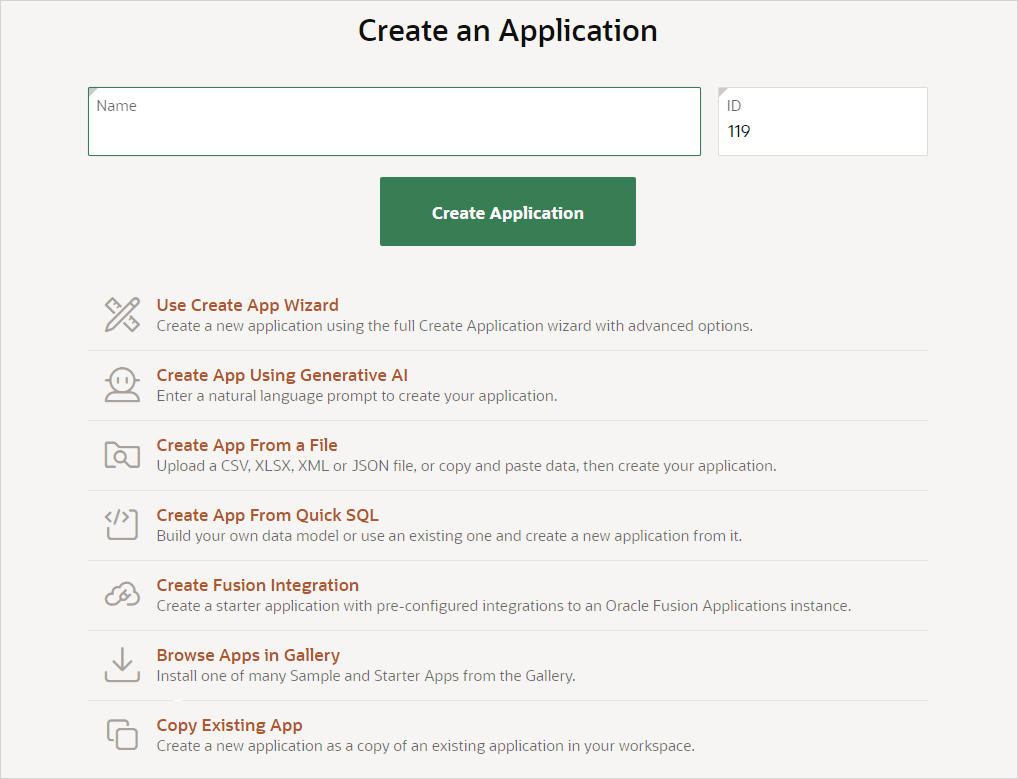
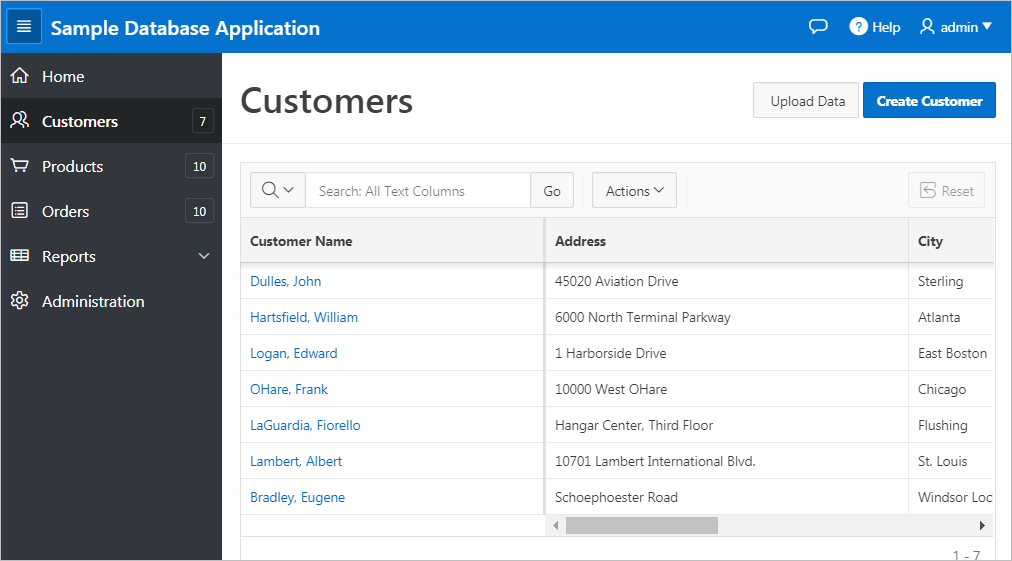
One of the most straightforward methods to build a functional CRUD is to provide APEX with an existing data model. In this scenario, you get a CRUD in no time. The resulting application may look as follows:
Extensibility
Applications can be extended with a variety of ready-made components such as reports, emailing, calendars, charts, and maps. To support custom extensions, APEX incorporates the Oracle JET (JavaScript Extension Toolkit) library. This is a collection of open-source JavaScript libraries, along with Oracle's own contributions. Designed for intermediate and advanced JavaScript developers, Oracle JET offers customizable components that can be integrated into APEX.
When it comes to extending data sources, the REST Data Source module simplifies the integration process. This feature enables developers to connect to and display data from RESTful web services, streamlining the creation of applications that rely on a variety of data sources.
Security
Applications created with APEX are designed to be highly secure out of the box. Oracle APEX provides robust security features, including authentication, authorization, session management, data protection, auditing, and secure development practices. Authentication options include popular methods like LDAP, SAML, Social Sign-in, and Custom Authentication, as well as specific options like Oracle APEX Account and Oracle Application Server SSO.
Deployment
Applications can be deployed on premises, on the Oracle Cloud, on a private cloud, or anywhere else Oracle Database runs. APEX application can be packaged into a single file and deployed with the click of a mouse. Through the use of included tools, developers can integrate apps into CI/CD environments.
Support and Community
The Oracle community is vast, with Oracle APEX alone estimated to have over 500,000 developers worldwide. There are several mediums to expand your knowledge and get support from, ranging from the free APEX Foundations learning path and numerous tutorials on Oracle Live Labs to instructor-led classes at Oracle University. There’s no question about the amount of support, both professional and community-based, available for APEX developers.
Lock-In
Applications created with APEX are tightly integrated into the Oracle ecosystem, making migration to other platforms challenging, if not nearly impossible, especially for larger applications. However, even though APEX is proprietary, it’s not accurate to say that it’s a total lock-in. Oracle products enjoy wide acceptance, and there are many professionals available with the skills needed for app development and support.
Licensing
APEX’s pricing model is based on compute and storage usage, without charging for the number of application users, developers, or apps. Businesses that have heavily invested in Oracle technologies get APEX at no cost.
5. Jmix
Jmix is an enterprise Java RAD platform that helps developers excel in building full-stack business applications. What sets Jmix apart is that it uses tools and technologies that developers are already comfortable using, rather than introducing a new platform to learn.
Team Fit
Jmix is best described as a set of Java developer productivity tools. It supports backend-focused individuals in making the shift to full-stack roles. With Vaadin under the hood, developers can create interactive and adaptive user interfaces using Java and XML, minimizing the need for front-end skills. Other underlying technologies, including Spring and IntelliJ IDEA, create a familiar setting for Java developers.
More on this: Is Jmix right for my Project?
Setup and Onboarding
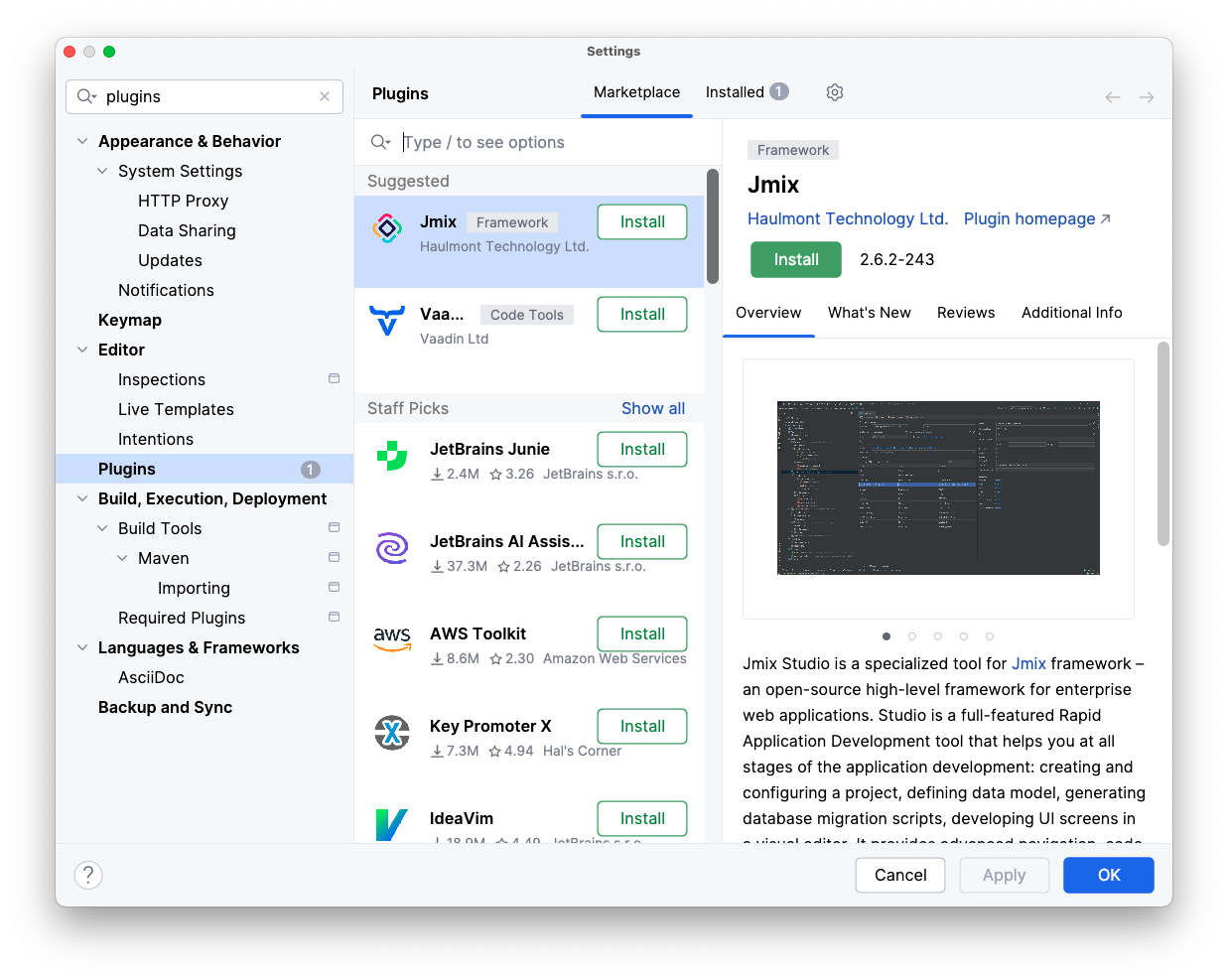
At the heart of Jmix's developer-friendly approach is Jmix Studio, an IntelliJ IDEA plugin simplifying its approach to building apps. It allows developers to construct user interfaces visually, using drag-and-drop, property editors, and wizards, providing an intuitive, centralized environment for building applications.
Setting up Jmix is as simple as installing the plugin from the JetBrains marketplace.
CRUD and UI Productivity
In Jmix Studio, developers can choose to work directly with code or use visual designers and wizards for a variety of tasks. Basic tasks like creating CRUD views are simplified to the point where they can be completed in a click-click-done fashion.
The user interface is built on the data model, with the Entity Designer as the main tool for creating that model. An entity consists of several attributes, each with a name and type. The designer also offers advanced capabilities, including the ability to establish complex relationships between entities. Additionally, users can add entity traits and apply bean validation.
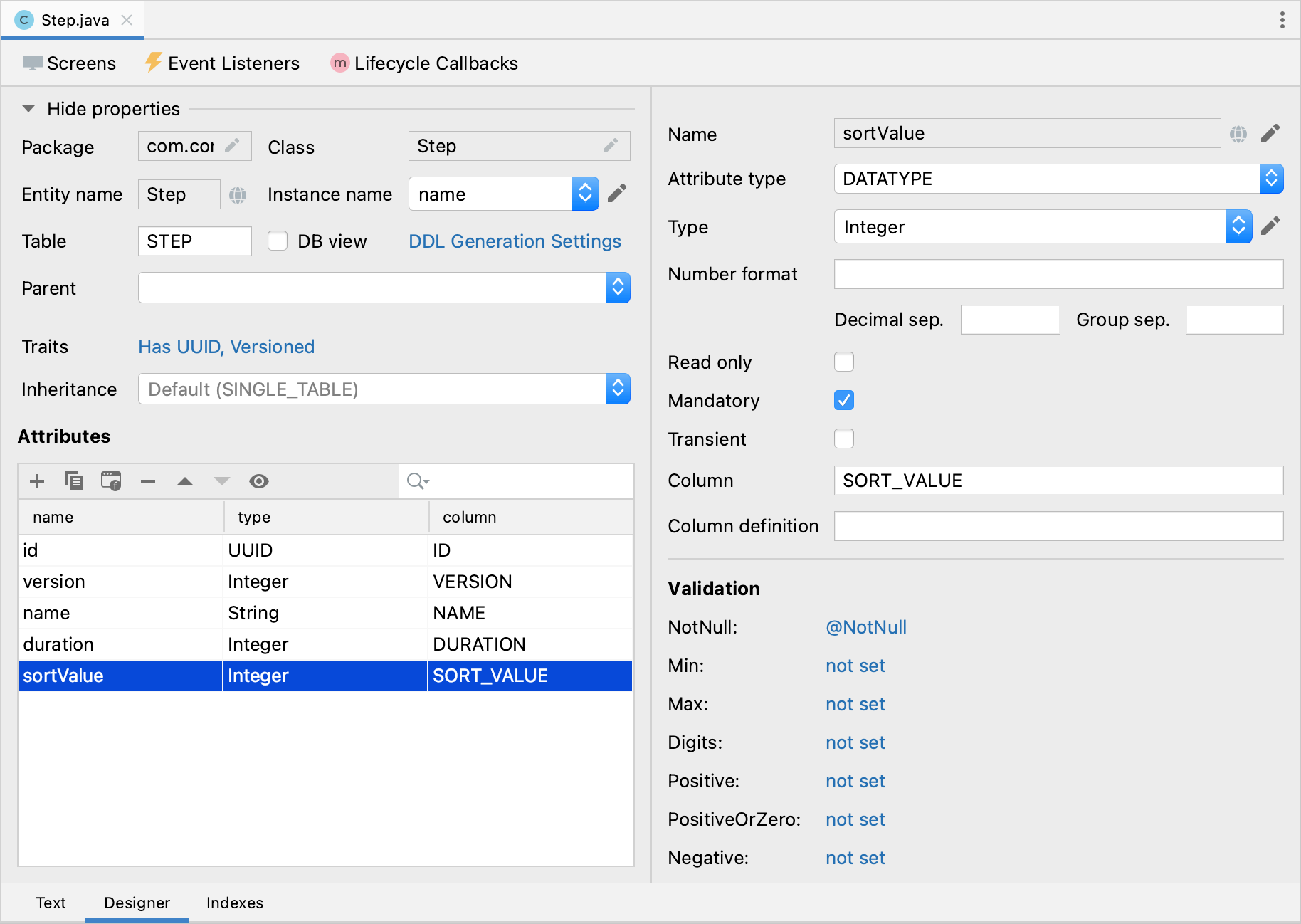
Once an entity is created, developers can easily generate a view directly from the designer.
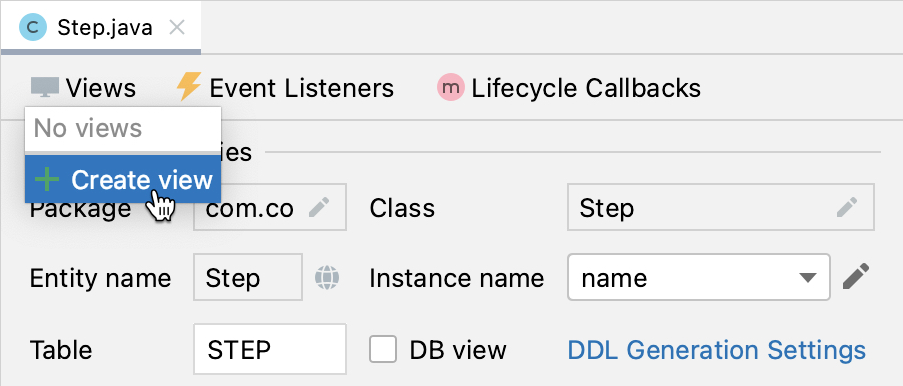
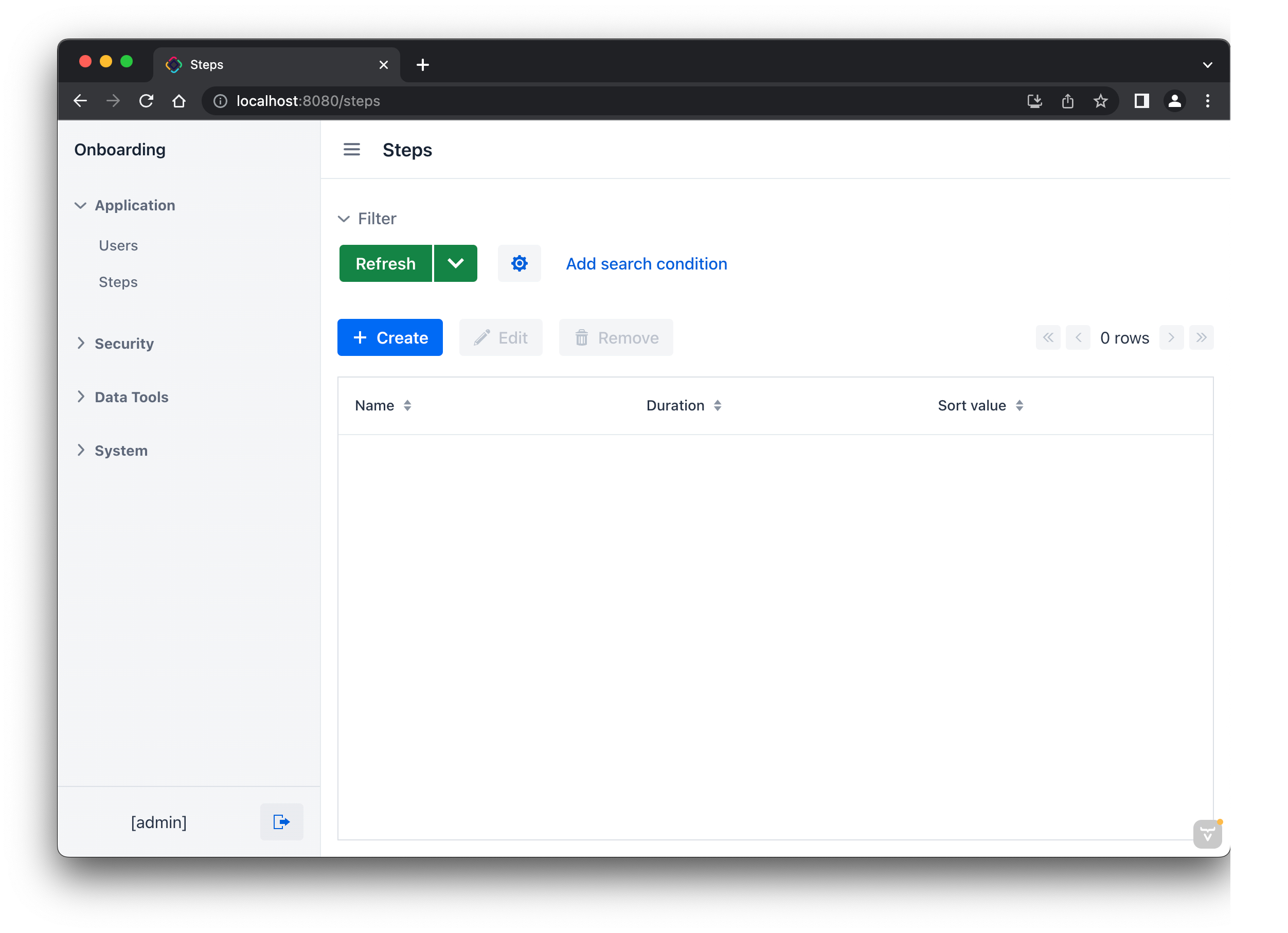
This action opens a view creation wizard. It starts with selecting the desired view type, followed by a range of customization options to tailor the view. After completing the wizard and clicking the Run button in the IDE, you get the application running in the browser, complete with support for all CRUD operations.
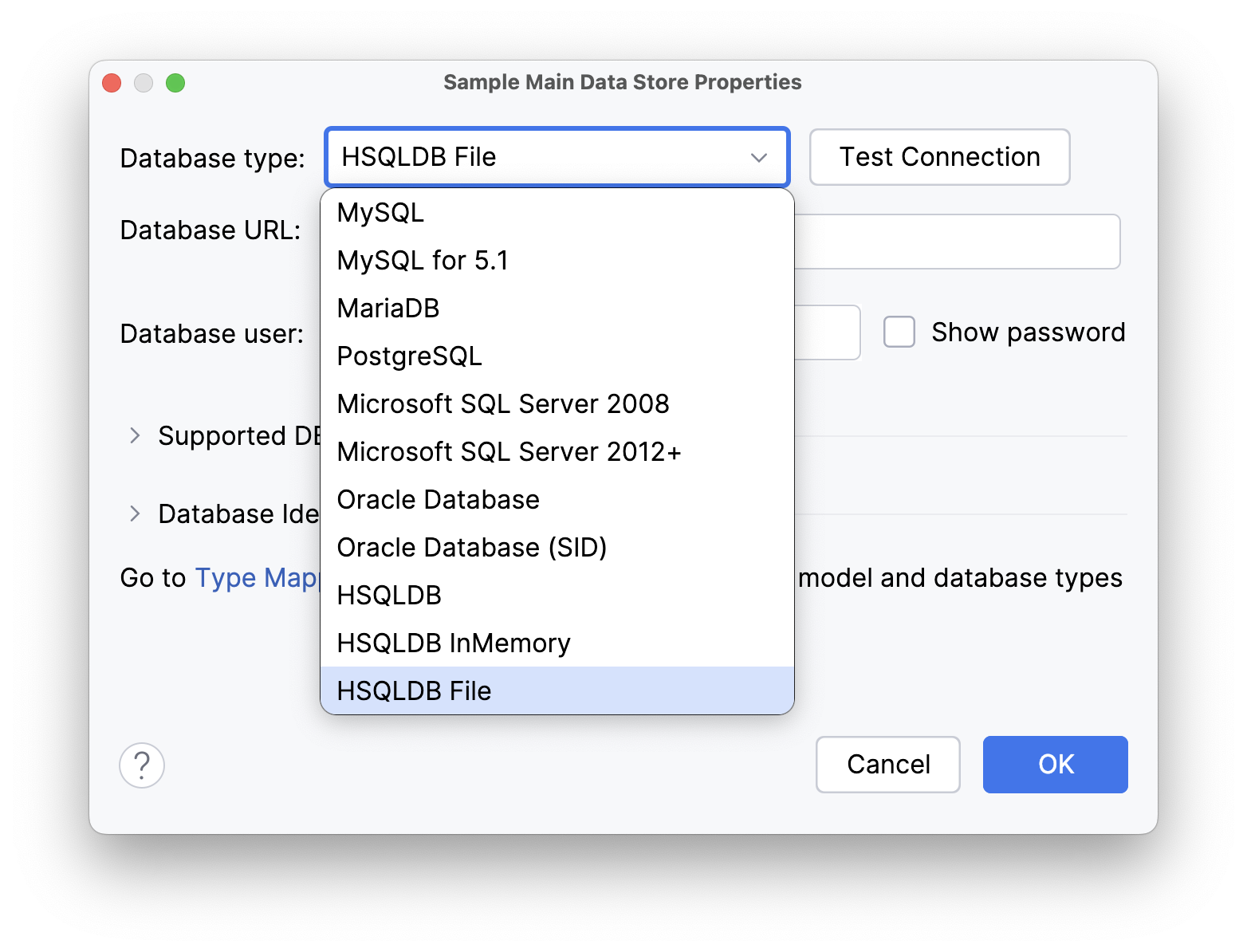
New entity instances are persisted to the HSQLDB that the application comes equipped with. At any moment, developers can switch to a different database, and Studio will assist in setting up the appropriate driver.
Extensibility
Jmix features an ecosystem of add-ons that expand its core capabilities. Users can browse the available add-ons on the Jmix marketplace. One of the most significant and extensive is the BPM add-on, which offers runtime tools for developing process-centric applications, essentially transforming Jmix into a low-code BPM platform. The REST API and REST DataStore add-ons are particularly useful for building external integrations.
For UI styling, Jmix provides a range of options through HTML, CSS, and JavaScript, allowing for a high degree of customization. An extensive library of visual components can be further extended with custom components or by integrating third-party JavaScript libraries.
Jmix Studio enhances IntelliJ IDE with specific code navigation, refactoring, injections, smart hints, and quick fixes. And since IntelliJ is an open platform, you may complement Jmix tools with any of the hundreds of available third-party plugins.
Security
Security subsystem comes with two types of roles: resource and row-level. Developers can use a declarative approach to defining permissions to views and entities through the IDE. Jmix directly uses Spring Security servlet authentication, so developers familiar with this framework can easily extend or override the standard authentication mechanism provided by Jmix out of the box.
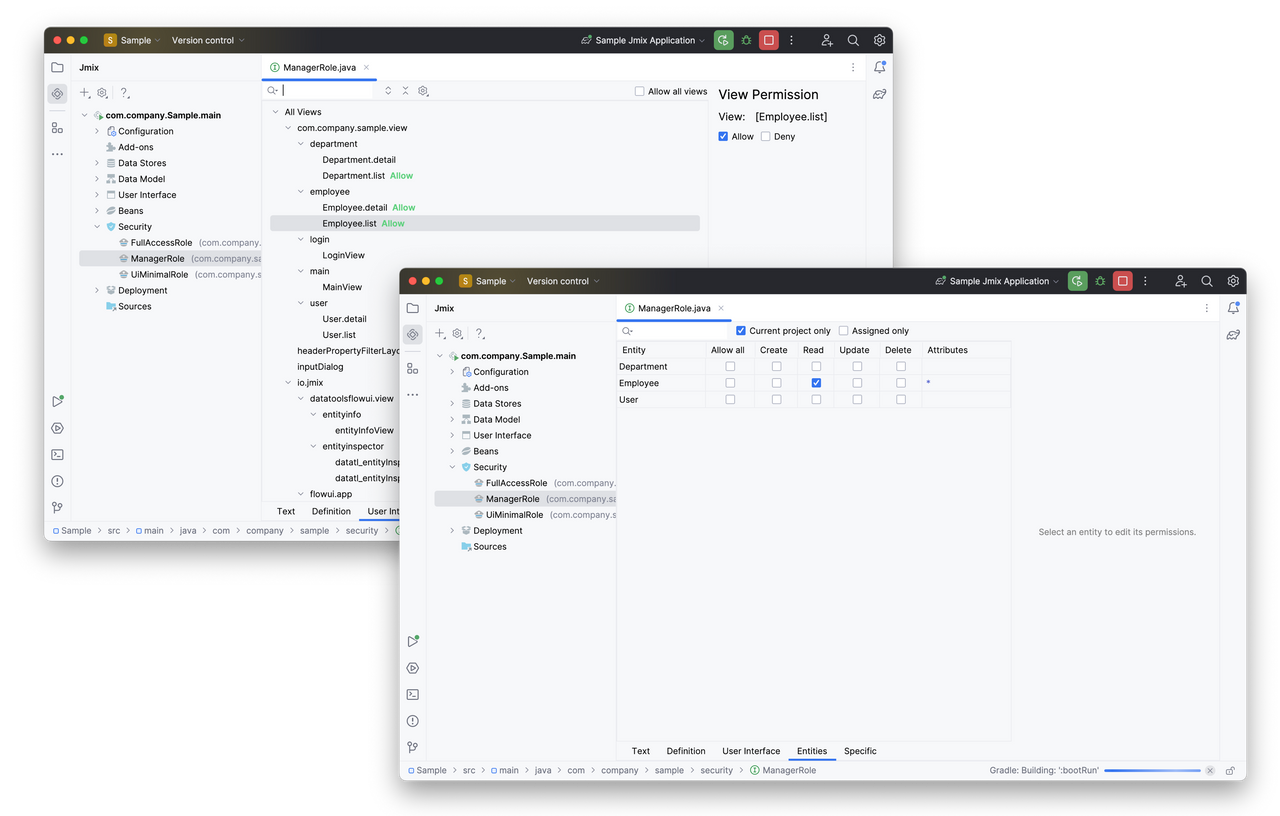
Additional authentication and authorization configurations are facilitated by free add-ons. The OpenID Connect add-on offers ready-to-use Spring Security settings and services for seamless integration with external OpenID Providers like Keycloak, while the LDAP add-on streamlines LDAP authentication and is compatible with Active Directory and other LDAP systems.
Deployment
Basic deployment options include JAR, WAR, and Docker images, all of which developers can create using standard Spring Boot tooling. Furthermore, comprehensive guides and essential tools are provided for deploying applications on Kubernetes clusters and leading cloud platforms, including AWS, Azure, and Google Cloud.
Support & Community
Three support levels are offered:
- All Jmix users get free support through the community forum and the Slack channel. The forum has a wealth of information, and the team does its best to answer questions in a timely manner, though response times may vary based on the team workload and question complexity. Many questions are also answered by other community members.
- Commercial support. This implies direct communication with the core Jmix developers with a guaranteed response within one business day.
- Development services. This option is for companies to hire an expert to help with ongoing projects or an entire team to provide turnkey solutions for projects of any complexity.
Lock-In
The Jmix framework is open-sourced, so you're never locked in. It is publicly developed on GitHub under the Apache 2.0 license, welcoming anyone interested to explore and contribute. When you build apps in Jmix Studio, the result is standard Spring Boot projects — meaning you can move them to any compatible infrastructure, whether on-premises, in the cloud, or within containers. Jmix applications utilize a standard relational database model, facilitating easier data portability.
With Jmix, you own your apps for the long term. By catering to Java developers, Jmix future-proofs your projects, thanks to the language's extensive adoption in enterprise and its strong presence in the job market.
Licensing
New users get a free trial that includes all advanced Studio features and framework add-ons. Basic tools and a number of essential add-ons will remain available even after the trial ends. For small projects, with fewer than 10 entities and 10 user roles, developers can use both basic and advanced Studio features for free and forever.
Jmix offers transparent per-developer pricing without any runtime limitations. You pay only for developer seats and only for the period of time needed to complete the project. It is not necessary to keep a paid Studio subscription for long-term application support, as small and once-in-a-while code changes can be done without the advanced features of Studio.
Conclusion
RAD tools help ship CRUD and internal apps faster. Each of these five trades seeks control in a different way.
- Jmix: Spring + Vaadin. Open source. Portable.
- WaveMaker: Visual builder. Java code stays in your repo.
- OpenXava: Model-first. Fast admin apps.
- OutSystems: Full platform and DevOps. Strong lock-in.
- Oracle APEX: Best if you already run Oracle DB.
Choose by stack, hosting needs, and lock-in tolerance — prototype two platforms with the same small feature. Measure build time, auth, one integration, and deployment. Check lock-in and cost before you scale.
Opinions expressed by DZone contributors are their own.
Comments