

Using AI in Your IDE To Work With Open-Source Code Bases
In this article, learn how we can add enhancements to the langchaingo project with Amazon Q Developer support in VS Code.

 CORE
·
CORE
·
Join the DZone community and get the full member experience.
Join For FreeThanks to langchaingo, it's possible to build composable generative AI applications using Go. I will walk you through how I used the code generation (and software development in general) capabilities in Amazon Q Developer using VS Code to enhance langchaingo.
Let's get right to it!
I started by cloning langchaingo, and opened the project in VS Code:
git clone https://github.com/tmc/langchaingo
code langchaingo
langchaingo has an LLM component that has support for Amazon Bedrock models including Claude, Titan family, etc. I wanted to add support for another model.
Add Titan Text Premier Support
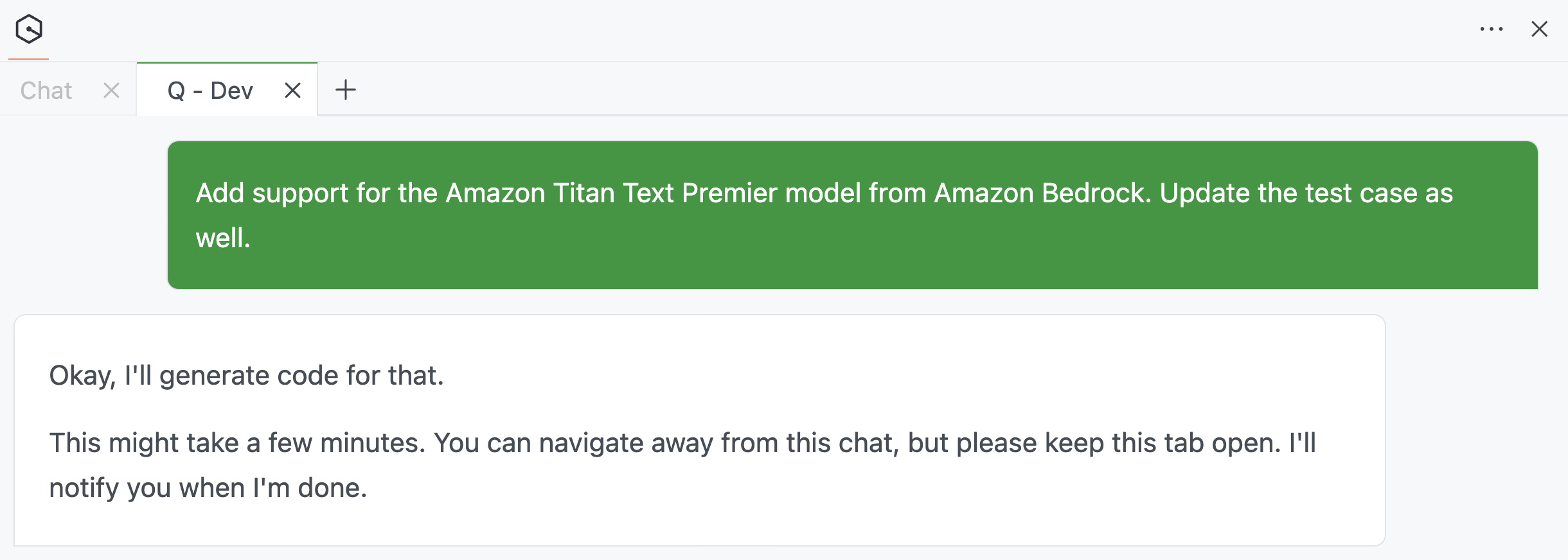
So I started with this prompt: Add support for the Amazon Titan Text Premier model from Amazon Bedrock. Update the test case as well.
Amazon Q Developer kicks off the code generation process...
Reasoning
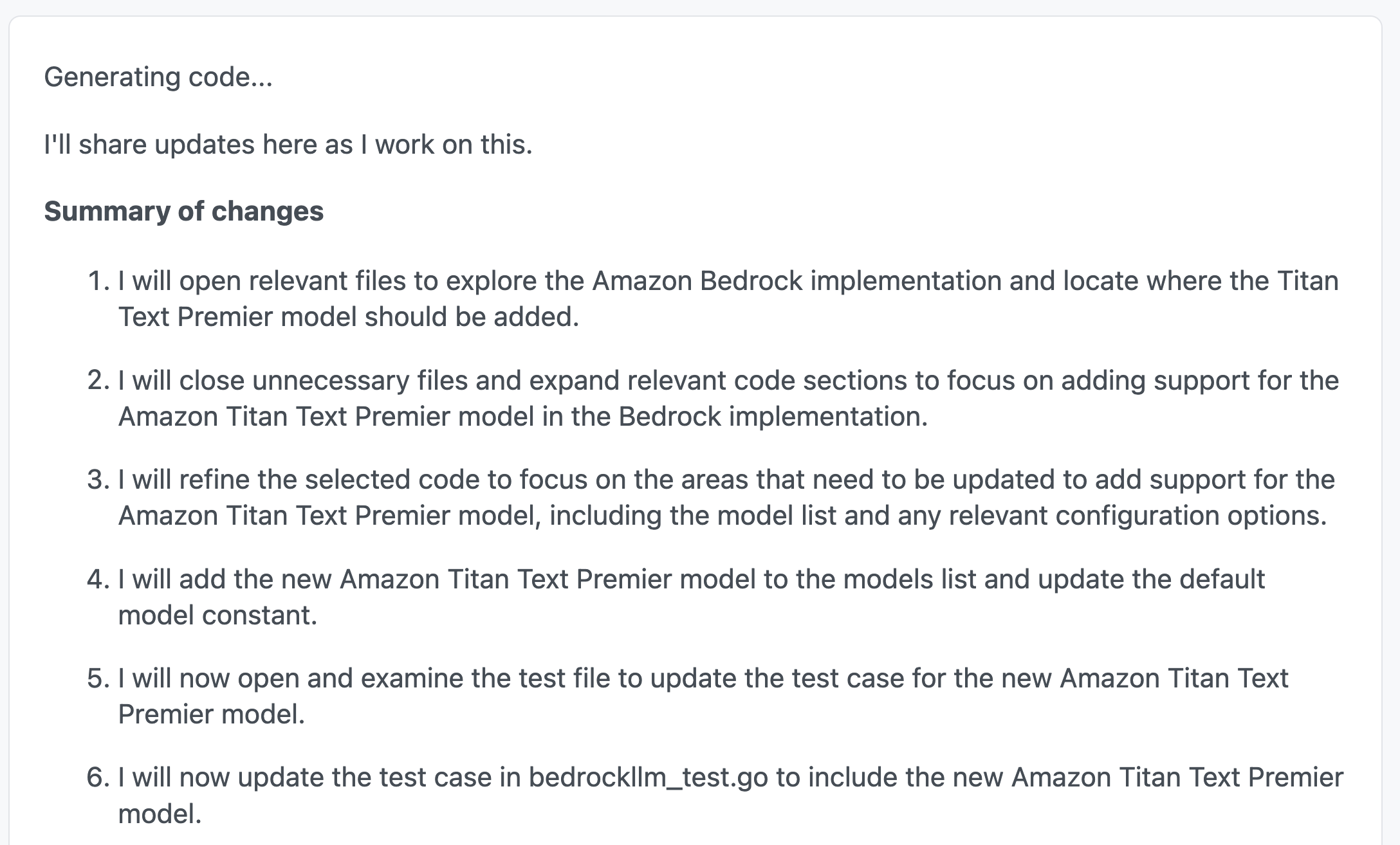
The interesting part was how it constantly shared its thought process (I didn't really have to prompt it to do that!). Although it's not evident in the screenshot, Amazon Q Developer kept updating its thought process as it went about its task.
This bought back (not so fond) memories of Leetcode interviews where the interviewer has to constantly remind me about being vocal and sharing my thought process. Well, there you go!
Once it's done, the changes are clearly listed:
Introspecting the Code Base
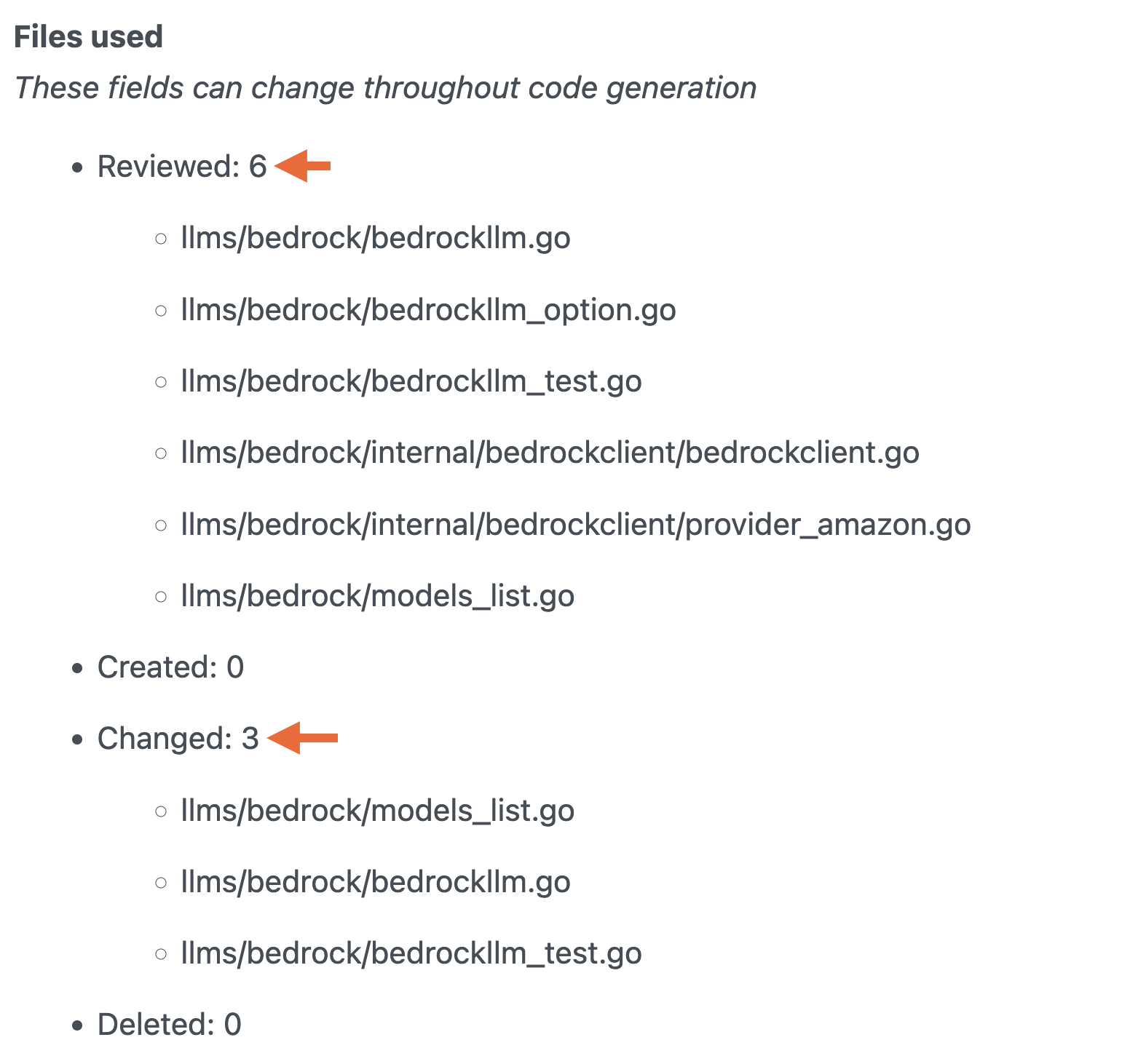
It's also super helpful to see the files that were introspected as part of the process. Remember, Amazon Q Developer uses the entire code base as a reference or context — that's super important. In this case, notice how it was smart enough to only probe files related to the problem statement.
Code Suggestions
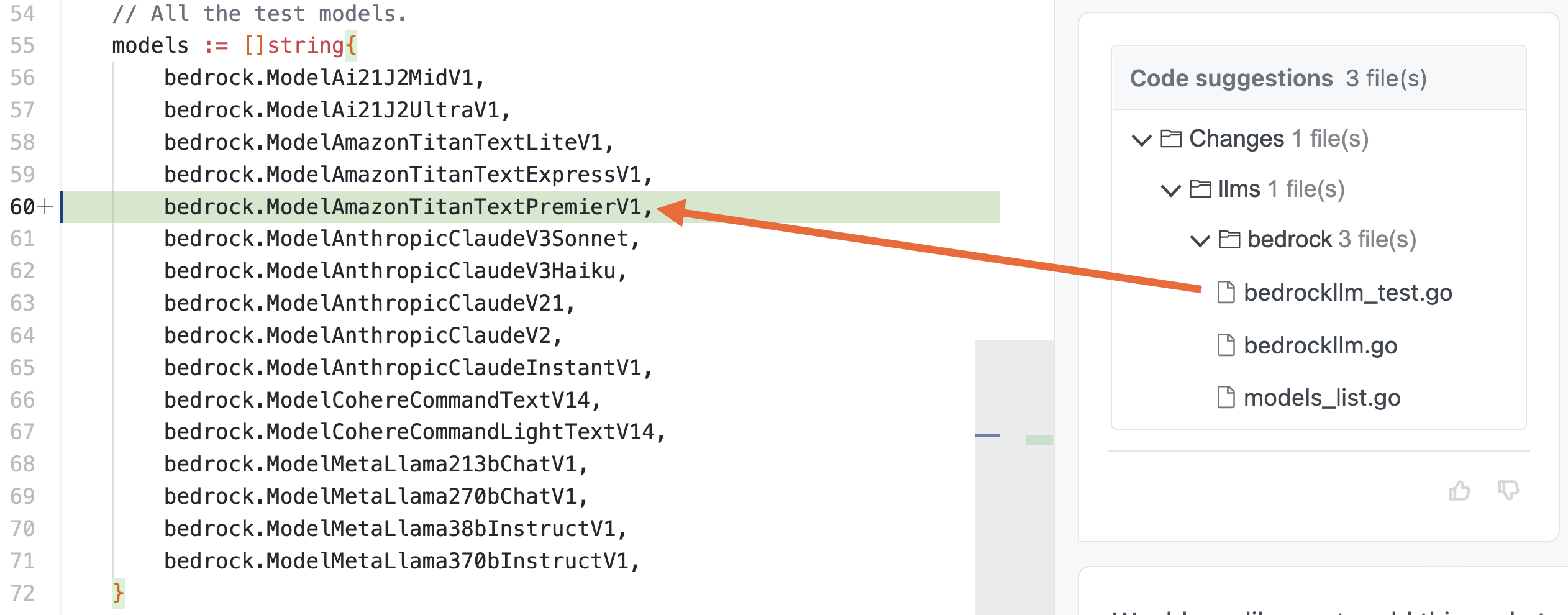
Finally, it came up with the code update suggestions, including a test case. Looking at the result, it might seem that this was an easy one. But, for someone new to the codebase, this can be really helpful.
After accepting the changes, I executed the test cases:
cd llms/bedrock
go test -v
All of them passed!
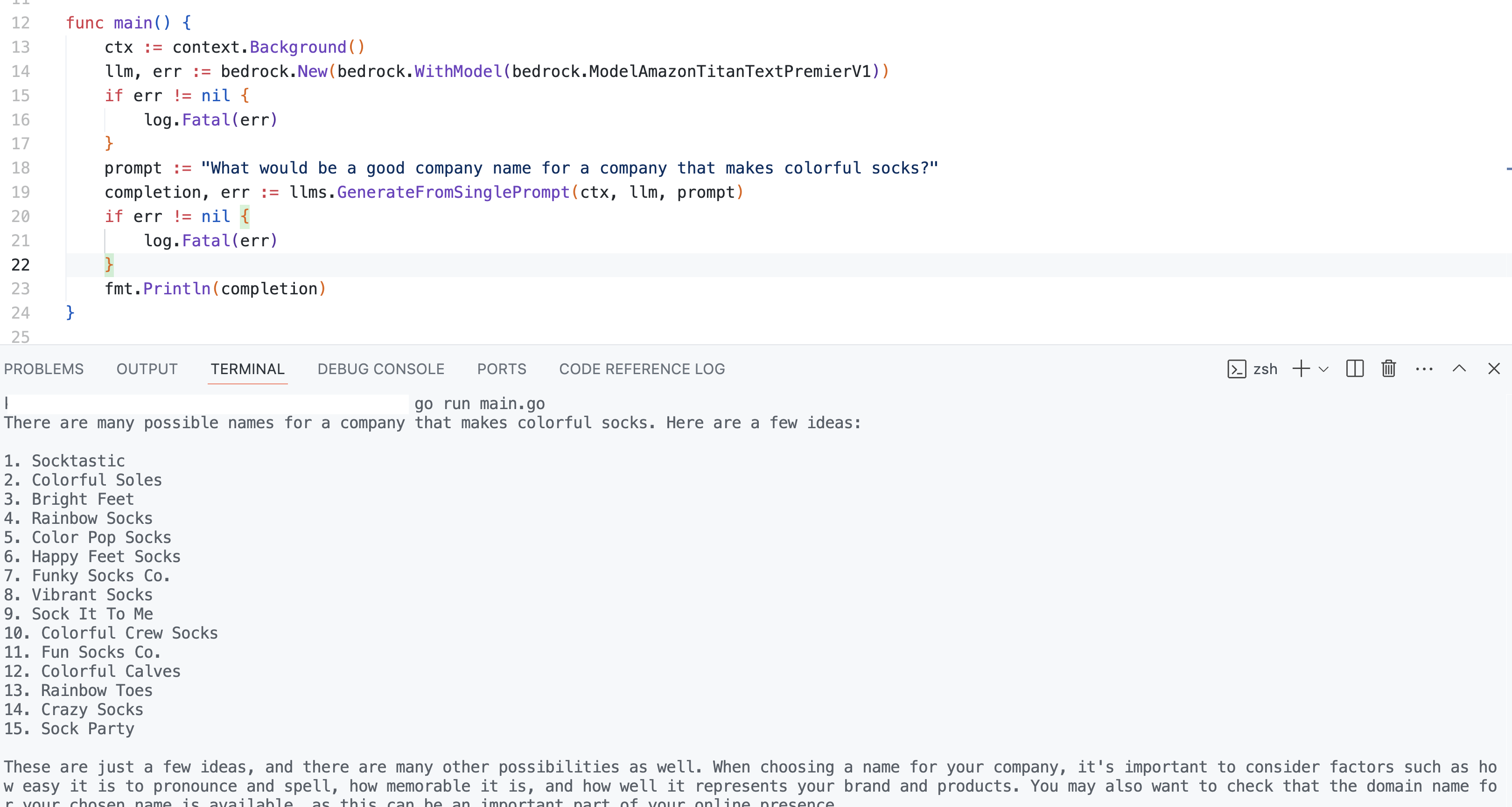
To wrap it up, I also tried this from a separate project. Here is the code that used the Titan Text Premier model (see bedrock.WithModel(bedrock.ModelAmazonTitanTextPremierV1)):
package main

import (
    "context"
    "fmt"
    "log"

    "github.com/tmc/langchaingo/llms"
    "github.com/tmc/langchaingo/llms/bedrock"
)

func main() {
    ctx := context.Background()

    llm, err := bedrock.New(bedrock.WithModel(bedrock.ModelAmazonTitanTextPremierV1))
    if err != nil {
        log.Fatal(err)
    }

    prompt := "What would be a good company name for a company that makes colorful socks?"
    completion, err := llms.GenerateFromSinglePrompt(ctx, llm, prompt)
    if err != nil {
        log.Fatal(err)
    }

    fmt.Println(completion)
}
Since I had the changes locally, I pointed go.mod to the local version of langchaingo:
module demo

go 1.22.0

require github.com/tmc/langchaingo v0.1.12

replace github.com/tmc/langchaingo v0.1.12 => /Users/foobar/demo/langchaingo
Moving on to something a bit more involved. Like LLM, langchaingo has a Document loader component. I wanted to add Amazon S3 — this way anyone can easily incorporate data from S3 bucket in their applications.
Amazon S3: Document Loader Implementation
As usual, I started with a prompt: Add a document loader implementation for Amazon S3.
Using the Existing Code Base
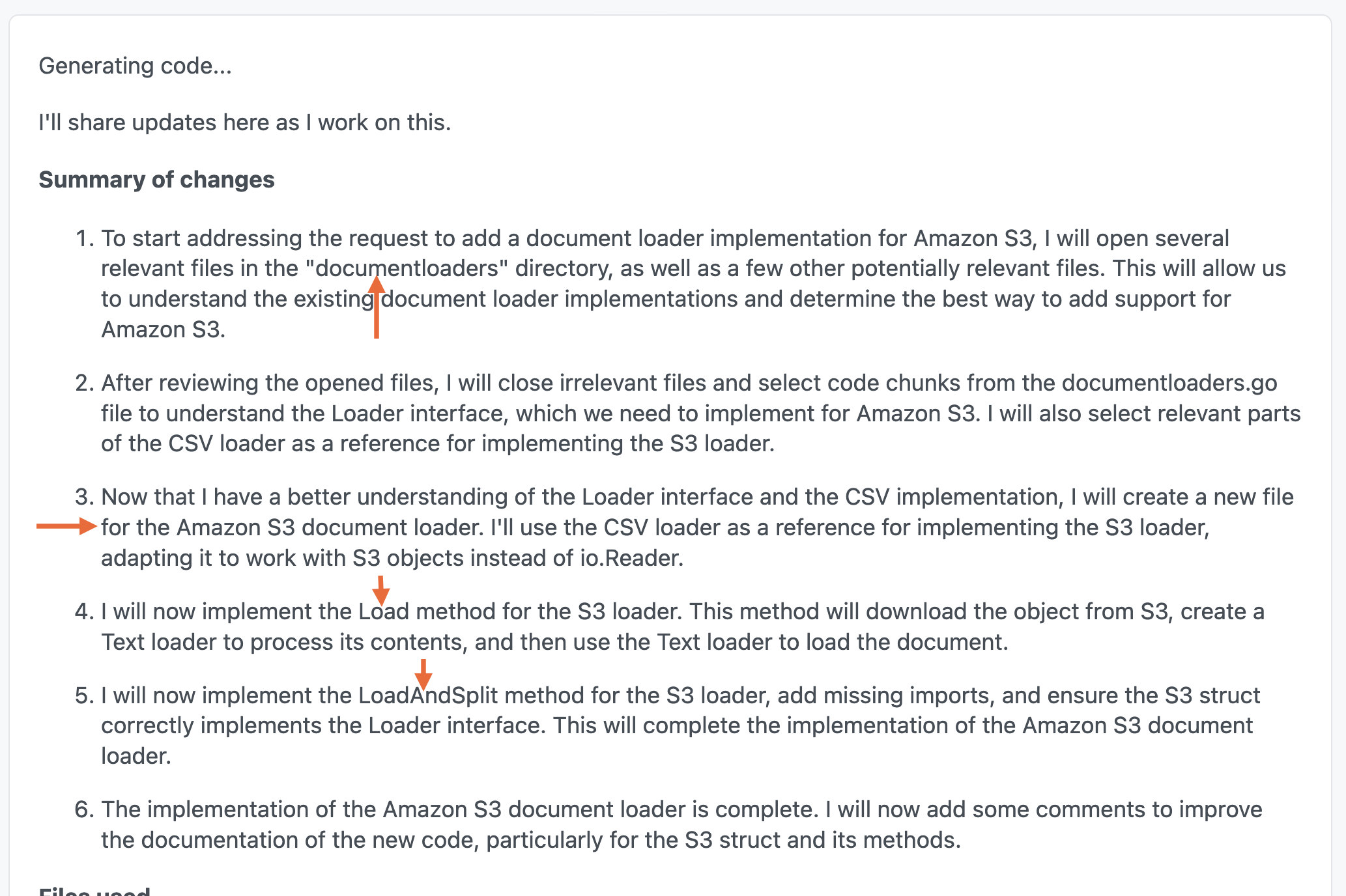
The summary of changes is really interesting. Again, Amazon Q Developer kept it's focus on whats needed to get the job done. In this case, it looked into the documentloaders directory to understand existing implementations and planned to implement Load and LoadAndSplit functions — nice!
Code Suggestions, With Comments for Clarity
This gives you a clear idea of the files that were reviewed. Finally, the complete logic was in (as expected) a file called s3.go.
This is the suggested code:
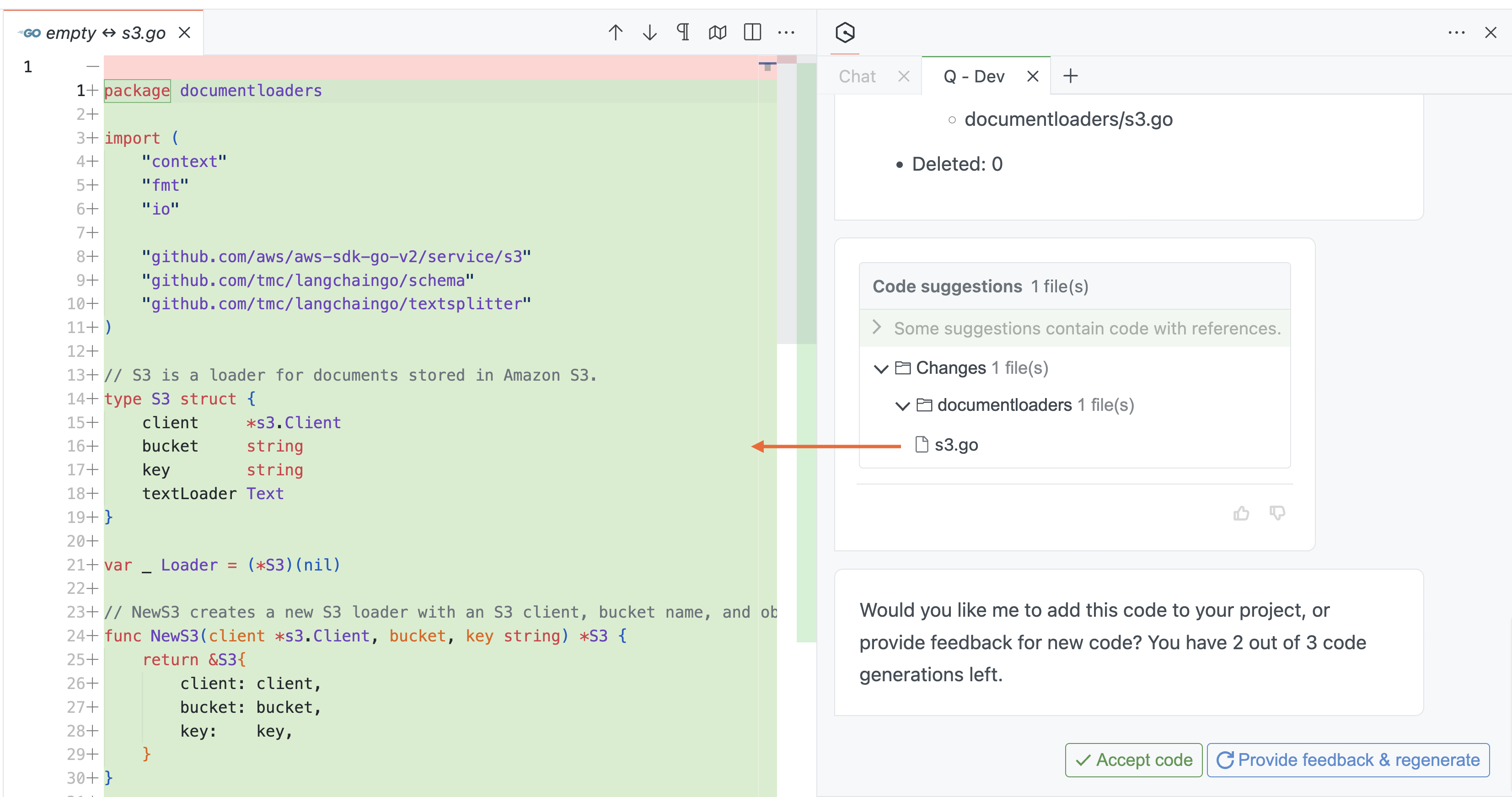
I made minor changes to it after accepting it. Here is the final version:
Note that it only takes text data into account (.txt file)
package documentloaders

import (
    "context"
    "fmt"

    "github.com/aws/aws-sdk-go-v2/service/s3"
    "github.com/tmc/langchaingo/schema"
    "github.com/tmc/langchaingo/textsplitter"
)

// S3 is a loader for documents stored in Amazon S3.
type S3 struct {
    client *s3.Client
    bucket string
    key    string
}

var _ Loader = (*S3)(nil)

// NewS3 creates a new S3 loader with an S3 client, bucket name, and object key.
func NewS3(client *s3.Client, bucket, key string) *S3 {
    return &S3{
        client: client,
        bucket: bucket,
        key:    key,
    }
}

// Load retrieves the object from S3 and loads it as a document.
func (s *S3) Load(ctx context.Context) ([]schema.Document, error) {
    // Get the object from S3
    result, err := s.client.GetObject(ctx, &s3.GetObjectInput{
        Bucket: &s.bucket,
        Key:    &s.key,
    })
    if err != nil {
        return nil, fmt.Errorf("failed to get object from S3: %w", err)
    }

    defer result.Body.Close()

    // Use the Text loader to load the document
    return NewText(result.Body).Load(ctx)
}

// LoadAndSplit retrieves the object from S3, loads it as a document, and splits it using the provided TextSplitter.
func (s *S3) LoadAndSplit(ctx context.Context, splitter textsplitter.TextSplitter) ([]schema.Document, error) {

    docs, err := s.Load(ctx)
    if err != nil {
        return nil, err
    }

    return textsplitter.SplitDocuments(splitter, docs)
}
You can try it out from a client application as such:
package main

import (
    "context"
    "fmt"
    "log"
    "os"

    "github.com/aws/aws-sdk-go-v2/config"
    "github.com/aws/aws-sdk-go-v2/service/s3"
    "github.com/tmc/langchaingo/documentloaders"
    "github.com/tmc/langchaingo/textsplitter"
)

func main() {
    cfg, err := config.LoadDefaultConfig(context.Background(), config.WithRegion(os.Getenv("AWS_REGION")))
    if err != nil {
        log.Fatal(err)
    }

    client := s3.NewFromConfig(cfg)

    s3Loader := documentloaders.NewS3(client, "test-bucket", "demo.txt")

    docs, err := s3Loader.LoadAndSplit(context.Background(), textsplitter.NewRecursiveCharacter())
    if err != nil {
        log.Fatal(err)
    }

    for _, doc := range docs {
        fmt.Println(doc.PageContent)
    }

}
Wrap Up
These were just a few examples. These enhanced capabilities for autonomous reasoning allows Amazon Q Developer to tackle challenging tasks. I love how it iterates on the problem, tries multiple approaches as it goes, and like a keeps you updated about its thought process.
This is a good fit for generating code, debugging problems, improving documentation, and more. What will you use it for?
Published at DZone with permission of Abhishek Gupta. See the original article here.
Opinions expressed by DZone contributors are their own.
Comments