

Vibe Coding: Conversational Software Development — Part 2: In Practice
AI is transforming software development in Part 2 of my 'Vibe Coding' series. Explore conversational coding, code generation in practice, and developer productivity.
 CORE
·
CORE
·
Join the DZone community and get the full member experience.
Join For FreeIn my previous blog post, I introduced the concept of vibe coding. It is one of the new ways that is attracting even non-programmers. Users can describe their thoughts using natural language, and AI tools can convert that into a working application. Spotting this opportunity, I thought I should experiment and understand what that actually looks like in action. I took this opportunity to test out a few tools and see how they really impact my workflow.

It is not just about automating tasks; it is about changing our behavior on how to approach a problem. To me, it feels like a declarative approach, especially when you are navigating a new framework or language for the first time.
Smarter Coding in the IDE: GitHub Copilot
I first started with the most common tool that is gaining popularity in the corporate world. It is GitHub Copilot. I have been using it regularly in VS Code, and while it is not exactly magic, it is undoubtedly helpful. When I am deep into the code, I use it for quick assistance with things like scaffolding code, writing tests, or debugging tricky edge cases. It saves me time context switching to a browser. You can interact with Copilot right in your code, or you can open a chat window to explain your issue.
Copilot now has an “agent mode,” which allows you to give broader instructions that can span across multiple files at the feature level. It is not flawless and can sometimes come up with generic solutions. But most of the time, it helps to cut down time spent on the boilerplate code.
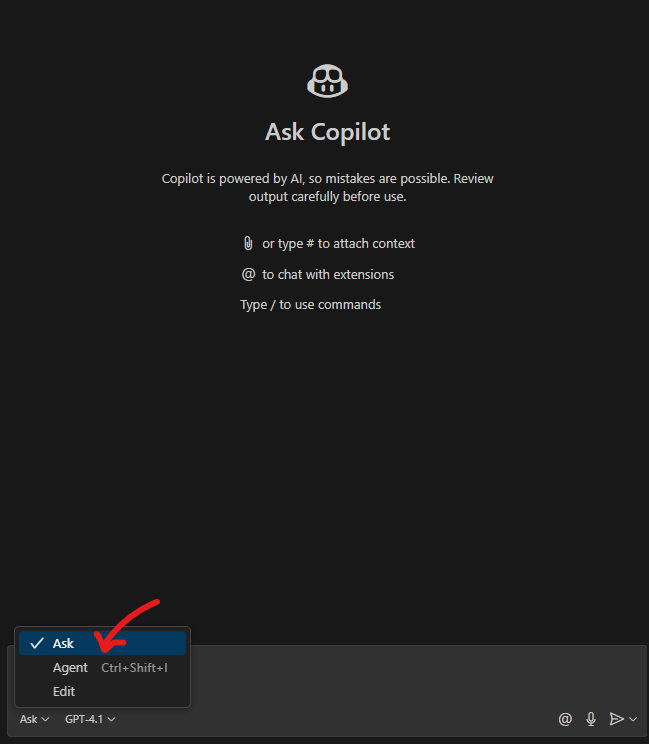
The best part of Copilot is that it is embedded in the editor, which means it is just a click away whenever I need it. Also, it is context-aware; it often makes suggestions that fit with existing application style and architecture.
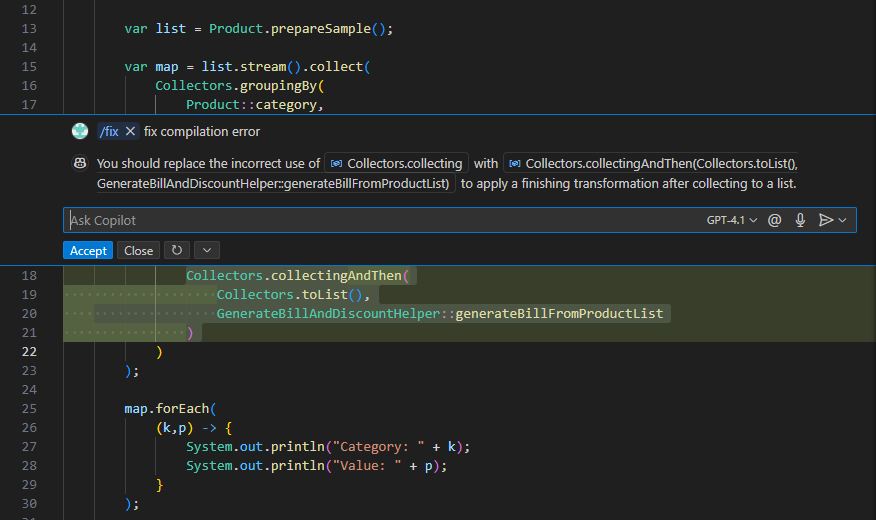
Terminal-First Development: Claude Code
There are developers who love working in the terminal. I would suggest tools like Claude Code or OpenCodeX CLI for them. These are worth checking out. Although it works from the terminal, but it understands your entire codebase and can implement changes based on natural language commands.
I recently tried out Claude Code for a side project. From the CLI, I was able to set up a basic project, refactor functions, and even tidy up some old scripts. It is not a traditional, simple text-based interface, and I recommend it as a must-have in your toolkit.
Anthropic has done a good job with Claude Code documentation and working examples. It is worth checking out if you are curious.
AI in the Browser: Replit
The other tool I tried was Replit. It has the latest AI features in the browser and targets developers above the beginner level. I provided the below prompt to generate a Trello-like dashboard to manage agile teams.
"Generate me an app, something like Trello, where I can track my tasks from to-do, in-progress, and done. It should have a board to move tickets and ticket analysis capabilities."
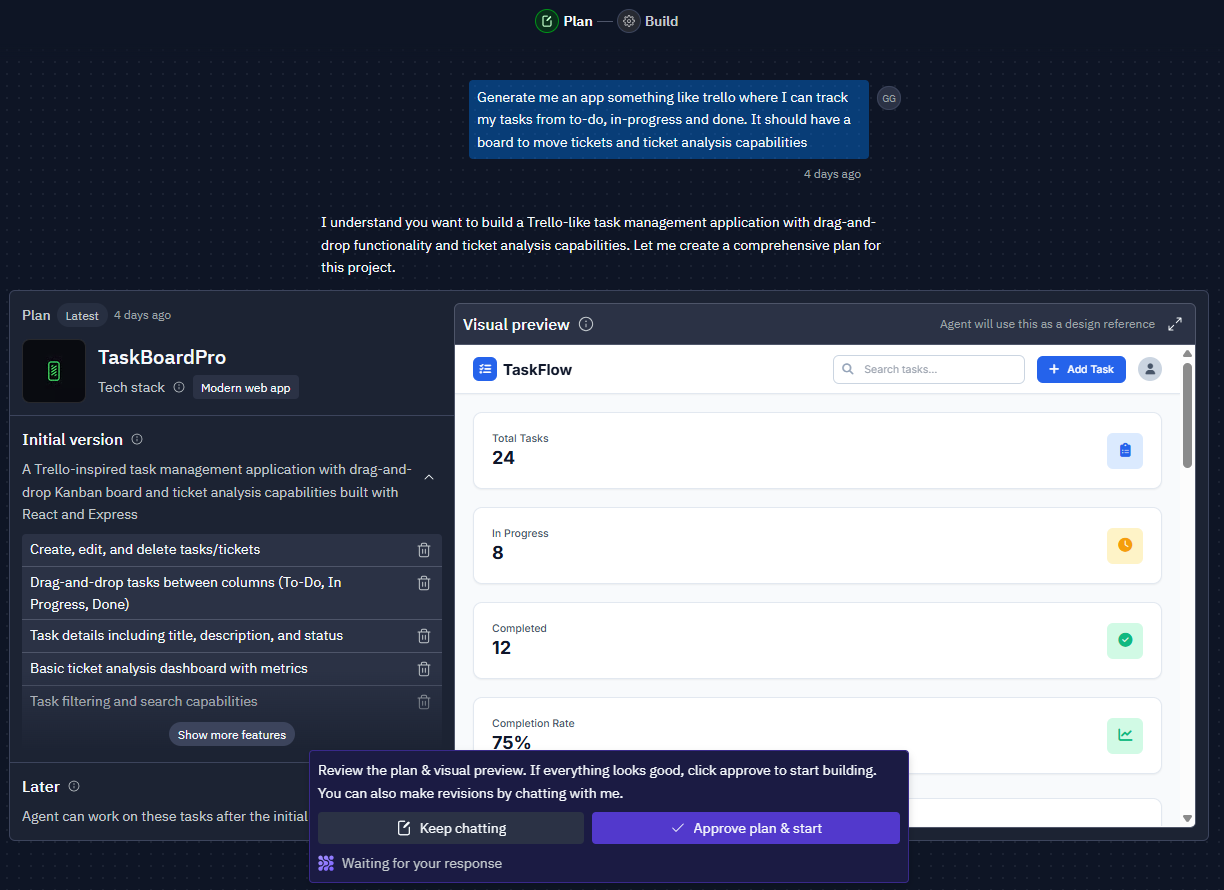
What really impressed me was how collaborative the experience is — you provide a prompt, and it guides you through the development process step by step. It feels almost like working alongside a junior developer who has done their homework. You are not just getting code; you are getting a plan, followed by clean, organized output. And if something goes wrong, Replit adapts and tries again. It really helps you navigate the development journey, generating and even debugging as it goes.
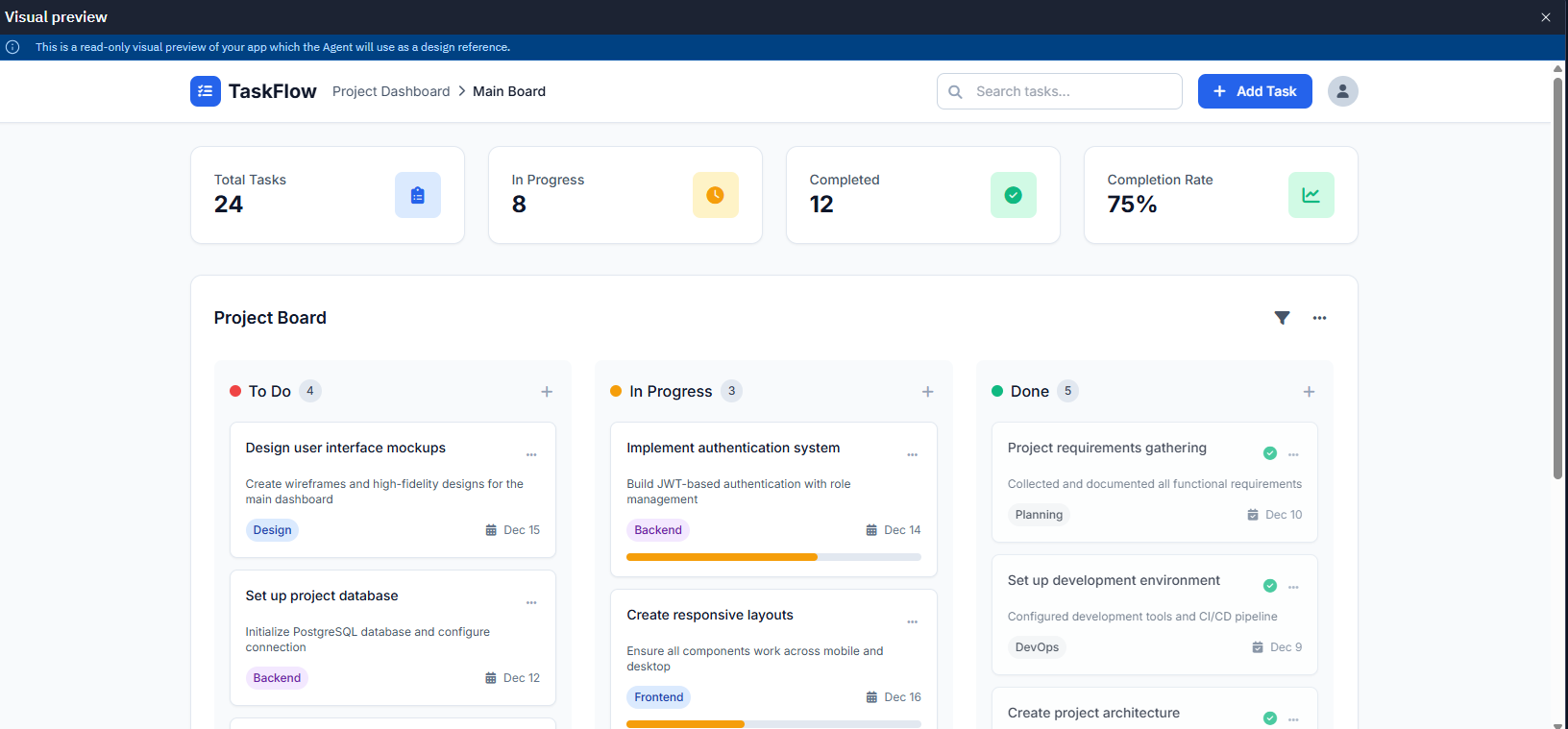
This tool is especially convenient for generating a quick prototype. While it might not be the best fit for highly complex systems, it shines when you need to get something up and running in a browser environment. Below is a sample application that it generated for my above prompt. It has done a decent job and has added features like tags for tickets, included a date on every ticket, and even presented an in-progress bar per ticket.
A Growing Ecosystem
These are not the only available options in the market. The app store for AI-driven development is rapidly filling up, and each tool has its own feature set and niche.
- Lovable is a great option for working with UIs and interfaces that you can tweak visually. It is another non-IDE alternative that lets you interact with simple natural language text prompts. You can describe what you want, and it updates the interface accordingly. It also supports backend connections, integrations, and multi-user collaboration.
- Bolt.new is another available option for full stack apps and frameworks like `Next.js` or `Svelte`, and mobile via Expo. I think Bolt is outstanding if you are a beginner. The design outputs are sometimes a bit better than what I was expecting.
- Another similar tool is V0 by Vercel. It is a more developer-focused online tool. It is built by the team behind `Next.js`, and it supports modern web technologies out of the box.
The tool to consider and adopt really depends on your problem statement.
Final Thoughts
I think AI tools are enhancing our programming capabilities. If I have to pick one of those, I will pick one that seamlessly blends into the background, providing just the right amount of assistance without being intrusive. Tools are only valuable if they help you build faster and improve the overall experience. I will continue the discussion and explore system prompts in part 3 of this series.
Published at DZone with permission of Gaurav Gaur. See the original article here.
Opinions expressed by DZone contributors are their own.
Comments