

Why Internal Tools Waste So Much Engineering Time
A tiny bug. A big bank. Hours lost. What this incident says about how we handle internal support and what to do about it.
Join the DZone community and get the full member experience.
Join For FreeInternal tools rarely get the same attention as customer-facing products, but the pain is just as real. Modern systems can fail in countless ways, and when they do, engineers spend hours untangling dependencies just to locate the root cause.
Inside most organizations, these tools are business-critical: powering finance, operations, sales, or logistics. Yet their support workflows are often ad hoc. Issues get reported through chat threads or informal tickets, context is incomplete, and debugging turns into a relay race across teams.
What starts as a small, isolated issue can quickly evolve into hours of coordination, lost focus, and mounting frustration.
And this is the heart of the problem with internal app support: it looks “simpler” than customer-facing support, but it carries the same hidden costs: endless hand-offs, missing visibility, and a debugging process that’s more about coordination than problem-solving.
How One Small Internal Bug Drained Hours of Engineering Time
Let me give you a perfect example from one of our Multiplayer users: a case that shows how even the smallest internal issue can turn into hours of coordination, debugging, and disruption.
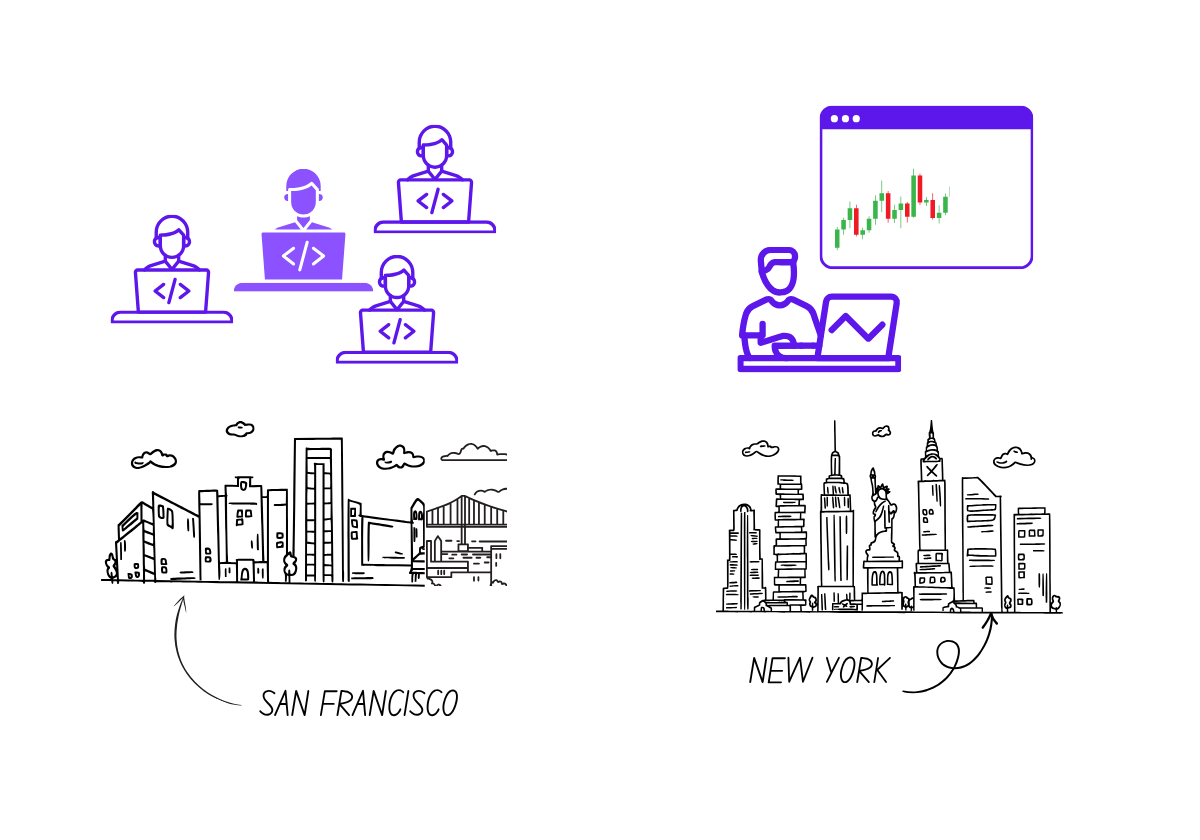
This happened inside a large investment bank.
The engineering team had just shipped a new feature for an internal finance tool used by traders. It allowed them to customize time intervals for analyzing volatility. Everything looked great in dev, QA, and regression tests.
Then, on the first day after release, a trader noticed something odd: the tool showed zero volatility after 12 PM, even though the market was, very obviously, still open.
What followed is a story every enterprise team will recognize.
The trader pinged internal support, who created a ticket and passed it to the front-end team. They checked the UI and confirmed everything was rendering correctly. So the ticket moved to the backend engineers.
The backend team inspected the data pipeline and ruled out upstream data issues. Nothing in the logs looked wrong, the API calls returned 200s, and all responses looked syntactically valid. They escalated to the QA team, who ran a few tests and confirmed that staging and dev environments were fine.
At that point, the ticket had traveled across three teams, and hours had passed.
Support is now looped in with the data provider, suspecting a third-party latency issue. They confirmed their data feed was normal. Engineering leadership was involved because the traders were blocked. After several more syncs, the engineers went back to debugging internally.
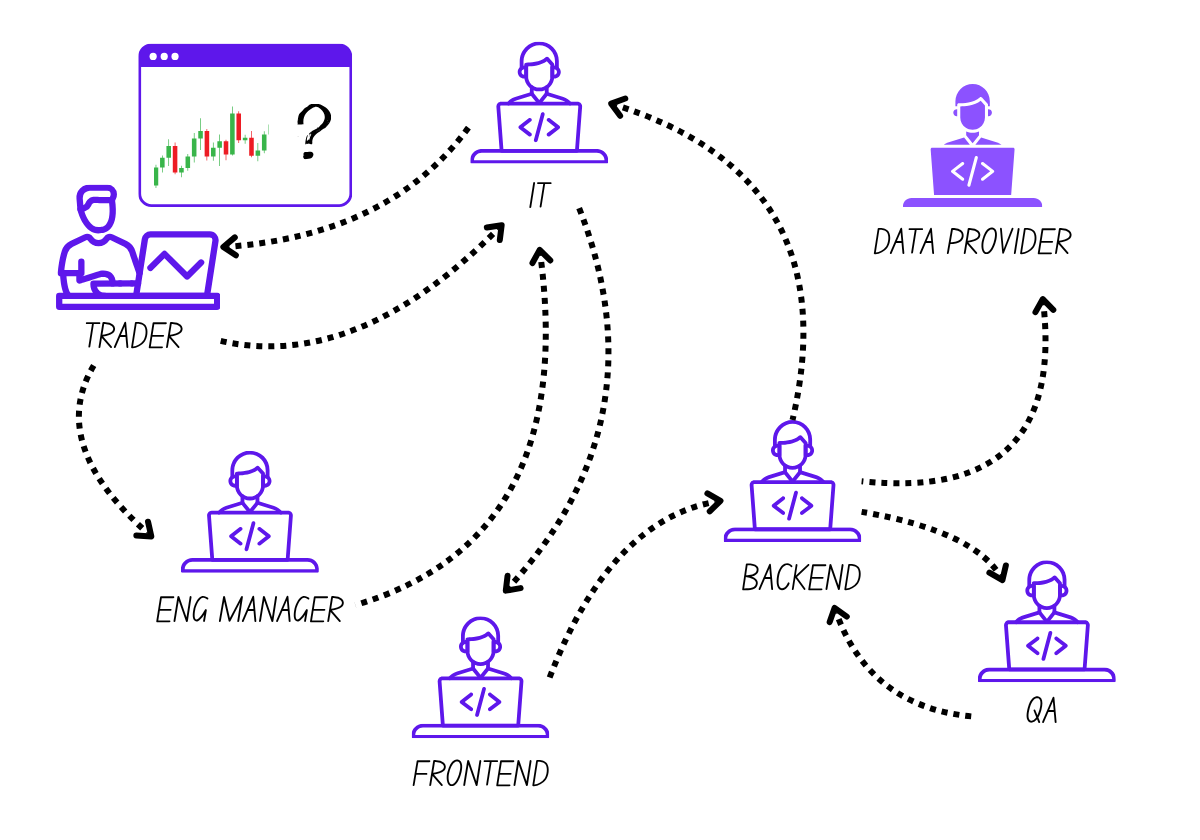
Someone finally noticed a mismatch in timestamps between environments, and the root cause became clear: a time zone mismatch between production and non-production environments.
The new volatility windowing logic relied on the user’s local time. In dev and staging, every system ran on the same local timezone as the developers, so no issues appeared. But production ran on UTC. That meant the system calculated volatility based on post-market-close hours, returning valid but empty results.
No alerts had fired because nothing technically broke. The system responded with clean 200s and empty arrays, which made it look healthy from the outside.
From start to finish, the ticket touched: End user (trader) → support desk → frontend engineers → backend engineers → QA → third-party data provider → engineering leadership → and finally back to the trader.
By the time the root cause was identified, more than half a day of support and engineering time had been lost. Not because the bug was complex, but because the context was scattered.
Three Engineering Strategies for Faster Internal Issue Resolution
To solve such situations, your goal should be simple: shorten the path from something broken to what we know why.
That means giving your team full visibility into the journey of a failing request: understanding how components interact, where data drifts, and how to fix issues without the marathon of context-gathering and tool-switching.
1. Start With High-Quality Issue Reporting
The biggest time sink in internal support isn’t the bug itself: it’s the missing context.
Tickets often arrive as vague summaries: “The dashboard froze,” “Data looks off.” By the time support gathers the steps, screenshots, and environment details, hours are gone.
Create a reporting workflow that captures context automatically.
- Record full-stack sessions: Capture frontend actions, metadata, traces, logs, and request/response content so engineers can see what happened and understand it. Tools like Multiplayer automatically correlate all the frontend and backend data per session.
- Make issue reporting built-in: An in-app widget or browser extension can automatically include everything (from user feedback to API calls) so a ticket is ready to debug the moment it’s filed.
Goal: Every issue should reach engineering with enough context to understand, reproduce, and fix it. No extra Slack threads or Zoom calls required.
2. Detect Weak Points Before They Reach Production
Most internal support work begins because pre-production environments miss edge cases that only appear under real-world conditions.
The fix: give developers production-like visibility earlier in the lifecycle.
- Mirror real environments: Run sandboxes with the same time zones, data feeds, and permissions as production. That way, configuration drift (like the infamous timezone mismatch from the above example) gets caught before release.
- Instrument pre-prod like prod: Use the same observability and tracing setup (lightweight but meaningful) to surface discrepancies early.
- Shift-left debugging: Let engineers trace, replay, and observe system behavior while features are still being built.
When developers can see how their code behaves under realistic conditions, they can identify bottlenecks, cascading failures, and performance degradation early and fix them before they reach users. This visibility also accelerates development: fewer regressions, safer releases, and faster confidence checks.
Goal: Fewer surprises after release, because dev, QA, and prod all behave the same.
3. Centralize Context When Production Issues Occur
Even with solid prevention, incidents happen. When they do, most teams lose precious time to fragmentation: switching between tools, threads, and dashboards to piece together what went wrong.
Right now, engineers often need to:
- Check logs in one tool
- Search traces in another
- Scroll through dashboards in a third
- DM teammates for screenshots or notes
Each switch costs time and focus. To avoid that:
- Unify all data by session or user ID: Correlate frontend and backend events so they tell one story, ideally through a single replay that connects user actions to backend traces and logs.
- Make context shareable and annotatable: One link for everyone (support, dev, QA, product) where all notes, sketches, and requirements live together.
- Provide real-time system visibility: Let engineers see dependencies and API behaviors instantly, so they can reason about system impact with confidence.
- Keep data AI-ready: Structured, timestamped, and accessible, so AI assistants can generate better suggestions directly inside the IDE.
Goal: When something breaks, the team investigates one coherent incident.
The Takeaway
Internal support doesn’t have to drain engineering time or morale. When teams capture context automatically, detect issues before release, and keep data connected during incidents, debugging stops being a firefight and becomes part of how you build resilient systems.
Because the real cost of poor visibility isn’t just a few wasted hours, but it’s also the ripple effect that follows:
- Stress for developers and QA due to hasty debugging under pressure.
- Loss of trust from internal stakeholders and end-users.
- Release delays as hotfixes take priority and momentum grinds to a halt.
Better visibility changes all of that. Developers get immediate feedback on their work, spot problems early, and stay in control of code quality. That means faster releases, less stress, and fewer surprises downstream.
And when systems run smoothly, users feel it too: fewer disruptions, faster responses, and greater reliability.
Opinions expressed by DZone contributors are their own.
Comments