
DZone
Thanks for visiting DZone today,
Edit Profile
  • Manage Email Subscriptions
  • How to Post to DZone
  • Article Submission Guidelines
Sign Out View Profile
  • Post an Article
  • Manage My Drafts
Newsletter
Log In / Join
Refcards Trend Reports
Events Video Library
Refcards
Trend Reports

Events

View Events Video Library

Related

  • The Permission Was Valid. The Action Was Not Authorized.
  • Why AI Agents Need a Shared Enterprise Ontology
  • Adding Graph Retrieval to a RAG Pipeline With Python
  • Why 200 OK Is the Most Dangerous Lie in Enterprise Integration

Trending

  • Why Your AI Agent Works in the Demo and Fails in Production
  • Claude Code Superpowers: The 5-Tool Stack That Ends Limits and Context Amnesia
  • How to Keep AI Agents From Going Rogue Using Docker Sandbox
  • PostgreSQL vs Oracle: When Higher Cost Means Better Performance

Draft This article hasn't been published, so readers can't see it.

In moderation This article is waiting for review, so readers can't see it yet.

Deleted This article has been deleted, so readers can't see it.

  1. DZone
  2. Data Engineering
  3. Databases
  4. API Groups in Anypoint Platform

API Groups in Anypoint Platform

API Group is an Anypoint platform feature that enables us to bundle our APIs and resources into a single package. API groups can be versioned like APIs.

By 
Abhay Yadav
·
Jul. 13, 21 · Tutorial
Post on X (opens in a new tab) Share on LinkedIn (opens in a new tab)
14.3K Views

Join the DZone community Save articles, join the discussion, and download Refcards and Trend Reports with a free account.

Join for free Already a member? Log in

Introduction

API Group is an Anypoint platform feature that enables us to bundle our APIs and resources into a single package. We can customize the instances of that group with different SLAs and rate limit conditions based on the requirement and publish the API Group to Anypoint Exchange so that users can subscribe to the package. 

API groups can be versioned like APIs, published to exchange, and can include more than one instance of a single API.

To understand it better let’s consider an online food delivery service like UberEats or Zomato, the service can have many different APIs like

  • User API
  • Restaurant location API
  • Payments API
  • Transaction API
  • Rewards API and many more

These can be grouped into different packages like user-centric group which can have User and Rewards API, and Financial group which will include Payments and Transactions API.

Before we delve into and see how to create and manage an API group, there are a few prerequisites like

  • At least two APIs are deployed in the API manager.
  • Permissions to create API Groups 

Creating API Groups

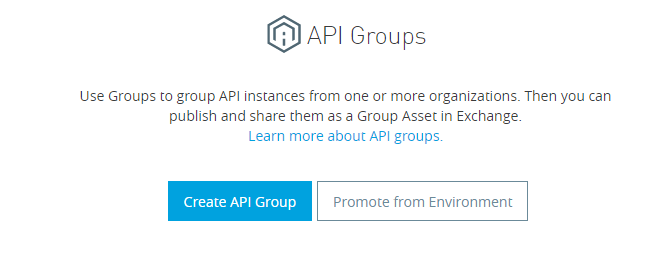
Navigate to API Manager > API Groups > click Create API groupCreate API Group screen
Provide the group name and version. Add API to the group created.
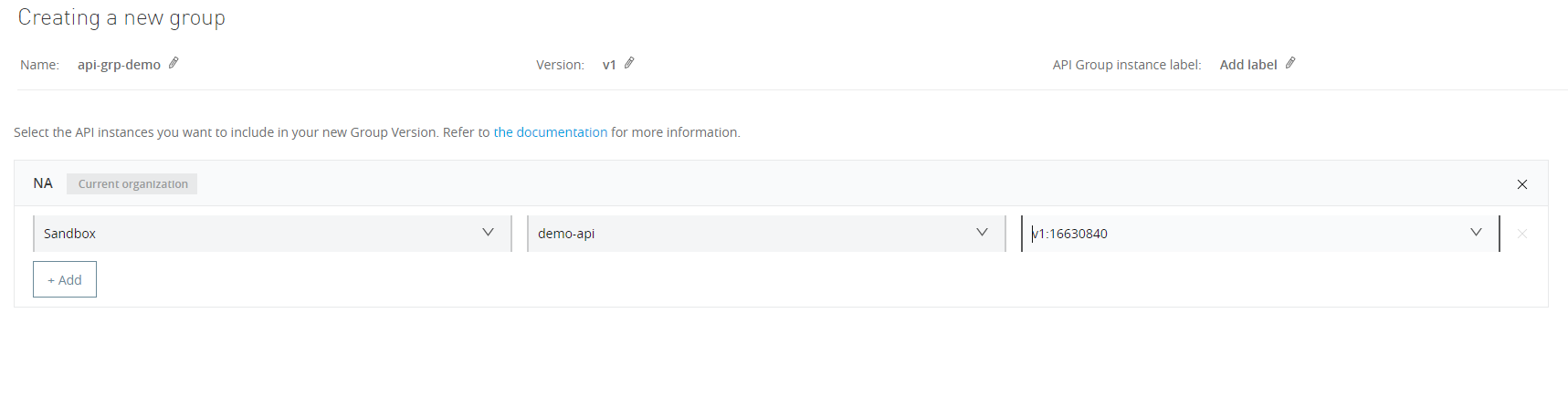

Add an API to the group you've created

SLA (Service Level Agreement) can be applied to the API instances inside a group to limit the number of requests an application/user can make to the API.

To add an SLA tier to the API group, navigate to the API group instance > SLA Tiers > click Add SLA Tier
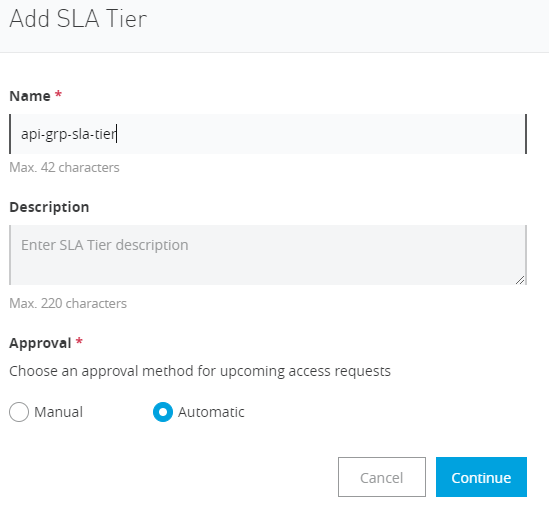
Add SLA Tier

On the next screen, define the limit for SLA:
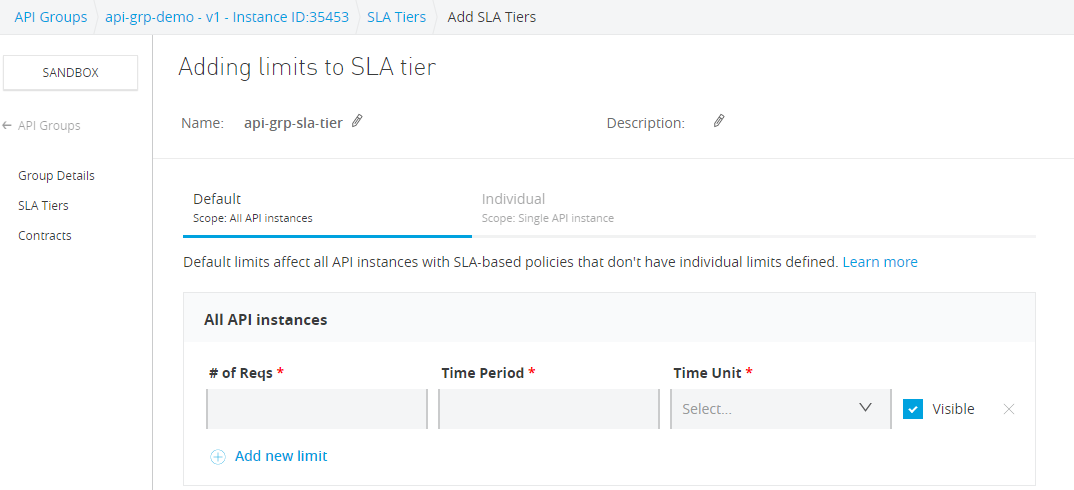
Define the limit for the SLA

There are two SLA Tier types defined: 

  1. Default SLA: The default limit is applicable to all API instances, existing or new. This means that the same SLA limit is applicable to every API instance in that API Group.

  2. Individual SLA: Individual SLA is defined for each API within an API group. If defined, Individual SLA overrides the default SLA 

Once the SLA tier is created, we need to apply SLA based policy at the API level. For that, head over to the API Administration page for the API which is part of the API group > Policies > Click Apply New Policy > Rate Limiting- SLA Based.

Note: Applying Policy at API instance level is mandatory otherwise SLA tier will affect the API calls.

Once the policy is applied to the API, publish the API group to Exchange and request Access for the group.

Request access to the API group

Testing Out the SLA Tier

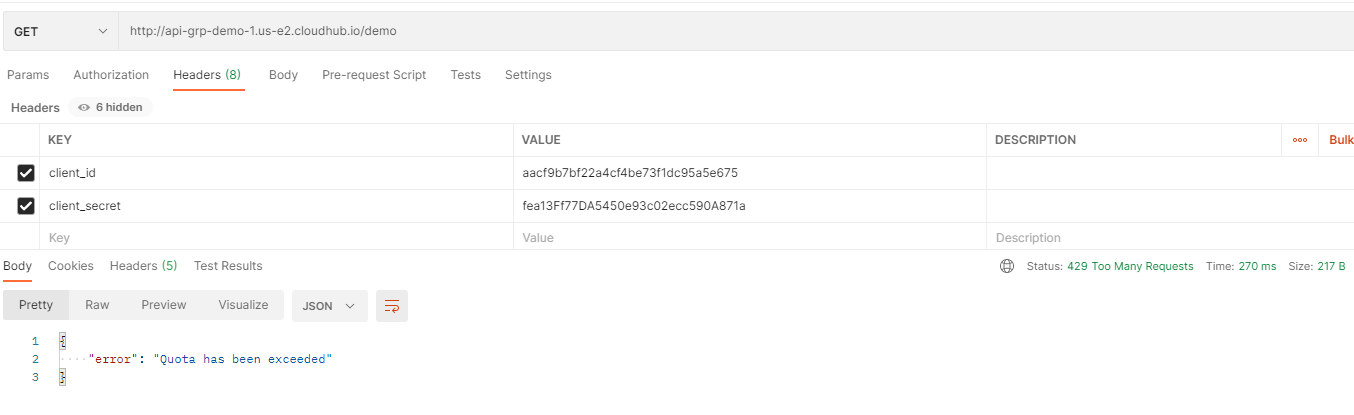
Hit the API from the postman and observe the responses. After 5 hits, it will return 429 status, too many requests.Testing out the SLA Tier
API

Opinions expressed by DZone contributors are their own.

Related

  • The Permission Was Valid. The Action Was Not Authorized.
  • Why AI Agents Need a Shared Enterprise Ontology
  • Adding Graph Retrieval to a RAG Pipeline With Python
  • Why 200 OK Is the Most Dangerous Lie in Enterprise Integration

Partner Resources

×

Comments

Loading comments

The comments didn't load

Please try again in a moment.

Likes

Loading

The next likes didn't load. Please try again.

The likes didn't load

Please try again in a moment.

See who liked this

Log in or join DZone for free to see who liked this article.

Log in Join for free
  • RSS
  • X
  • Facebook

ABOUT US

  • About DZone
  • Support and feedback
  • Community research

ADVERTISE

  • Advertise with DZone

CONTRIBUTE ON DZONE

  • Article Submission Guidelines
  • Become a Contributor
  • Core Program
  • Visit the Writers' Zone

LEGAL

  • Terms of Service
  • Privacy Policy

CONTACT US

  • 3343 Perimeter Hill Drive
  • Suite 215
  • Nashville, TN 37211
  • [email protected]

Let's be friends:

  • RSS
  • X
  • Facebook