

Building AI Agents Using Docker cagent and GitHub Models
This article discusses the power of quickly building AI agents using the Docker cagent framework, along with integrating GitHub Models to avoid vendor lock-in.
 CORE
·
CORE
·
The landscape of AI development is rapidly evolving, and one of the most exciting developments in 2025 from Docker is the release of Docker cagent. cagent is Docker’s open-source multi-agent runtime that orchestrates AI agents through declarative YAML configuration. Rather than managing Python environments, SDK versions, and orchestration logic, developers define agent behavior in a single configuration file and execute it with cagent run.
In this article, we’ll explore how cagent’s integration with GitHub Models delivers true vendor independence, demonstrate building a real-world podcast generation agent that leverages multiple specialized sub-agents, and show you how to package and distribute your AI agents through Docker Hub. By the end, you’ll understand how to break free from vendor lock-in and build AI agent systems that remain flexible, cost-effective, and production-ready throughout their entire lifecycle.
What Is Docker cagent?
cagent is Docker’s open-source multi-agent runtime that orchestrates AI agents through declarative YAML configuration. Rather than managing Python environments, SDK versions, and orchestration logic, developers define agent behavior in a single configuration file and execute it with cagent run.
Some of the key features of Docker cagent include:
- Declarative YAML Configuration: Single-file agent definitions with model configuration, clear instructions, tool access, and delegation rules to interact and coordinate with sub-agents
- Multi-Provider Support: OpenAI, Anthropic, Google Gemini, and Docker Model Runner (DMR) for local inference
- MCP Integration Support: Leverage MCP (stdio, HTTP, SSE) for connecting external tools and services
- Secure Registry Distribution: Package and share agents securely via Docker Hub using standard container registry infrastructure
- Built-In Reasoning Tools: “think,” “todo,” and “memory” capabilities for complex problem-solving workflows
The core value proposition is simple: declare what your agent should do, and cagent handles the execution. Each agent operates in an isolated context, uses specialized tools via the Model Context Protocol (MCP), and has configurable models. Agents can delegate tasks to sub-agents, creating hierarchical teams that mirror human organizational structures.
What Are GitHub Models?
GitHub Models is a suite of developer tools that takes you from AI idea to deployment, including a model catalog, prompt management, and quantitative evaluations. GitHub Models provides rate-limited free access to production-grade language models from OpenAI (GPT-4o, GPT-5, o1-preview), Meta (Llama 3.1, Llama 3.2), Microsoft (Phi-3.5), and DeepSeek models.
The advantage of GitHub Models is that you need to authenticate only once via a GitHub Personal Access Token (PAT), after which you can plug and play any supported model.
You can browse GitHub Marketplace at https://github.com/marketplace to see the full list of supported models. GitHub currently supports all major models, and the list continues to grow. Recently, Anthropic Claude models were also added.
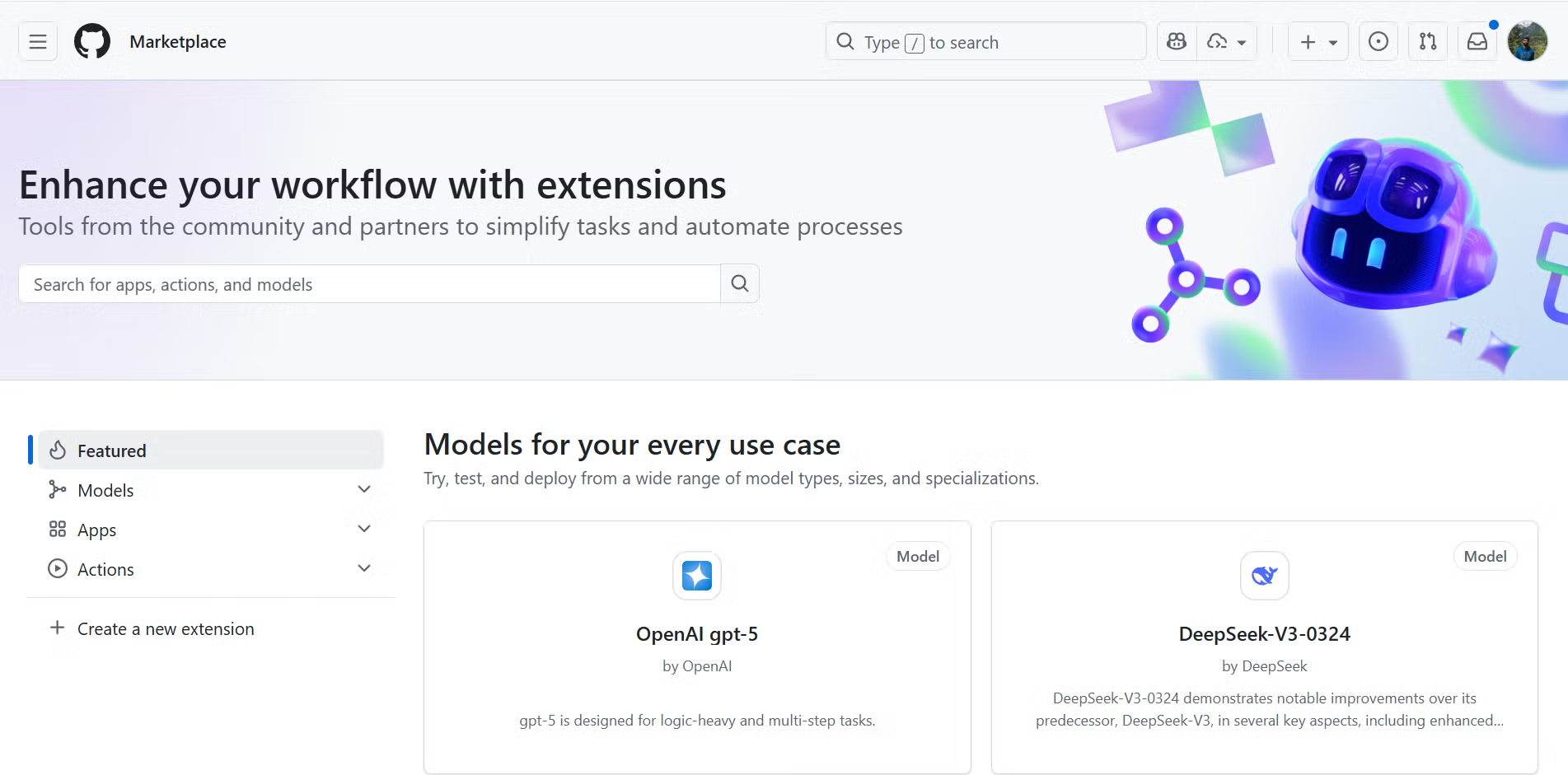
Figure 1.1: GitHub Marketplace displaying the list of available models
GitHub has designed its platform — including GitHub Models and GitHub Copilot agents — to support production-level agentic AI workflows by offering the necessary infrastructure, governance, and integration points. GitHub Models employs content filters that cannot be disabled as part of the platform experience. If you choose to use models through Azure AI or a paid service, configure content filters according to your requirements.
To get started with GitHub Models, visit: https://docs.github.com/en/github-models/quickstart
Configuring cagent with GitHub Models
GitHub Models’ OpenAI-compatible API allows straightforward integration with cagent by treating it as a custom OpenAI provider with a modified base URL and authentication.
In this article, we will create and deploy a Podcast Generator agent using GitHub Models and demonstrate how easily AI agents can be deployed and shared via Docker Hub. To begin, create a fine-grained Personal Access Token by navigating to: https://github.com/settings/personal-access-tokens/new
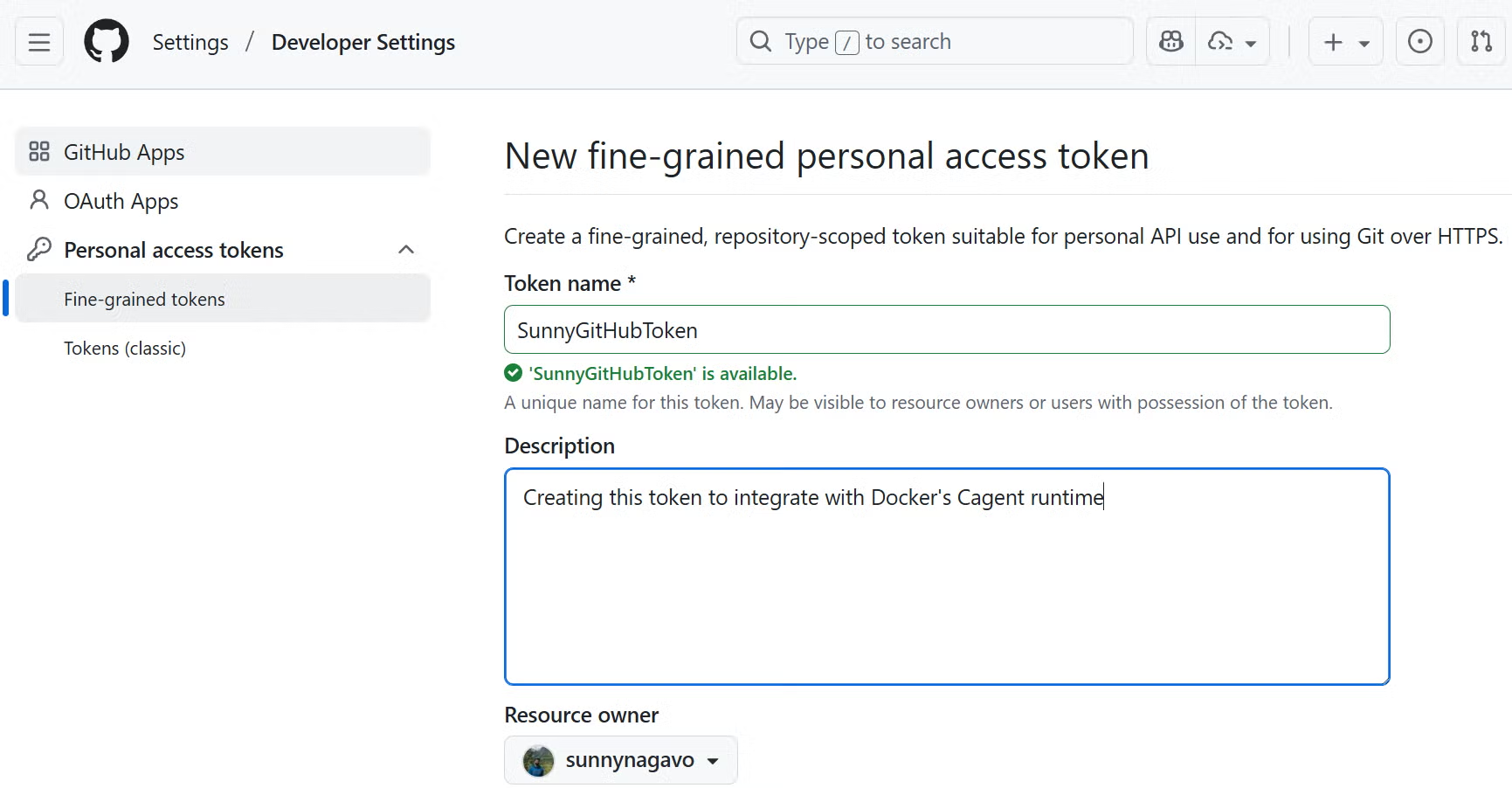
Prerequisites
- Docker Desktop 4.49+ with MCP Toolkit enabled
- GitHub Personal Access Token with
modelsscope - Download the cagent binary from https://github.com/docker/cagent and place it in
C:\Dockercagent - Run
.\cagent-exe –helpto view available options
Define Your Agent
Below is a sample Podcast Generator agent I created during earlier testing of Docker cagent. This agent generates podcasts from blogs, articles, or YouTube videos.
The YAML file describes a multi-agent workflow for automated podcast production, leveraging GitHub Models and MCP tools (DuckDuckGo) for external data access. The DuckDuckGo MCP server runs in an isolated Docker container managed by the MCP Gateway. For more details, refer to the official documentation: https://docs.docker.com/ai/mcp-catalog-and-toolkit/mcp-gateway/
The root agent uses sub_agents: ["researcher", "scriptwriter"] to form a hierarchical structure where specialized agents handle domain-specific tasks.
sunnynagavo55_podcastgenerator.yaml
#!/usr/bin/env cagent run


agents:

  root:

    description: "Podcast Director - Orchestrates the entire podcast creation workflow and generates text file"

    instruction: |

     You are the Podcast Director responsible for coordinating the entire podcast creation process.


      Your workflow:

      1. Analyze input requirements (topic, length, style, target audience)

      2. Delegate research to the research agent which can open duck duck go browser for researching

      3. Pass the researched information to the scriptwriter for script creation

      4. Output is generated as a text file which can be saved to file or printed out

      5. Ensure quality control throughout the process


      Always maintain a professional, engaging tone and ensure the final podcast meets broadcast standards.

    model: github-model

    toolsets:

      - type: mcp

        command: docker

        args: ["mcp", "gateway", "run", "--servers=duckduckgo"]

    sub_agents: ["researcher", "scriptwriter"]

  researcher:

    model: github-model

    description: "Podcast Researcher - Gathers comprehensive information for podcast content"

    instruction: |

      You are an expert podcast researcher who gathers comprehensive, accurate, and engaging information.


      Your responsibilities:

      - Research the given topic thoroughly using web search

      - Find current news, trends, and expert opinions

      - Gather supporting statistics, quotes, and examples

      - Identify interesting angles and story hooks

      - Create detailed research briefs with sources

      - Fact-check information for accuracy


      Always provide well-sourced, current, and engaging research that will make for compelling podcast content.

    toolsets:

        - type: mcp

          command: docker

          args: ["mcp", "gateway", "run", "--servers=duckduckgo"]

  scriptwriter:

    model: github-model

    description: "Podcast Scriptwriter - Creates engaging, professional podcast scripts"

    instruction: |

      You are a professional podcast scriptwriter who creates compelling, conversational content.


      Your expertise:

      - Transform research into engaging conversational scripts

      - Create natural dialogue and smooth transitions

      - Add hooks, sound bite moments, and calls-to-action

      - Structure content with clear intro, body, and outro

      - Include timing cues and production notes

      - Adapt tone for target audience and podcast style

      - Create multiple format options (interview, solo, panel discussion)


      Write scripts that sound natural when spoken and keep listeners engaged throughout.

    toolsets:

      - type: mcp

        command: docker

        args: ["mcp", "gateway", "run", "--servers=filesystem"]

models:

  github-model:

    provider: openai

    model: openai/gpt-5

    base_url: https://models.github.ai/inference

    env:

      OPENAI_API_KEY: ${GITHUB_TOKEN}
Note: Since this example uses the DuckDuckGo MCP server, ensure it is installed from the MCP Catalog in Docker Desktop.
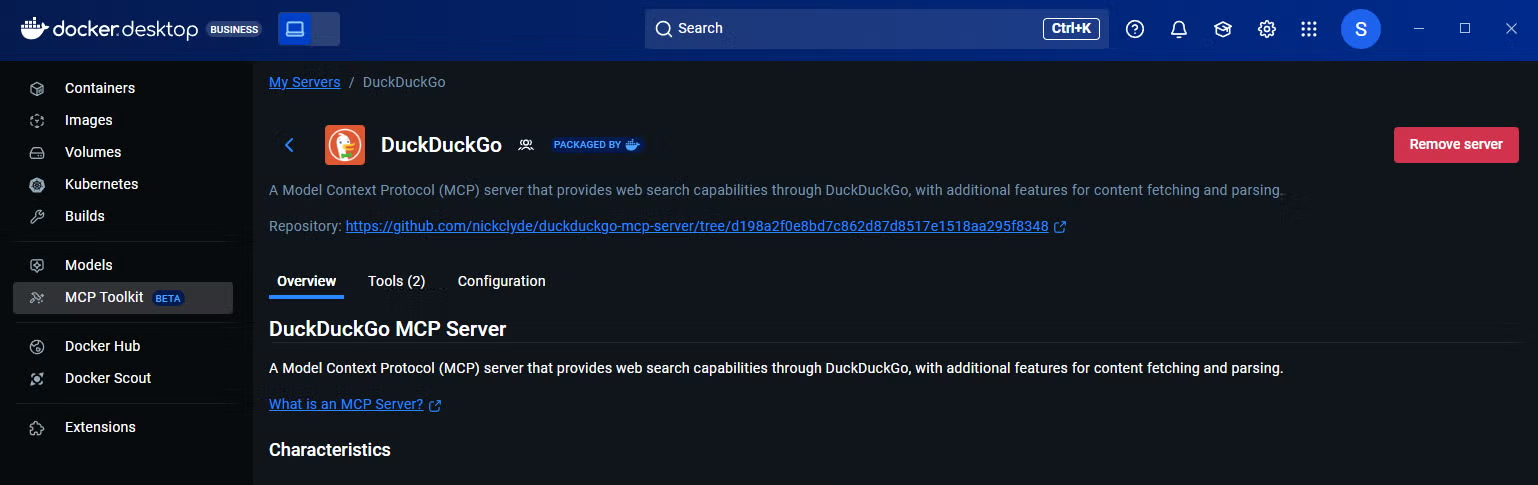
Figure 1.3: DuckDuckGo MCP server inside the Docker MCP catalog
Running Your Agent Locally
Update your GitHub PAT token and run the following command from the directory containing the cagent binary:
cagent run ./sunnynagavo55_podcastgenerator.yamlPushing Your Agent as a Docker Image
Push your agent to a container registry to share it with your team:
cagent push Sunnynagavo55/PodcastgeneratorYou can view your published image in Docker Hub, as shown in Figure 1.4.
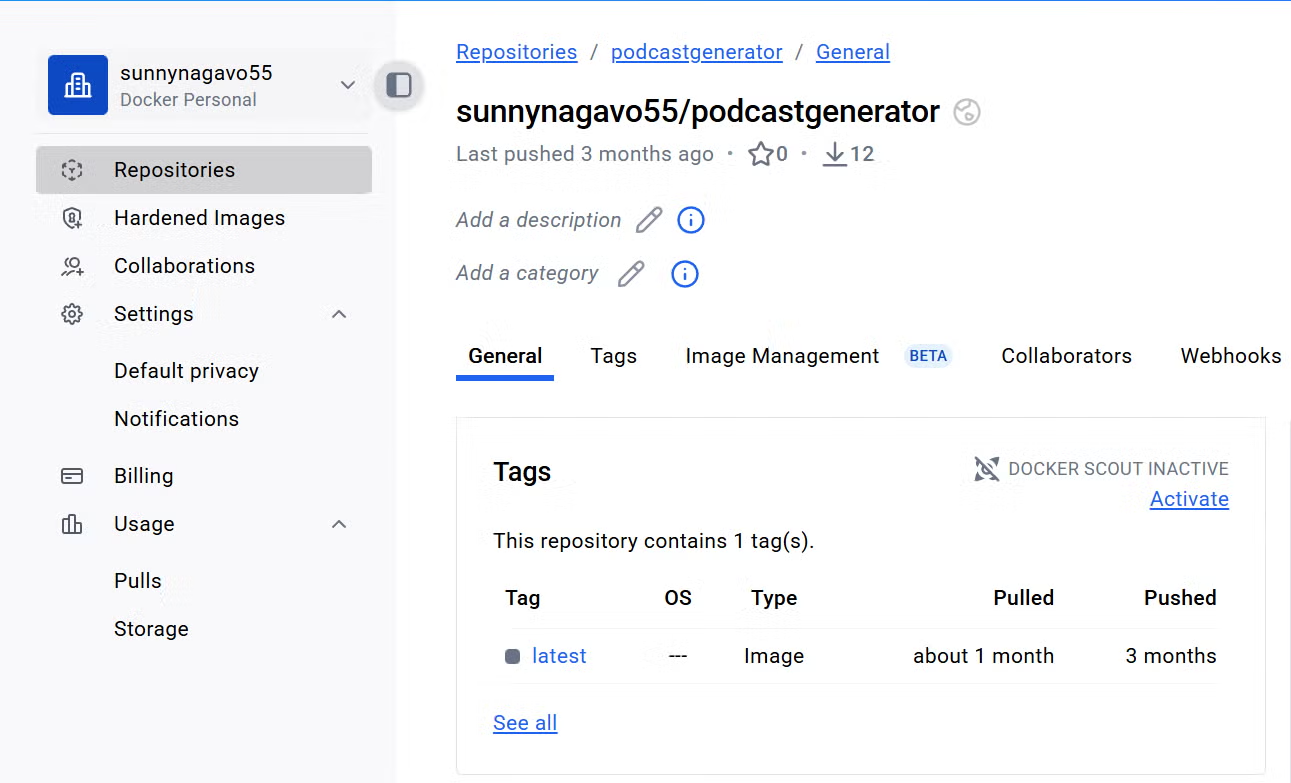
Figure 1.4: Podcast Generator agent published as a Docker image in Docker Hub
Congratulations! You’ve created your first AI agent using cagent and deployed it to Docker Hub.
Pulling Your Agent on a Different Machine
Run the below command to pull your Docker image agent created by your teammate, which gets the agent YAML file and saves it in the current directory:
cagent pull Sunnynagavo55/PodcastgeneratorAlternatively, you can run the same agent directly without pulling the image:
cagent run Sunnynagavo55/PodcastgeneratorNote: This Podcast Generator example has been added to the Docker/cagent GitHub repository under the examples folder: https://github.com/docker/cagent/blob/main/examples/podcastgenerator_githubmodel.yaml
Conclusion
Traditional AI development workflows often lock teams into specific vendors, requiring multiple API keys, billing accounts, and vendor-specific SDKs. cagent, combined with GitHub Models, fundamentally changes this approach by unifying Docker’s declarative agent framework with GitHub’s model marketplace.
This integration provides true vendor independence: a single GitHub Personal Access Token grants access to models from OpenAI, Meta, Microsoft, Anthropic, and DeepSeek, eliminating the friction of managing multiple credentials and authentication schemes.
The future of AI development is not about committing to a single vendor ecosystem — it’s about building systems flexible enough to evolve as models, platforms, and business requirements change. cagent and GitHub Models make that flexibility possible today.
What are you waiting for? Start building with cagent and GitHub Models — and share your story with us.
To learn more about Docker cagent, read the product documentation at https://docs.docker.com/ai/cagent/.
For more information about cagent, see the GitHub repository. Give this repository a star and let us know what you build.
Opinions expressed by DZone contributors are their own.