

DZone
Thanks for visiting DZone today,
Edit Profile
  • Manage Email Subscriptions
  • How to Post to DZone
  • Article Submission Guidelines
Sign Out View Profile
  • Post an Article
  • Manage My Drafts
Over 2 million developers have joined DZone.
Log In / Join
Refcards Trend Reports
Events Video Library
Refcards
Trend Reports

Events

View Events Video Library

Related

  • GitLab CI/CD for Tenant-Specific ML Governance: Automating Model Registries in Databricks Unity Catalog on AWS
  • CI/CD Pipelines for Kubernetes Using GitLab CI
  • Pipeline as a Service: How To Test Pipelines in GitLab
  • How to Set Up GitLab Notifications in Telegram: A Comprehensive Tutorial

Trending

  • Compliance Automated Standard Solution (COMPASS), Part 11: Compliance as Code, the OSCAL MCP Server Way
  • Beyond Manual Annotation: Engineering Self-Correcting Pseudo-Labeling Pipelines
  • LLM-Powered Deep Parsing for Industrial Inventory Search
  • Contract-First Integration: Building Scalable Systems With Flyway, OpenAPI, and Kafka
  1. DZone
  2. Testing, Deployment, and Maintenance
  3. Deployment
  4. Changing a GitLab Runner From ''Locked to a Project'' to Shared

Changing a GitLab Runner From ''Locked to a Project'' to Shared

This quick tutorial will show you how to change a GitLab runner from ''locked'' so you can share it with another project.

By 
Kevin Hooke user avatar
Kevin Hooke
·
Jul. 15, 18 · Tutorial
Likes (1)
Comment
Save
Tweet
Share
15.1K Views

Join the DZone community and get the full member experience.

Join For Free

I have a GitLab Runner assigned to a project that I'd like to share with another similar project. Currently, it looks like this:

Pressing the small edit icon, I can see these options:

I want to reuse this same runner, so I unchecked the 'Lock to current projects' checkbox.

Now if I go to the CI/CD settings for my other project I can see it is available, so I click "enable for this project":
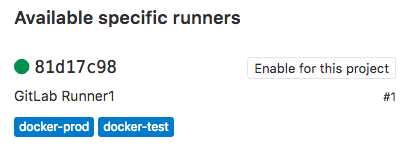
Now, my Pending Job that was triggered after my first push to my repo has kicked in and is being deployed to my test Docker server. Cool.

GitLab

Published at DZone with permission of Kevin Hooke. See the original article here.

Opinions expressed by DZone contributors are their own.

Related

  • GitLab CI/CD for Tenant-Specific ML Governance: Automating Model Registries in Databricks Unity Catalog on AWS
  • CI/CD Pipelines for Kubernetes Using GitLab CI
  • Pipeline as a Service: How To Test Pipelines in GitLab
  • How to Set Up GitLab Notifications in Telegram: A Comprehensive Tutorial

Partner Resources

×

Comments

The likes didn't load as expected. Please refresh the page and try again.

  • RSS
  • X
  • Facebook

ABOUT US

  • About DZone
  • Support and feedback
  • Community research

ADVERTISE

  • Advertise with DZone

CONTRIBUTE ON DZONE

  • Article Submission Guidelines
  • Become a Contributor
  • Core Program
  • Visit the Writers' Zone

LEGAL

  • Terms of Service
  • Privacy Policy

CONTACT US

  • 3343 Perimeter Hill Drive
  • Suite 215
  • Nashville, TN 37211
  • [email protected]

Let's be friends:

  • RSS
  • X
  • Facebook