

Implement a Circuit Breaker for an Unavailable API Service Running in App Connect on CP4I Using Red Hat Service Mesh
Learn how to implement the Circuit Breaker pattern using Red Hat OpenShift Service Mesh and IBM App Connect to prevent app outages.
 ·
·
Join the DZone community and get the full member experience.
Join For FreeSome applications may not respond during heavy load. These outages are due to out of memory and high CPU utilization when many requests are piled up at the application entry point since the back end is not available. In this article, we will solve this problem using Red Hat OpenShift Service Mesh, which provides a way to stop sending requests to the application or API if it is unhealthy.
This article shows how to implement the Circuit Breaker pattern when an application is not responding using Red Hat OpenShift Service Mesh and IBM Cloud Pak for integration — the App Connect API service.
Red Hat OpenShift Service Mesh Operator
Red Hat OpenShift Service Mesh, based on the open-source Istio project, adds a transparent layer on existing distributed applications without requiring any changes to the service code. You add Red Hat OpenShift Service Mesh support to services by deploying a special sidecar proxy throughout your environment that intercepts all network communication between microservices. You configure and manage the service mesh using the control plane features.
Red Hat OpenShift Service Mesh provides an easy way to create a network of deployed services that provide discovery, load balancing, service-to-service authentication, failure recovery, metrics, and monitoring. A service mesh also provides more complex operational functionality, including A/B testing, canary releases, rate limiting, access control, and end-to-end authentication.
Kiali Operator
Kiali works with OpenShift Service Mesh to visualize the service mesh topology and to provide visibility into features like circuit breakers, request rates, and more. It offers insights about the mesh components at different levels, from abstract applications to services and workloads.
Circuit Breaker Pattern
A circuit breaker is implemented using the following architecture. The Red Hat service mesh allows you to create an isolated network of microservices. The traffic to these microservices can be controlled, monitored, load balanced, rate-limited, and secured using the configuration applied in the service mesh.
Implementing the Circuit Breaker Pattern
Follow the steps below to implement a circuit breaker using the OpenShift Service Mesh and IBM App Connect service.
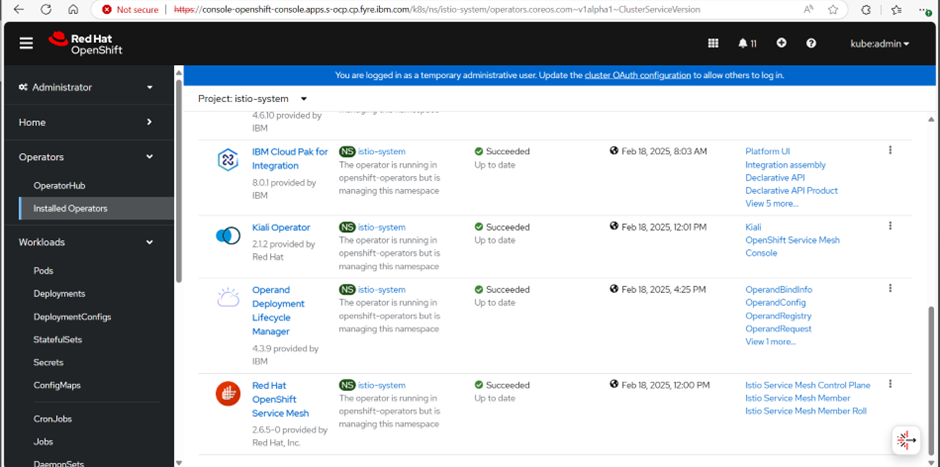
Step 1: Log in to the OpenShift console > go to OperatorHub and install Red Hat OpenShift Service Mesh Operator and Kiali Operator in the istio-system namespace. Optionally, install the OpenShift ElasticSearch Operator to monitor the network utilization.
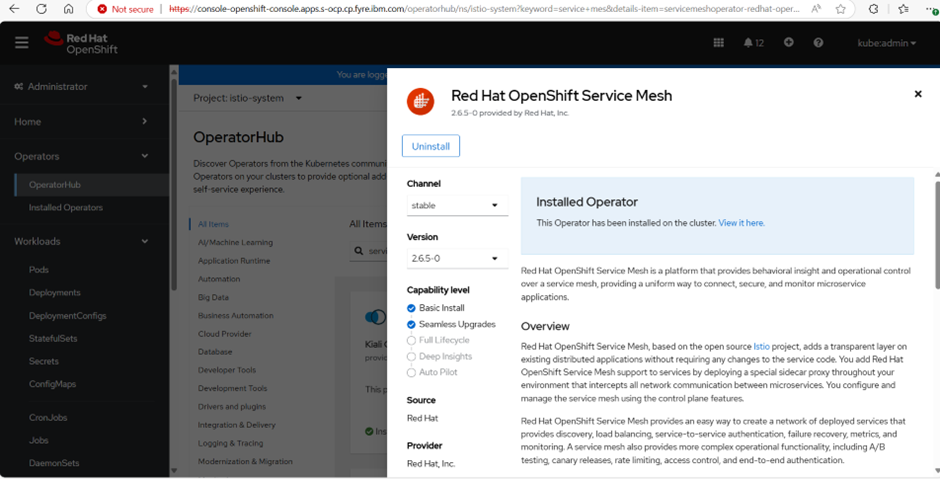
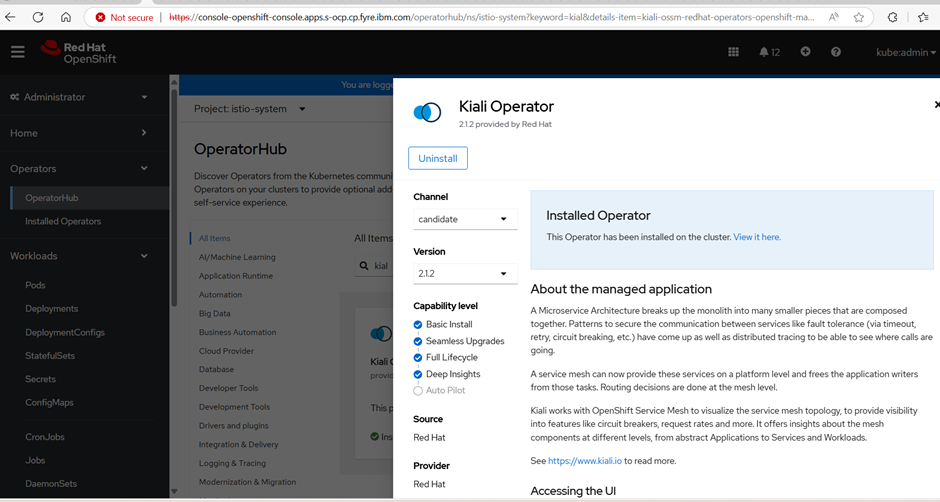
Step 2: In the istio-system project, go to Operators > click Installed Operators in the left sidebar > select Red Hat OpenShift Service Mesh:
Step 3: Go to the Istio Service Mesh Control Plane tab > click the Create ServiceMeshControlPlane button:
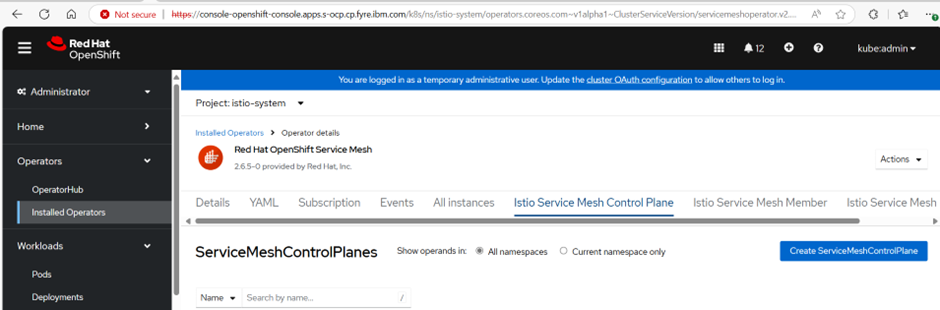
The control plane basic service will be created:
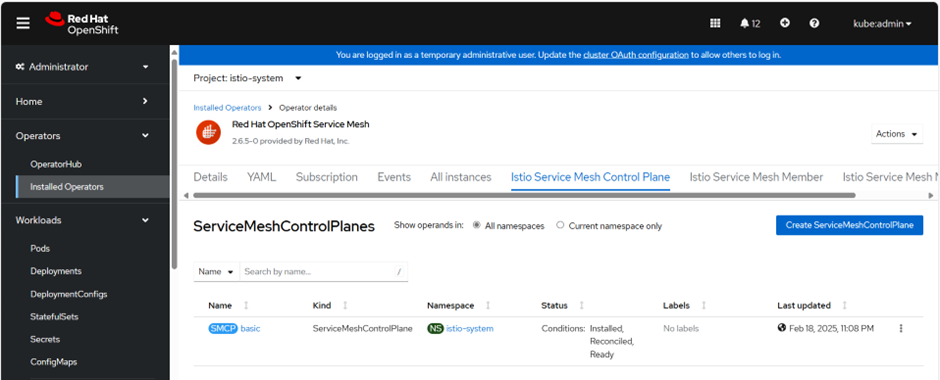
Step 4: Create a service member roll file, service-member-roll.yaml, using the below code:
apiVersion: maistra.io/v1
kind: ServiceMeshMemberRoll
metadata:
  finalizers:
    - maistra.io/istio-operator
  generation: 12
  name: default
  namespace: istio-system
spec:
  members:
    - service-mesh-demo
Then, run:
$oc apply -f service-member-roll.yaml
Step 5: Select Kiali Operator from the Installed Operators page > go to the Kiali tab > click the Create Kiali button:
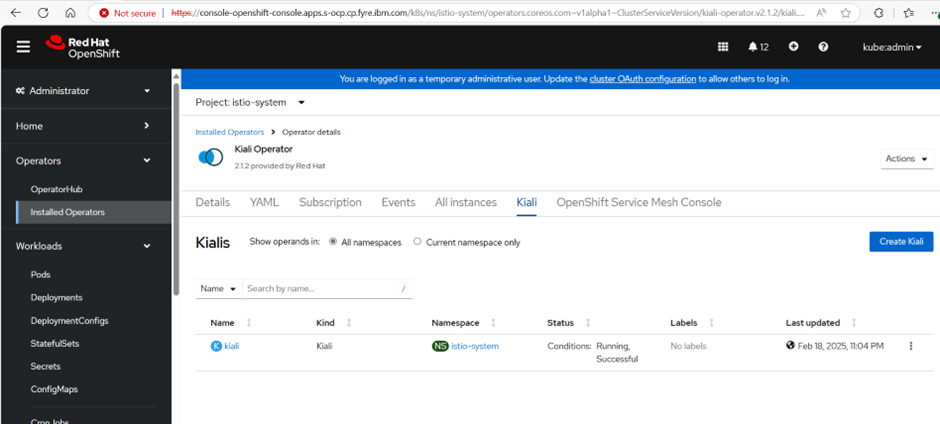
Step 6: Go to the OpenShift Service Mesh Console tab > click on OSSMConsoles:
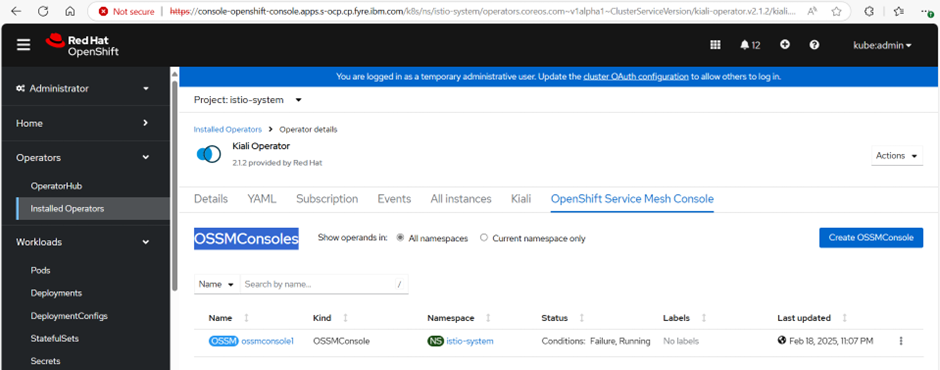
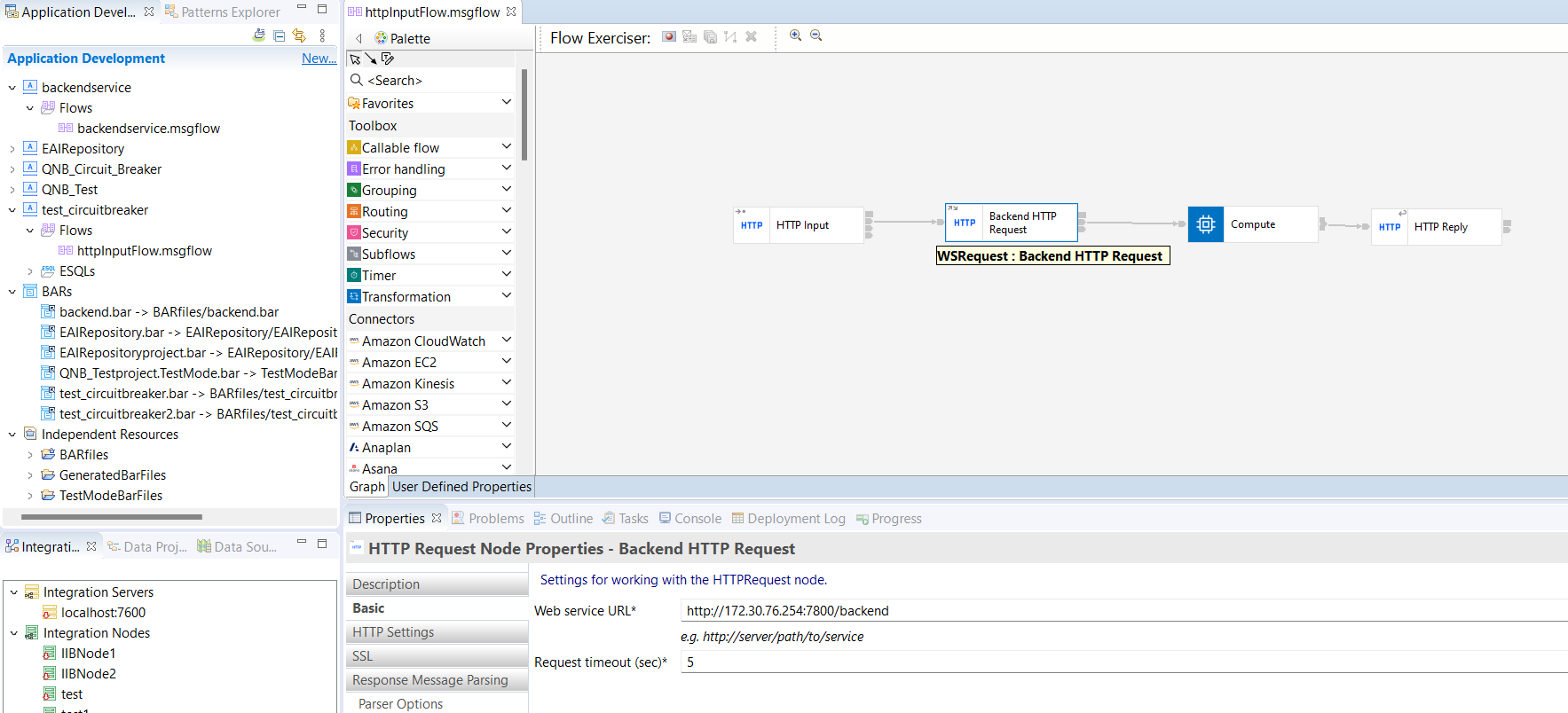
Step 7: Develop a sample message flow to send an HTTP request to a back-end URL using the IBM App Connect Toolkit:
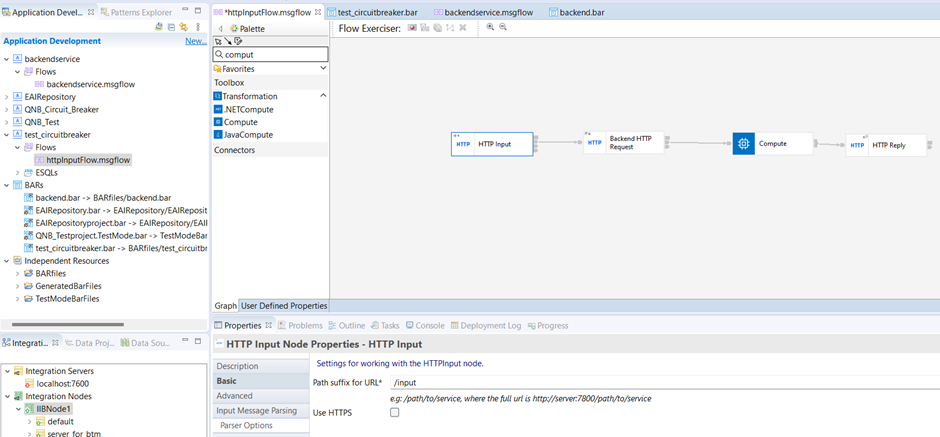
Step 8: Develop an app with a back-end flow:
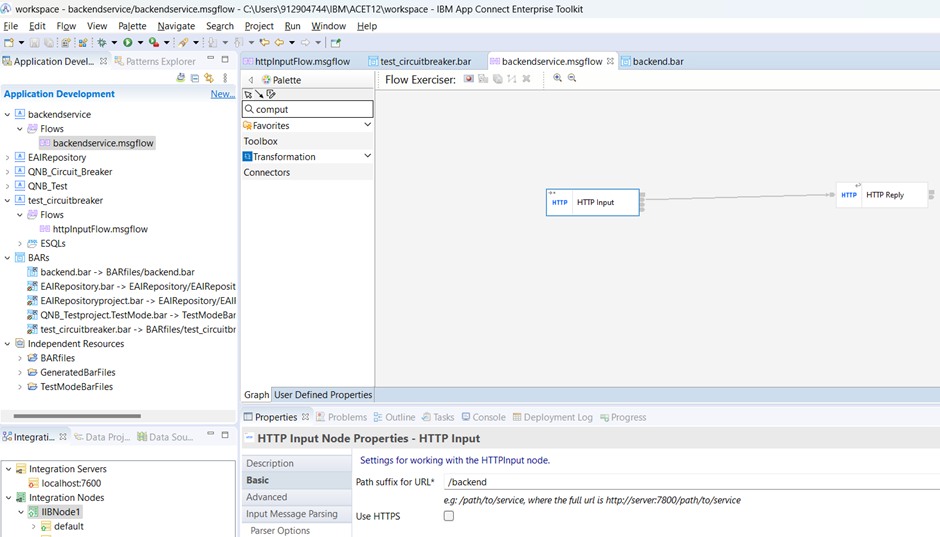
Step 9: Create the BAR file, backend.bar, of the back-end flow separately:
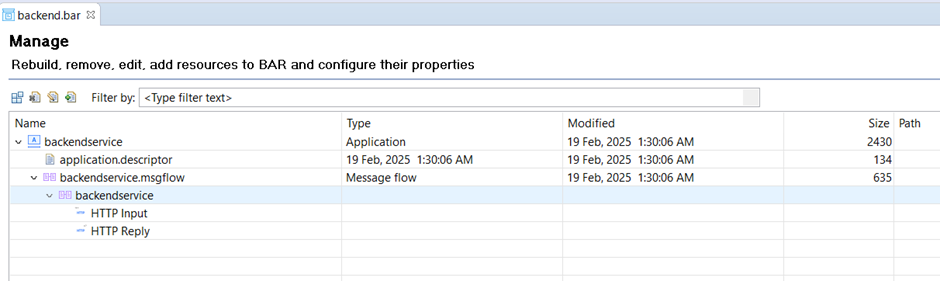
Step 10: Log in to the Cloud Pak for Integration App Connect Dashboard and deploy the backend.bar file to the new integration server, backendservice.
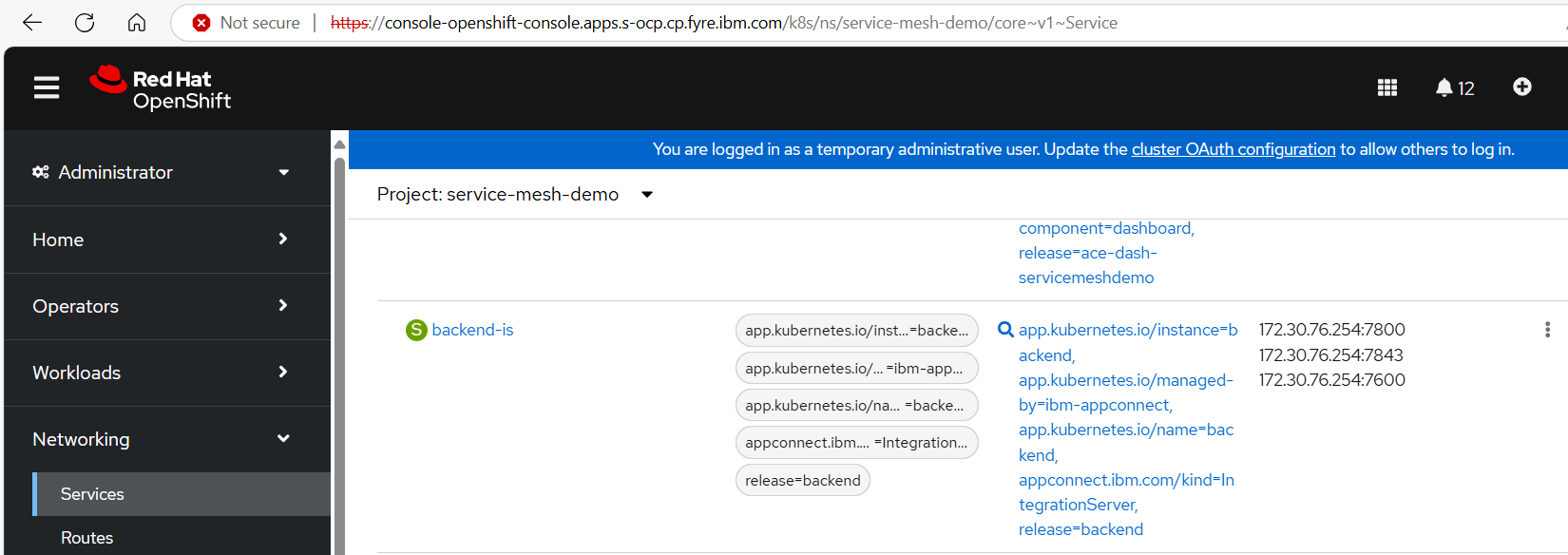
Step 11: In the left sidebar, go to Networking > Services and get the internal container IP of the backend-is service, which is 172.30.76.254, port 7800:
Step 12: Update the message httpinputflow of the test_circuitbreaker app with the back-end endpoint (IP: 172.30.76.254, port 7800).
Step 13: Create the BAR file of the httpInputFlow message flow app with the name test_circuitbreaker.bar.
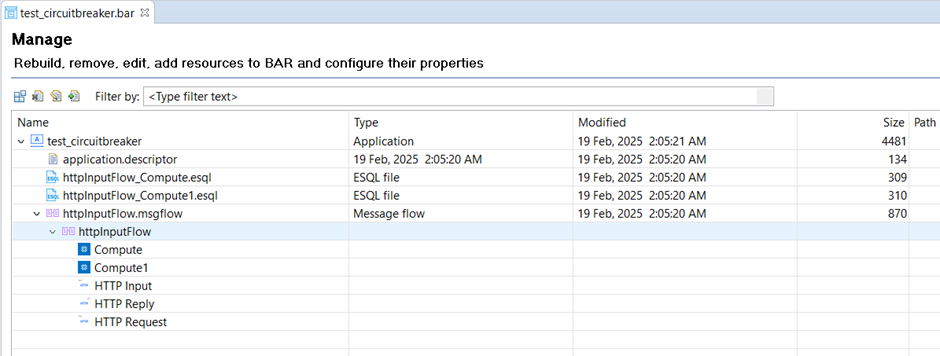
Step 14: Log in to the Cloud Pak for Integration App Connect Dashboard and deploy the BAR file test_circuitbreaker.bar to the new integration server httpservice.
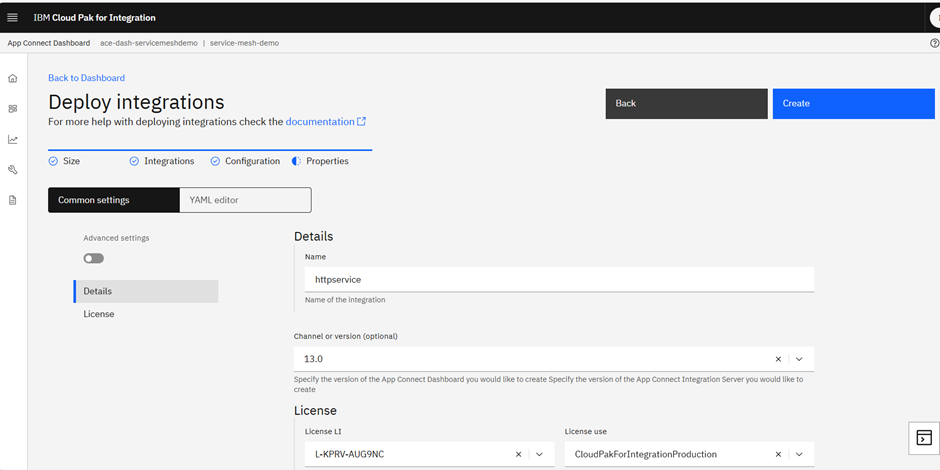
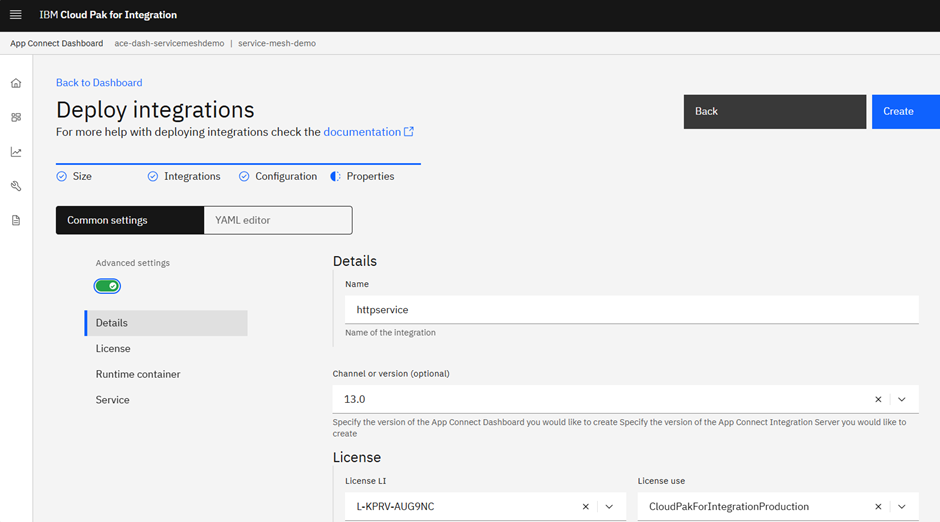
Toggle on Advanced settings:
Under the License tab on the left, add Advanced Annotations > apply custom annotations to the deployment > use sidecar.istio.io/inject for the Name field and set the Value to true:
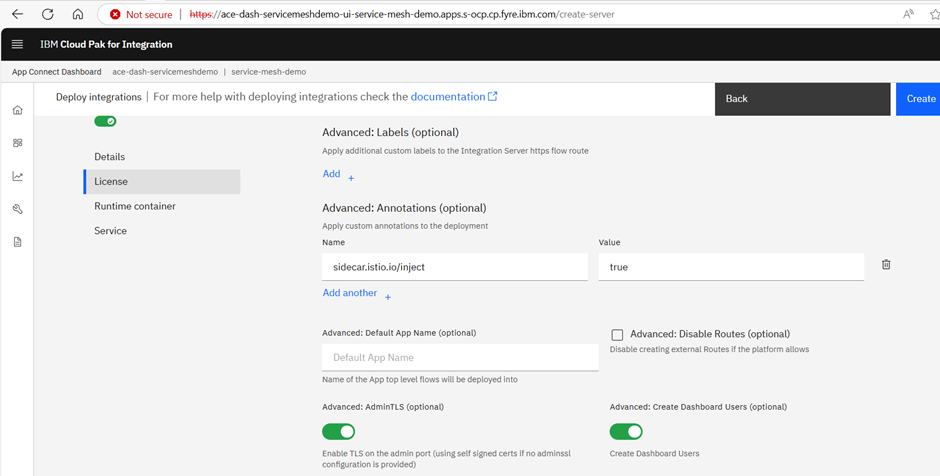
Then, click the Create button.
Now, let us configure the Gateway, VirtualServer, DestinationRule, and sidecar proxy in the existing microservice.
Step 15: From the admin console, get the oc login console token by clicking on Copy login command:

Step 16: Create project service-mesh:
$ oc project service-mesh
Then, create the Gateway.yaml file:
apiVersion: networking.istio.io/v1alpha3
kind: Gateway
metadata:
  name: service-mesh-gateway
  namespace: service-mesh-demo
spec:
  selector:
    istio: ingressgateway # use istio default controller
  servers:
  - port:
      number: 80
      name: http
      protocol: HTTP
    hosts:
    - "*"
Now, run:
$ oc apply -f Gateway.yaml
Step 17: Create the virtualservice.yaml file using the following content to create a wrapper virtual service to route your request to the microservice. Here, httpservice-is is the container name of the microservice, and 7800 is the HTTP server port listening for the App Connect service:
apiVersion: networking.istio.io/v1alpha3
kind: VirtualService
metadata:
  name: virtual-service-httpservice
  namespace: service-mesh-demo
spec:
  hosts:
  - "*"
  gateways:
  - service-mesh-gateway
  http:
  - match:
    - uri:
        exact: /input
    route:
    - destination:
        host: httpservice-is
        port:
          number: 7800
Step 18: Create a DestinationRule service named destination-rule.yaml. Here, we are rejecting the request after three retries using the parameter consecutive5xxErrors: 3.
apiVersion: networking.istio.io/v1alpha3
kind: DestinationRule
metadata:
  name: httpservice
  namespace: service-mesh-demo
spec:
  host: httpservice-is
  trafficPolicy:
    connectionPool:
      tcp:
        maxConnections: 1
      http:
        httpMaxPendingRequests: 1
        maxRequestsPerConnection: 1
    outlierDetection:
      consecutive5xxErrors: 3
      interval: 5s
      baseEjectionTime: 3m
      maxEjectionPercent: 100
The sidecar is injected into the httpservice integration server pod while deploying the BAR file. If you have already deployed the BAR file, you can edit the integration server and add the Advanced: Annotations — apply custom annotations to the deployment:
- Name: sidecar.istio.io/inject
- Value: true
We are ready to test the flow.
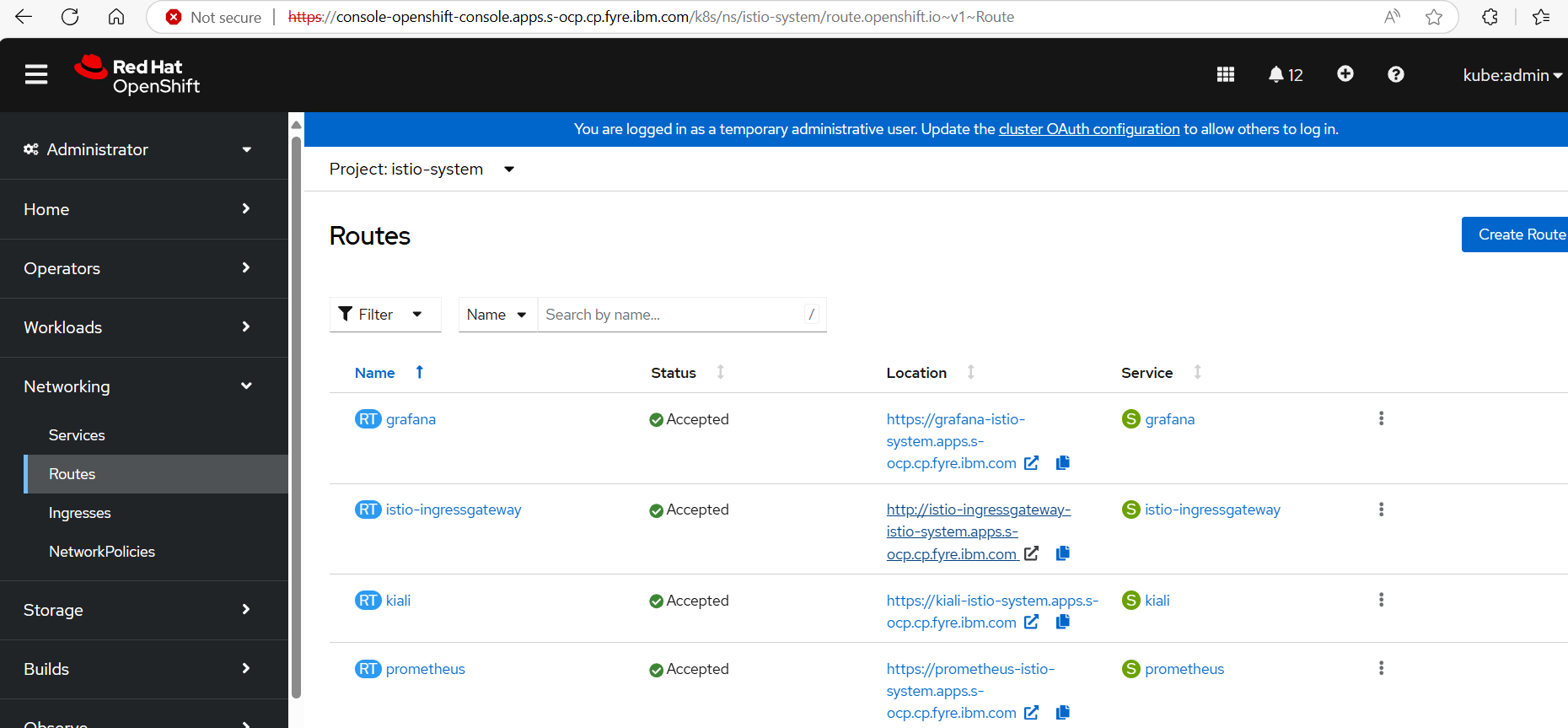
Step 19: From the OpenShift console, select the istio-system project, then go to Networking > Routes and get the gateway route location of the istio-ingressgateway route. Here, it is http://istio-ingressgateway-istio-system.apps.s-ocp.cp.fyre.ibm.com:
Step 20: Test the httpinputflow service using any HTTP client application by sending a request to http://istio-ingressgateway-istio-system.apps.s-ocp.cp.fyre.ibm.com.

You will get a successful response:

Now, let's edit the back-end service to be unavailable.
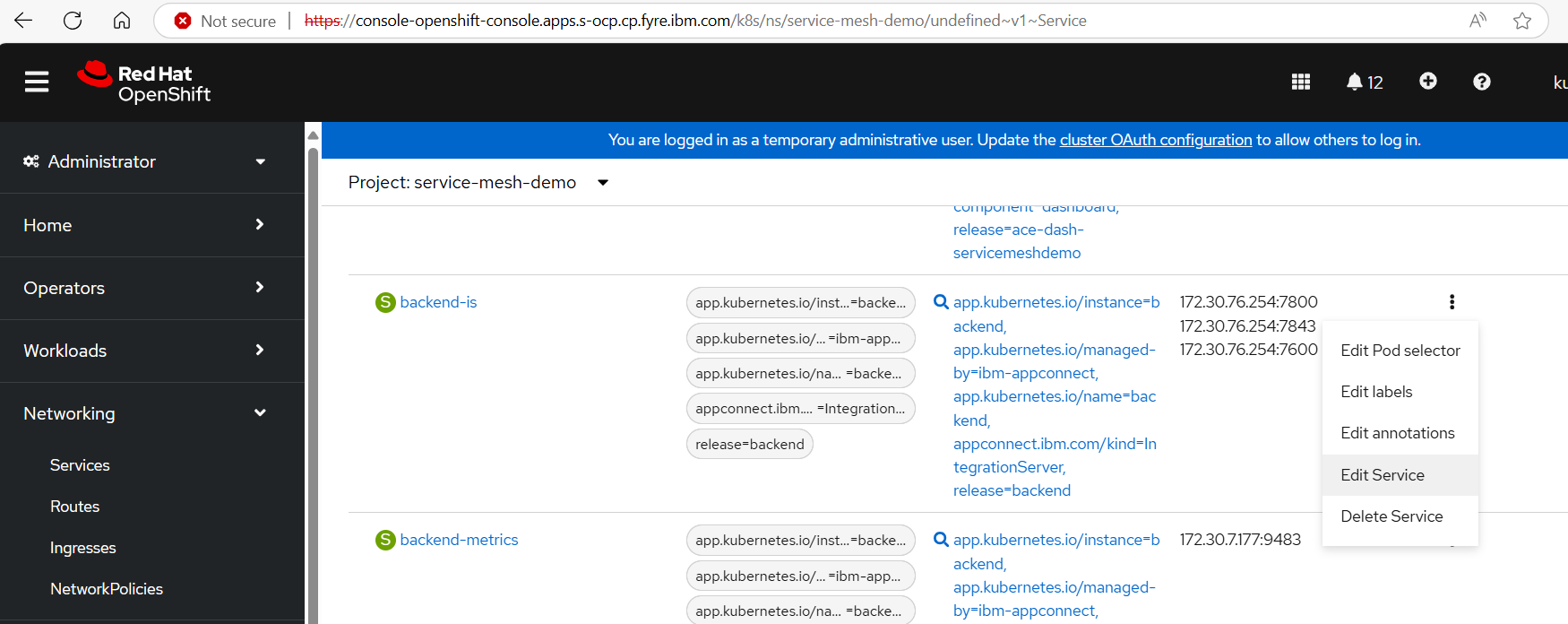
Step 21: Click the options for backend-is > select Edit Service:
Then, change the back-end service internal port to 7801:
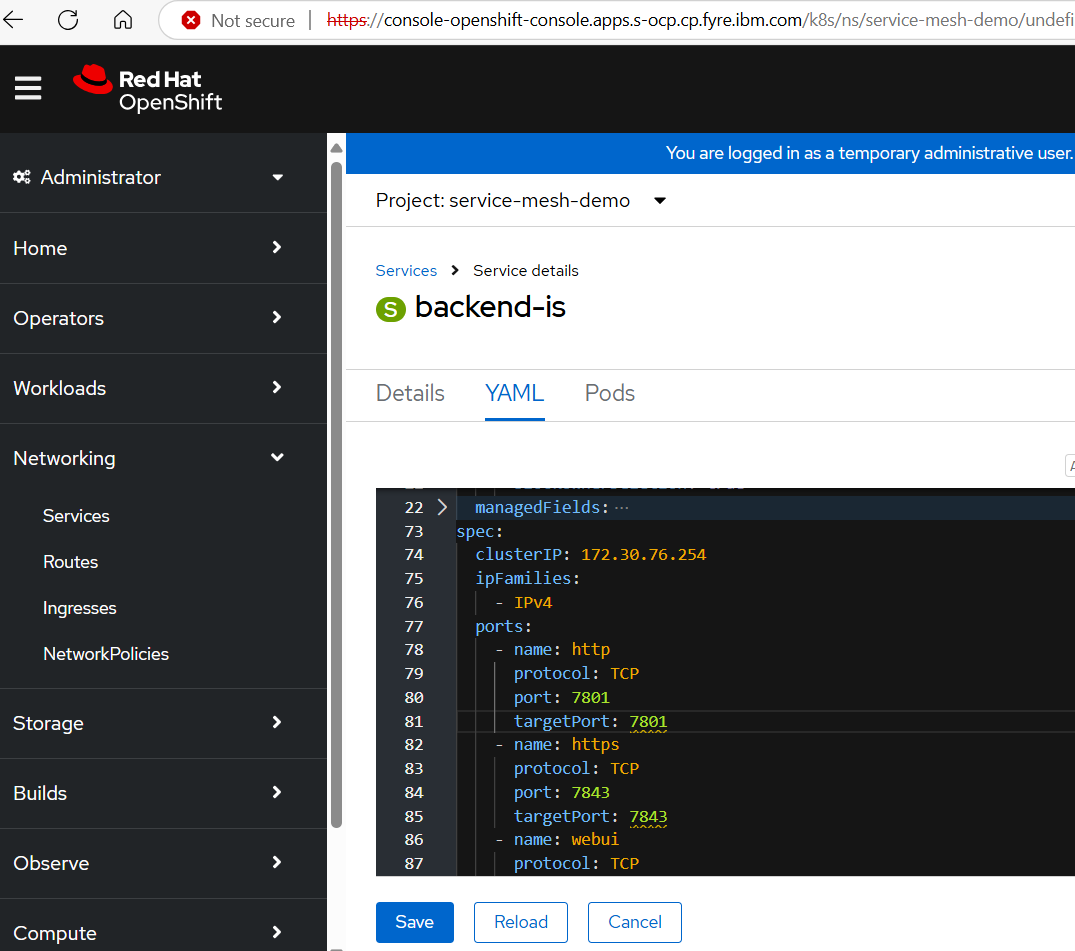
Click the Save button. The back-end service is now running on port 7801.
Step 22: Now, test the HTTP client again.
You will get a socket operation timeout because the back-end port 7800 is not listening:
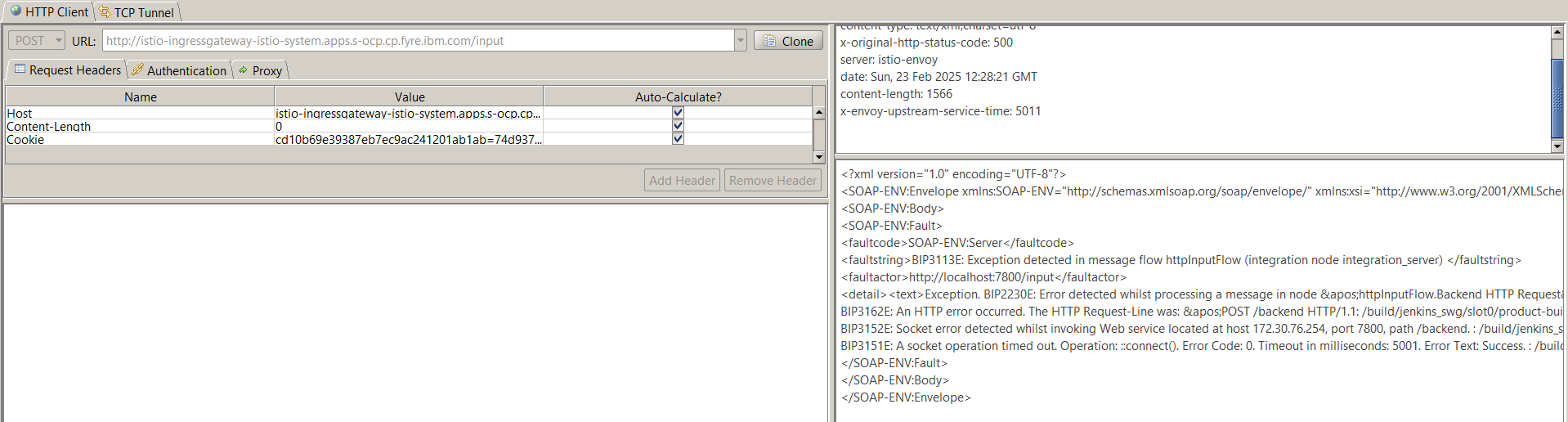
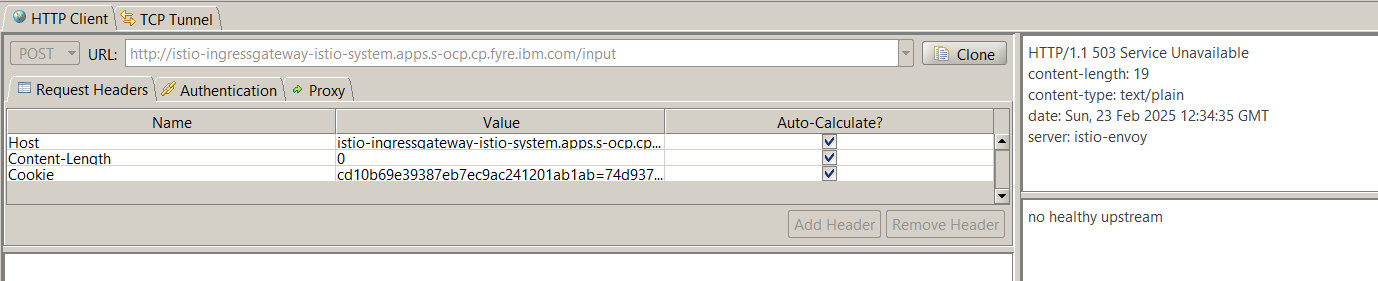
Remember in the destination-rule.yaml file for httpservice-is, we set consecutive5xxErrors: 3. This parameter allows three retries to httpservice-is, after which the circuit breaker is enforced, the request will not hit the httpservice-is service, and it gives the output, "no healthy upstream."
Conclusion
This article showed how to implement a circuit breaker using Red Hat OpenShift Service Mesh for an App Connect service. The same steps can be used for any other pod service that is hosting an HTTP service on a URL. There are many other use cases for service meshes, which include load balancing, content-based routing, routing services to different versions of API endpoints, rate limiting the API request, controlling the API request, etc. The high-level steps will remain the same for all these use cases, only the destination-rule.yaml will change based on each use case.
Reference: "A practical example of the Istio service mesh and IBM App Connect Enterprise in IBM Cloud Pak for Integration"
Opinions expressed by DZone contributors are their own.
Comments