

Building High‑Precision Vector Search for Document Retrieval on Databricks
Databricks Vector Search uses embeddings, hybrid search, and re‑ranking to deliver fast, accurate semantic retrieval at scale.
Join the DZone community and get the full member experience.
Join For FreeFor years, search technology meant one thing: type in a keyword, and the system goes hunting for an exact match. That works fine for product SKUs or error codes, but it falls apart the moment someone asks a real question. If your knowledge base is full of manuals, support tickets, transcripts, and reports, a person searching for "why does the machine shut down during startup" shouldn't have to guess the exact phrase the original author used.
This is the gap that vector search closes. Instead of matching words, it matches meaning. And on Databricks, building this kind of system is more accessible than most teams expect, once you understand the moving pieces.
Why Vector Databases Work Differently
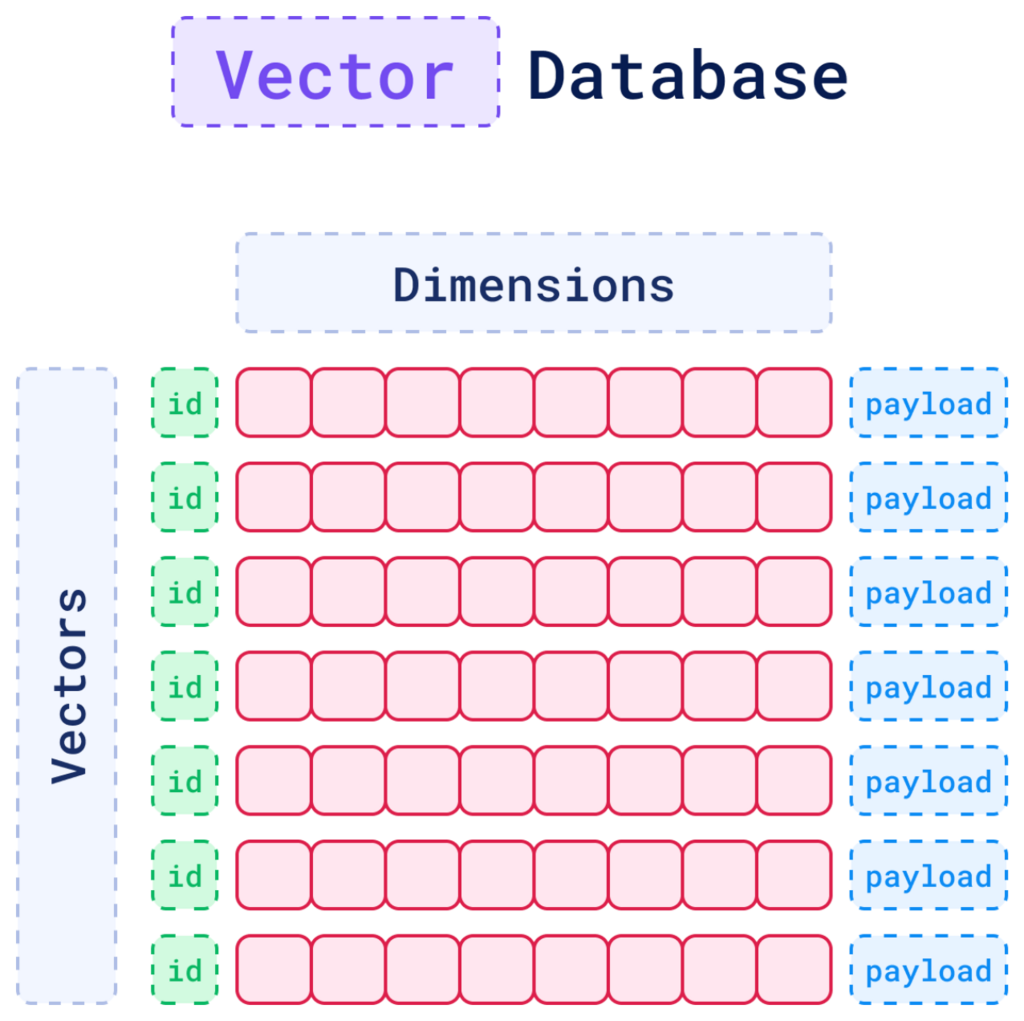
A vector database doesn't store text the way a traditional database does. It stores text as numbers, specifically, as long lists of numerical values that represent the meaning of a piece of content. Two sentences that say the same thing in different words end up with similar number patterns, even if they don't share a single word in common.
This unlocks three distinct ways of searching:
Similarity search finds content that's conceptually related, even when the wording is completely different. Hybrid search blends that conceptual matching with traditional keyword scoring, so you get the best of both worlds. Full-text search sticks to exact matches, which still matters when precision is non-negotiable.
Together, these give developers the tools to build something that feels less like a search box and more like a colleague who actually understands what you're asking.
Getting Your Data Ready
Before any of this works, your data needs to be in the right shape. On Databricks, that means your source table needs Change Data Feed turned on. Think of this as a way for the vector index to "listen" for changes, so when documents get updated, added, or removed, the index stays in sync automatically rather than going stale.
You'll also need a unique identifier for every row. This becomes the primary key that ties each chunk of text back to its source, which matters later when you're filtering or tracing results back to the original document.
Turning Text Into Embeddings
Embeddings are the numerical fingerprints mentioned earlier, the representations that let the system compare meaning instead of matching strings. Databricks gives you two paths here.
With managed embeddings, Databricks handles the entire process: it generates the embeddings and keeps them updated as your data changes. With manual embeddings, you generate them yourself using an external tool and store the results in a column. For the vast majority of projects, managed embeddings are the easier and more reliable choice. There's less to maintain, and compatibility with the platform is guaranteed out of the box.
One question that comes up constantly: what does it mean when someone says an embedding has 1,024 dimensions? It simply means each chunk of text is represented by 1,024 numbers. That number isn't arbitrary; it's baked into whichever embedding model you choose, such as GTE-large. If you want a different dimensionality, you'd need to switch models entirely; it's not a setting you can tweak independently.
Building the Index
Once your embeddings are in place, you create the actual vector search index. Databricks gives you two routes: the SDK, using the databricks-vectorsearch library for programmatic, repeatable setups, or the UI, which walks you through configuration visually.
A few decisions matter most here. The index type determines whether you're doing pure semantic search or hybrid search; for most real-world use cases, hybrid is the safer default since it catches both conceptual matches and exact terminology. The embedding model, like databricks-gte-large-en, determines how your text gets converted into vectors. And the sync mode controls how fresh your index stays: continuous sync keeps things updated automatically, while triggered sync gives you manual control over when refreshes happen.
Choosing the Right Search Method
With the index built, you have three retrieval modes to choose from, and picking the right one depends entirely on what your users are asking.
Similarity search shines when people ask natural-language questions or when the same concept might be described using different terminology across documents. Hybrid search becomes valuable when domain-specific terms carry real weight, think compliance codes or technical standards like ISO 13849-1, where an exact match matters just as much as conceptual relevance. Full-text search is your fallback when precision trumps everything else, and you need exact keyword hits, no exceptions.
Don't Skip Metadata Filtering
Here's a piece of advice that's easy to overlook: don't make your search work harder than it needs to. If a user only cares about PDFs from the last quarter, let the system know that upfront. Filtering by document path, page number ranges, or document type narrows the search space before the heavy lifting even starts. The result is faster queries and more relevant results, because the system isn't wasting effort sifting through content that was never going to be useful anyway.
When Re-Ranking Earns Its Keep
Sometimes the top results from a semantic search are technically "close" in meaning but miss the point of the question. That's where re-ranking comes in, a second pass that re-scores your top candidates using something more sophisticated, like a cross-encoder or an LLM.
This extra step is worth the computational cost when queries are nuanced, when domain context really matters, or when the stakes for getting the right answer are high. It's not something you need everywhere, but used selectively, it can be the difference between a good answer and the right one.
A Few Practical Tips
A handful of best practices can save you headaches down the road. Don't over-invest in embedding dimensionality. If a smaller model performs nearly as well as a larger one, take the smaller one and enjoy the lower latency. Keep your num_results parameter reasonable; pulling back 10 to 100 results is usually plenty, and larger sets just slow things down. Match your endpoint SKU to your scale; standard tiers work fine under roughly 2 million vectors, while storage-optimized tiers make sense beyond that. And lean on metadata filters wherever possible; they're one of the simplest ways to boost both speed and relevance.
The Bigger Picture
Vector search isn't just a buzzword bolted onto a database. It's the connective tissue between how humans naturally ask questions and how systems find answers. Get the fundamentals right- solid embeddings, a well-configured index, smart filtering, and selective re-ranking- and you're not just building a search feature. You're building something that genuinely understands what people are looking for.
Opinions expressed by DZone contributors are their own.
Comments