

Where Stale Data Hides Inside Your Architecture (and How to Spot It)
Stale data hides in caches, syncs, and backups, quietly breaking consistency and trust. Fixing it starts with treating freshness as design.
Join the DZone community and get the full member experience.
Join For FreeEvery system collects stale data over time — that part is obvious. What’s less obvious is how much of it your platform will accumulate and, more importantly, whether it builds up in places it never should. That’s no longer just an operational issue but an architectural one.
In my experience, I’ve often found stale data hiding in corners nobody thinks about. On the surface, they look harmless, but over time, they start shaping system behavior in ways that are hard to ignore. And it’s not just a rare edge case: studies show that, on average, more than half of all organizational data ends up stale. That means the risks are not occasional but systemic, quietly spreading across critical parts of the platform.
The impact isn’t limited to performance. Outdated records interfere with correctness, break consistency across services, and complicate debugging. What is more, stale data quietly consumes storage and processing resources, increasing operational costs. Based on what I’ve seen in enterprise platforms, I can point to several hidden spots that deserve far more attention than they usually get.
Where Stale Data Finds Room to Hide
My team often joins enterprise projects with goals like improving performance or reducing costs. Each time, the same lesson surfaces: by examining the spots below, platforms become leaner, faster, and far easier to maintain.
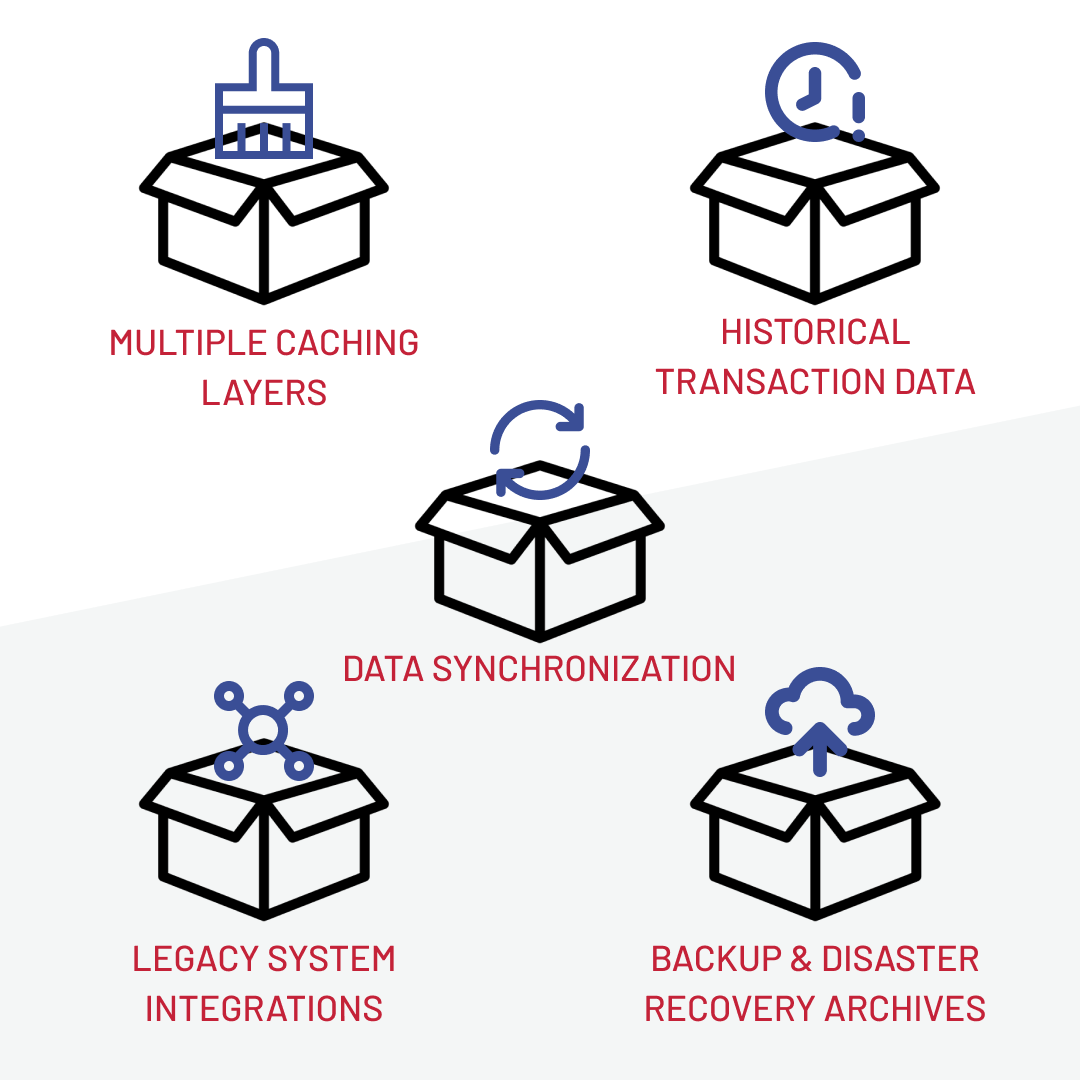
Cache Layers as Hidden Conflict Zones
Stale data often hides not in caching itself but in the gaps between cache layers. When application, storefront, and CDN caches don’t align, the system starts serving conflicting versions of the truth, like outdated prices or mismatched product images.
In one enterprise ecommerce platform, we traced product inconsistencies back to five overlapping cache levels that overwrote each other unpredictably — a classic case of caching mistakes. The fix required reproducing the conflicts with architects and tightening configurations.
A clear warning sign that your cache may hide stale data is when problems vanish after cache purges, only to return later. It often means the layers are competing rather than cooperating.
Synchronization Jobs That Drift
Another source of stale data is asynchronous synchronization. On paper, delayed updates look harmless, as background jobs will “catch up later.” In practice, those delays create a silent drift between systems.
For example, users of a jewelry platform saw outdated loyalty points after login because updates were queued asynchronously. Customers assumed their balances had disappeared, support calls surged, and debugging became guesswork. The issue was fixed by forcing a back-end check whenever personal data pages were opened.
A common signal is when user-facing data only appears correct after manual refreshes or additional interactions.
Historical Transaction Data That Never Leaves
One of the heaviest anchors for enterprise systems is transactional history that stays in production far longer than it should. Databases are built to serve current workloads, not to carry the full weight of years of completed orders and returns.
This is exactly what my team encountered in a European beauty retail platform: the production database had accumulated years of records, slowing queries, bloating indexes, and dragging overnight batch jobs while costs crept higher. The fix was smart archiving, with moving old records out of production and deleting them once the retention periods expired.
A telling signal is when routine reports or nightly jobs begin stretching into business hours without clear functional changes.
Legacy Integrations as Silent Data Carriers
Integrations with legacy systems often look stable because they “just work.” The trouble is that over time, those connections become blind spots. Data is passed along through brittle transformations, copied into staging tables, or synchronized with outdated protocols.
At first, the mismatches are too small to notice, but they slowly build into systemic inconsistencies that are painful to trace. A signal worth watching is when integrations are left undocumented, or when no one on the team can explain why a particular sync job still runs. That usually means it’s carrying stale data along with it.
Backups With Hidden Liabilities
Backups are the one place everyone assumes data is safe. The paradox is that safety can turn into fragility when outdated snapshots linger for years. Restoring them may quietly inject obsolete records back into production or test systems, undermining consistency at the very moment resilience is needed most.
The architectural pain is in rising storage costs and the risk of corrupted recovery. A simple indicator is when backup retention policies are unclear or unlimited. If “keep everything forever” is the default, stale data has already found its way into your disaster recovery plan.
When seeing the corners where stale data tends to accumulate, the next question is, how do you tell when it’s quietly active in yours?
Spotting the Signals of Stale Data
Over the years, I’ve learned to watch for patterns like these:
- Lagging reality: Dashboards or analytics that consistently trail behind real events, even when pipelines look healthy.
- Phantom bugs: Issues that disappear after retries or re-deployments, only to return without code changes.
- Inconsistent truths: Two systems show different values for the same entity — prices, stock, balances — without a clear root cause.
- Process creep: Batch jobs or syncs that take longer every month, even when business volume hasn’t grown at the same pace.
- Operational tells: Teams relying on manual purges, ad-hoc scripts, or “refresh and check again” advice as standard troubleshooting steps.
Signals spotted, hiding places uncovered — the next question is obvious: what do you actually do about it? Here is some practical advice.
Keeping Data Fresh by Design
Preventing stale data requires making freshness an architectural principle. It often starts with centralized cache management, because without a single policy for invalidation and refresh, caches across layers will drift apart.
From there, real-time synchronization becomes critical, as relying on overnight jobs or delayed pipelines almost guarantees inconsistencies will creep in. But even when data moves in real time, correctness can’t be assumed. Automated quality checks, from anomaly detection to schema validation, are what keep silent errors from spreading across systems.
And finally, no system operates in isolation. Imports and exports from external sources need fail-safes: guardrails that reject corrupted or outdated feeds before they poison downstream processes. Taken together, these practices shift data freshness from reactive firefighting to proactive governance, ensuring systems stay fast, consistent, and trustworthy.
Fresh Data as an Ongoing Architectural Discipline
In my experience, the cost of stale data rarely hits all at once — it creeps in. Performance slows a little, compliance checks get harder, and customer trust erodes one mismatch at a time. That’s why I see data freshness not as a cleanup task but as an ongoing architectural discipline.
The good news is you don’t need to fix everything at once. Start by asking where stale data is most visible in your system today and treat that as your entry point to building resilience.
Opinions expressed by DZone contributors are their own.
Comments