

dksnap: Docker Snapshots for Development and Test Data
Learn more about dksnap, which allows you to create and manage snapshots of Docker containers.
Join the DZone community and get the full member experience.
Join For Freedksnap allows you to create and manage snapshots of Docker containers. We expect this to be especially useful for developers working with database containers locally. Check dksnap out on GitHub!
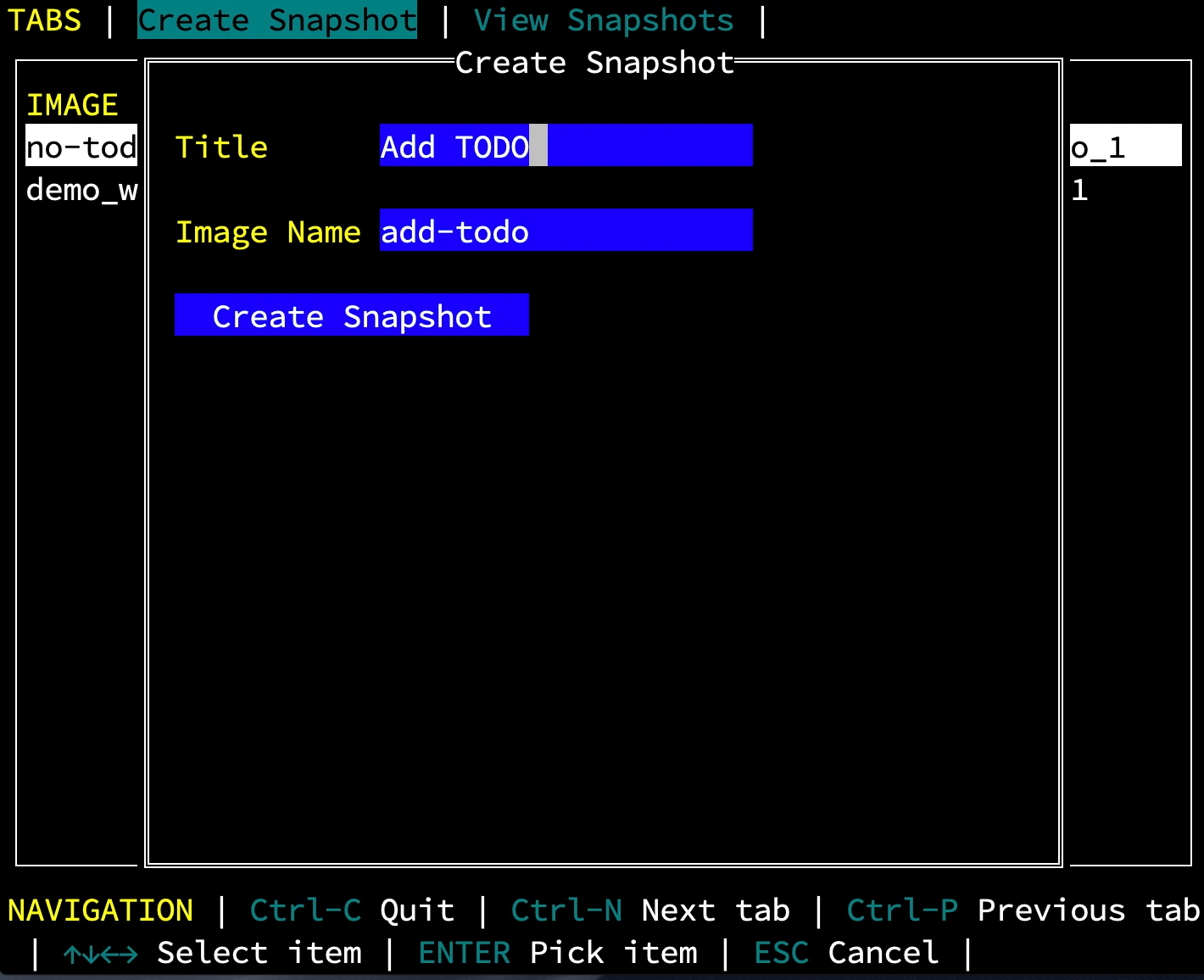
Local Development and Test Data
One of the best things about working at Kelda is that we get to talk with tons of developers who are in the weeds building microservices every day. We hear about all the benefits of containerized development and some of the challenges as well. One such challenge is managing test data during local development and testing.
First, some context: most of the developers we're working with are using Docker locally to work on one or more containers that depend on a database of some sort. In production, of course, they use a production database managed by the ops team. However, when working locally, accessing the production database typically isn't feasible. Instead, devs tend to grab a Postgres, MySQL, or Mongo container from Docker Hub.
The trouble begins when that database needs to be populated with data, this typically requires annoying manual setup work that can take quite a long time to get right. Once all the work has been done to get the database container set up just right, the last thing you want is to have to do it again. However, eventually, tests get run, data gets stale, containers get restarted, life happens, and you end up back where you started — with a bunch of manual setup work in front of you.
You might also like: Docker Explained – An Introductory Guide to Docker
dksnap
dksnap is a tool that allows you to create, view, and rollback snapshots of containers in real-time without needing to fiddle with bash scripts or memorize complicated docker commands.
Once you've set up your container precisely the way you like, you can create a snapshot. That done, you can manipulate your data however you'd like, knowing that you can instantly revert to a previously working state in seconds.
In addition to the core snapshot functionality, dksnap allows you to replace a running container using any snapshot that you've created, and provides a tree view of all your snapshots along with a diff that shows you how they've changed over time.

dksnap has three key features that aren't easily replicated with the standard Docker CLI.
- First, it's volume aware. Most database containers use volumes, which
docker commitdoesn't capture. - Second, it's database aware.
dksnapknows how to talk to Mongo, Postgres, and MySQL, allowing it to dump and restore data politely, and giving it the ability to show diffs between different snapshot versions. - Last but not least, it has a simple and intuitive user interface that hides the complexity required for docker snapshots.
Try dksnap
Getting started with dksnap is simple. This tool is a single go binary that you can install by running the following in a terminal:
xxxxxxxxxx
curl https://kelda.io/install-dksnap.sh | sh
Or, if you prefer, download the latest release and copy it to your $PATH.
If you've already got containers running on your local machine, dksnap opens a new terminal GUI that allows you to create, replace, and view snapshots of your containers.
Otherwise, if you'd like to try out dksnap, we've created a simple demo along with step-by-step instructions so that you can see how it works.
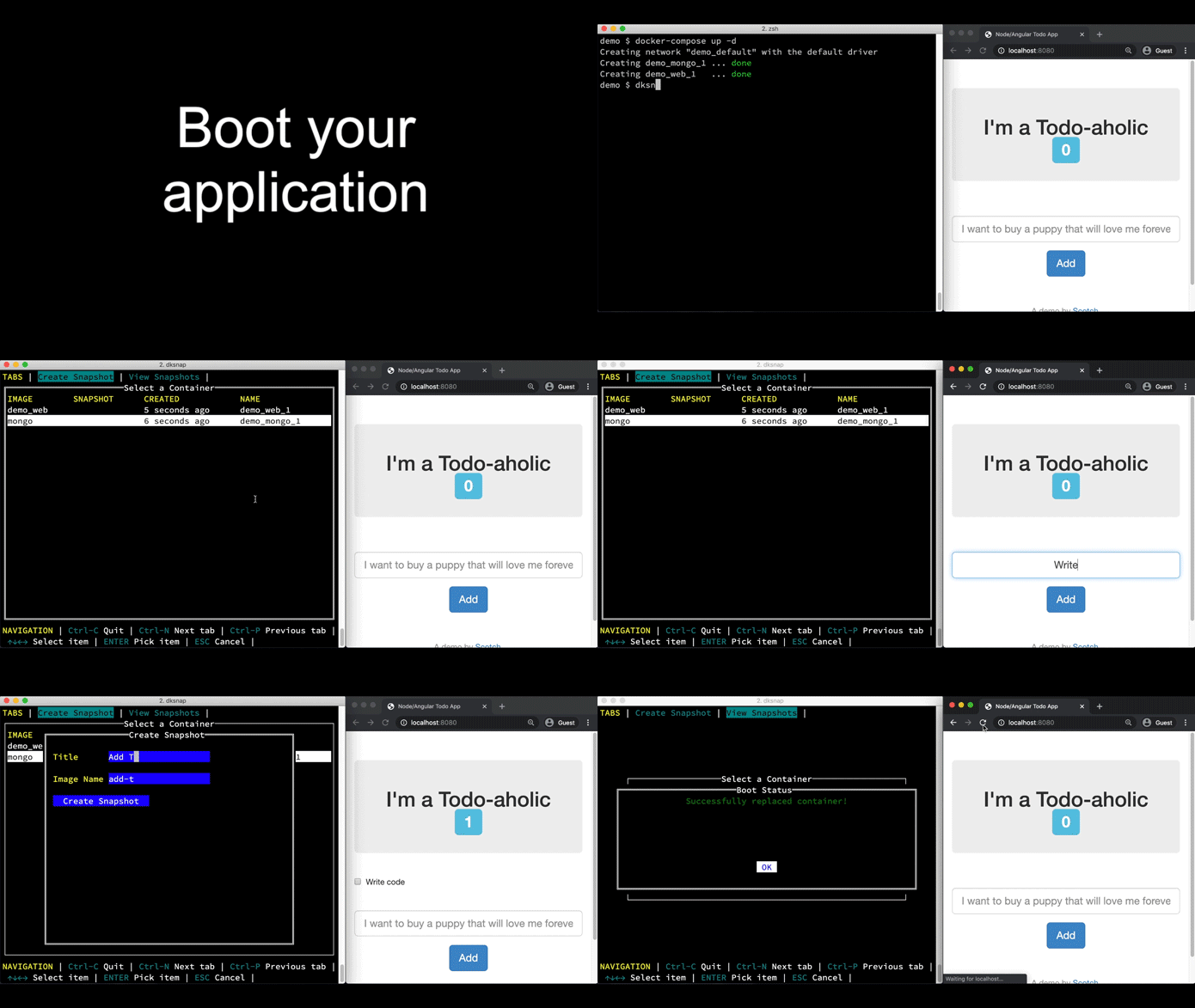
xxxxxxxxxx
# Download the demo.
git clone https://github.com/kelda/dksnap.git
cd dksnap/demo
# Start the example application.
# You can access it in your browser at localhost:8080.
docker-compose up -d
# Use dksnap to create snapshots of the entries in the Mongo database.
dksnap
Get Involved
dksnap is currently in alpha. It is ready for daily use but is still undergoing substantial development. If you find this useful or interesting, please consider joining the community and providing us with your thoughts.
Here are some ways that you can get involved:
Published at DZone with permission of Ethan J Jackson. See the original article here.
Opinions expressed by DZone contributors are their own.
Comments