

DZone
Thanks for visiting DZone today,
Edit Profile
  • Manage Email Subscriptions
  • How to Post to DZone
  • Article Submission Guidelines
Sign Out View Profile
  • Post an Article
  • Manage My Drafts
Over 2 million developers have joined DZone.
Log In / Join
Refcards Trend Reports
Events Video Library
Refcards
Trend Reports

Events

View Events Video Library

Related

  • Beyond Ingestion: Teaching Your NiFi Flows to Think
  • NiFi In-Memory Processing
  • Streamlining Data Lake ETL With Apache NiFi: A Practical Tutorial
  • Real-Time Analytics: All Data, Any Data, Any Scale, at Any Time

Trending

  • AI in Software Development: A Mirror, Not a Magic Wand
  • Optimizing Databricks Spark Pipelines Using Declarative Patterns
  • Top JavaScript/TypeScript Gen AI Frameworks for 2026
  • Product-Led Software Delivery: Intelligent Platforms for DevOps at Scale
  1. DZone
  2. Data Engineering
  3. Data
  4. Finding NiFi Errors

Finding NiFi Errors

Not sure how to find NiFi errors (especially the odd ones)? Learn how to hunt it down so you can move on with your task or project.

By 
Tim Spann user avatar
Tim Spann
DZone Core CORE ·
Dec. 28, 16 · Tutorial
Likes (2)
Comment
Save
Tweet
Share
7.9K Views

Join the DZone community and get the full member experience.

Join For Free

I have a Phoenix PutSQL that worked in the past, but not today. The error box was not much help either. I thought maybe Hbase or Phoenix was done, but it turned out that one field was missing. Now, how should I investigate this issue?
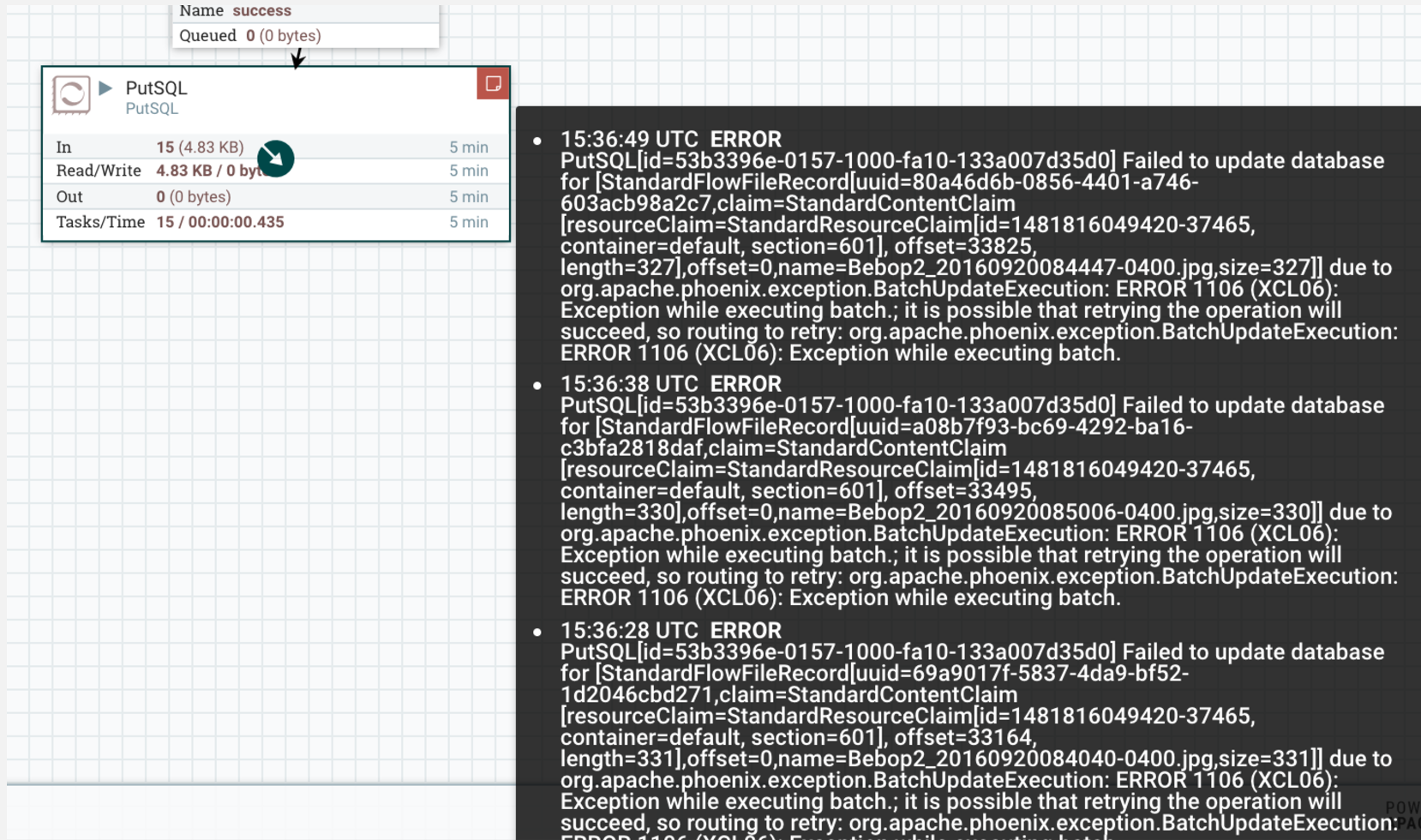
Image title

Digging through the logs I quickly found it:

Caused by: java.sql.SQLException: ERROR 218 (23018): Constraint violation. DRONEDATA1.DATEKEY may not be null

That would be nice in the error listed in NiFi. (If something seems like an odd error, dig into the logs for more detailed descriptions. Also, the Summary Screen is pretty awesome and will let you find a lot of information for debugging and fixing problems.)

The Connections tab will let you sort by Queue Size and you can see if things are backed up.
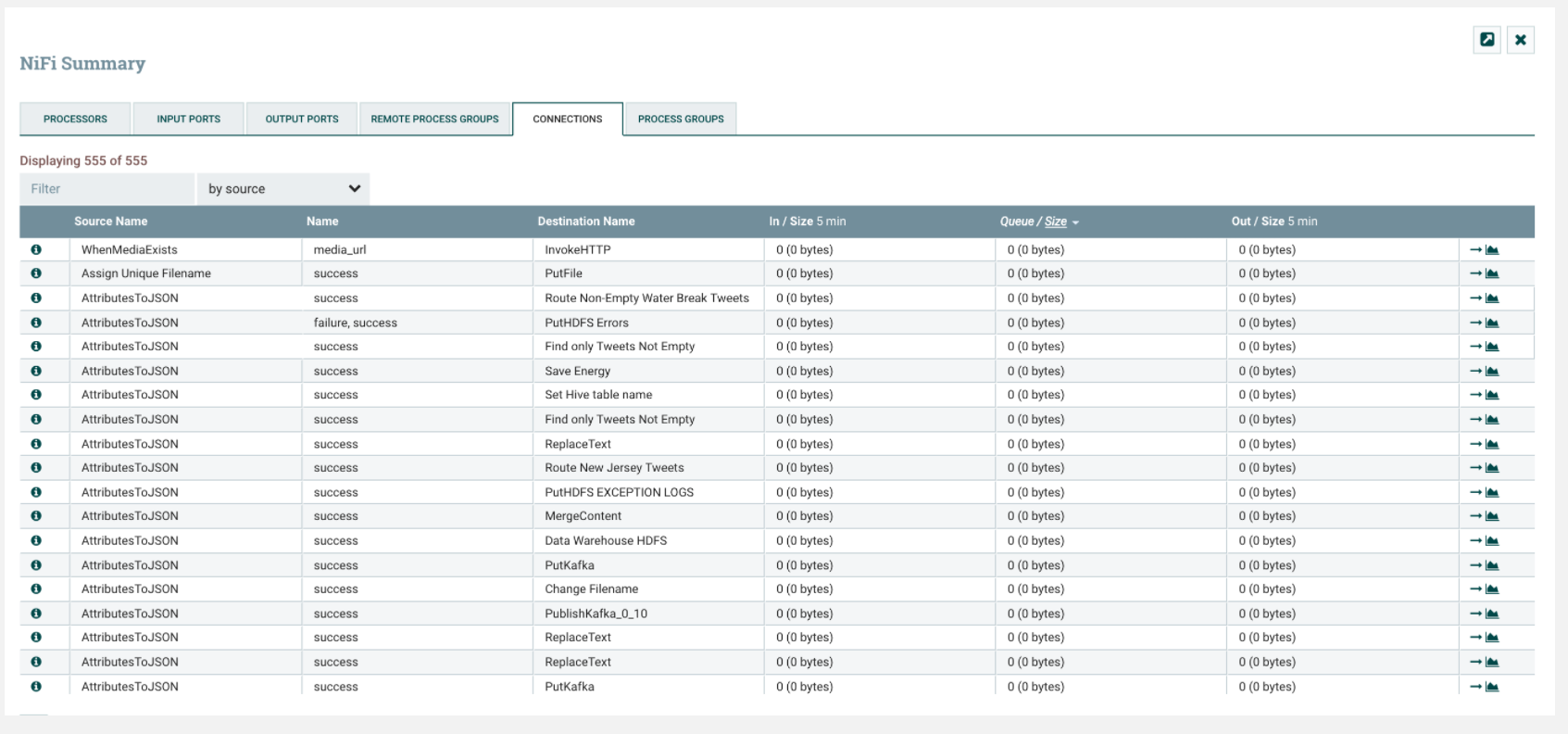
Image title

If you click the system diagnostics link you will see two tabs of useful information. The first has memory usage and garbage collection.

The System tab has your usage for FlowFile and Content Repositories, processors and process load.

For more details, check out the following references.

Reference:

  • Apache NiFi Developer's Guide

  • Apache NiFi Administrator's Guide

  • Apache NiFi Documentation

  • Debugging NiFi Flows

  • Monitoring NiFi Processors

Apache NiFi

Opinions expressed by DZone contributors are their own.

Related

  • Beyond Ingestion: Teaching Your NiFi Flows to Think
  • NiFi In-Memory Processing
  • Streamlining Data Lake ETL With Apache NiFi: A Practical Tutorial
  • Real-Time Analytics: All Data, Any Data, Any Scale, at Any Time

Partner Resources

×

Comments

The likes didn't load as expected. Please refresh the page and try again.

  • RSS
  • X
  • Facebook

ABOUT US

  • About DZone
  • Support and feedback
  • Community research

ADVERTISE

  • Advertise with DZone

CONTRIBUTE ON DZONE

  • Article Submission Guidelines
  • Become a Contributor
  • Core Program
  • Visit the Writers' Zone

LEGAL

  • Terms of Service
  • Privacy Policy

CONTACT US

  • 3343 Perimeter Hill Drive
  • Suite 215
  • Nashville, TN 37211
  • [email protected]

Let's be friends:

  • RSS
  • X
  • Facebook