

Flyway Error: Found Non-Empty Schema(s) Without Schema History Table
A looks into an error on architect encountered with working with Java microservices and their data schema. Read on to see how to solved the problem!
Join the DZone community and get the full member experience.
Join For FreeProblem Statement
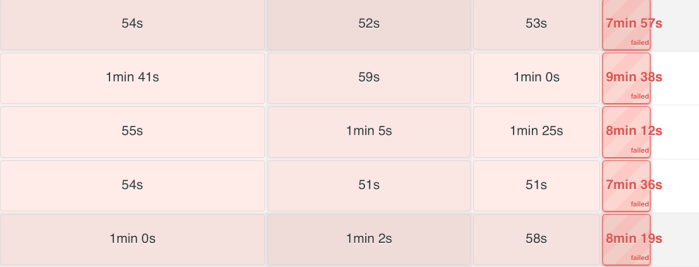
We bumped into a Flyway error while trying to deploy some new schema changes against an existing database. It was a Java microservice using Jenkins as the CI/CD tool for deployment. The build pipeline was not able to deploy the schema changes to our Test/DevQA environment since it was not able to connect to Eureka.
When we looked at the logs in SumoLogic, we found multiple errors logged by the application indicating issues with Flyway:
Application startup failed Error creating bean with name 'flywayInitializer' defined in class path resource Invocation of init method failed; nested exception is org.flywaydb.core.api.FlywayException: Found non-empty schema(s) without schema history table! Use baseline() or set baselineOnMigrate to true to initialize the schema history table.
"source":"stdout",
"level":"ERROR",
"message":"Application startup failed",
"logger":"org.springframework.boot.SpringApplication",
"thread":"main",
"class":"org.springframework.boot.SpringApplication",
"exception":"org.springframework.beans.factory.BeanCreationException"
Use Case
Reading through the error details/stack trace, I was able to understand what was going on here. The microservice already had a database associated with it and was deployed across all the environments. Flyway was not used for deploying the initial schema changes, and it seemed like the database deployment was done manually.
As a best practice, we are trying to use Flyway as the Database Migration Framework for executing DDL and DML scripts for our Java microservices. This threw the application startup error since Flyway found non-empty schema(s) without schema history table during deployment.
Let's see in details how Flyway works to understand this better.
How Does Flyway Work?
If you want to spin up a new DB instance in another environment, Flyway can do it for you in a breeze. At application startup, it tries to establish a connection to the database. It will throw an error if it is not able to.
It helps you evolve your database schema easily and is reliable in all instances. There is no need to execute the database scripts manually.
Every time the need to upgrade the database arises, whether it is the schema (DDL) or reference data (DML), you can simply create a new migration script with a version number higher than the current one. When Flyway starts, it will find the new script and upgrade the database accordingly.
Flyway scans the file system and sorts them based on their version number.
Flyway creates a table name ' schema_version ' in your database. This table is responsible for tracking the state of the database and keeps an explicit record for the various SQL scripts that have been executed. As each migration gets applied, the schema history table is updated.

Resolution
Since we were trying to make schema changes by introducing Flyway on an already existing database containing a table, it threw an application error. There is no existing 'schema_version' table in the database, hence Flyway was not able to track the state of the database and execute the correct SQL scripts from the application repository.
However, if there was no existing database and we were building the schema from scratch for the first time, this would not have been a problem. Flyway would have successfully created the database and executed the schema changes.
Since this application is already running in production, dropping the table, letting Flyway recreate the new table and the 'schema-version' table, and populating the data in the existing table was out of scope.
So we had to figure out a way to intimate Flyway that it is dealing with a database with existing tables. You can do that by explicitly setting the flyway baseline-on-migrate property to True in the application.yml file.
flyway:
enabled: true
schemas: EmployeeHistory
locations: classpath:/sql

flyway.baseline-on-migrate: true
From the Flyway Documentation:
# Whether to automatically call baseline when migrate is executed against a non-empty schema with no schema history table.
# This schema will then be initialized with the baselineVersion before executing the migrations.
# Only migrations above baselineVersion will then be applied.
# This is useful for initial Flyway production deployments on projects with an existing DB.
# Be careful when enabling this as it removes the safety net that ensures
# Flyway does not migrate the wrong database in case of a configuration mistake! (default: false)
# flyway.baselineOnMigrate= true
Once I set the baselineOnMigrate property to True and triggered another pipeline build, I noticed the creation of the schema_version in the DB with the below record -

However, the new schema changes were not made by Flyway and I did not see the changes in the database.
A point to note here is that since we performed the Baseline, Flyway set it as the initial version in the schema_history table. So, if you have your SQL file prefixed with 'V1__' it won't work. For Flyway migration to work, you need to rename the file to 'V2__'.
Once I made this change and pushed a Jenkins build, I was able to see the script executed by Flyway and an entry made in the 'schema_history' table.

The Jenkins build ran successfully and changes were deployed to all environments:

Hopefully, this blog was helpful to you. In case this does not resolve your issue, please feel free to comment below and I would be happy to assist.
Published at DZone with permission of Samir Behara. See the original article here.
Opinions expressed by DZone contributors are their own.
Comments