

AI Won't Replace Front-End Developers, It'll Replace the Boring Parts
AI won't replace frontend developers. Rather, it will replace the tedious, repetitive work that often drains our creativity.
Join the DZone community and get the full member experience.
Join For FreeI’ve been working as a front-end engineer at a service-based company. When I joined as an intern last year, I came across the term "pixel-perfect" for the first time.
During my internship, I was assigned a feature where I had to display pages on the screen, with the content coming from an MDX file. I built the entire page from scratch, and when it was time for review, the reviewer turned out to be our Chief Design Officer (CDO).
A few hours later, the review came back and was filled with multiple findings. Most of the comments were about pixel perfection: font sizes, font weights, spacing, and other tiny visual details.
That’s when I truly understood what pixel-perfect means. If the Figma shows a font size of 62.84px, then in development, it must be exactly 62.84px. That experience was painful, but I accepted it as part of the process.
Now, fast forward to today. While working on a much larger codebase, fixing even minor bugs often takes hours. And whenever I get stuck, AI tools don’t always help because they lack the full context of the project. Explaining that context to them every time is almost impossible.
Large-scale projects bring another level of complexity, and in many cases, AI tools tend to hallucinate, generating incorrect or irrelevant code instead of actual fixes.
So, in this article, I’m going to share which parts of frontend development AI can handle and which areas remain irreplaceable for real frontend developers.
What AI Can and Can't Do
AI tools are not a curse for frontend developers, and in fact, they’ve become one of our biggest strengths. They can handle repetitive tasks, boilerplate code, design-to-code conversion, and even syntax migration.
Sometimes, they can even help debug issues with minimal context; just a few files or snippets are often enough to get useful suggestions.
However, after using these tools extensively, I’ve realized there are still many things AI can’t do well. Even if you provide detailed context, AI lacks human-like creative thinking; it doesn’t truly understand the purpose behind a design or the emotions of a user experience.
When it comes to business logic or UX-related decisions, developers can think more deeply and make more efficient, meaningful choices. AI may assist, but it doesn’t decide.
Here are a few key areas where AI still struggles and won’t survive without human input:
- Creative problem-solving: Debugging complex state issues or edge cases needs reasoning that AI can’t replicate.
- Business logic and UX decisions: AI can’t understand why a feature matters or how users behave; it just follows patterns.
- Performance optimization: Decisions like when to lazy-load, virtualize, or memoize are necessary for the app.
- Accessibility: AI doesn’t fully grasp context around screen readers, keyboard navigation, or user needs.
- Architecture design: Structuring a scalable frontend system still requires developer planning and experience.
In short, AI is becoming our junior developer; it’s fast, tireless, and surprisingly capable at repetitive tasks. But it’s not — and won’t be — a replacement for real frontend developers.
The Boring Parts AI Is Already Handling
The boring parts of frontend development are exactly where AI tools like Claude, Gemini, ChatGPT, and Copilot really shine. I already talked about some of these in the last section; these tools are general-purpose, meaning they’re not built specifically for frontend development or its ecosystem.
So, I started exploring tools made only for frontend developers. Instead of using general AI tools, I wanted to try something purpose-built for our workflow. Over the past few weeks, I’ve been building and experimenting with Kombai, an AI tool designed specifically for frontend development and its ecosystem.
Figma Design-to-Code Translation
One of the most fundamental skills for a frontend developer is creating pixel-perfect user interfaces from design mockups. But after doing it for years, it can start to feel repetitive, not very challenging, and you might prefer to focus more on the logical parts rather than tweaking CSS all day.
The good news? Many tools now exist that can convert your Figma UI directly into code. I tested this myself using Kombai. I provided access to a Figma mockup, selected the tech stack it asked for, answered a few setup questions, and then hit Enter.
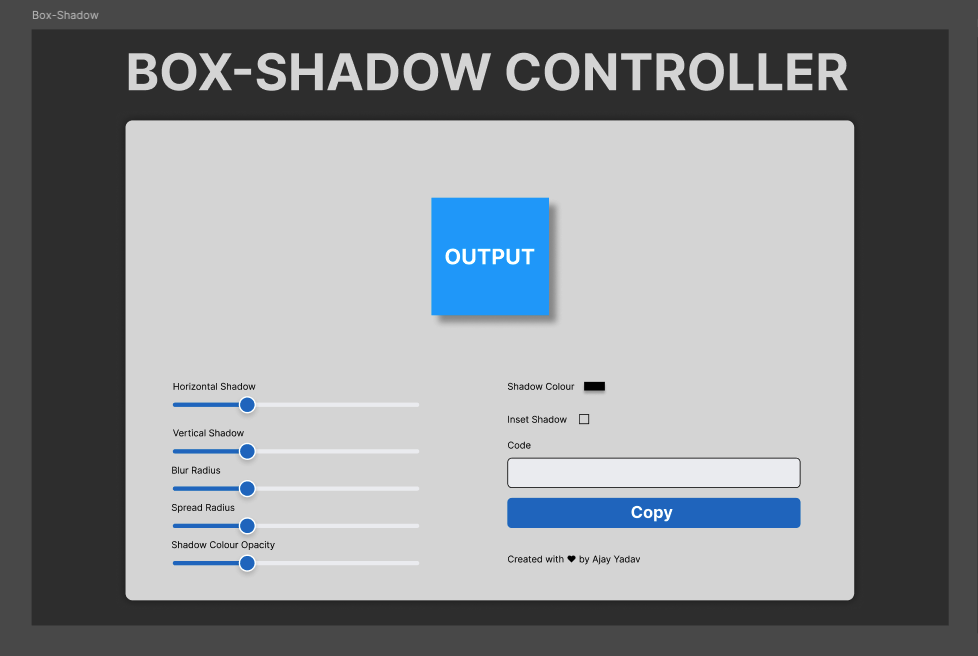
The result? Flabbergasting. About 90% of the UI was as per the Figma, and all the features worked perfectly. However, I did notice that the design wasn’t exactly pixel-perfect compared to the Figma mockup.
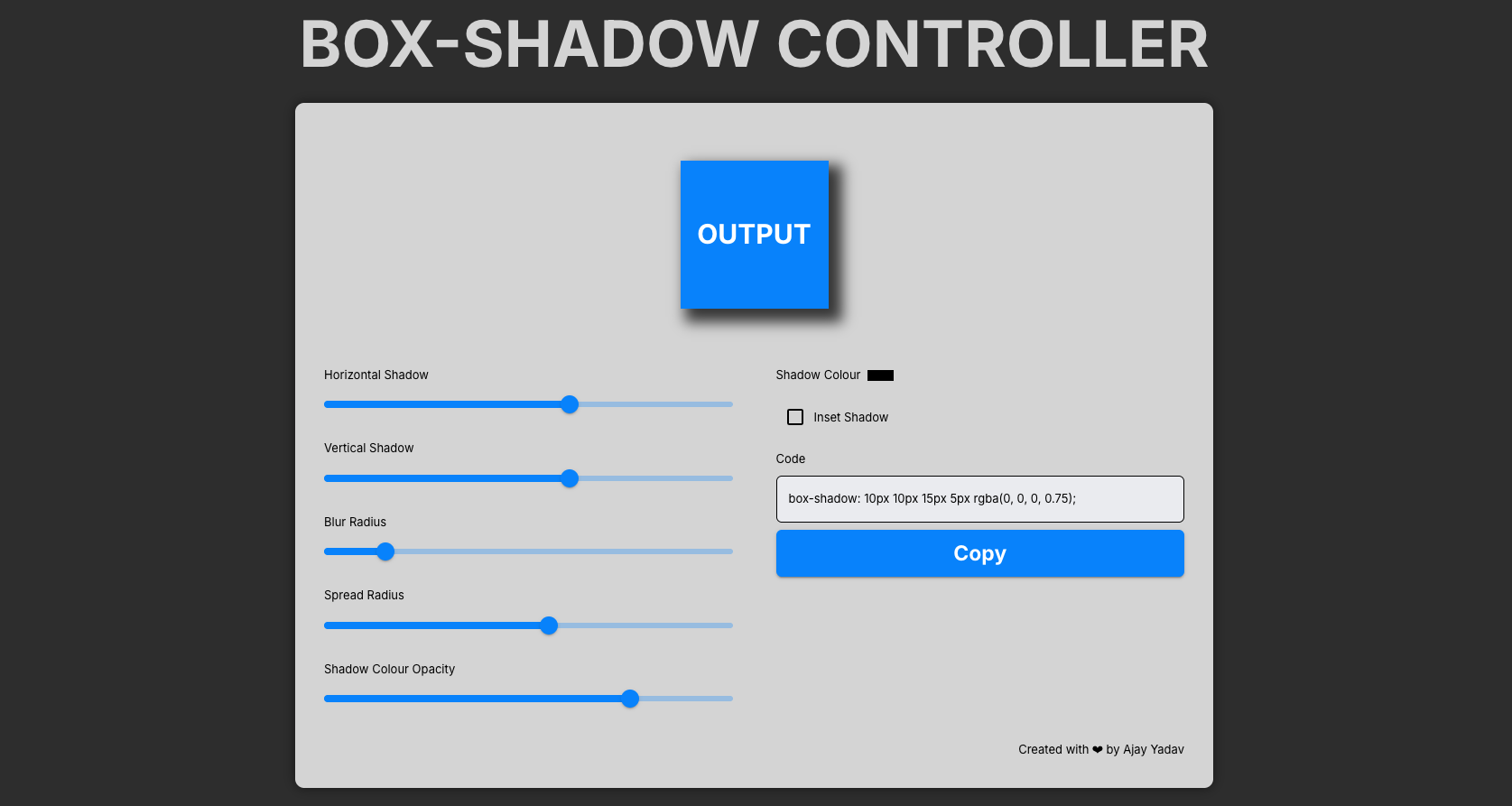
Still, if you treat this as a first draft, Kombai did an excellent job. You just need to fine-tune the details, adjust spacing, fix alignments, and ensure everything matches the design system perfectly.
Also, one important part after generation is cleaning the code. So before integrating it into production, it’s worth spending some time organizing the structure, improving readability, and following your project’s coding standards.
Code Migration and Refactoring
What happens if we give AI the full context of a project? I mean, complete access to an existing repository?
In my case, I had a personal project built using React (JavaScript), CSS Modules, and React Router DOM. Then I thought, why not give the entire repo to Kombai and see what it can do?
Fortunately, Kombai has the capability to work with existing codebases. So I decided to migrate the project to TypeScript and Tailwind CSS, while keeping React Router for navigation. Here’s how it looked before the implementation.
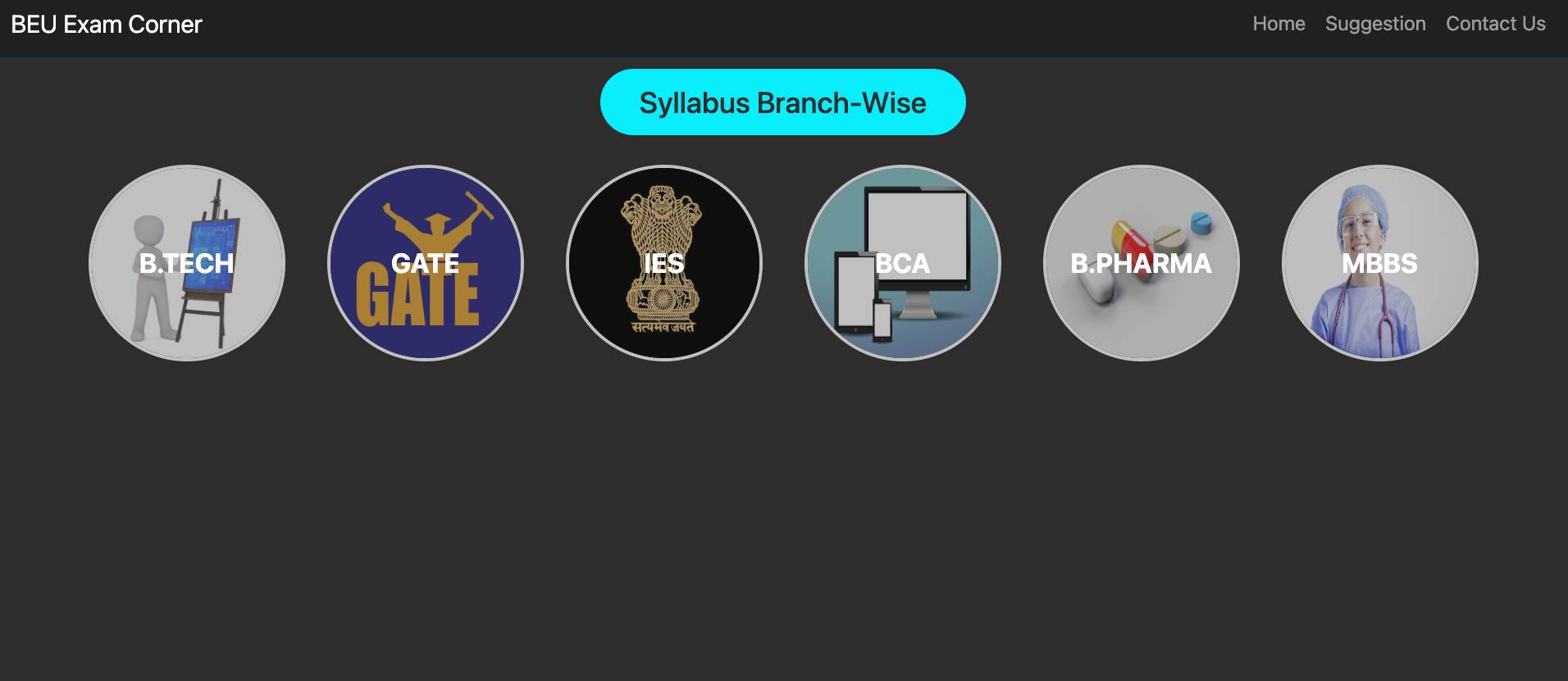
After a few prompts, Kombai started revamping my entire project into the new tech stack. It took a couple of iterations, around three tries, and finally, I was able to run the project successfully.
Once it ran, I saw its real limitations. The UI was partially broken, some links were missing, and the generated code wasn’t as clean as what I would normally write for a production-ready application.
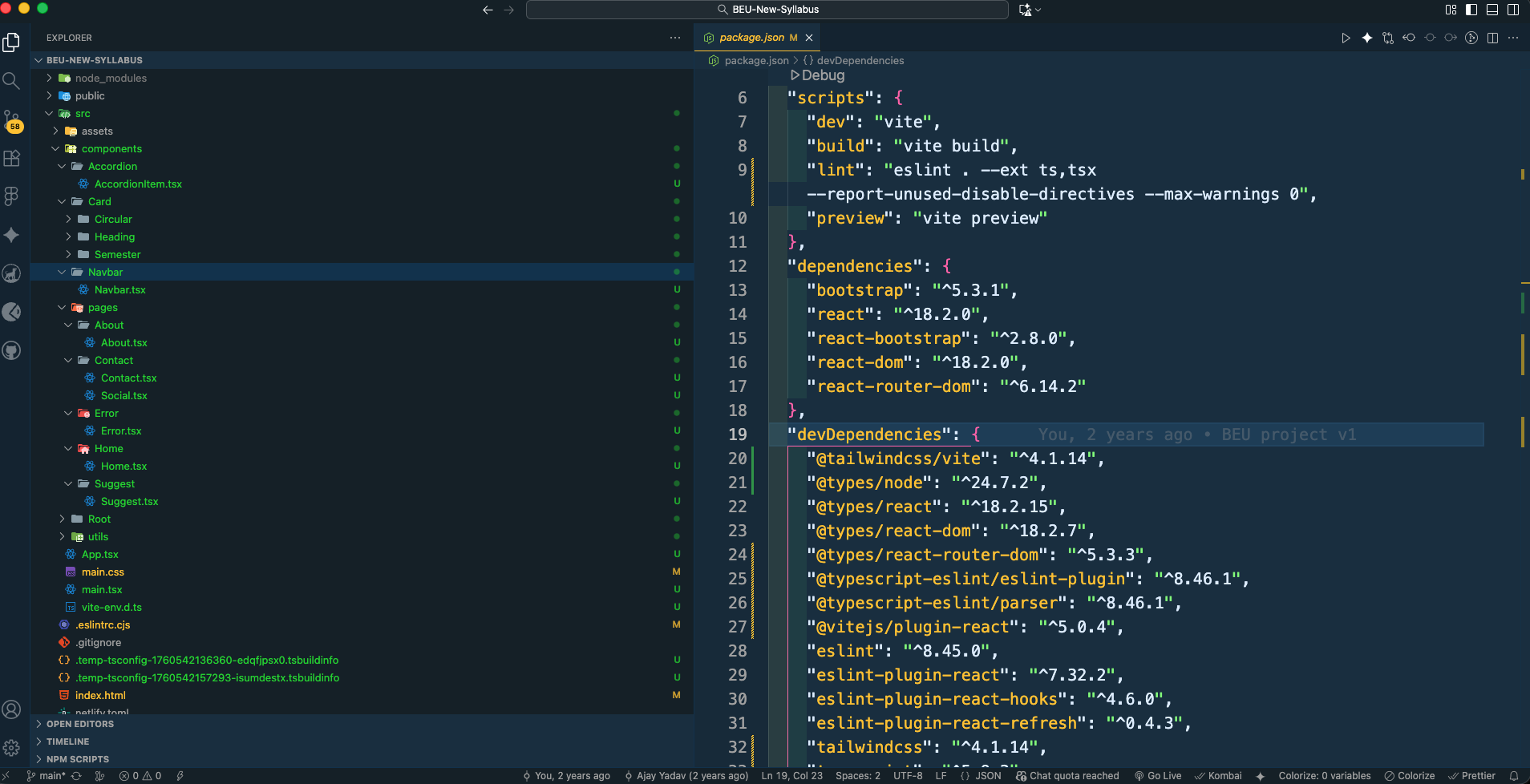
However, if we look at it from a junior developer’s perspective, it actually did a decent job, managing most of the migration automatically and saving hours of setup and repetitive work.
Along with these capabilities, AI can also generate repetitive or boilerplate code such as API call patterns, reducers, state management setup, and file structures. These are time-consuming tasks that AI can simplify significantly.
That said, AI tools are still not mature enough for you to just copy their output into your codebase and hit the deploy button. You should always treat the AI output as a first draft, something that still requires careful review, cleanup, and refinement before it’s production-ready.
Conclusion
AI won't replace frontend developers; it will replace the tedious, repetitive work that drains our creativity. The tools are here, and they're surprisingly capable at handling the boring parts.
But here's the truth: even when AI generates 90% of the code, that final 10% is where real frontend development happens. It's in the refinements that make a UI feel polished, the performance decisions that keep apps responsive, and the accessibility improvements that make experiences inclusive.
Embrace these tools. Use them to automate the monotonous tasks. But never stop sharpening your core skills, understanding how React works, how browsers render, how to write accessible code, and how to architect scalable systems.
Before We End
I hope you found this article insightful. I’m Ajay Yadav, a software developer and content creator.
You can connect with me on:
- Twitter/X and LinkedIn, where I share insights to help you improve 0.01% each day.
- Check out my GitHub for more projects.
- I also run a YouTube Channel where I share content about careers, software engineering, and technical writing.
See you in the next article — until then, keep learning!
Opinions expressed by DZone contributors are their own.
Comments