

How to Enable .Net Framework 3.5 on Microsoft Windows Server 2012 R2

Join the DZone community and get the full member experience.
Join For Free
recently, i had to put on my system administrator cap for couple of hours. i was to set up two dell poweredge 1720 server computers for use as test servers. the two servers were to run microsoft windows server 2012 r2 and that .net framework 3.5 must be enabled on the servers as it is one of the requirements needed by the enterprise application to be installed on the servers.
enabling .net framework 3.5 on windows server 2012 r2 can be done through the server manager by clicking on add roles and features and then under features selecting .net framework 3.5 or through command prompt or windows power shell. as it is microsoft’s custom to put the required files for required role or features in the side-by-side folder. one would have thought that .net framework 3.5 files should be in the folder also as it is in windows server 2012’s side-by-side folder.
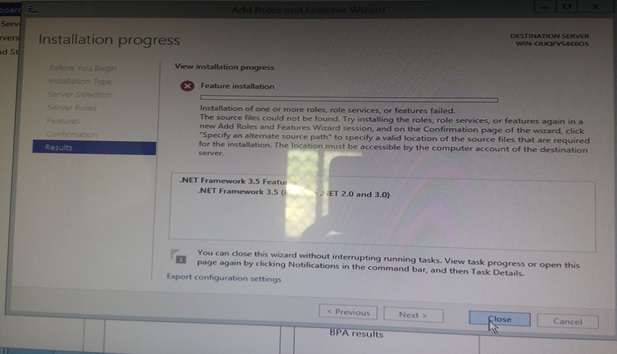
so an attempt to enable .net framework 3.5 on windows server 2012 r2 would give an error “that installation of one or more roles, role services or features failed. the source file could not be found” like the one shown in the picture below. this means that the .net framework 3.5 (which includes 3.0 and 2.0) files are not included in windows server 2012 r2 setup.
if the server is connected to the internet and it has windows update enabled, the framework can be pulled from the internet and added to the windows installation folder by the os when enabling the feature. but the servers i was configuring had no internet connections which means that there was no way the framework could be pulled from the internet.
what i did was to copy the side-by-side folder from windows server 2012 setup, (not windows server 2012 r2 setup) since it contains the files needed to install the .net 3.5 framework, i then ran command prompt as an administrator with the following commands.
dism.exe /online /enable-feature /featurename:netfx3serverfeatures /source:d:\sxs
to enable the feature
dism.exe /online /enable-feature /featurename:netfx3 /source:d:\sxs /limitaccess
to install the feature
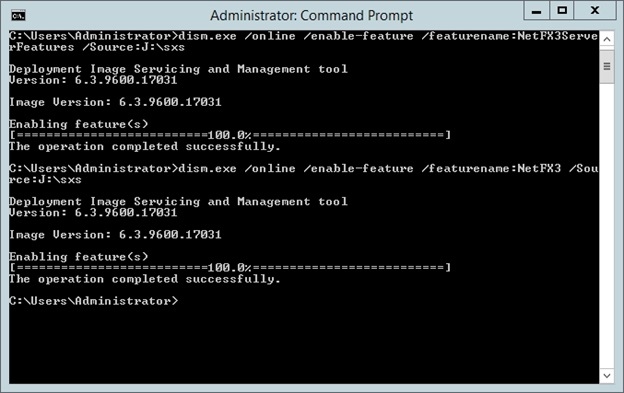
where
d:\sxs
is the path of the folder containing the required files that i copied from windows server 2012 setup side-by-side folder.
i hope i have been able to save someone precious time.
Published at DZone with permission of Ayobami Adewole. See the original article here.
Opinions expressed by DZone contributors are their own.
Comments