

How To Handle 100k Rows Decision Table in Drools (Part 3)
In this article, I created a prototype to demonstrate how to handle large rows in a decision table with reasonable performance. This is part 3 of the series.
Join the DZone community and get the full member experience.
Join For FreeAs described in the previous article, we are facing a very challenging performance issue when solving 100k row decision tables.
To view the previous discussion, please click:
Solution 1: Rule Template + XLS
Solution 2: Precompile Spreadsheet Decision Table
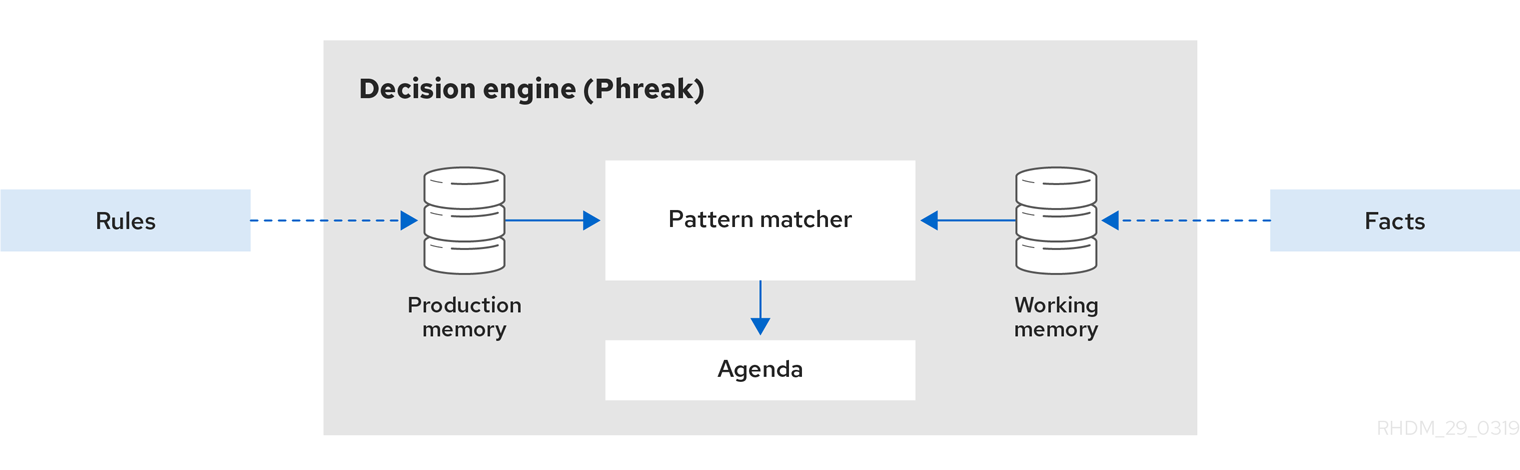
In this article, I am going to change the mindset and change the decision table row data from rule to fact. Again, I am using Drools as my framework.
Solution 3: Convert Row Data to Fact, Not Rule
Solution 2 (Precompile the rules) helps a lot when the decision table is 10k below row size. However, when the row number comes to very big such as 100k, solution 2's improvement is neglectable. What’s worse is that the compilation time is too long, this is because it’s not a normal task to compile 100k Java files in a project.
By its design nature, the decision table is popular since it allows you to manage one rule in one row so that you can manage multiple rows in an easy manner. However, the watch that floats the boat also could swallow it.
Could we somehow reduce the rule numbers if the rule numbers are just too big?
Could we read the Excel file in RAW format, insert those row data as Facts and then compute them in memory? Then you have 100k Facts instead of 100k rules in memory.
Let's try this:
DRL
rule "Check Client Object"
when
$k:Keyword($v : value)
$c:ClientObject( descr matches $v )
then
$c.setPass($k.isResult());
System.out.println("Check Client Object fired");
end
Drools Model
xxxxxxxxxx
public class Keyword {
private java.lang.String value;
private boolean result;
}
Insert Row as Fact in Java
xxxxxxxxxx
ClientObject o1 = new ClientObject();
for(int i=0;i<100000;i++){
ksession.insert(new Keyword("DangerObjectxxx", false);
}
o1.setDescr("999");
int fired = ksession.fireAllRules();
With a simple test on the above code, it works, and the performance is <50 ms!
However, we don’t throw away the bathwater with the child. We don’t want to hardcode the Excel Read and Parser in our generic application code. The business logic needs to be decoupled with a generic application.
Could we load Excel data in a DRL file and insert the fact?
The answer is yes!
DRL is very dynamic and flexible, basically, you can do it just like you are writing Java code.
However, in order to simplify the DRL editing, usually, we could provide a clean utility to read Excel files and convert them to a Customized Fact to serve your purpose.
Improved DRL
xxxxxxxxxx
rule "Load keyword"
when
$kr:KeywordReader(excelFile matches ".*.xls")
then
System.out.println("Load keyword rule fired");
List<Map<String, String>> list = $kr.getKwList();
for ( Map<String, String> m : list){
Keyword k = new Keyword(m.get("1"), Boolean.valueOf(m.get("2")));
insert(k);
}
end
rule "Check Client Object"
when
$k:Keyword($v : value)
$c:ClientObject( descr matches $v )
then
$c.setPass($k.isResult());
System.out.println("Check Client Object fired");
end
I also provided a simple Excel utility in my branch, See KeywordReader.java, we can add the Excel parse in the Drools Model Getter and Setter.
xxxxxxxxxx
public class KeywordReader {
private String excelFile;
private List<Map<String, String>> kwList;
public KeywordReader(String excelFile) {
this.excelFile = excelFile;
kwList= new ArrayList<Map<String, String>>();
}
public String getExcelFile() {
return excelFile;
}
public List<Map<String,String>> getKwList() {
if(this.excelFile.isEmpty())return null;
parseFile(getClass().getClassLoader().getResourceAsStream(excelFile));
return kwList;
}
private void parseFile( InputStream inStream ) {
//Parser Excel format and conver them into HashMapList
}
How to parse Excel file:
xxxxxxxxxx
Sheet sheet = workbook.getSheetAt( 0 );
int maxRows = sheet.getLastRowNum();
DataFormatter formatter = new DataFormatter( Locale.ENGLISH );
FormulaEvaluator formulaEvaluator = sheet.getWorkbook().getCreationHelper().createFormulaEvaluator();
//define start row in rowFrom variable
for ( int i = rowFrom; i <= maxRows; i++ ) {
Row row = sheet.getRow( i );
int lastCellNum = row != null ? row.getLastCellNum() : 0;
Map<String, String> rowData= new HashMap<String, String>();
int index =0;
//define start column in colFrom variable
for ( int cellNum = colFrom; cellNum < lastCellNum; cellNum++ ) {
Cell cell = row.getCell( cellNum );
if ( cell == null ) {
continue;
}
double num = 0;
index++;
rowData.put(String.valueOf(index), cell.getStringCellValue());
}
kwList.add(rowData);
Client Code
xxxxxxxxxx
ClientObject o1 = new ClientObject();
KeywordReader kr = new KeywordReader("100kTable.xls");
o1.setDescr("9999");
ksession.insert(o1);
ksession.insert(kr);
int fired = ksession.fireAllRules();
Let’s run these rules in the client application:
xxxxxxxxxx
mvn clean compile exec:java
Initial Kie Session elapsed time: 4943
Load keyword rule fired
fired rules: 1 elapsed time: 2761
Is Object Pass:true
Check Client Object fired
2second round fired rules: 1 elapsed time: 70
Great, the performance is very good.
As you can see, loading the excel file in rule might take 2.7 seconds. After that, each rule execution only costs 70ms.
Pros
The biggest advantage is good performance. As you can see the performance is over 100 times faster than previous solutions considering the large number of input data in Excel files;
What’s even better, there is no compilation overhead.
The excel data can still be decoupled from application logic. All business rules data can be packaged in the rules project as usual.
Cons
There are two shortcomings as far as I can see:
- Raw Excel data can’t be handled in kie-workbench.
- There is some complex Excel Reader logic in the rule project.
It might not be comfortable for business users to maintain the Excel parser login in the Drools model, however, I think, you can wrap the Excel Parse logic in a separate jar file which would decouple it from a business rule project.
Opinions expressed by DZone contributors are their own.
Comments