

How to Leverage OAS and RAML in AWS API Gateway
Simplify Amazon API Gateway resource setup by utilizing an existing OpenAPI Specification, bypassing the need for manual console interface configuration.
 ·
·
Join the DZone community and get the full member experience.
Join For FreeDo you have an OpenAPI Specification and don't know if it can be imported into Amazon API Gateway to avoid defining each resource by hand through the console? This article shows you how to leverage an existing OAS specification in API Gateway.
If, on the other hand, you have a RAML specification, the article How to convert from RAML to OAS to use it in Amazon API Gateway offers a step-by-step guide to create your OpenAPI specification from an existing RAML.
If you don’t have a specification or don’t want to define one but are experienced in Anypoint Platform’s Design Center with RAML, we have you covered, too, so you don’t have to start from the bottom. Check out this article: How to approach Amazon API Gateway as a Mule developer. Part I., where we’ll guide you through a quick start on how to approach API Gateway with the knowledge that you have.
Why Import a Specification File?
Importing a specification has several advantages, including:
- Faster development: Cuts down the time needed to create a REST API with a clear implementation plan.
- Standardization: Ensures adherence to best practices, making it easier for other developers to work with your API.
- Documentation: Includes detailed API documentation, saving time and ensuring thorough documentation from the beginning.
- Version control: Specification files often support API versioning, aiding API evolution.
- Security: Allows defining security aspects like authentication and authorization in the specification.
How To Import an OAS File To Create a Rest API in Amazon API Gateway
Let’s show you how to use an OpenAPI Specification file in Amazon API Gateway.
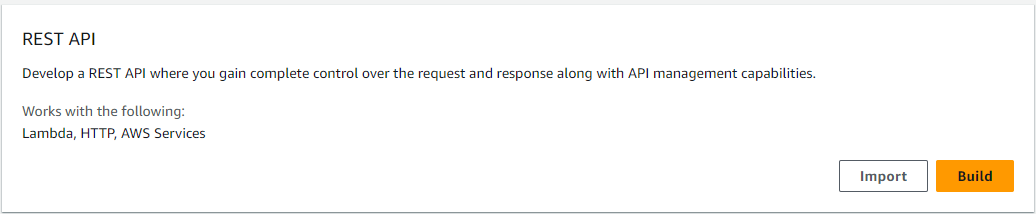
In Amazon API Gateway, click the Create API button, find the REST API option, and click the Import button.
Using the Example API Option
The first way to work with an API specification is by clicking the Example API option. It provides an example of an API specification. This is appropriate if you don’t have any API specification file and want to practice how Amazon API Gateway works.
In the Amazon API Gateway console, click on the Example API option, and the API definition input should populate with an example of a swagger specification file.
Review all specification properties and note that it is a Pets API.

Leave all the default settings and click Create API to create the API.
Note: Warnings options are helpful when your API specification has inconsistencies and cannot be imported into Amazon API Gateway.
Using the Import API Option
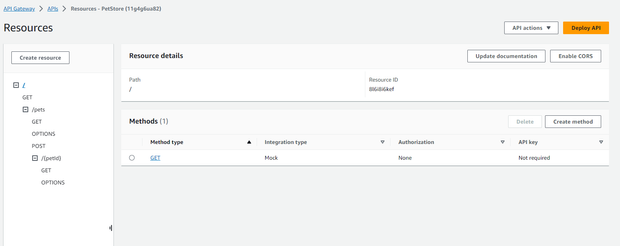
The second way to work with an API specification is by clicking on the Import API option. This option is appropriate when you already have your API specification and want to import it. For this example, we will use the same Pets API definition that Amazon API Gateway provides.
In the Amazon API Gateway console, you can select a file from your local disk or paste the value of the API specification in the API definition text input. We chose to copy and paste the content of the API Specification. If you do this, be sure all content is selected and pasted correctly.

Leave all default settings and click on the Create API button. The API should be created.
Note: Warnings options are helpful when your API specification has inconsistencies and cannot be imported into Amazon API Gateway.
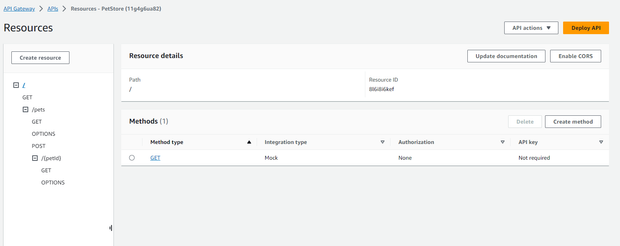
Testing the API
In the resources section, click on the /pets GET method.
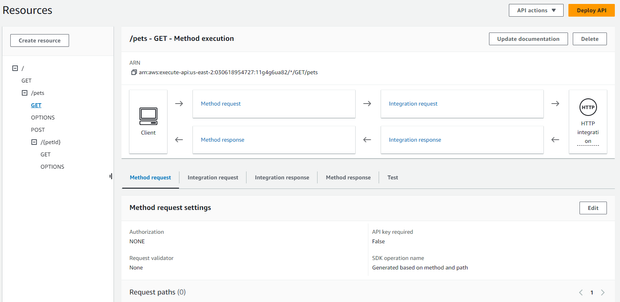
Click on the test section.
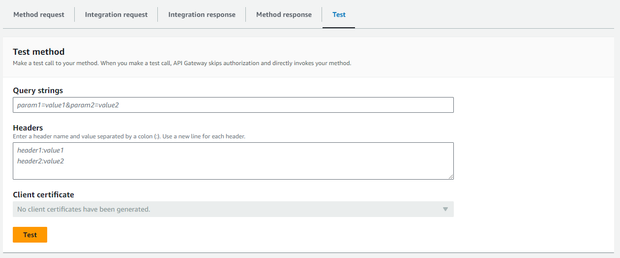
If you previously reviewed the Pets specification file, you have noticed that you can send two query parameters (type and page) to this resource. Those query parameters are not required, so you can click on the test button to send a request.
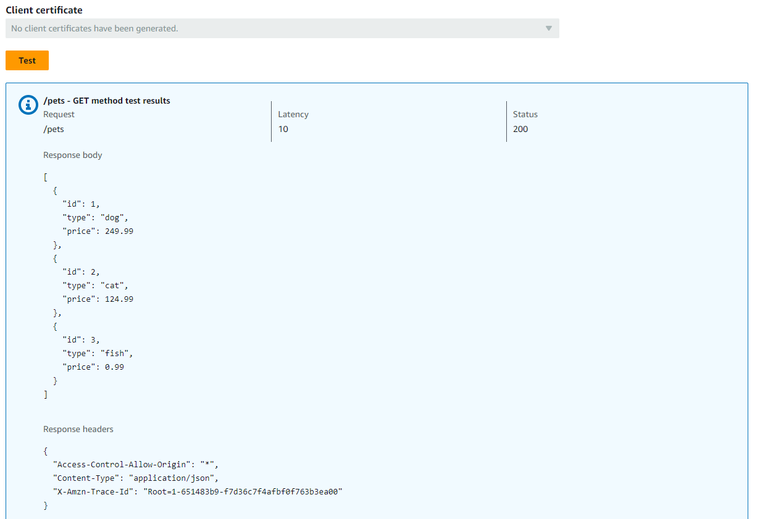
Summary
Remember, working with OpenAPI specifications in Amazon API Gateway involves creating or importing API definitions, configuring endpoints, deploying stages for testing and production, ensuring security and access control, monitoring performance, optimizing scalability, and managing documentation, versioning, and costs.
It's important to note that although Amazon API Gateway offers a multitude of functionalities, this article does not cover them at this time.
Published at DZone with permission of Eduardo Lopez. See the original article here.
Opinions expressed by DZone contributors are their own.
Comments