

Save Time on Project Planning: 4 Tools for Product Managers
Do you find visualization helpful when trying to crack a difficult problem? Then read on for a review of these helpful tools.
Project management is getting more and more complicated. Often it is challenging to have all processes and team members under control. Here is where specialized tools and platforms take the stage. To be successful in any project management activity, it is a must for project managers to have a good command of special tools. They come as a relief for all those whose duty it is to manage plans.
All spheres are complicated, no doubt. But software development stands apart in that list. There are many reasons for it: ongoing processes where improvements are taken on a regular basis, fixed deadlines and Sprints, big teams, etc. Time is what really matters here.
Below I will describe efficient project management tools that will help you to save your time during software development. They do not require hours from you before you set up your project. These platforms already have ready-made templates designed for software development or IT in general. All of them are Gantt Chart templates.
1. Smartsheet
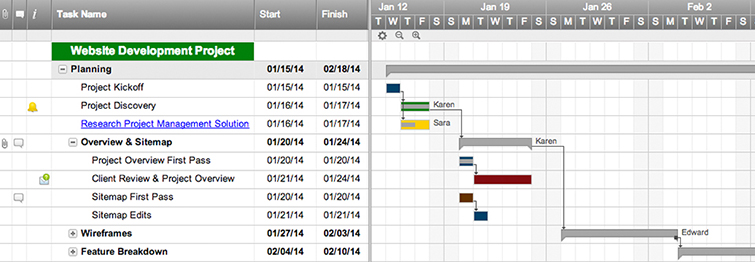
This interactive tool offers a Gantt Chart template for software development. In Smartsheet's case, it is called the Web Project Timeline template. The software is widely used all over the world as it offers solid features. If you used to work in MS Project, but are tired of its complexity, you can easily switch to Smartsheet, as its functionality is easier to understand and apply.
What Software Development Project Managers Can Do Here
Break down tasks, work with milestones and timelines, and get the duration of all tasks calculated automatically. Team collaboration options inside the tool allow project managers to communicate with teams and share charts with them.
Details: There is a free 30-day trial.
2. ganttpro
The tool offers users a customizable and intuitive interface. All your typical tasks are already set up in this Gantt Chart template. But, of course, users can delete those they don’t need and add their own tasks. The tool offers different skins, color differentiation for tasks, and many other useful features that do not require much time to learn. In GanttPRO users also can save their own templates and use them in the future.
What Software Development Project Managers Can Do Here
As it is a Gantt Chart tool, all your tasks are set and clearly visualized on a timeline. Add and assign tasks, set progress for them, track their duration, collaborate with teams, share charts, and work with resources. If you switch to this tool, you can easily import your project from Excel or MS Project as well as export it to popular formats like PDF and PNG.
Details: There is a free trial upon request.
3. Tom’s Planner
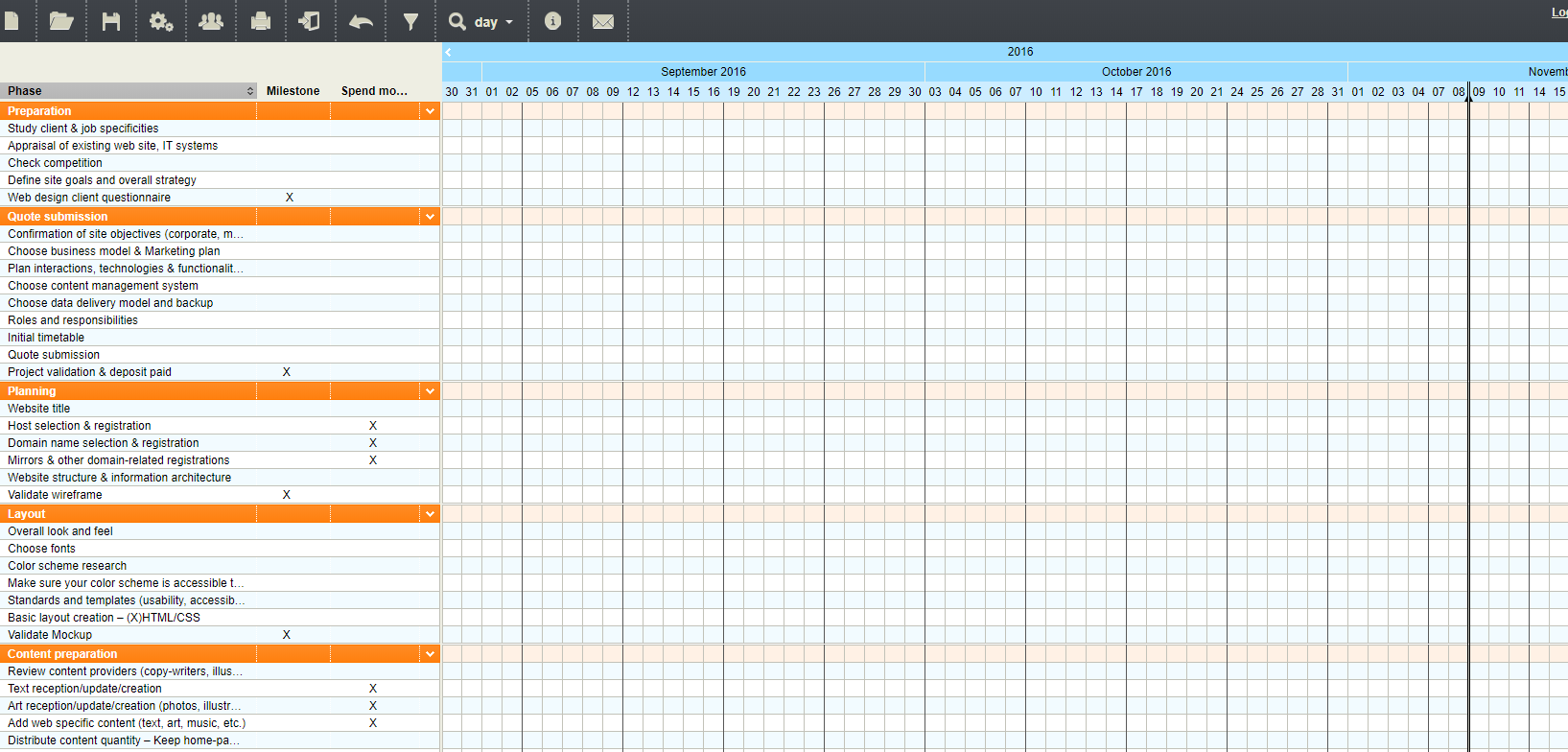
This is a thoroughly prepared template that was created with the help of a professional team. If you look at it, you’ll, probably, be surprised as it has too many tasks. On the other hand, it gives your plan many scenarios and saves you from spending time thinking about every step.
What Software Development Project Managers Can Do Here
Obviously, tasks and subtasks are pre-set, but, at the same time, they are editable. The tool possesses many typical of Gantt Chart features. So a project manager needs only to add tasks and assign team members to them. Share your charts, collaborate with team members, or just export them - it’s easy to work with colleagues.
Details: There is a free plan.
4. Office Timeline
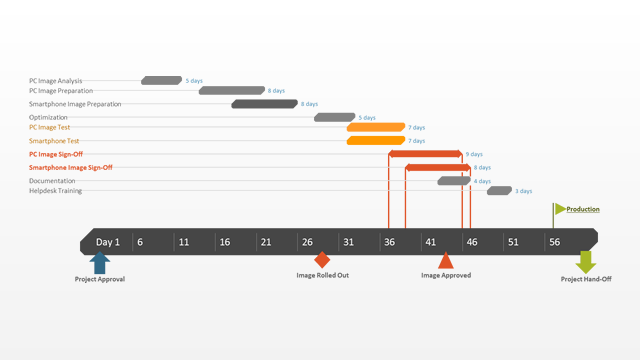
This template was developed for IT project management and can be used for planning in software development, hardware upgrades, data management, network installations, etc. Managers can use the template at any stage of an IT project starting with planning, on to execution and the project's completion.
What Software Development Project Managers Can Do Here
With this simple visual tool, managers get a clear picture of IT plans. This template allows you to communicate with team members using PowerPoint slides. Other tools in the list can’t boast of such a feature. The Office Timeline IT template is integrated with MS Project and Excel.
Details: There is a free version that requires a download.
Opinions expressed by DZone contributors are their own.