

How to Use Automatic Mixed Precision Training in Deep Learning
Dive into mixed precision training as well as automatic mixed precision training and how it maintains the accuracy of the neural network training phase.
 ·
·
Join the DZone community and get the full member experience.
Join For FreeWhy Use Mixed Precision Deep Learning?
As advancements have been made in the field of deep learning, the discussion about mixed-precision training of deep learning models has seen a similar increase. These improvements and natural evolution of the scope, sequence, and raw power of neural networks mean that the size of these models has had to increase to compensate accordingly. Larger and more complicated deep learning models require advancements in technology and approach.
This has led to multi-GPU setups with distributed training which can get out of hand quickly as more GPUs are integrated into training. Getting back to the basic training principles of deep learning and brushing up on fundamental techniques can ease the stress of the training phase of neural networks and optimize GPU usage. Mixed precision training or automatic mixed precision training can be a simple way to do exactly this.
Mixed precision training for deep learning neural networks is a process to speed up the training phase of the neural network. In this guide, we will dive more into mixed precision training as well as automatic mixed precision training and how it maintains the accuracy of the neural network training phase while reducing the amount of time spent training.
What Is Mixed Precision Deep Learning?
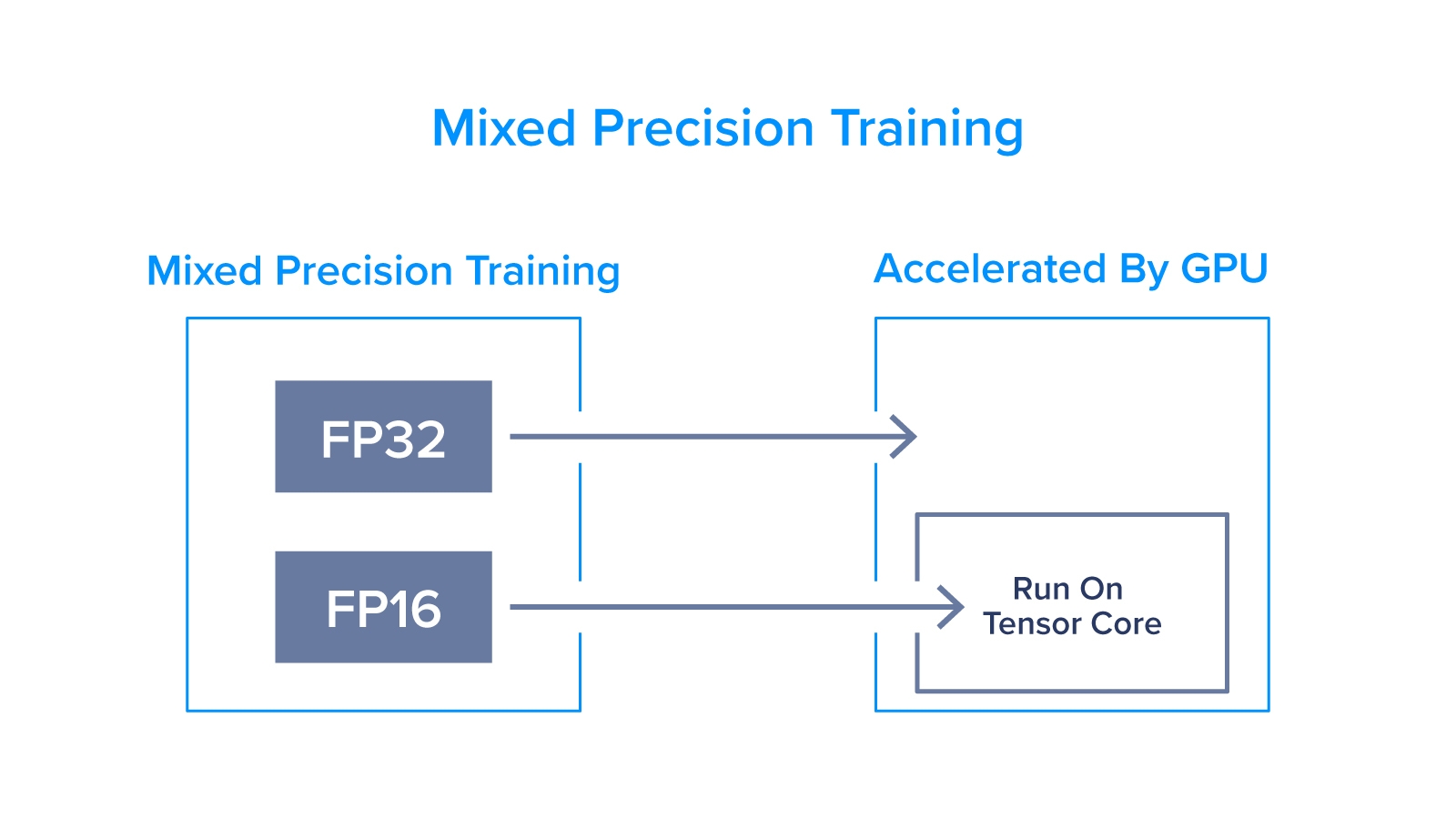
Mixed precision training in deep learning is the process of using both single-precision (32-bit) and half-precision (16-bit) representations. By using both 32-bit (or FP32) and 16-bit (or FP16) floating-point types, the training phase of a model will be quicker and consume less memory. This is achieved by the model keeping some training in FP32 for calculations that require precision and others in FP16 where precision is not as important.
Having some operations performed in half-precision (FP16) format allows for a reduction in step time while other operations are still conducted in single-precision (FP32) for storage and accuracy. This creates a sweet spot where the training time is reduced without any critical information getting lost. In the end, mixed precision training delivers substantial computational speedup for deep learning models with almost no downside. In fact, with the introduction of Tensor Cores, the deep learning community has seen upwards of a 3x speedup in even the most mathematically intensive models.
What Is Automatic Mixed Precision Training?
The tricky part about mixed precision training in deep learning is that it needed to be coded manually leading to possible human error. Using Tensor Cores was fairly new and assigning specific operations only on Tensor Cores required some unique coding techniques.
However, now the entire process can be automated with a few simple lines of code! In deep learning, this has become commonplace and incredibly important to keep models training as quickly as possible without any significant loss in quality. All it takes is careful attention when setting up the mixed precision training. With the ability to automate mixed precision training, technology has made major improvements and advancements for scaling neural networks.
Automatic Mixed Precision Training Examples
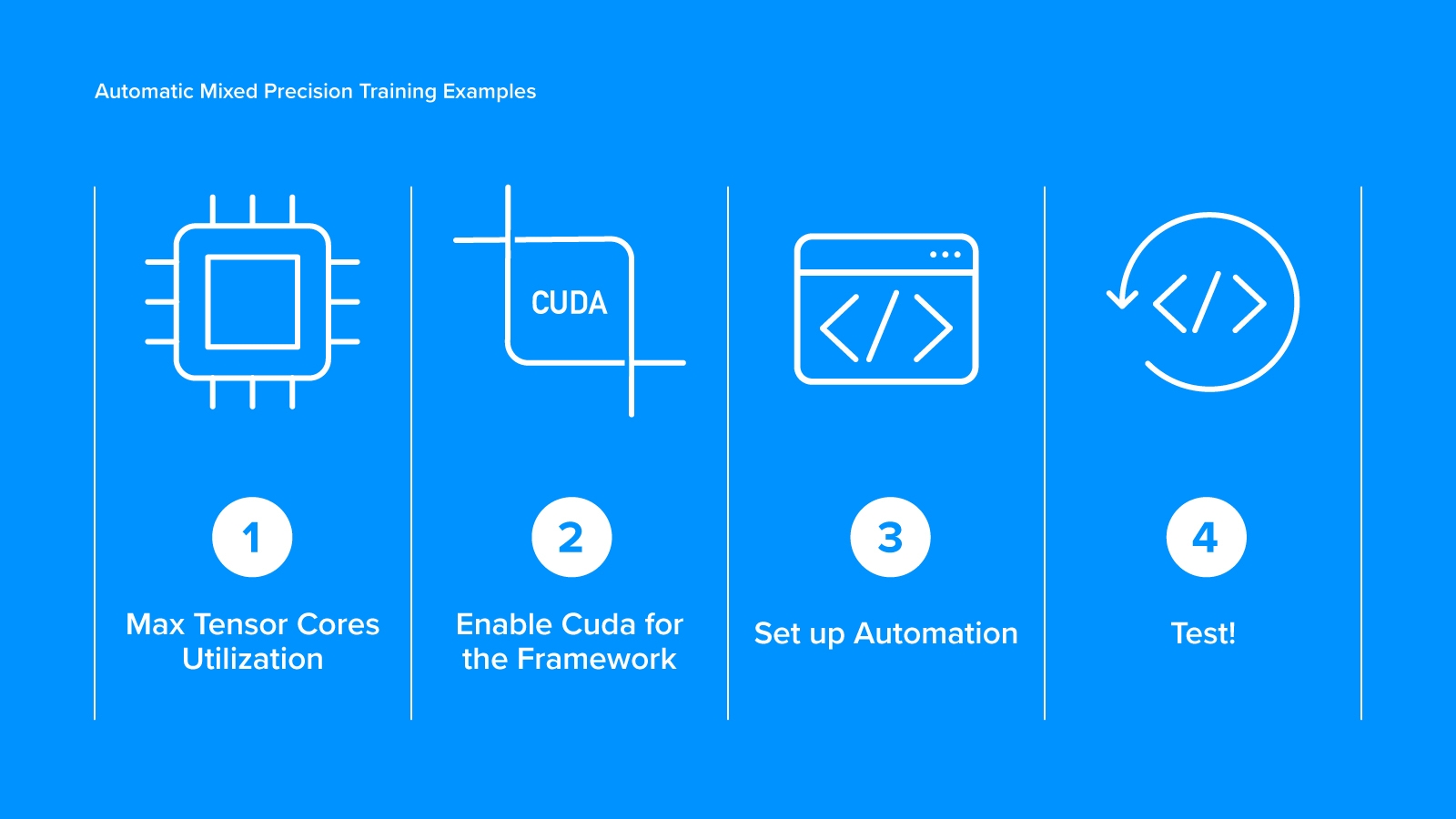
An Automatic Mixed Precision (AMP) training example may help clarify how to set up and use mixed precision training. Whether Keras or PyTorch or any other framework is being used, follow the appropriate coding procedures and tags.
1. Enable Max Tensor Cores Utilization
Dedicate one GPU to storing memory throughout training. This will be important in situations where you are using mixed precision training alongside distributed training. Pay close attention to where you are partitioning certain processes and operations with FP16 and FP32.
2. Enable Cuda for the Framework
Enabling CUDA will appropriately set up mixed training code. As mentioned previously, this has been made simpler now with improvements made to CUDA and frameworks like PyTorch. Utilize a _GradScaler_ options for loss scaling for this process. Within a programming language, numbers are represented in a finite amount of bits. A _GradScaler_ will eliminate the possible zero values some bit numbers may accidentally round to when a minuscule value still plays a role in avoiding dividing by zero.
3. Set up Automation
Set up the _autocast_ context manager to automate as much of the process as possible. There isn’t much that needs to be adjusted here, but this is going to be the part of your code that enables mixed-precision training, so take special care and double-check your work.
4. Test
Test everything before committing your code. If something isn’t working how you expect, don’t hesitate to run it back and start from scratch. This is a critical piece of code so double and triple check to save both time and memory in your deep learning model.
PyTorch Example:
scaler = GradScaler()
with autocast():
    output = model(input)
    loss = loss_fn(output, target)
scaler.scale(loss).backward()
scaler.step(optimizer)
scaler.update()
Ready to Dive Deeper Into Mixed Precision Training?
Automatic mixed precision training is often overlooked because it has become somewhat standard among the deep learning community. It is worth making sure how it works and how to properly use it, though, rather than diving in before considering all your options.
Is there something we missed in this article that you were hoping we would have covered? We would love to hear from you so we can tackle any questions or concerns you may have. If you need help getting started using mixed precision training, then we can help with that, too!
Published at DZone with permission of Kevin Vu. See the original article here.
Opinions expressed by DZone contributors are their own.
Comments