

Why Is the Agent Card Important?
Build AI agents with A2A and Agent Cards to enable seamless agent discovery, communication, and task collaboration across specialized agents.
Join the DZone community and get the full member experience.
Join For FreeLet's begin with the definition of an AI agent.
Agents are software entities that perform tasks autonomously on behalf of a user or another program. Another way to say it is that agents can perceive the environment, think, and act to achieve a specific goal with minimal human intervention. Action is the key here.
For example, if I ask my agent to book a flight from Bengaluru to Delhi. The agent will perform the following tasks.
- Check the flight availability
- Compare price
- Ask for confirmation (Human in the loop)
- Book the ticket (Action)
Now, can we use the same agent for every kind of action? The answer is no. It will be akin to building a monolithic application. Rather, we will prefer an architecture similar to microservices or multiple APIs designed for different functionalities. We will create multiple agents specialized for acting on specific tasks.
Let's extend our previous example and think about multiple agents to build a complete travel solution. We have agents such as:
- Travel Agent → books flights
- Hotel Agent → reserves hotel
- Finance Agent → checks budget
Now, if we have to achieve a common business goal (booking a flight and hotel after comparing the price), there will be a need for agents' collaboration and interaction. This is where the A2A protocol comes in. A2A is an open protocol that complements Anthropic's Model Context Protocol (MCP). This means MCP standardizes how AI applications connect to data sources, databases, and APIs. A2A focuses on how specialized, autonomous agents (e.g., a "Sales Agent" and a "Finance Agent") "talk" and exchange information to achieve a goal, even if they are built by different providers (OpenAI, Anthropic, Google) and on different frameworks.
Agent Card is one of the key capabilities that facilitates communication between Client Agent and Remote Agent. In other words, Agent Card makes A2A possible. Agents can advertise their capabilities using an “Agent Card” in JSON format, allowing the client agent to identify the best agent that can perform a task and leverage A2A to communicate with the remote agent.
We can understand agent card with an analogy. You might have seen WSDL file when there is a soap web service is exposed or open api specification for RESTFul apis. WSDL or Open API Specification describes the operations, methods, input, output etc.
Similar to this Agent Card make the Agent discoverable which means the agent can actively broadcast its presence, capabilities, and endpoints so that other AI agents or orchestrators can find it and use it automatically, without a human developer having to manually hardcode the connection. (This is analogy is completely from two different software architecture. I have used this for simplifying the visualisation of Agent Card).
Agent Card defines the following:
- What does the agent do?
- When should this agent be used?
- What input does this agent expect?
- What output does it return?
- What security schemes are supported by the agent?
- What is the endpoint to call this agent?
If we take the previous analogy of an API, each API has a contract that defines input, output, endpoints, methods, etc. Similarly, you can understand an Agent Card as a clear contract for an Agent.
{
  "url": "https://api.travelbot-ai.com/v1/a2a",
  "documentationUrl": "https://docs.travelbot-ai.com/guide",
  "capabilities": {
    "streaming": true,
    "pushNotifications": true,
    "stateTransitionHistory": false
  },
  "authentication": {
    "type": "bearer",
    "description": "JWT token obtained via OAuth2 client credentials flow."
  },
  "defaultInputModes": ["text"],
  "defaultOutputModes": ["text", "data"],
  "skills": [
    {
      "id": "skill-find-flights",
      "name": "Search Flights",
      "description": "Finds available flights based on origin, destination, and dates.",
      "tags": ["travel", "flights", "search"],
      "InputModes": ["text", "data"],
      "OutputModes": ["data"],
      "examples": [
        "Find me a one-way flight from JFK to LAX on October 12th."
      ]
    },
    {
      "id": "skill-book-hotel",
      "name": "Reserve Hotel Room",
      "description": "Books a specific hotel room for given check-in/check-out dates.",
      "tags": ["travel", "hotels", "booking"],
      "InputModes": ["data"],
      "OutputModes": ["text", "data"],
      "examples": [
        "Book the Deluxe King Room at The Grand Hotel from Nov 1 to Nov 5."
      ]
    }
  ]
}
To see exactly how an Agent Card operates, it helps to look at its structure. In an Agent-to-Agent (A2A) workflow, a client agent requests this card from a server agent before sending a task, establishing exactly how they will interact.
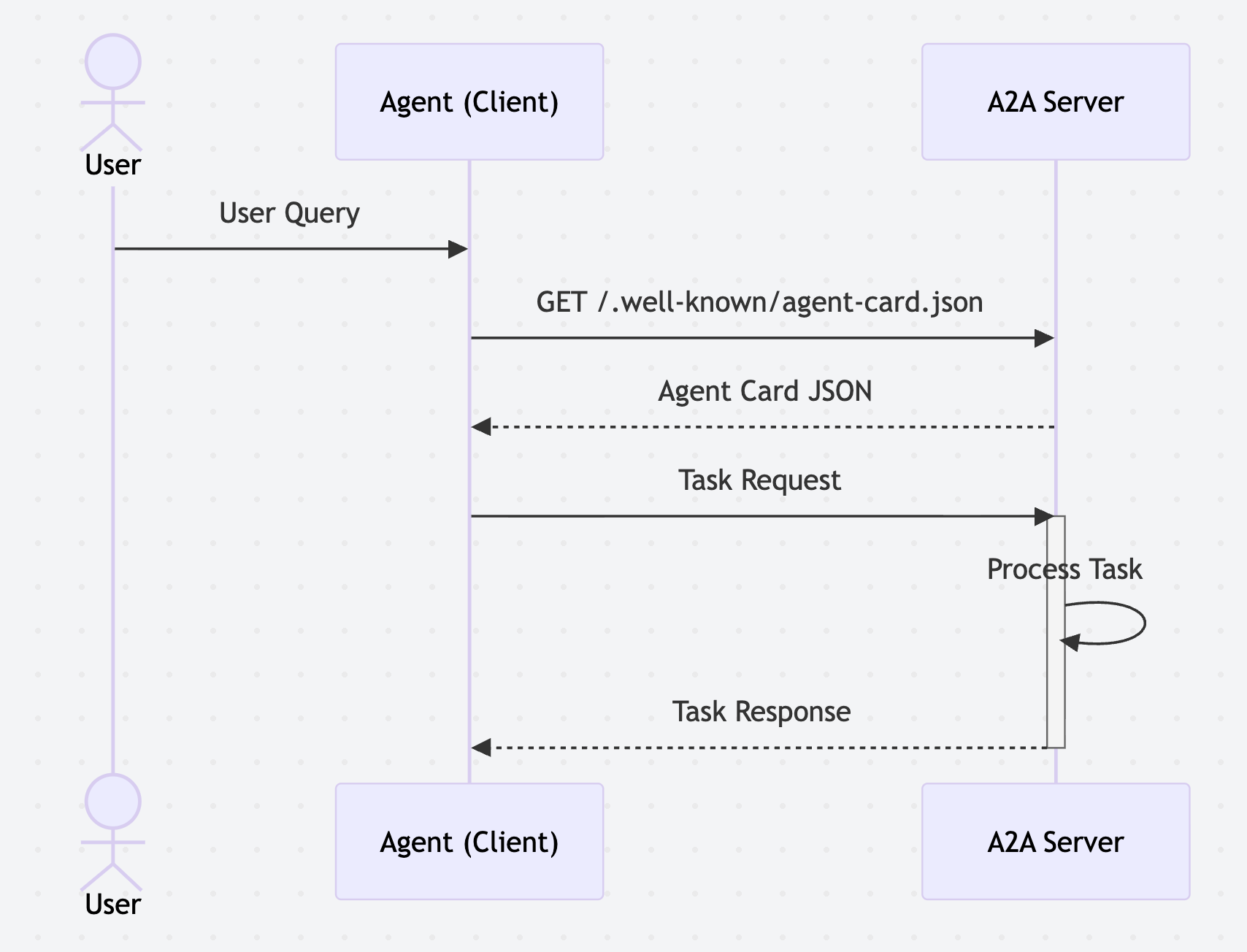
The key fields of the agent card are:
- URL: Where to connect to the agent
- DocumentationUrl: The user manual/guide
- Capabilities: What special features it supports (like live streaming or notifications)
- Authentication: How to securely log in (e.g., passwords, tokens)
- DefaultInputModes / DefaultOutputModes: How it talks and listens by default (text, audio, data)
- Skills: A list of specific jobs the agent can do, including details on how each job works
To demonstrate this, we can build an agent with an agent card. I will use MuleSoft A2A Task Listener to demonstrate this. Do remember, Agent Card makes Agent-to-agent communication seamless; however, it is not limited to a2a. Any client that we want to connect to an agent and use it will be utilizing the Agent Card to understand the capabilities and skills of the agent.
Step 1: Create a project in MuleSoft using the A2A Task Listener.
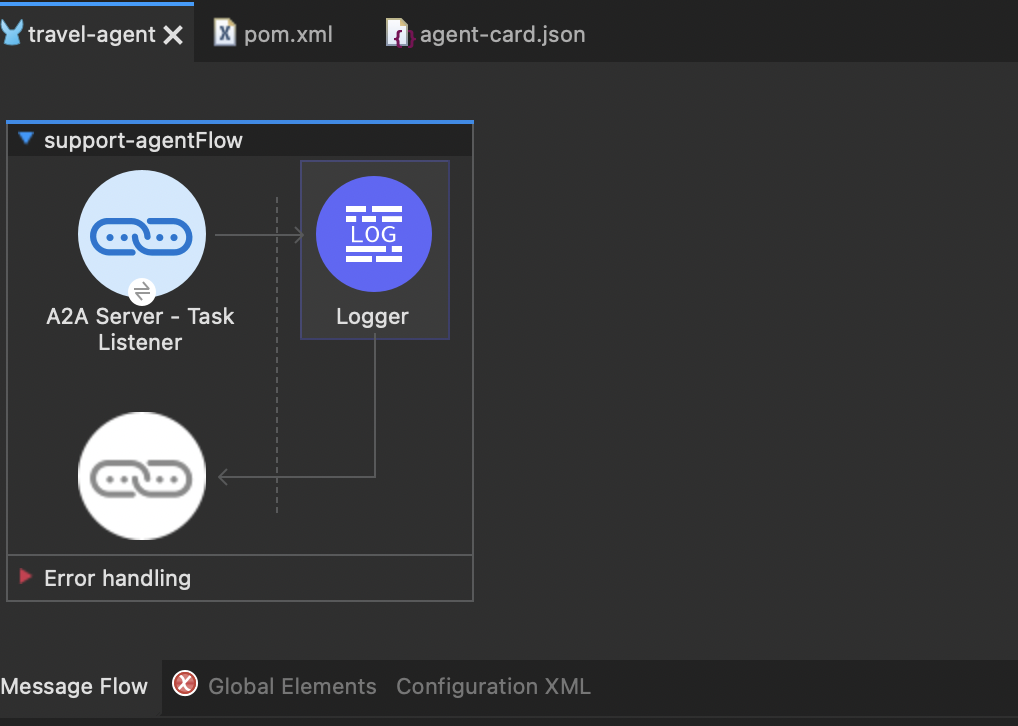
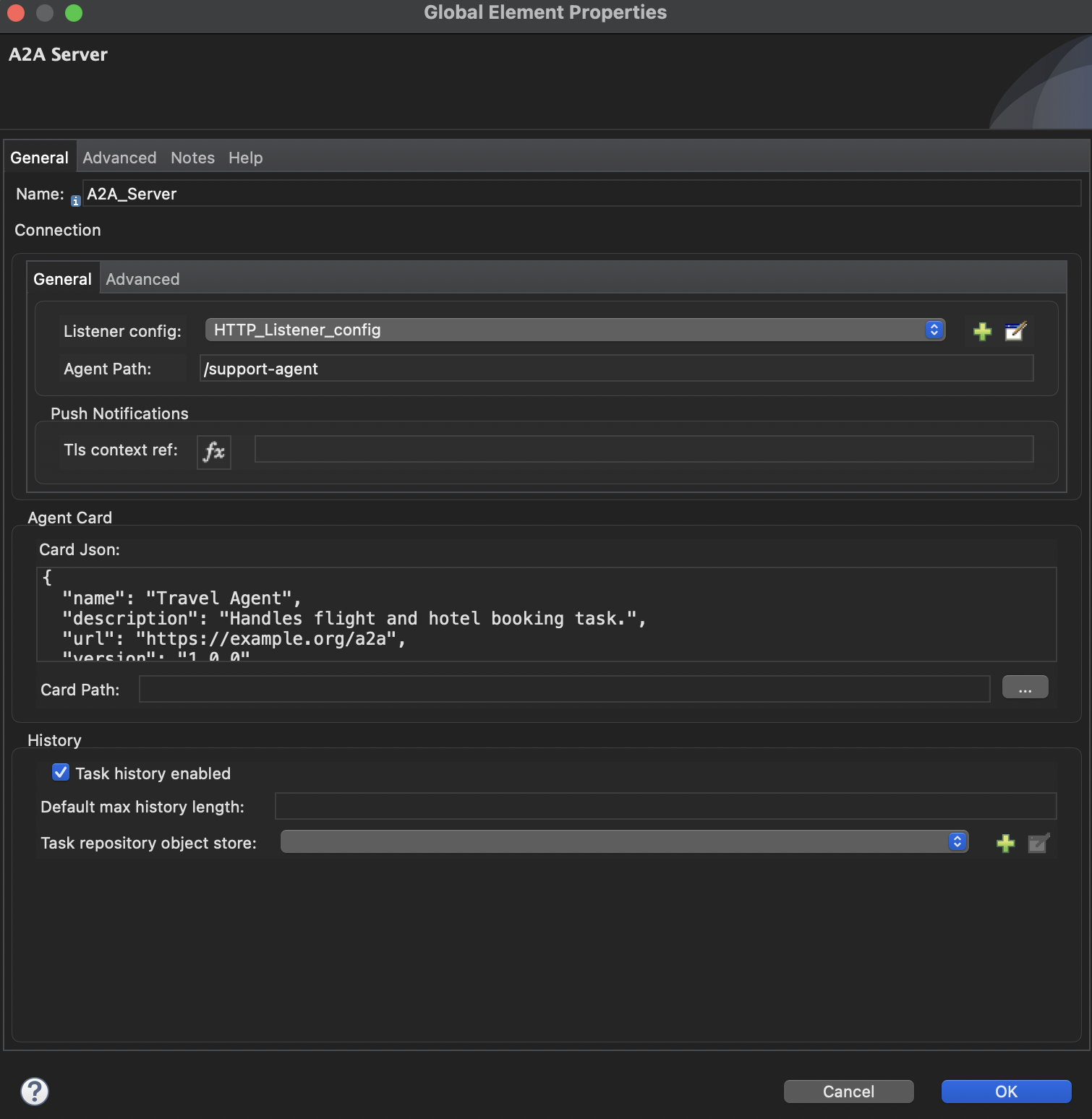
Step 2: Configure A2A.
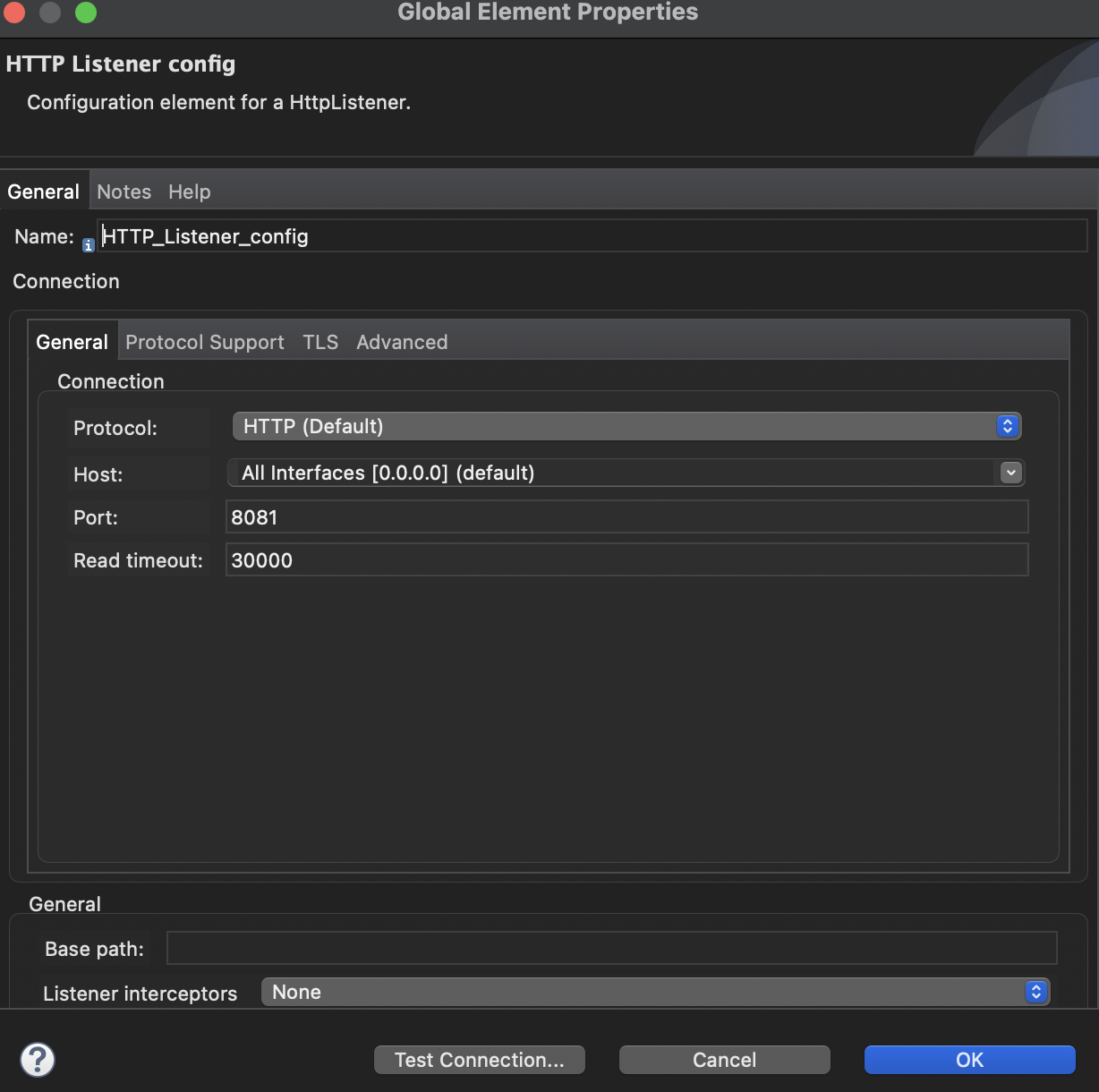
Step 3: Configure the HTTP Listener.
Step 4: Deploy the server.
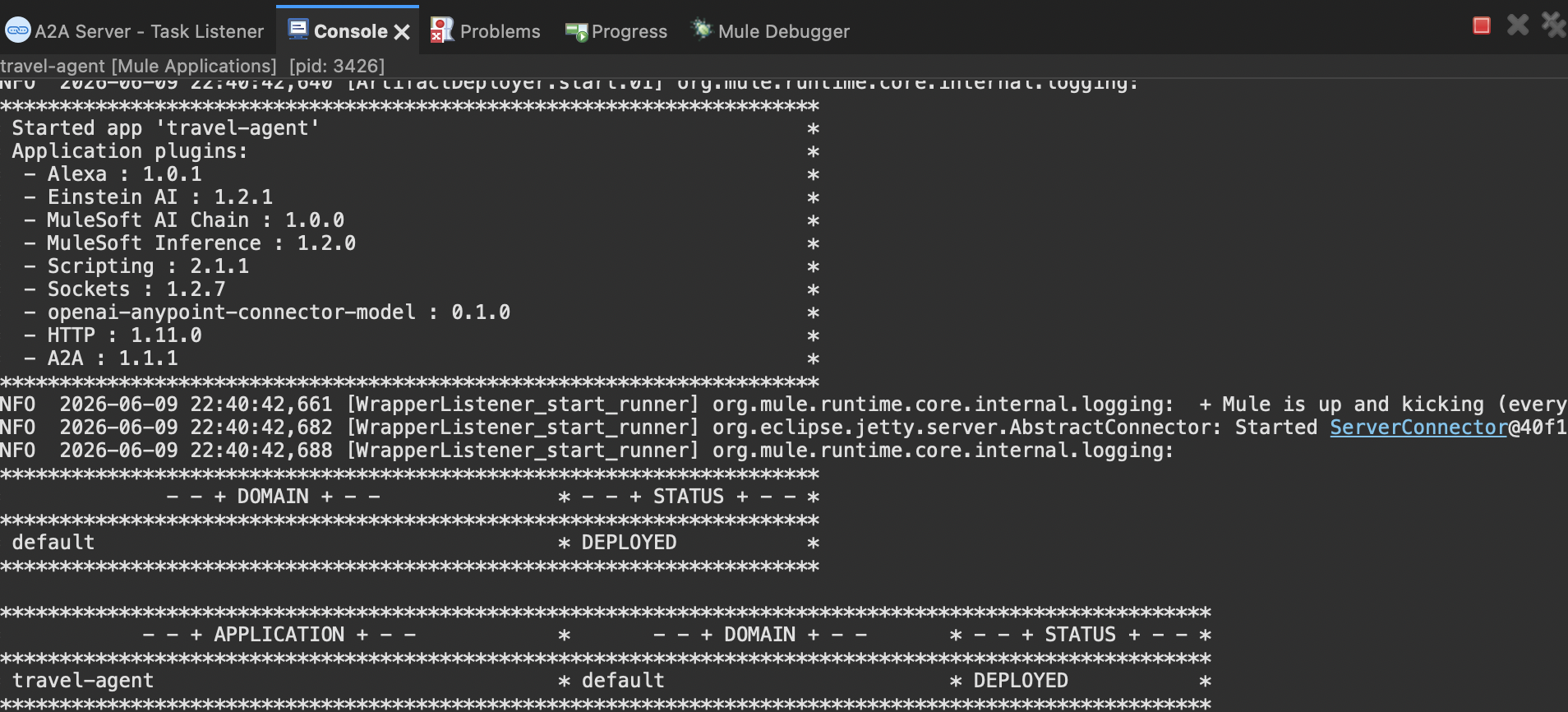
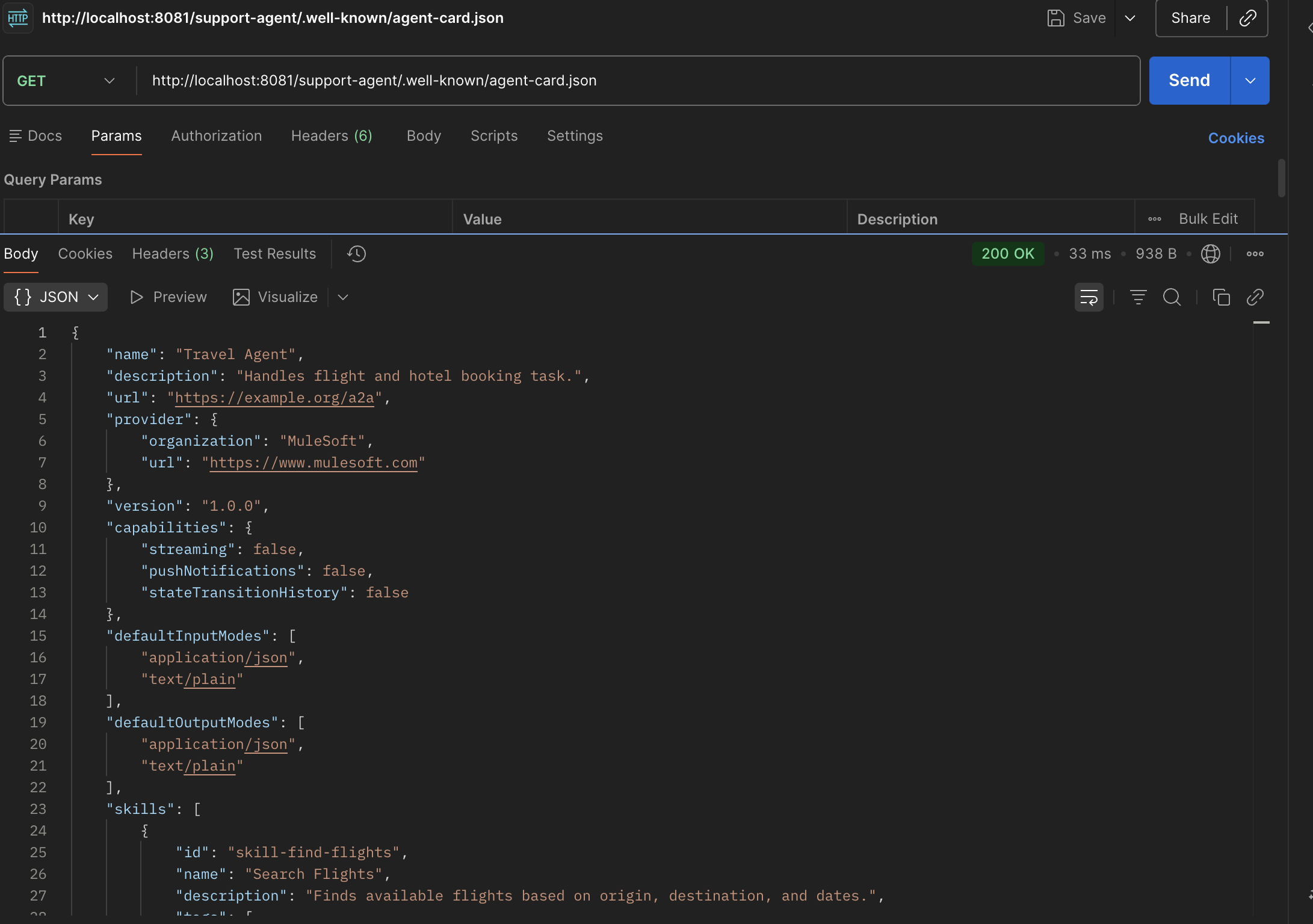
Step 5: Retrieve the agent-card using the local URL (http://localhost:8081/support-agent/.well-known/agent-card.json).
Step 6: Deploy the code to CloudHub and test it again.

You will receive the response as provided below:
{
    "name": "Travel Agent",
    "description": "Handles flight and hotel booking task.",
    "url": "https://travel-agent-of3h9v.5sc6y6-3.usa-e2.cloudhub.io/support-agent",
    "provider": {
        "organization": "MuleSoft",
        "url": "https://www.mulesoft.com"
    },
    "version": "1.0.0",
    "capabilities": {
        "streaming": false,
        "pushNotifications": false,
        "stateTransitionHistory": false
    },
    "defaultInputModes": [
        "application/json",
        "text/plain"
    ],
    "defaultOutputModes": [
        "application/json",
        "text/plain"
    ],
    "skills": [
        {
            "id": "skill-find-flights",
            "name": "Search Flights",
            "description": "Finds available flights based on origin, destination, and dates.",
            "tags": [
                "Flight Booking"
            ]
        },
        {
            "id": "skill-book-hotel",
            "name": "Reserve Hotel Room",
            "description": "Books a specific hotel room for given check-in/check-out dates.",
            "tags": [
                "Hotel Booking"
            ]
        }
    ],
    "supportsAuthenticatedExtendedCard": false,
    "preferredTransport": "JSONRPC",
    "protocolVersion": "0.3.0"
}
This will be used by the Client Agent to discover the skills of other agents and send the task request.
Please watch the video for step-by-step implementation:
I hope this helps. Let me know if you liked it.
Opinions expressed by DZone contributors are their own.
Comments