

Integrating VTS With JMeter
For this assignment, VTS was the only way to go since we could not provision any DB that quickly and nor could we write our own solution
There I was, scripting away on JMeter for my current assignment when along comes my manager, who asked me to migrate a couple of scripts from LoadRunner to JMeter. He says that as part of the ongoing migration activity in the account to move to open sourced tools, my current assignment was next in the queue. I say rather confidently that it should be done in a couple of days. What I did not consider was the complexity of the data being passed in it. I could almost see my manager rub his hands in glee, but I digress.
The situation was simple (rather, it looks simple now). The two scripts in LoadRunner were part of a producer-consumer combo. The output to Script 1 would become the data input for Script 2 and the output of Script 2 would indirectly control the rate of Script 1 (I know it's complex). The way it was implemented in LoadRunner was using VTS. We were using (and are still continuing to use) LR 12.02, which comes bundled along with VTS server. Both of the scripts would connect to a single instance of VTS and read and write data into multiple columns.
I, in all my foresight, decided to continue using VTS rather than use another solution (i.e., create a DB and maintain it there). So, first, I migrated both the scripts from LoadRunner into JMeter. The next step was understanding how VTS was designed and how to access it via an API or web call if any. This is where I really have to thank the PT engineers at HP. The documentation that comes along with it is incredibly useful and full of proper references. The community at HP is pretty helpful and tell how to access the VTS API.
On to the technical bits. VTS API can be accessed via a web API that uses HTTP as a transport protocol and JSON as the data protocol. Also, the server is rather strict on a certain parameter. Before you can access the APIs, it has to be enabled on the VTS server by following the below steps
To enable to APIs:
- Go to <VTS_Install_Directory>\VTS\web, open configure.json with the editor, change enableDiag to true, and save the file.
- Restart VTS service by running net stop "vts service" and net start "vts service".
If all is well, you can navigate to the admin port http://<vtsserver>:4000/data/diag, click on apis, and see if you get the below page:
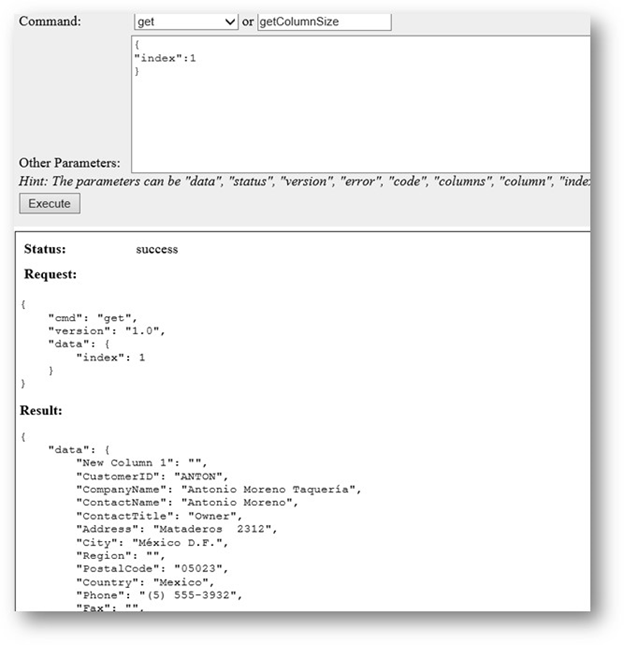
If you can see this page, this means you can access the APIs.
Next up is the first handshake to establish a connection. This is where it gets a bit tricky and requires a bit of trial and error. As I've mentioned, the VTS server is very strict on the data structure.
In Jmeter, create an HTTP Sampler and enter the following:
VTS server.
VTS port.
Path: "/api/".
Method: POST.
Body: request={"cmd": "handshake","version": 1}.
Before I forget, the following header has to be added, or else the server will reject the call:
Content-Type:application/x-www-form-urlencoded.
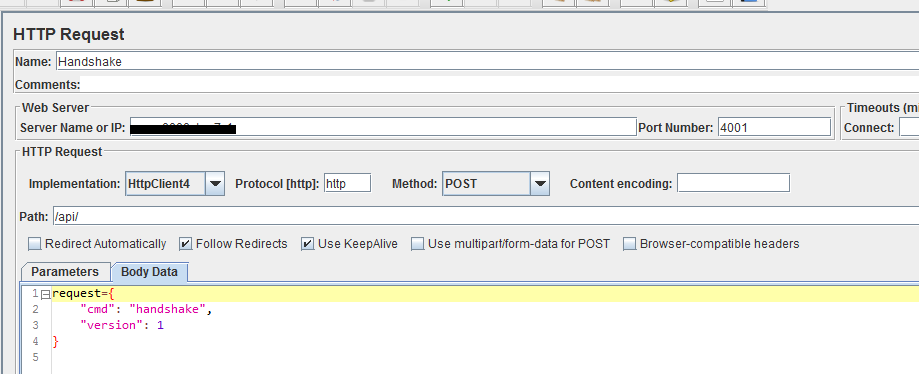
When you execute this code, you should see a successful response like this:
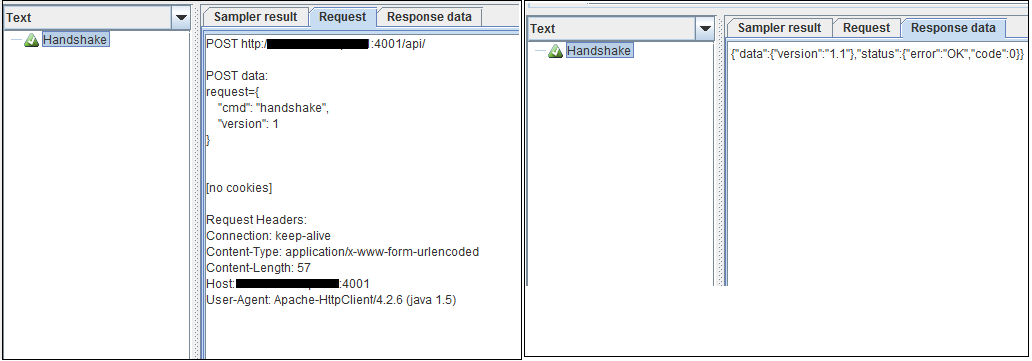
After a successful handshake, to get data, we have to use the Get command in the body. Everything will be the same, except the body, which will be as below:
request={"cmd": "get","version": "1.1","data": {"index": 1}}
This command is explained briefly below:
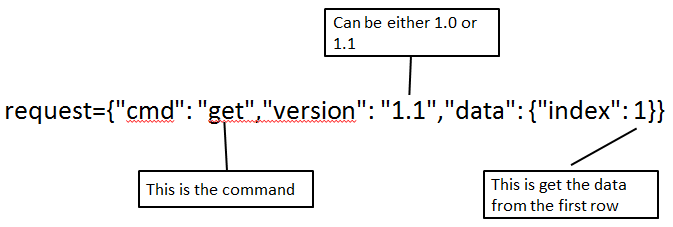
Once you post this request, a successful response will return the first row from the table:
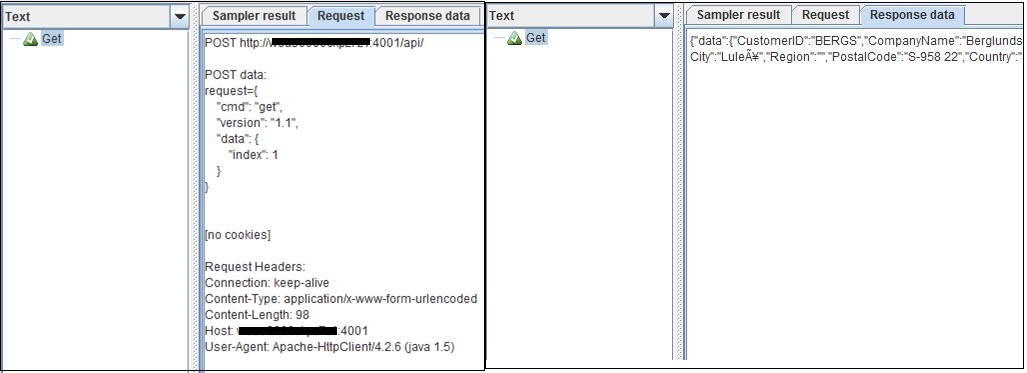
Yeah. The connection is successful and the script is able to get data from the VTS. Phew!
The complete VTS communication specification is linked here. The document has enough examples and sample code to help complete the integration for all functions.
In the end, only one question remains: Why VTS? Why not any other solution (maybe a DB)? Yes, for some projects, a DB may be a better fit. However, for this assignment, VTS was the only way to go since we could not provision any DB that quickly and nor could we write our own solution at that point in time. Since VTS has worked well in the past with very little issues, we decided to go ahead with it.
P.S. — Given that we can access VTS via an API, it is a relatively simple task to write a piece of Java code and connect to it from anywhere. Challenge accepted, anyone?
Opinions expressed by DZone contributors are their own.