

Test an IoT Platform With Open-Source Tools
This demo of JMeter using EMQX shows how to introduce performance test tools to verify and test platform-related quality indicators.
Join the DZone community and get the full member experience.
Join For FreeIntroduction
The IoT industry is developing explosively. As the scale of endpoints continues to grow and business logic becomes more complex, it is necessary to verify the availability and reliability of the platform when a large number of devices are connected before the IoT platform is officially launched so as to ensure system quality. Therefore, the value and necessity of IoT performance tests are gradually highlighted. If you're delivering services, then testing your IoT system can help you find bottlenecks in performance and help you plan ahead for scalability.
IoT can consist of any number of different devices using diverse protocols strung together with complex integration architecture. This can make it challenging to design effective and meaningful tests for it. This series of articles will take the IoT platform based on EMQX as an example to introduce how to use performance test tools to verify and test platform-related quality indicators.
EMQX is a scalable messaging (MQTT) broker used to connect IoT devices. It's open source, but because it's a broker, you must have a working node to manage all the messaging traffic. You can accept its business source license (BSL) and gain 10 licenses to use the official EMQX cloud installation. Alternatively, you can install and run EMQX on your own server.
Introduction to JMeter
JMeter is an open-source software of the Apache Foundation. It mainly implements performance tests by simulating concurrent loads, which is currently the mainstream performance test tool in the open-source community. It mainly has the following advantages:
- Built-in support for multiple protocols, including TCP, HTTP, HTTPS, and more.
- Provides a flexible plug-in extension mechanism and supports third-party extensions of other protocols.
- Great community support.
Install JMeter
JMeter is written in Java, so you must install Java if it's not already installed. For Linux, macOS, and Windows, you can use Adoptium.net. On Linux, you may alternatively use SDKMan.
After installing Java, download JMeter, decompress it, and enter the bin subdirectory of the archive directory. Depending on your operating system, run jmeter (Linux and macOS) or jmeter.bat (Windows).
$ wget https://dlcdn.apache.org//jmeter/binaries/apache-jmeter-X.Y.tgz
$ tar xvf apache-jmeter*tgz
$ cd apache-jmeter-X.Y/bin
$ ./jmeter
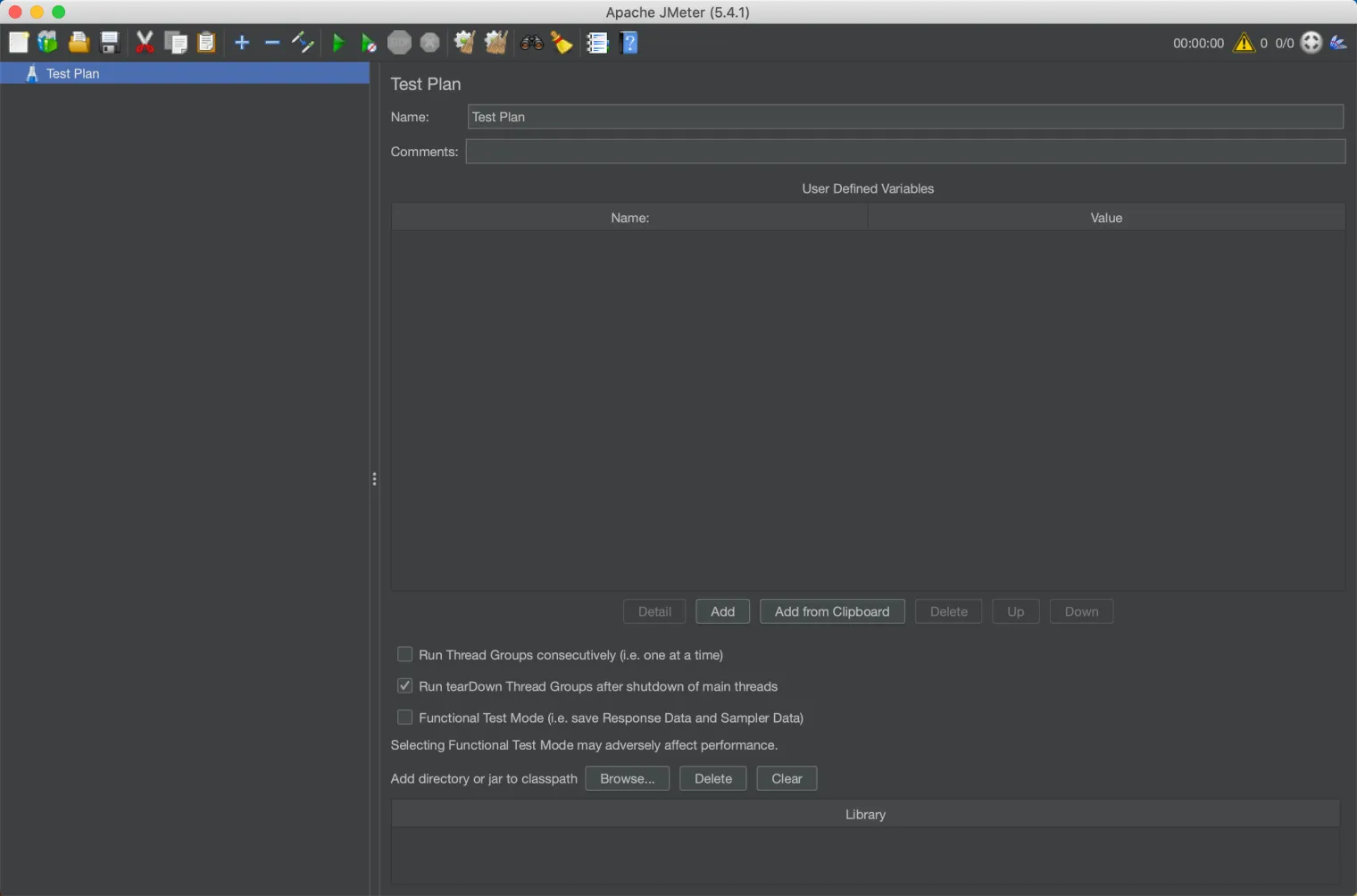
JMeter's script editing interface is presented here:
Next, let's take HTTP as an example to see how to use JMeter to build and run a simple test case.
1. Add a virtual user group (Thread Group): Right-click on the test plan > Add > Threads (Users) > Thread Group
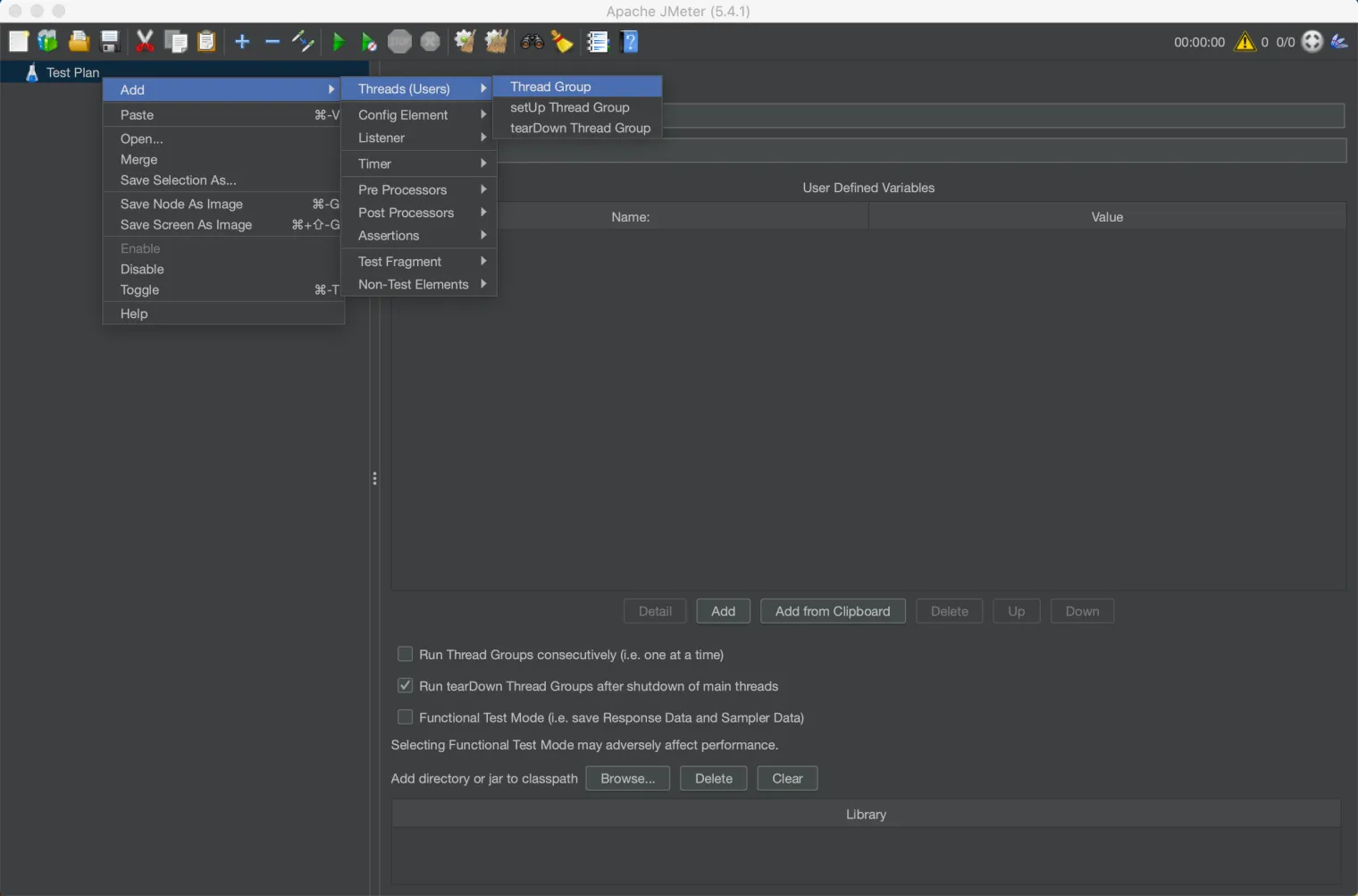
JMeter uses a single thread to simulate a user, and a Thread Group refers to a group of users as a virtual user group simulating access to the system under test.
「Number of Threads」 in 「Thread Properties」 can be used to configure the number of concurrent users in a virtual user group. The higher the value, the greater the amount of concurrency; 「Loop Count」 can be used to configure how many tests each virtual user performs.

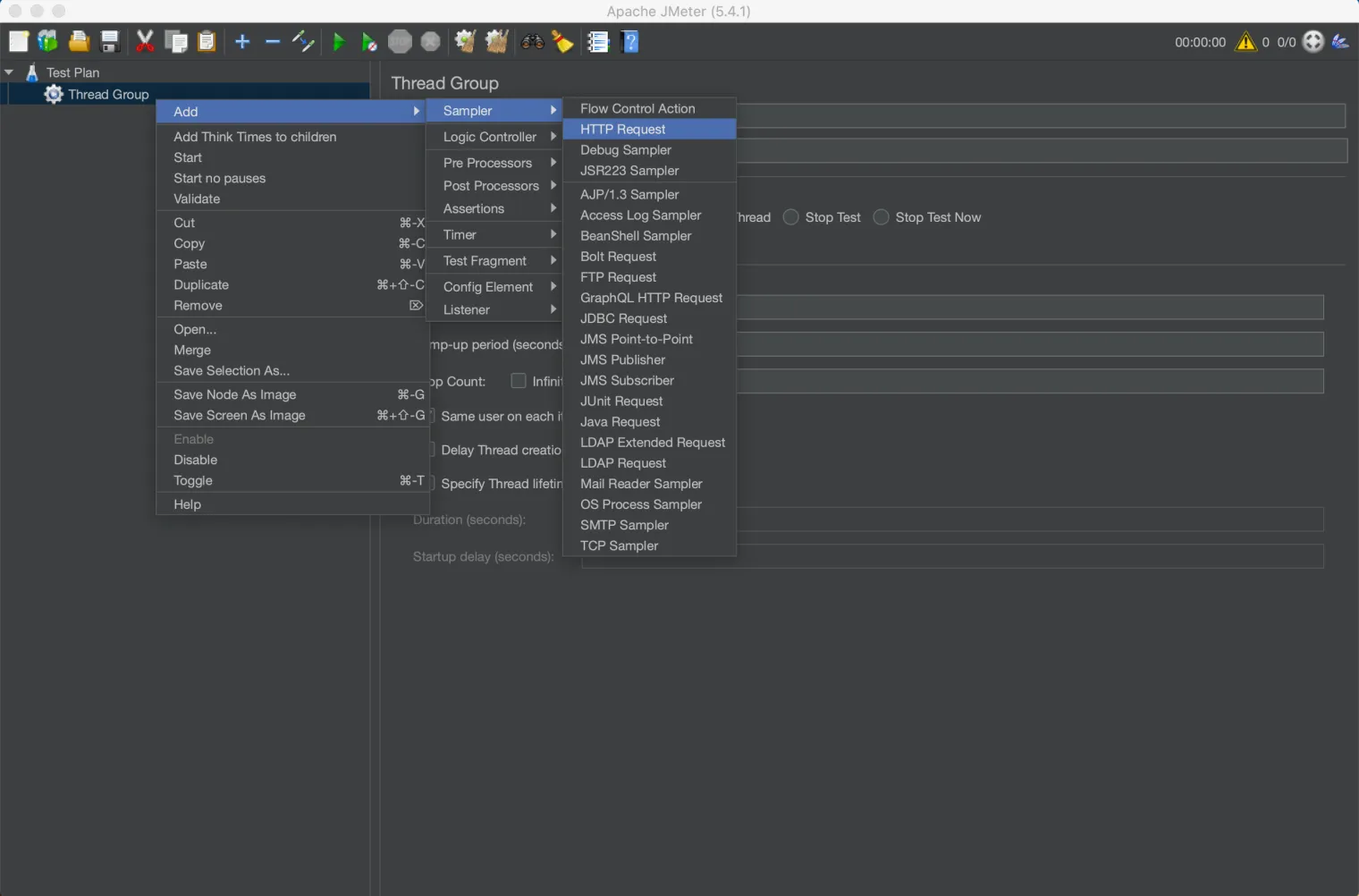
2. Add the HTTP page under test: Right-click on the Thread Group > Add > Sampler > HTTP Request
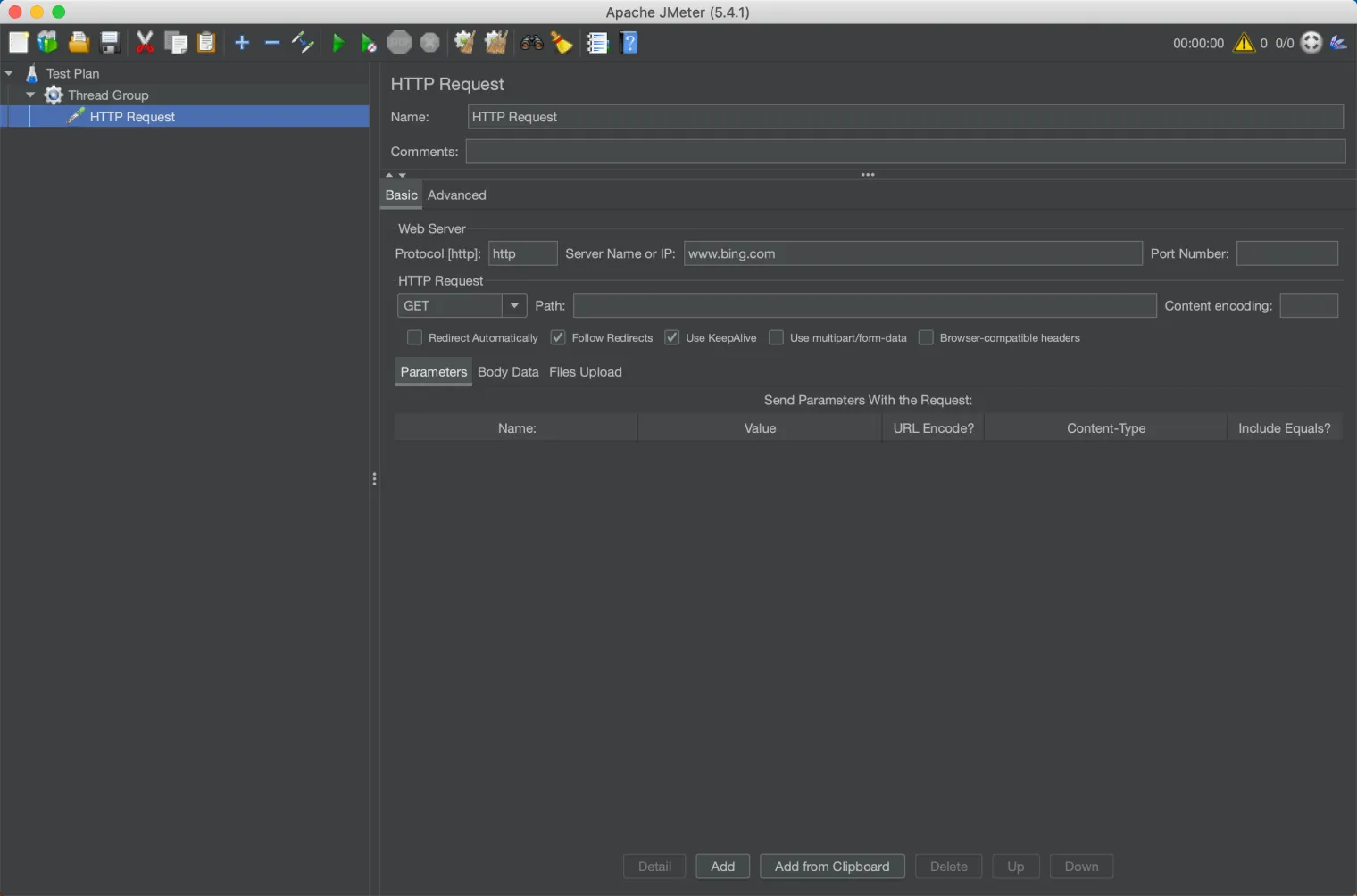
In the sample test script, use the default HTTP request settings to initiate an HTTP request to a website.
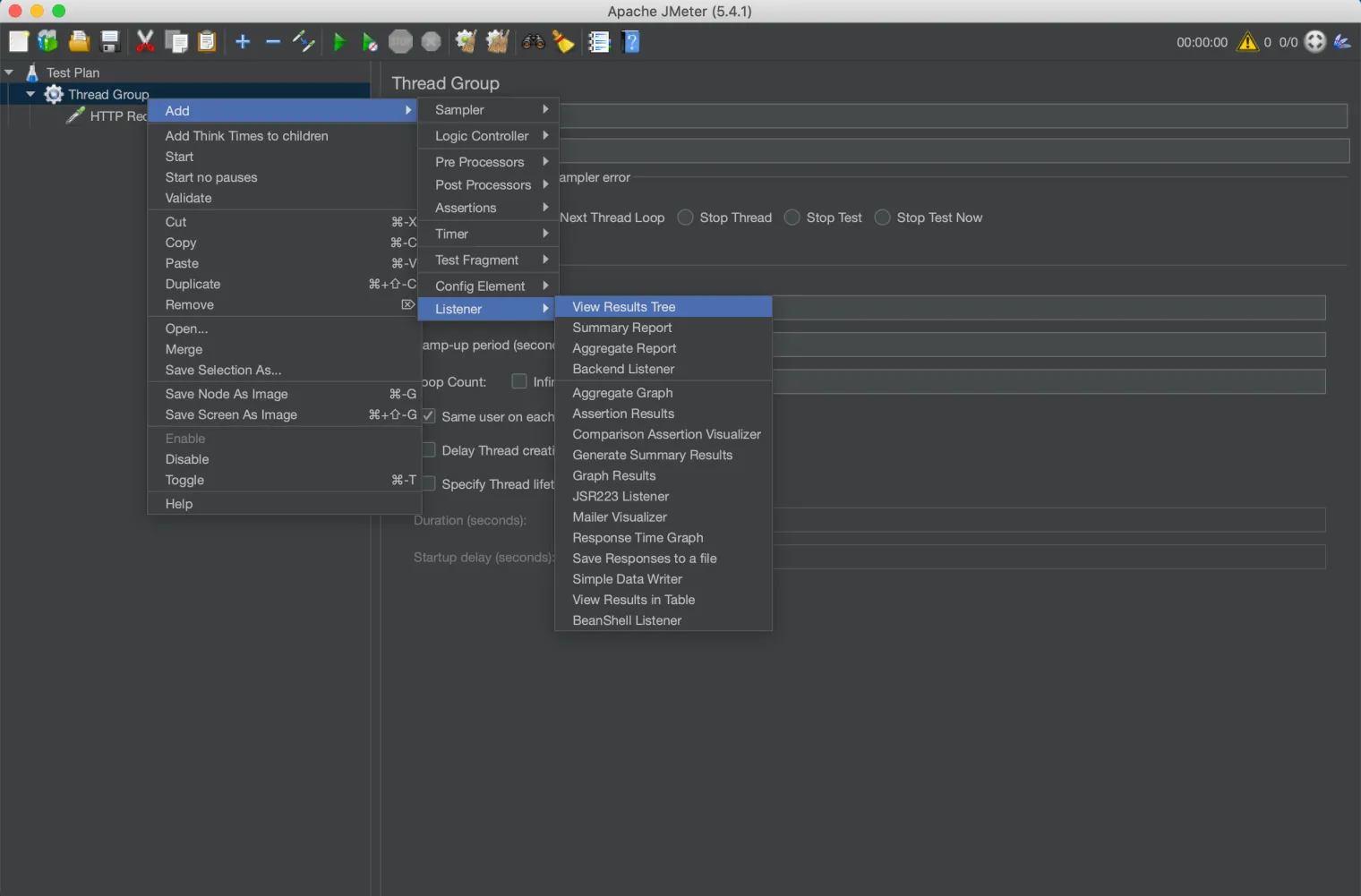
3. Add a result listener: Right-click on the thread group > Add > Listener > View Results Tree
The listener is not necessary for the actual performance test, but it can help you see the test results intuitively and facilitate debugging in the process of writing scripts. In this sample script, we will use 「view result tree」 to help view the response information of the request.
4. Time to run the test
After saving the test script, click「Start」button in the operation bar to run the test script. It is recommended that the number of threads and the loop count in the thread group be set smaller (such as within 10) to avoid being banned.
Now, we have completed a simple HTTP test script. You can draw inferences from this case and try other protocols. In the next article, I'll introduce other test components of JMeter in more detail, which you can use together to build complex test scenarios. For now, explore JMeter to see what you can test.
Published at DZone with permission of Chongyuan Yin. See the original article here.
Opinions expressed by DZone contributors are their own.
Comments