

Knative Serving — Service-to-Service Call
Let's learn how to use Knative, the Kubernetes-based platform from Google Cloud, to build, deploy, and manage modern serverless workloads.
Join the DZone community and get the full member experience.
Join For FreeIn a previous post, I covered using Knative's Serving feature to run a sample Java application. This post will go into the steps to deploy two applications, with one application calling the other.
Details of the Sample
The entire sample is available in my GitHub repository.
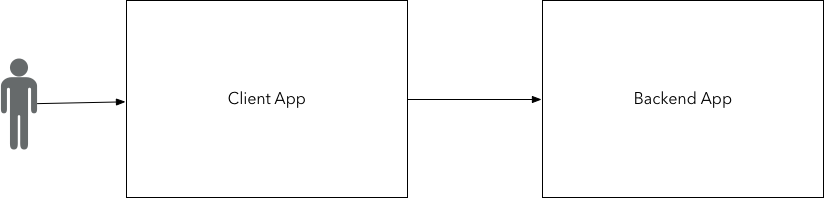
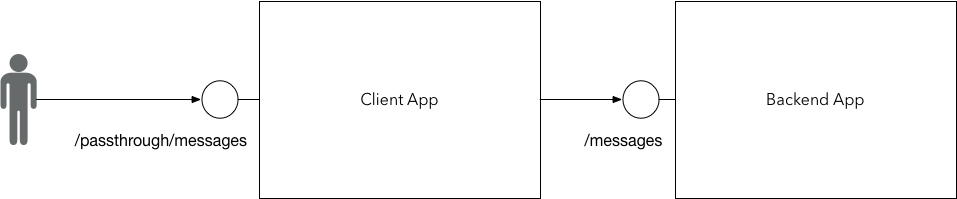
The applications are Spring Boot-based. The backend application exposes an endpoint called "/messages" when invoked, with a payload which looks like this:
{
    "delay": "0",
    "id": "123",
    "payload": "test",
    "throw_exception": "true"
}
It will respond after the specified delay. If the payload has the "throw_exception" flag set to true, then it would return a 5XX after the specified delay.
The client application exposes a "/passthrough/messages" endpoint, which takes in the exact same payload and simply forwards it to the backend application. The URL to the backend app is passed to the client app as a "LOAD_TARGET_URL" environment property.
Deploying as a Knative Serving Service
The subfolder to this project, knative, holds the manifest for deploying the Knative-serving service for the two applications. The backend application's Knative service manifest looks like this:
apiVersion: serving.knative.dev/v1alpha1
kind: Service
metadata:
  name: sample-backend-app
  namespace: default
spec:
  runLatest:
    configuration:
      revisionTemplate:
        spec:
          container:
            image: bijukunjummen/sample-backend-app:0.0.1-SNAPSHOT
            env:
            - name: VERSION
              value: "0.0.2-SNAPSHOT"
            - name: SERVER_PORT
              value: "8080"
The client app has to point to the backend service and is specified in the specs:
apiVersion: serving.knative.dev/v1alpha1
kind: Service
metadata:
  name: sample-client-app
  namespace: default
spec:
  runLatest:
    configuration:
      revisionTemplate:
        spec:
          container:
            image: bijukunjummen/sample-client-app:0.0.2-SNAPSHOT
            env:
            - name: VERSION
              value: "0.0.1-SNAPSHOT"
            - name: LOAD_TARGET_URL
              value: http://sample-backend-app.default.svc.cluster.local
            - name: SERVER_PORT
              value: "8080"
The domain "sample-backend-app.default.svc.cluster.local" points to the DNS name of the backend service created by the Knative serving service resource.
Testing
It was easier for me to simply create a small video with how I tested this:
As in my previous post, the request to the application is via the Kknative ingress gateway, the URL to which can be obtained the following way (for a minikube environment):
export GATEWAY_URL=$(echo $(minikube ip):$(kubectl get svc knative-ingressgateway -n istio-system -o 'jsonpath={.spec.ports[?(@.port==80)].nodePort}'))
Here's a sample request made the following way. Note that the routing in the gateway is via the host header, in this instance, "sample-client-app.default.example.com":
export CLIENT_DOMAIN=$(kubectl get services.serving.knative.dev sample-client-app  -o="jsonpath={.status.domain}")

http http://${GATEWAY_URL}/passthrough/messages Host:"${CLIENT_DOMAIN}" id=1 payload=test delay=100 throw_exception=falsePublished at DZone with permission of Biju Kunjummen. See the original article here.
Opinions expressed by DZone contributors are their own.
Comments