DZone
Thanks for visiting DZone today,
Edit Profile
  • Manage Email Subscriptions
  • How to Post to DZone
  • Article Submission Guidelines
Sign Out View Profile
  • Post an Article
  • Manage My Drafts
Over 2 million developers have joined DZone.
Log In / Join
Refcards Trend Reports
Events Video Library
Refcards
Trend Reports

Events

View Events Video Library

Related

  • Setup ActiveMQ Artemis on Windows
  • How To Conduct a Secure Code Review
  • The Easiest and Quickest Way to Generate an OpenAPI Spec for an Existing Website
  • Why DDoS Protection Is an Architectural Decision for Developers

Trending

  • Design Patterns for GenAI Creative Systems in Advertising
  • AWS Managed Database Observability: Monitoring DynamoDB, ElastiCache, and Redshift Beyond CloudWatch
  • Microservices: Externalized Configuration
  • Mocking Kafka for Local Spring Development

Logalyze as a Local Log Analyzer

This quick tutorial will show you a quick way to analyze your application or server logs with Logalyze.

By 
Deepak Shettigar user avatar
Deepak Shettigar
·
Jun. 19, 18 · Tutorial
Likes (2)
Comment
Save
Tweet
Share
19.9K Views

Join the DZone community and get the full member experience.

Join For Free

As a developer, working on your local setup, if you are looking for a neat way to analyze your application/server logs there are a few options. If you are looking for lightweight alternatives to enterprise tools like Splunk, Logazlyze is an elegant option.            

Here is how you can download, configure & analyze your local logs.

Prerequisites

  • JRE/JDK 8+ is installed & JAVA_HOME is set

Download

  • Official download: http://www.logalyze.com/downloads/viewcategory/2-installer
  • You can choose the compressed setup (zip, tar.gz, etc) suitable to your OS.

Setup

  • Extract the contents of the archive to your local drive.
  • Start the agent: D:\logalyze-tomcat-4.1.7\bin\startup.bat
  • Start the Admin UI: D:\Programs\Logalyze\logalyze-tomcat-4.1.7\admin\bin\startup.bat
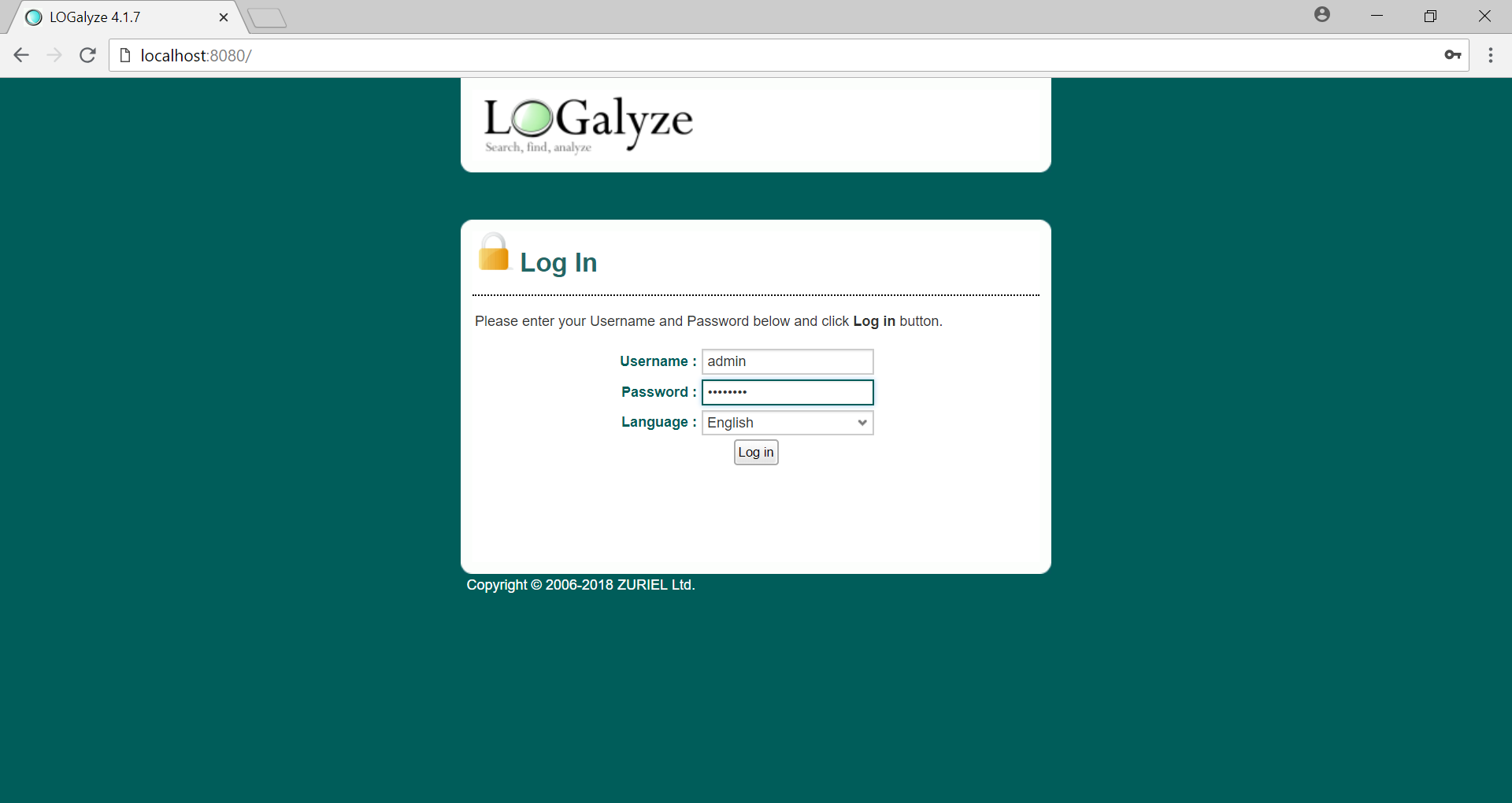
  • Login to Admin 
  • default user     : admin
    default password : logalyze


    Configure
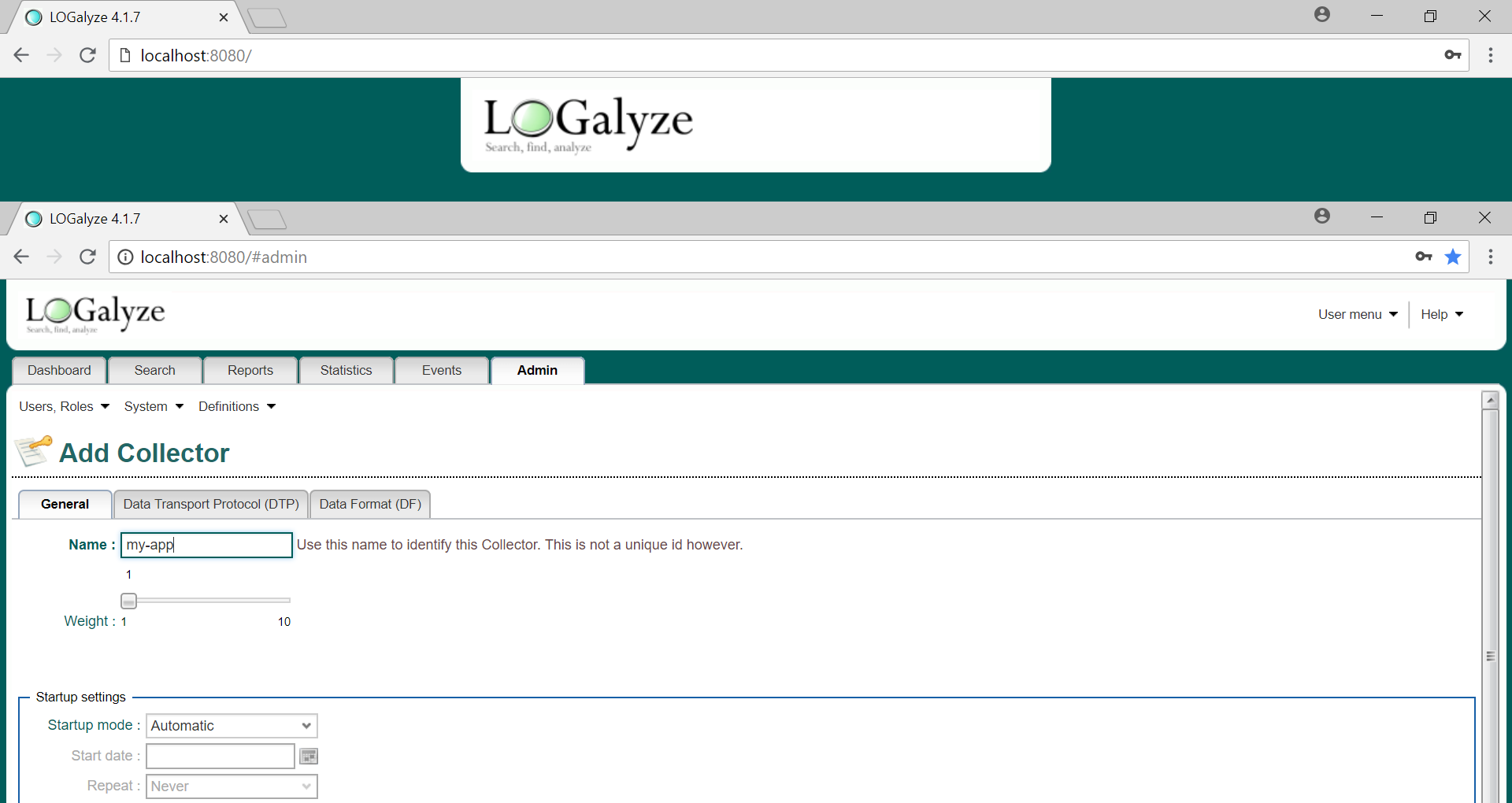
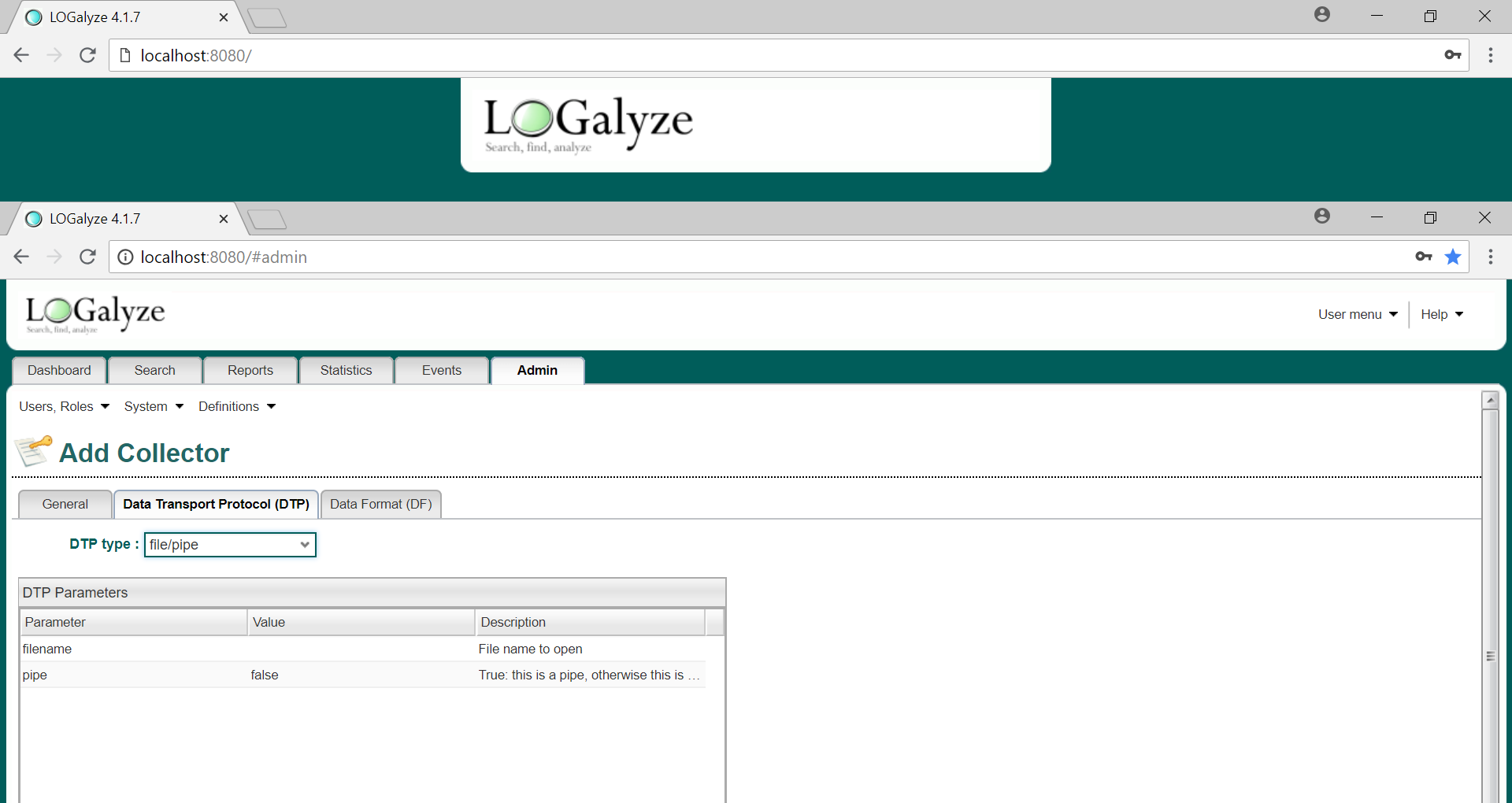
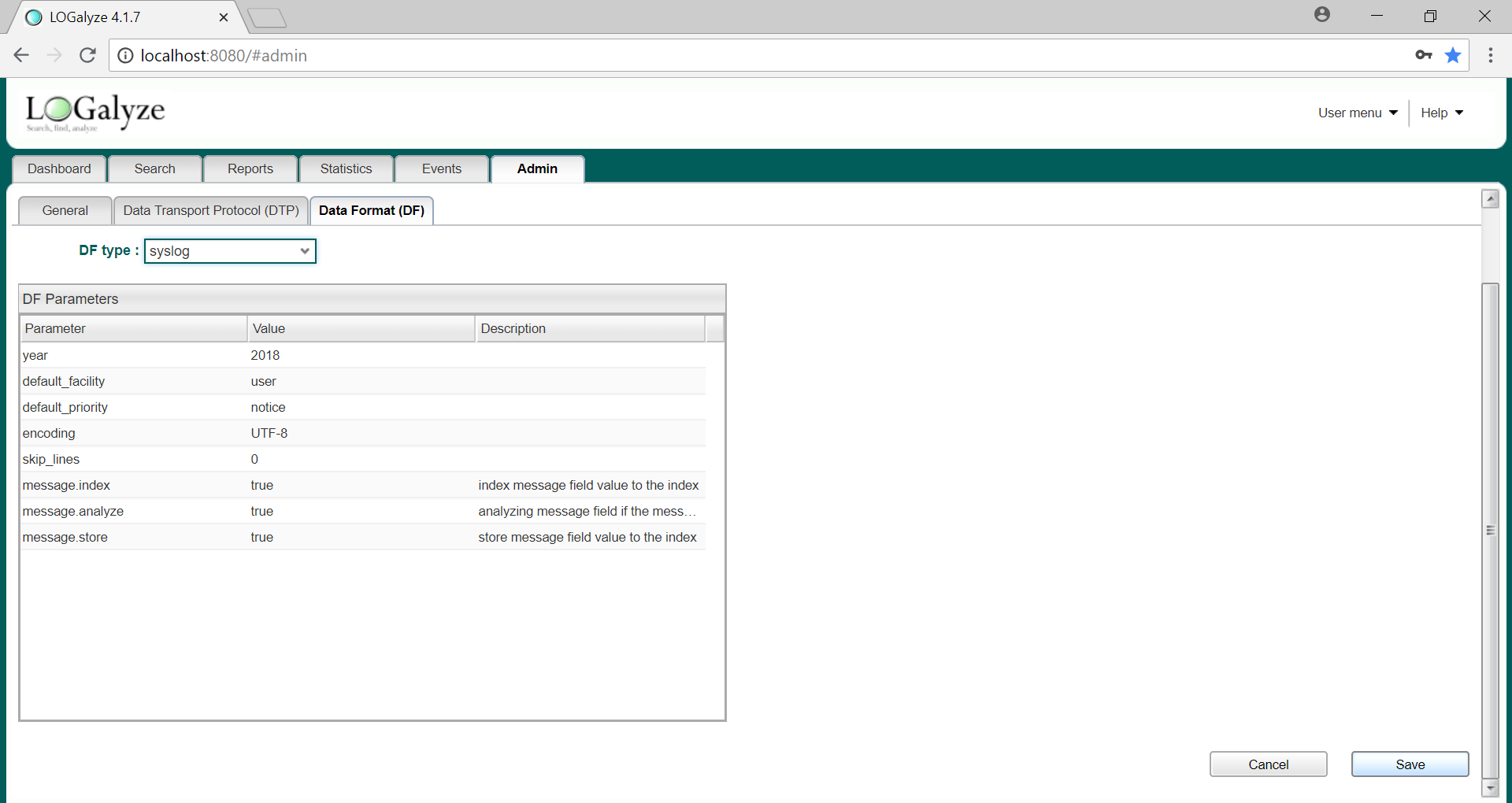
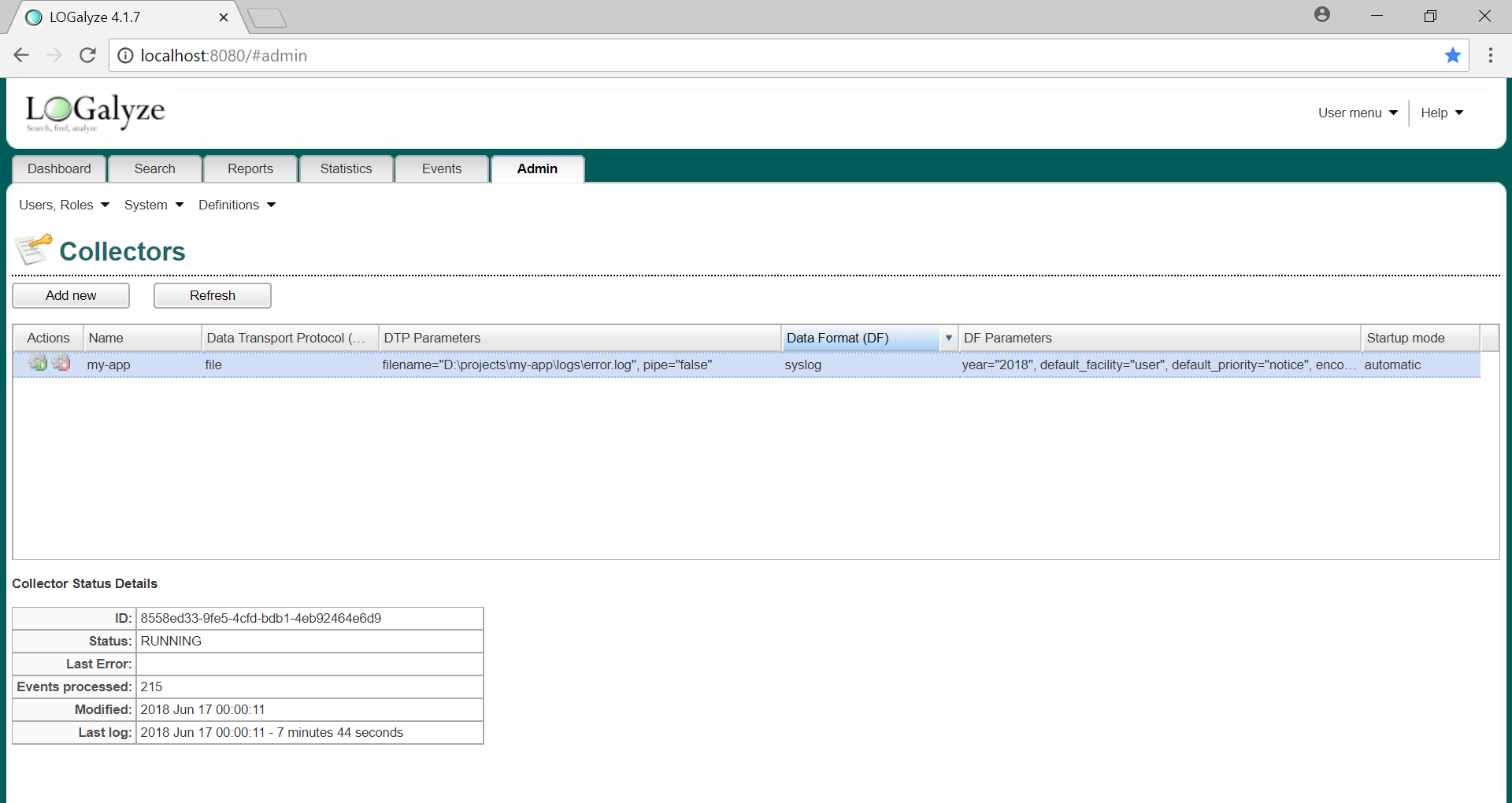
  • Configure new Collector as below
  • Image title

    Image title

    Image title

    Image title

    Image title


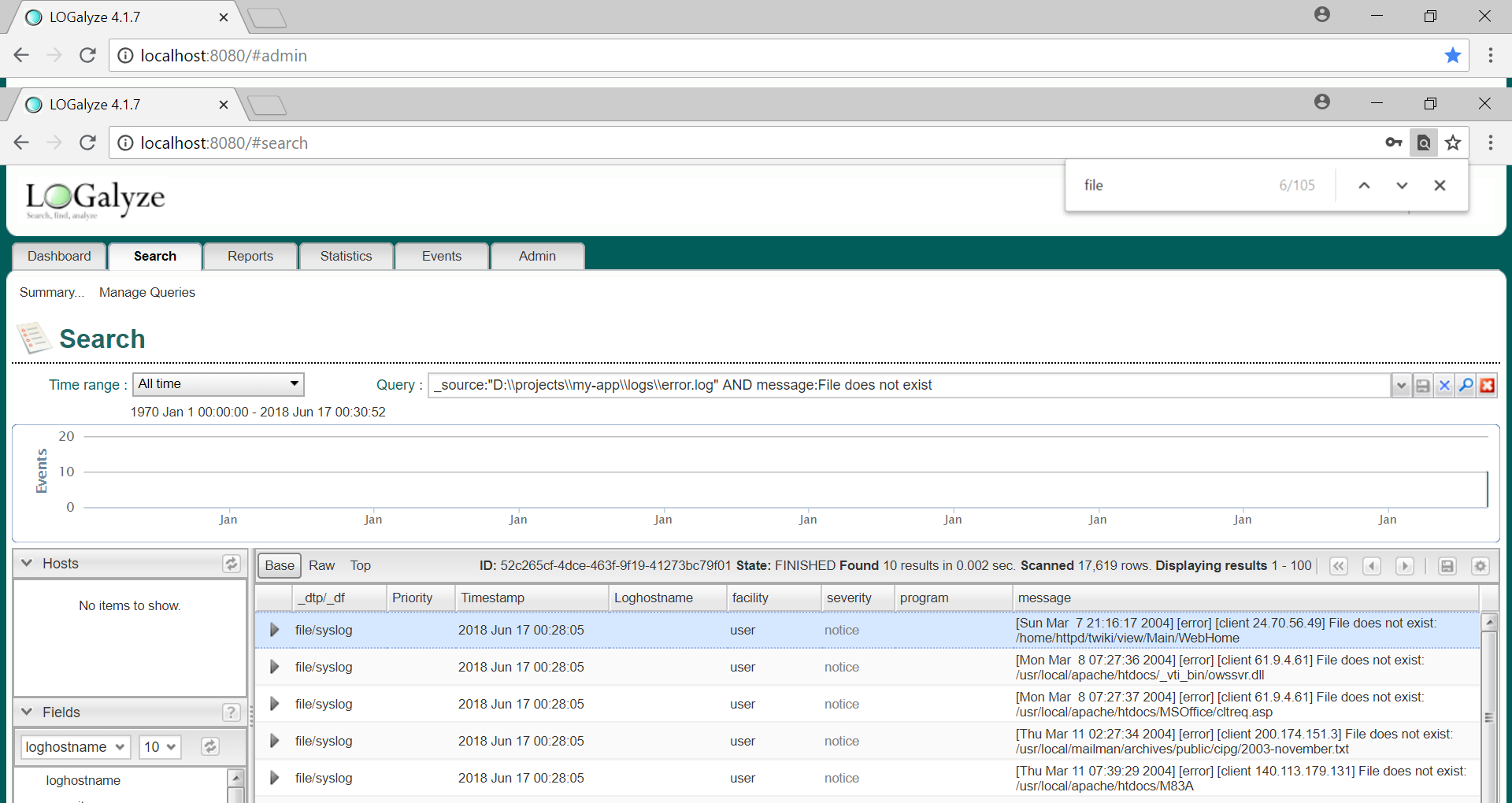
    Search

    Image title

    Download Analyze (imaging software) Archive dev Extract

    Opinions expressed by DZone contributors are their own.

    Related

    • Setup ActiveMQ Artemis on Windows
    • How To Conduct a Secure Code Review
    • The Easiest and Quickest Way to Generate an OpenAPI Spec for an Existing Website
    • Why DDoS Protection Is an Architectural Decision for Developers

    Partner Resources

    ×

    Comments

    The likes didn't load as expected. Please refresh the page and try again.

    • RSS
    • X
    • Facebook

    ABOUT US

    • About DZone
    • Support and feedback
    • Community research

    ADVERTISE

    • Advertise with DZone

    CONTRIBUTE ON DZONE

    • Article Submission Guidelines
    • Become a Contributor
    • Core Program
    • Visit the Writers' Zone

    LEGAL

    • Terms of Service
    • Privacy Policy

    CONTACT US

    • 3343 Perimeter Hill Drive
    • Suite 215
    • Nashville, TN 37211
    • [email protected]

    Let's be friends:

    • RSS
    • X
    • Facebook