

Making portable functions across serverless platforms
Quarkus Funqy brings portability to serverless functions
 CORE
·
CORE
·
Join the DZone community and get the full member experience.
Join For FreeThe rising popularity of serverless development alongside the increased adoption of multi- and hybrid-cloud architectures has created a lot of competition among platforms. This gives developers many choices about where they can run functions on serverless platforms—from public managed services to on-premises Kubernetes.
If you've read my previous articles about Java serverless, you learned how to get started developing Java serverless functions with Quarkus and how those serverless functions can be optimized to run on Kubernetes. So what should you do next to make your serverless functions fit better with the many choices available to you?
As a clue, think about why the Linux container (Docker, LXC, CRI-O) has become so popular: Portability. It's what made containers the de facto packaging technology for moving things from a developer's local machine to Kubernetes environments at scale. It means developers and operators don't need to worry about incompatibility and inconsistency between development and production environments.
For adopting multi- and hybrid cloud architectures, these container portability benefits should also be considered for serverless function development. Without portability, developers would likely have to learn and use different APIs, command-line interface (CLI) tools, and software development kits (SDKs) for each serverless platform when developing and deploying the same serverless functions across multiple serverless runtimes. Developers, who have limited resources (e.g., time, effort, cost, and human resources), would be so overwhelmed by the options that they would find it difficult to choose the best one.
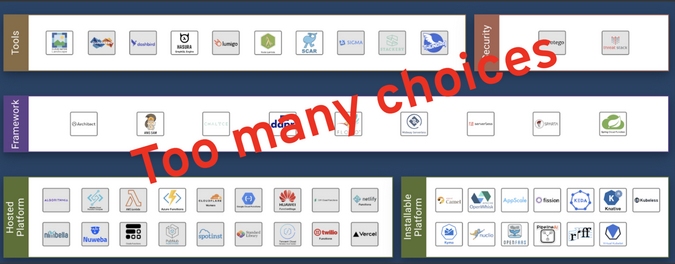
Get Funqy the next time you hit a serverless dance floor
The Quarkus Funqy extension supports a portable Java API for developers to write serverless functions and deploy them to heterogeneous serverless runtimes, including AWS Lambda, Azure Functions, Google Cloud, and Knative. It is also usable as a standalone service. Funqy helps developers dance on the serverless floor without making code changes.
Here is a quick example of how to build a portable serverless function with Quarkus Funqy.
1. Create a Quarkus Funqy Maven project
Generate a Quarkus project (quarkus-serverless-func) to create a simple function with Funqy extensions:
$ mvn io.quarkus:quarkus-maven-plugin:1.13.6.Final:create \
       -DprojectGroupId=org.acme \
       -DprojectArtifactId=quarkus-serverless-func \
       -Dextensions="funqy-http" \
       -DclassName="org.acme.getting.started.GreetingResource"
2. Run the serverless function locally
Open the Funqy.java file in the src/main/java/org/acme/getting/started directory:
public class Funqy {

    private static final String CHARM_QUARK_SYMBOL = "c";

    @Funq (1)
    public String charm(Answer answer) { (2)
        return CHARM_QUARK_SYMBOL.equalsIgnoreCase(answer.value) ? "You Quark!" : "Wrong answer";
    }

    public static class Answer {
        public String value; (3)
    }
}
In the code above:
(1) Annotation makes the method an exposable function based on the Funqy API. The function name is equivalent to the method name (charm) by default.
(2) Indicates a Java class (Answer) as an input parameter and String type for the output.
(3) value should be parameterized when the function is invoked.
Note: Funqy does type introspection at build time to speed boot time, so the Funqy marshaling layer won't notice any derived types at runtime.
Run the function via Quarkus Dev Mode:
$ ./mvnw quarkus:devThe output should look like this:
__  ____  __  _____   ___  __ ____  ______
 --/ __ \/ / / / _ | / _ \/ //_/ / / / __/
 -/ /_/ / /_/ / __ |/ , _/ ,< / /_/ /\ \
--\___\_\____/_/ |_/_/|_/_/|_|\____/___/
INFO  [io.quarkus] (Quarkus Main Thread) quarkus-serverless-func 1.0.0-SNAPSHOT on JVM (powered by Quarkus x.x.x.) started in 2.908s. Listening on: http://localhost:8080
INFO  [io.quarkus] (Quarkus Main Thread) Profile dev activated. Live Coding activated.
INFO  [io.quarkus] (Quarkus Main Thread) Installed features: [cdi, funqy-http, kubernetes]
Now the function is running in your local development environment. Access the function with a RESTful API:
$ http://localhost:8080/charm?value=sThe output should be:
Wrong answerIf you pass value=c down as a parameter, you will see:
You Quark!3. Choose a serverless platform to deploy the Funqy function
Now you can deploy the portable function to your preferred serverless platform when you add one of the Quarkus Funqy extensions in the figure below. The advantage is that you will not need to change the code; you should need only to adjust a few configurations, such as function export and target serverless platform.
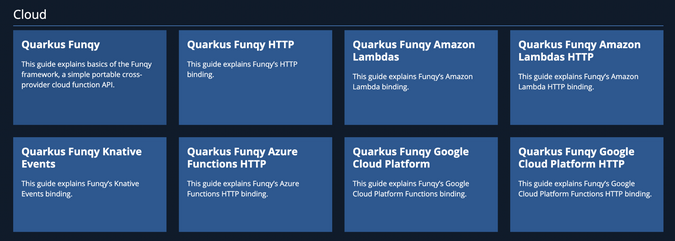
Try to deploy the function using Knative Serving (if you have installed it in your Kubernetes cluster). Add the following extensions to the Quarkus Funqy project:
$ ./mvnw quarkus:add-extension -Dextensions="kubernetes,container-image-docker"Open the application.properties file in the src/main/resources/ directory. Then add the following variables to configure Knative and Kubernetes resources—make sure to replace changeit with your container registry's group name (username in DockerHub):
quarkus.container-image.build=true
quarkus.container-image.group=changeit
quarkus.container-image.push=true
quarkus.container-image.builder=docker
quarkus.kubernetes.deployment-target=knative
Containerize the function, then push it to the external container registry:
$ ./mvnw clean packageThe output should end with BUILD SUCCESS. Then a knative.yml file will be generated in the target/kubernetes directory. Now you should be ready to create a Knative service with the function using the following command (be sure to log into the Kubernetes cluster and change the namespace where you want to create the Knative service):
$ kubectl create -f target/kubernetes/knative.ymlThe output should be like this:
service.serving.knative.dev/quarkus-serverless-func created4. Test the Funqy function in Kubernetes
Get the function's REST API and note its output:
$ kubectl get rt
NAME URL READY REASON
quarkus-serverless-func  http://quarkus-serverless-func-YOUR_HOST_DOMAIN   True
Access the function quickly using a curl command:
$ http://http://quarkus-serverless-func-YOUR_HOST_DOMAIN/charm?value=cYou see the same output as you saw locally:
You Quark!Note: The function will scale down to zero in 30 seconds because of Knative Serving's default behavior. In this case, the pod will scale up automatically when the REST API is invoked.
Subscribe to bit.ly/danielohtv to find more technical demos.
What's next?
You've learned how developers can make portable Java serverless functions with Quarkus and deploy them across serverless platforms (e.g., Knative with Kubernetes). Quarkus enables developers to avoid redundancy when creating the same function and deploying it to multiple serverless platforms. My next article in this series will explain how to enable CloudEvents Bind with Java and Knative.
This article is originally published by myself here.
Opinions expressed by DZone contributors are their own.
Comments