

Mulesoft Accelerators for FHIR
Mulesoft accelerators for FHIR: Accelerators are designed as modular building blocks. Customers can change the patterns, mappings, and endpoints to suit their needs.
Join the DZone community and get the full member experience.
Join For FreeFirst, what is FHIR (Fast Healthcare Interoperability Resources)? Well, it is a standard for exchanging healthcare information electronically.
For more detail on FHIR check my other blog here.
What are Mulesoft Accelerators?
Accelerators are a collection of technical assets (predominantly API specifications and implementation templates) and documentation to accelerate the implementation of multiple use cases supporting a larger business and/or industry problem.
Accelerators are designed as modular building blocks. Customers can change the patterns, mappings, and endpoints to suit their needs. Customers save hours of discovery, design, development, and testing using accelerator assets.
- Mulesoft
Healthcare Accelerators Provided by Mulesoft
Complete Mulesoft healthcare accelerators can be found here.
MuleSoft Accelerator for Healthcare includes:
- APIs (RAML),
- API Specifications for FHIR R4 Resources,
- Implementation templates.
You can use any one of the above or even multiple of them to deliver a working API.
You can directly use the FHIR API or extended the FHIR API to create your own APIs.
For example, suppose you want to create an API to handle CRUD operation on the Patient object.

To start with API development we can start with RAML where we can use existing FHIR libraries of Mulesoft.
From the above diagram, you can use the FHIR R4 Patient library to create your own data types or directly use FHIR R4 Patient API to build an API.
Demonstration
Let's create our own API RAML using FHIR R4 Patient Library.
1. I will import the fhir-r4-patient library in my RAML.
#%RAML 1.0
title: FHIR-demo

uses:
    patient: !import /exchange_modules/org.mule.examples/fhir-r4-patient-library/1.0.0/fhir-r4-patient-library.raml

/patients:
  get:
    responses:
      200:
        body:
          application/json:
            type: patient.PatientBundle
  post:
    body:
      application/json:
        type: patient.Patient
2. Now I will use Patient and PatientBundle datatypes from it to configure my endpoints.
3. Here I am using patient.Patient for post which means I can create Patient object with the data type that I get from the imported FHIR library.
4. Also patient.PatientBundle is used in getting to tell us that we can get a bundle of patient objects (or in a short array of Patient objects).
it will be something like below.
{
  "resourceType": "Bundle",
  "id": "bundle-example",
  "type": "searchset",
  "total": 3,
  "entry": [
    {
      "fullUrl": "https://example.com/base/Patient/3123",
      "resource": {
        "resourceType": "Patient",
        "id": "3123",
        "status": "unknown",
      }
    },
    {
      "fullUrl": "https://example.com/base/Patient/3124",
      "resource": {
        "resourceType": "Patient",
        "id": "3124",
        "status": "unknown",
      }
    }

  ]
}
Note: The example is just for demo purposes and I have removed a lot of fields that might be mandatory.
For the actual implementation of your API, you can get started with a template provided by Mulesoft.
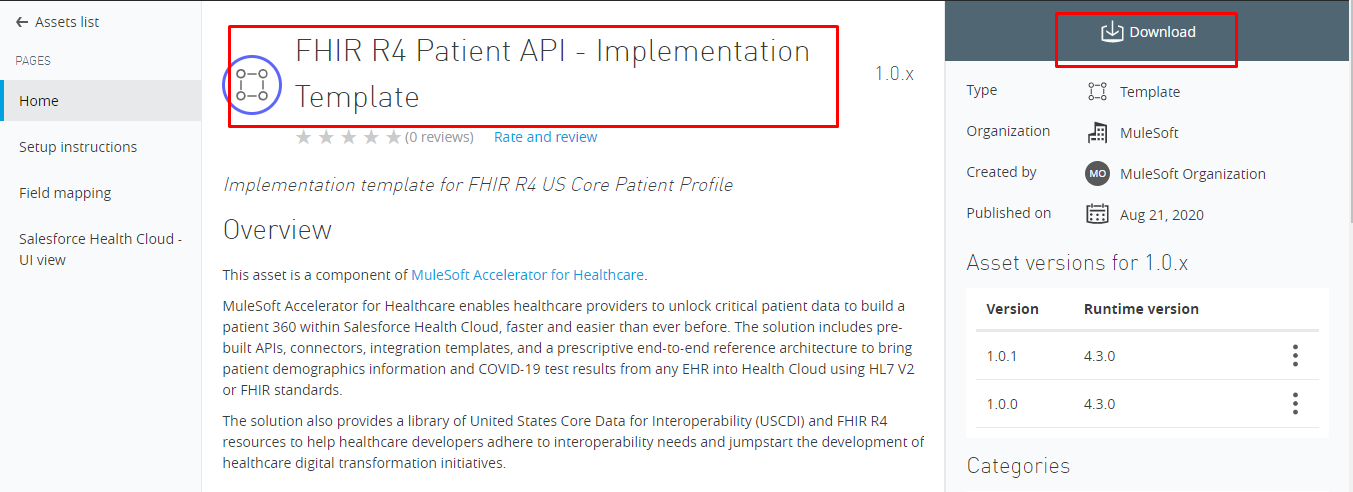
Just download and import into your Anypoint Studio and you are ready to go.
Conclusion
Here we have seen what is FHIR how we can use Mulesoft healthcare accelerators to create FHIR compliant APIs and also use templates to quick start the API implementation.
Opinions expressed by DZone contributors are their own.
Comments