

DZone
Thanks for visiting DZone today,
Edit Profile
  • Manage Email Subscriptions
  • How to Post to DZone
  • Article Submission Guidelines
Sign Out View Profile
  • Post an Article
  • Manage My Drafts
Over 2 million developers have joined DZone.
Log In / Join
Refcards Trend Reports
Events Video Library
Refcards
Trend Reports

Events

View Events Video Library

Related

  • MuleSoft Integration With RabbitMQ
  • MDC Logging With MuleSoft Runtime 4.4
  • How To Use JMS ActiveMQ With Mule 4 - Part 6
  • How to Use Mulesoft VM Connector

Trending

  • The 7 Pillars of Meeting Design: Transforming Expensive Conversations into Decision Assets
  • AI Agents Expose a Design Gap in Microservices Resilience Architecture
  • Genkit Middleware: Intercept, Extend, and Harden your Gen AI Pipelines
  • Hallucination Has Real Consequences — Lessons From Building AI Systems
  1. DZone
  2. Software Design and Architecture
  3. Integration
  4. MuleSoft APIkit Router - QueryParam and Header Strict Validation Configuration

MuleSoft APIkit Router - QueryParam and Header Strict Validation Configuration

By 
Sravan Lingam user avatar
Sravan Lingam
·
Mar. 24, 21 · Tutorial
Likes (3)
Comment
Save
Tweet
Share
11.8K Views

Join the DZone community and get the full member experience.

Join For Free

Hello Muleys,

Here's another interesting article on how to restrict additional queryParams and headers that are sent other than those defined in RAML. 

We all do the test if the required parameters are working fine or not but we forget to test if unnecessary parameters sent along with required parameters. 

What happens if unwanted parameters are sent?

There are chances that attackers might send some thousands of queryParams and Headers with large content. In that case, your application will crash. So what to do?

Here's the solution:

I have designed a basic RAML with the below resource :
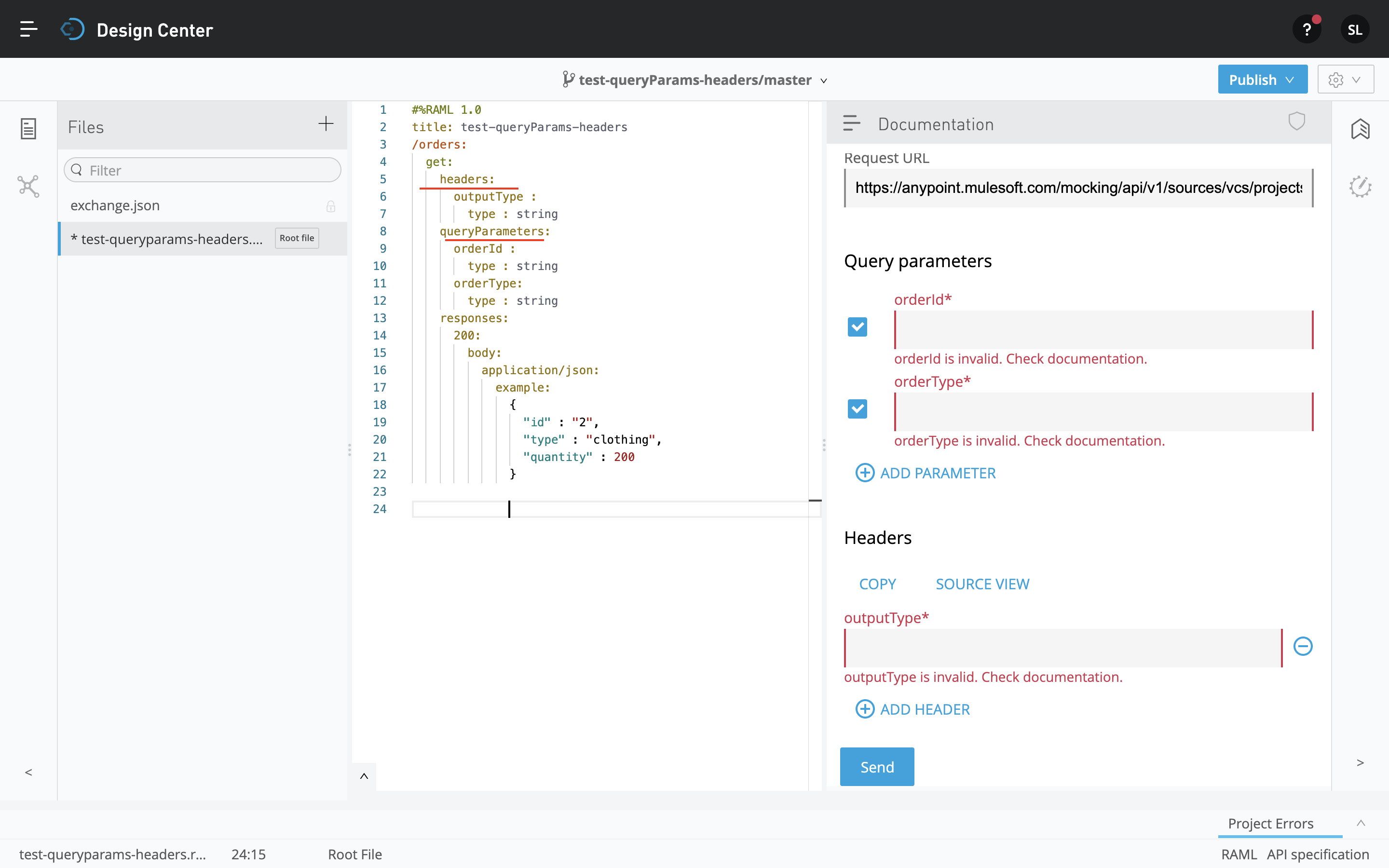
When you download the RAML and generate flows,

There's an option to restrict additional parameters or headers in APIkit Router Module configuration :
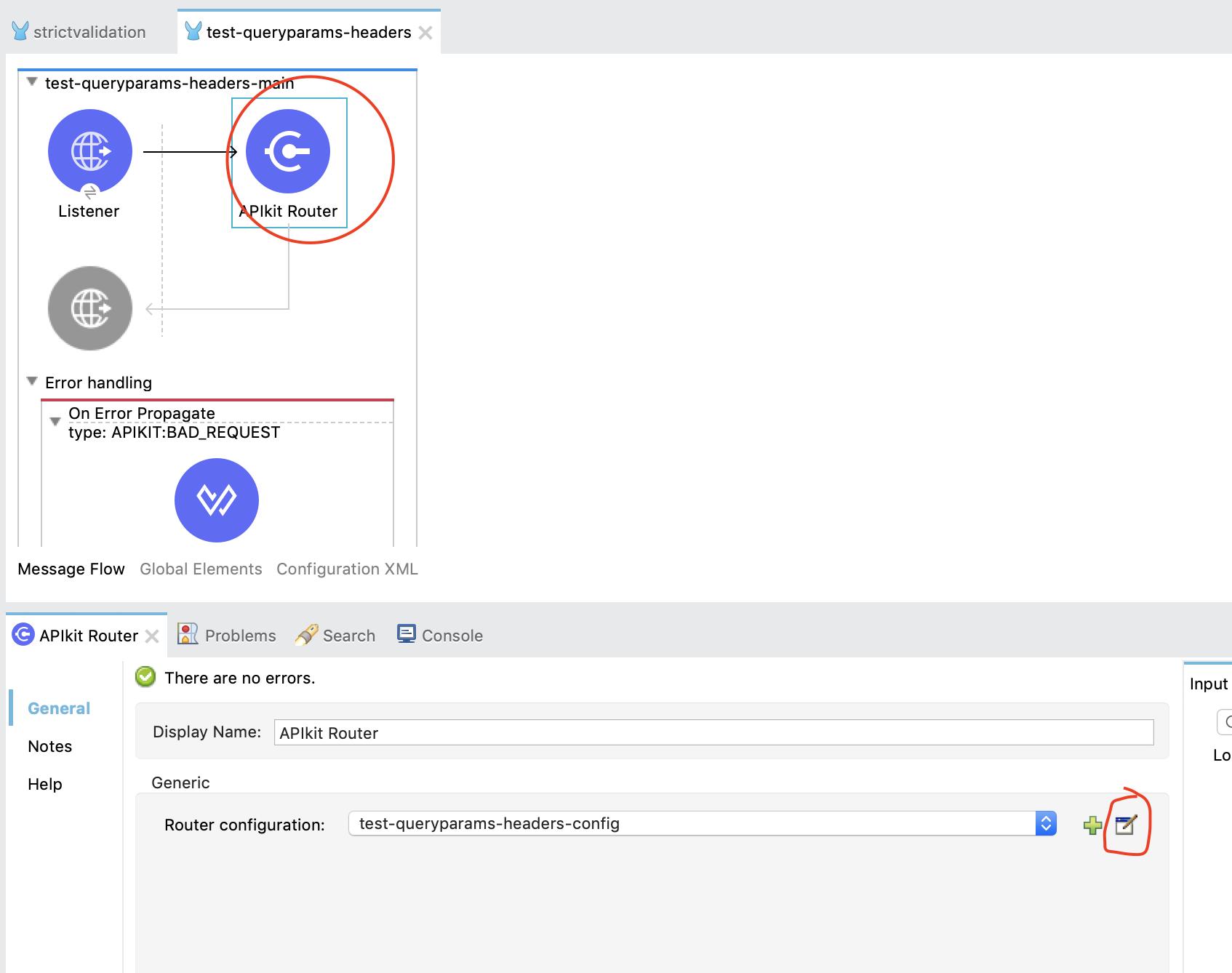
By default the configuration is disabled. You have to enable the strict validation config as below:

Now your application will not be allowed to pass additional fields:
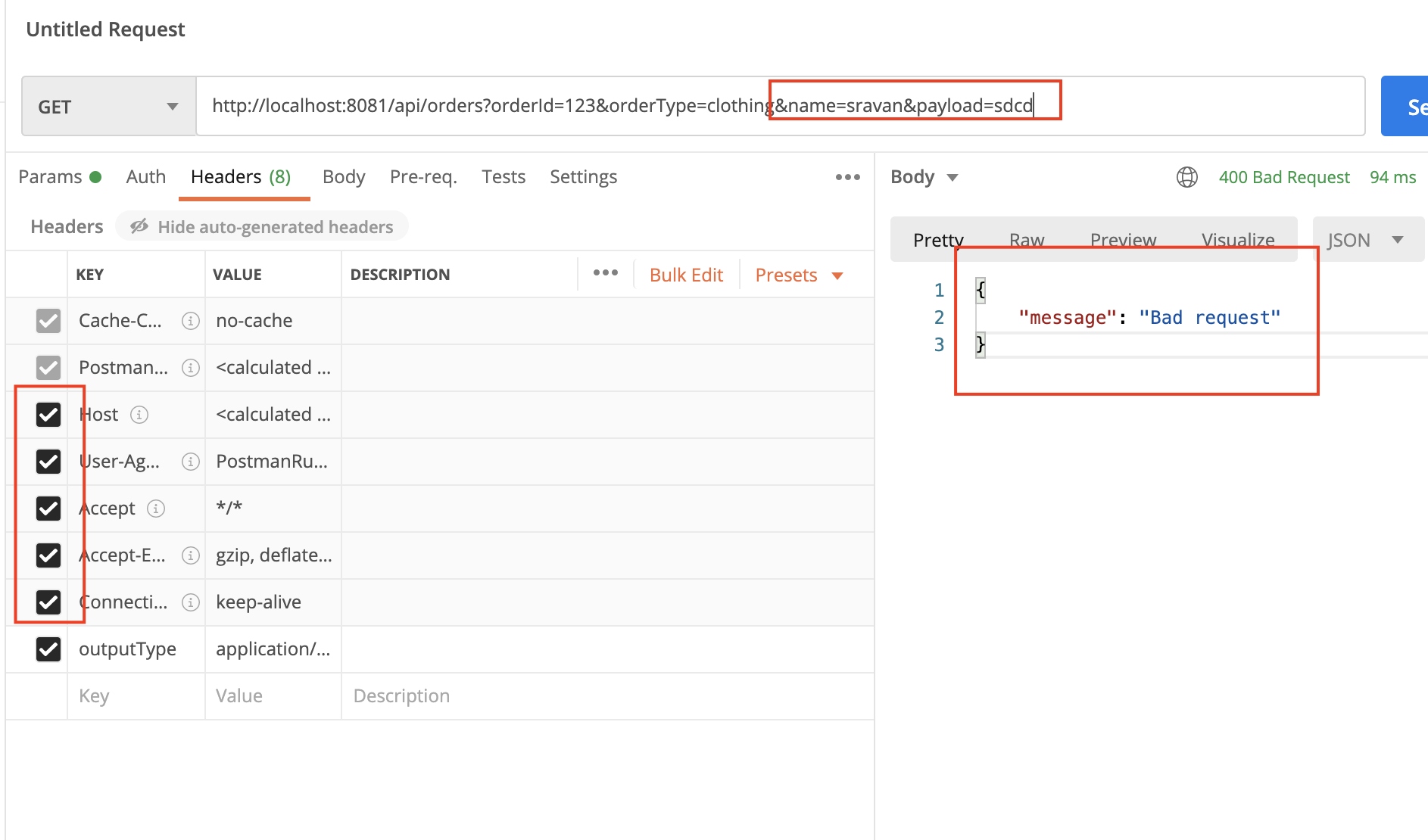
Removing unnecessary fields will give a successful response:
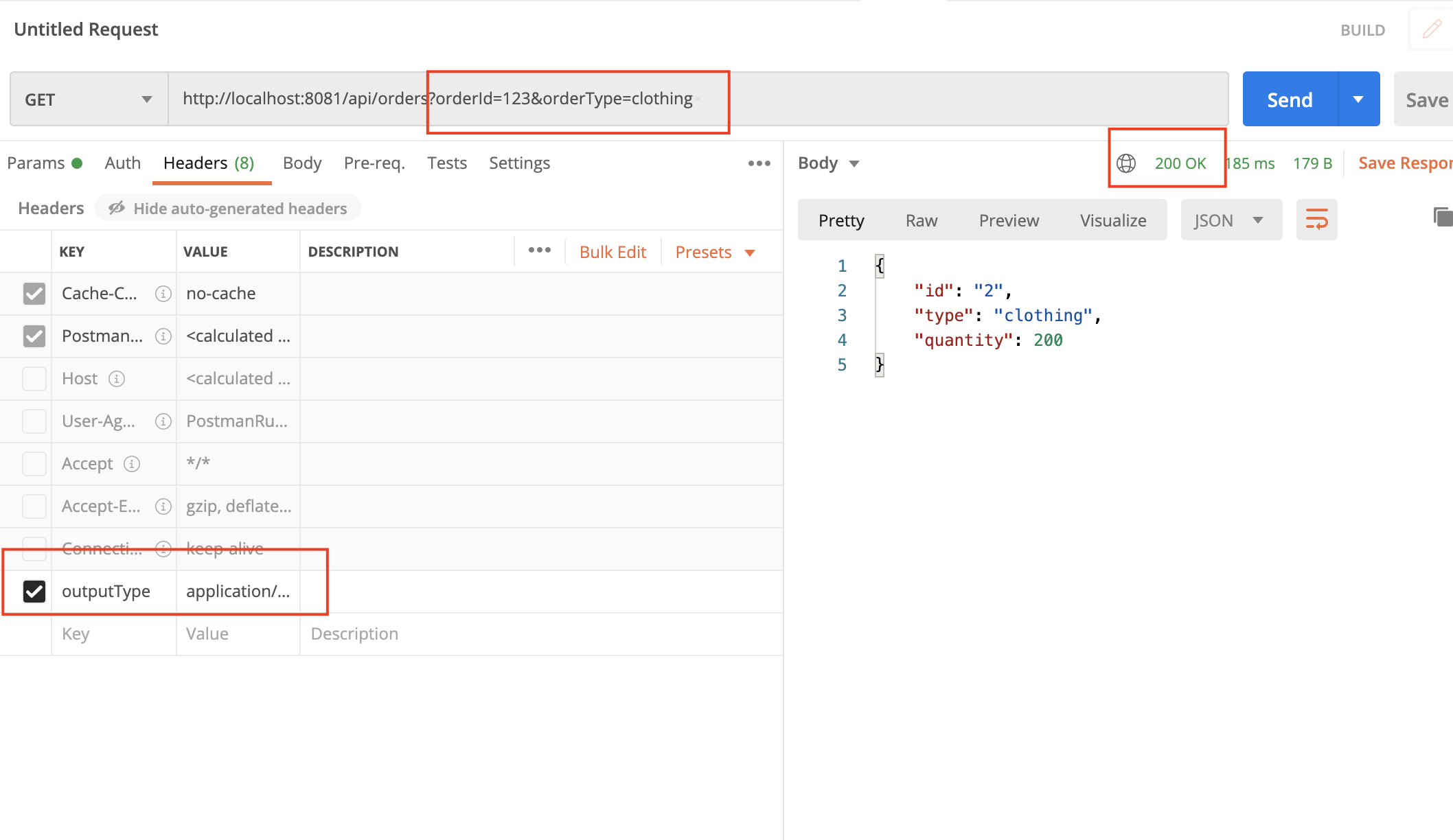
Check out this video for the live demo:


MuleSoft application Testing Pass (software) Download Flow (web browser) Crash (computing)

Opinions expressed by DZone contributors are their own.

Related

  • MuleSoft Integration With RabbitMQ
  • MDC Logging With MuleSoft Runtime 4.4
  • How To Use JMS ActiveMQ With Mule 4 - Part 6
  • How to Use Mulesoft VM Connector

Partner Resources

×

Comments

The likes didn't load as expected. Please refresh the page and try again.

  • RSS
  • X
  • Facebook

ABOUT US

  • About DZone
  • Support and feedback
  • Community research

ADVERTISE

  • Advertise with DZone

CONTRIBUTE ON DZONE

  • Article Submission Guidelines
  • Become a Contributor
  • Core Program
  • Visit the Writers' Zone

LEGAL

  • Terms of Service
  • Privacy Policy

CONTACT US

  • 3343 Perimeter Hill Drive
  • Suite 215
  • Nashville, TN 37211
  • [email protected]

Let's be friends:

  • RSS
  • X
  • Facebook