

Mulesoft Synchronous API With IBM MQ
The purpose of this article is to provide a concrete example of working with IBM MQ and export API synchronously.
Introduction
The purpose of this article is to provide a concrete example of working with IBM MQ and export API synchronously. By nature, IBM MQ or other JMS Queue is asynchronous communication. The customers require the API to be synchronous.
Also, in this case, the backend IBM MQ application is NOT JMS compliant. This creates a challenging situation for encoding messages and correlation ID.
Use Cases
As shown in the diagram below. The requirement is to expose an experienced API to customers. The REST API will provide data from the backend, which is IBM MQ Serius exposing MainFrame data.
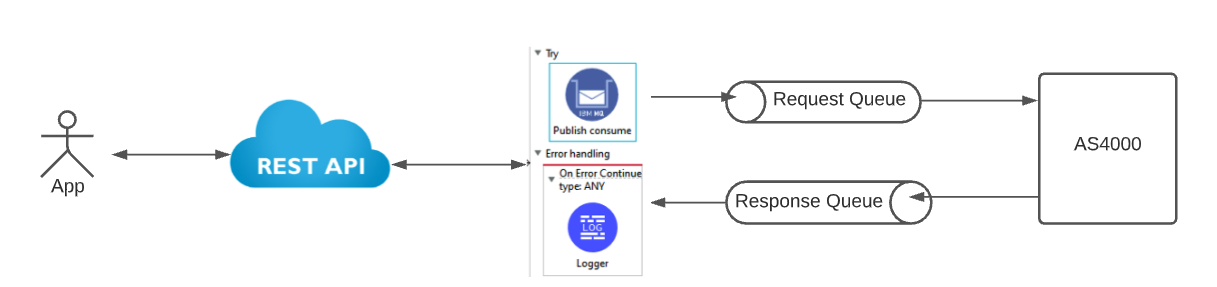
- Customers will invoke the API in synchronous mode
- Response data should be in JSON format
- Mulesoft API need to send message to IBM MQ using non-JMS compliance mode
- Both correlation ID and payload must be encoded in EBCDIC format
Key Challenges
- The backend implementation for messaging is not JMS compliant
- JMS by nature is Asynchronous, but REST API is synchronous
Technical Solution
Given the requirement, we must use the Mulesoft IBM Connector. The current version is 1.6.3. The IBM MQ connector provides an operation namely Publish-Consume.
Encoding of EBCDIC in the term of connector attribute is CP1047 per IBM MQ document.
The Mulesoft flow takes the following form:
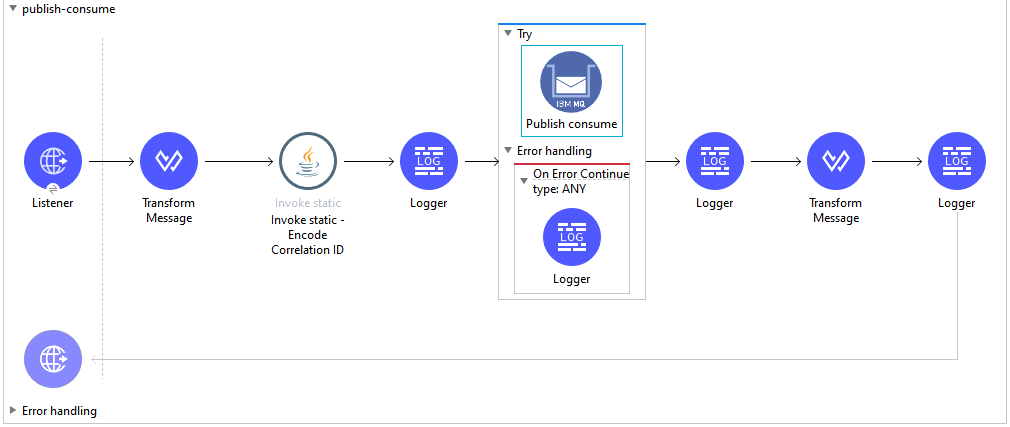
The complete code can be found at GitHub here.
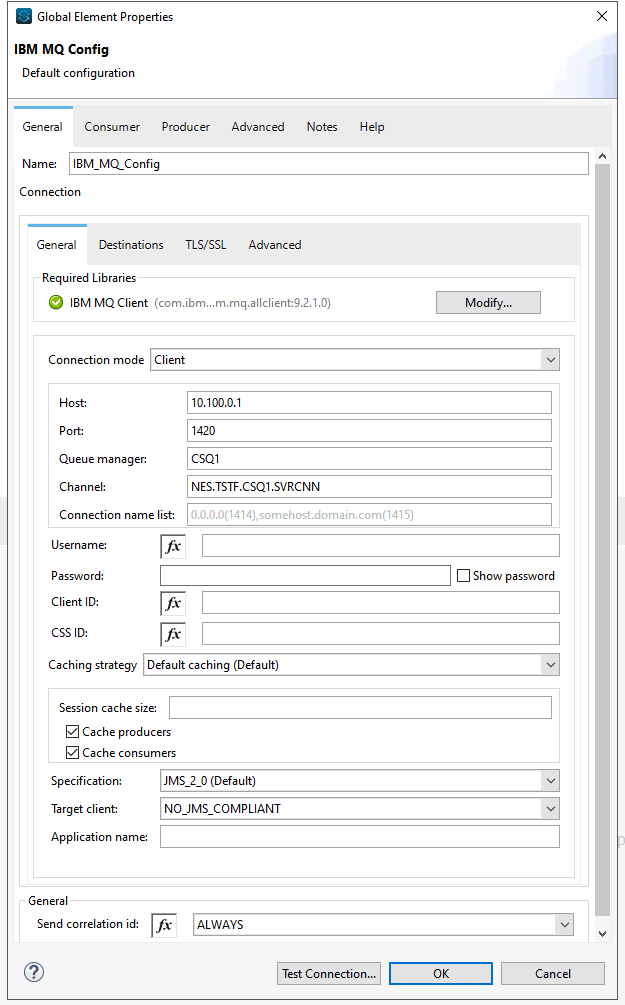
Connector Configuration
The IBM MQ connector configuration is standard. The only attention is the targetClient, which is NO_JMS_COMPLIANT

Publish-Consume Configuration
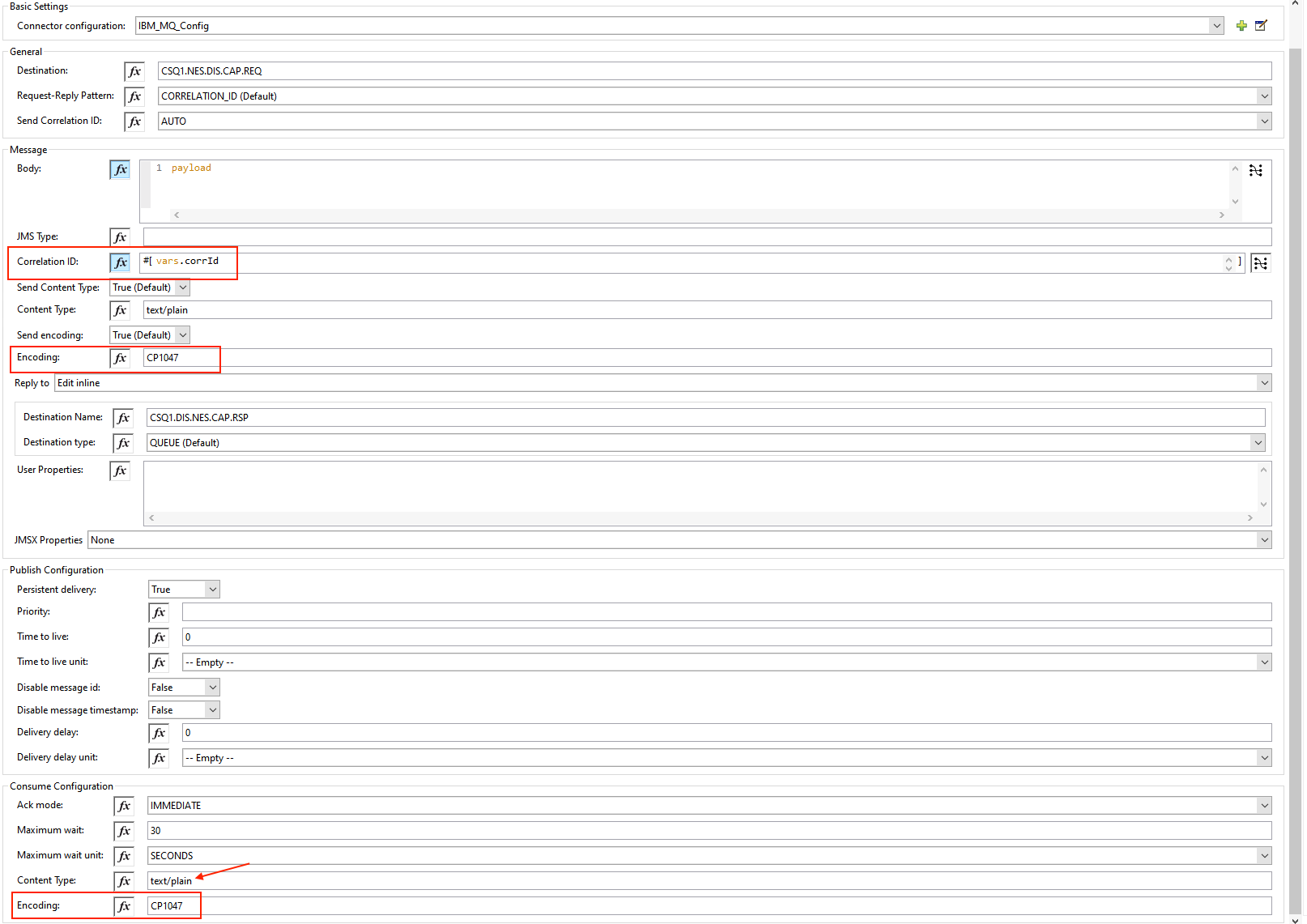
The configuration for the operation of Publish consume is shown below. Please note two things:
- Request-Reply Pattern:
CORRELATION_ID - Encoding for both publisher and consumer is set to CP1047
Encode Correlation ID
For simplicity's sake, I encoded the correlation ID using a JAVA class. This can be done using Dataweave. But I recommend using the JAVA class and eventually create a connector for reusability.
For the complete JAVA Code, please refer to my GitHub project.
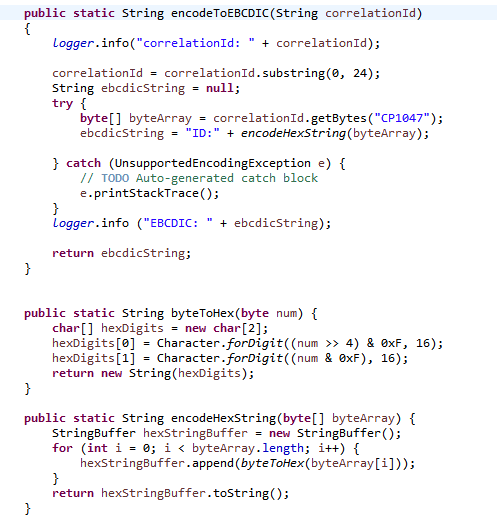
A few notes for encoding correlation ID:
- It is encoded by CP1047
- Its format is ID: + 48 HEX Digits
Key Takeaways
- Use trials and errors approach for this kind of integration, particularly if the backend implementation is done via 3rd party
- The EBCDIC encoding is CP1047 in terms of Mulesoft configuration
- Make sure to encode the correlation ID in the format of EBCDIC
Opinions expressed by DZone contributors are their own.