

Multimodal RAG Is Not Scary, Ghosts Are Scary
Run ghastly multimodal analytics and Retrieval Augmented Generation with our "ghosts" collections in the open-source Milvus vector database.
 CORE
·
CORE
·
Join the DZone community and get the full member experience.
Join For FreeI just gave a talk at All Things Open and it is hard to believe that Retrieval Augmented Generation (RAG) now seems like it has been a technique that we have been doing for years.
There is a good reason for that, as over the last two years it has exploded in depth and breadth as the utility of RAG is boundless. The ability to improve the results of generated results from large language models is constantly improving as variations, improvements, and new paradigms are pushing things forward.
Today we will look at:
- Practical applications for multimodal RAG
- Image Search with Filters
- Finding the best Halloween Ghosts
- Using Ollama, LLaVA 7B and LLM reranking
- Running advanced multimodal RAG locally
 I will use a couple of these new advancements in the state of RAG to solve a couple of Halloween problems. Let’s look at the problems: finding if something is a ghost and what is the cutest cat ghost.
Practical Applications for Multimodal RAG
Is Something a Ghost? Image Search With Filters and clip-vit-base-patch32
We want to build a tool for all the ghost detectors out there by helping determine if something is a “ghost." To do this, we will use our hosted “ghosts” collection that has a number of fields we can filter on as well as search our multimodal encoded vector. We allow someone to pass in a ghost photo via Google form, Streamlit app, S3 upload, and Jupyter Notebook. We encode that query, which can be a combination of text and/or image, by utilizing a ViT-B/32 Transformer architecture for image encoding and a masked self-attention Transformer for text encoding. This is done for you automatically thanks to the CLIP model from OpenAI is easy to use thanks to the Hugging Face’s Sentence Transformer. This lets us encode our suspected ghost image and use it to search our collection to see its similarity. If the similarity is high enough then we can consider it a "ghost."
Collection Design
Before you build any application, you should make sure you have it well-defined with all the fields you may need and the types and sizes that match your needs.
For our collection of “ghosts”, at a minimum, we will need:
- An
idfield that is of typeINT64, set as the primary key, and set to have Automatic ID generation - The next field in our schema is
ghostclass, which is aVARCHARscalar string of length 20 that holds the traditional classifications of ghosts such asClass I,Class II,Fake, andClass IV. - After that is
category, which is a largerVARCHARscalar string of length 256 that holds our short descriptions that are classifications such asFake,Ghost,Deity,Unstable, andLegend. - We add a field for
s3pathwhich is defined as a largeVARCHARscalar string of length 1,024 that holds an S3 Path to the image of the object. - Finally, and most importantly,
vector, which holds our floating-point vector of dimension 512.
Now that we have our data schema, we can build it and use it for ghastly analytics against our data.
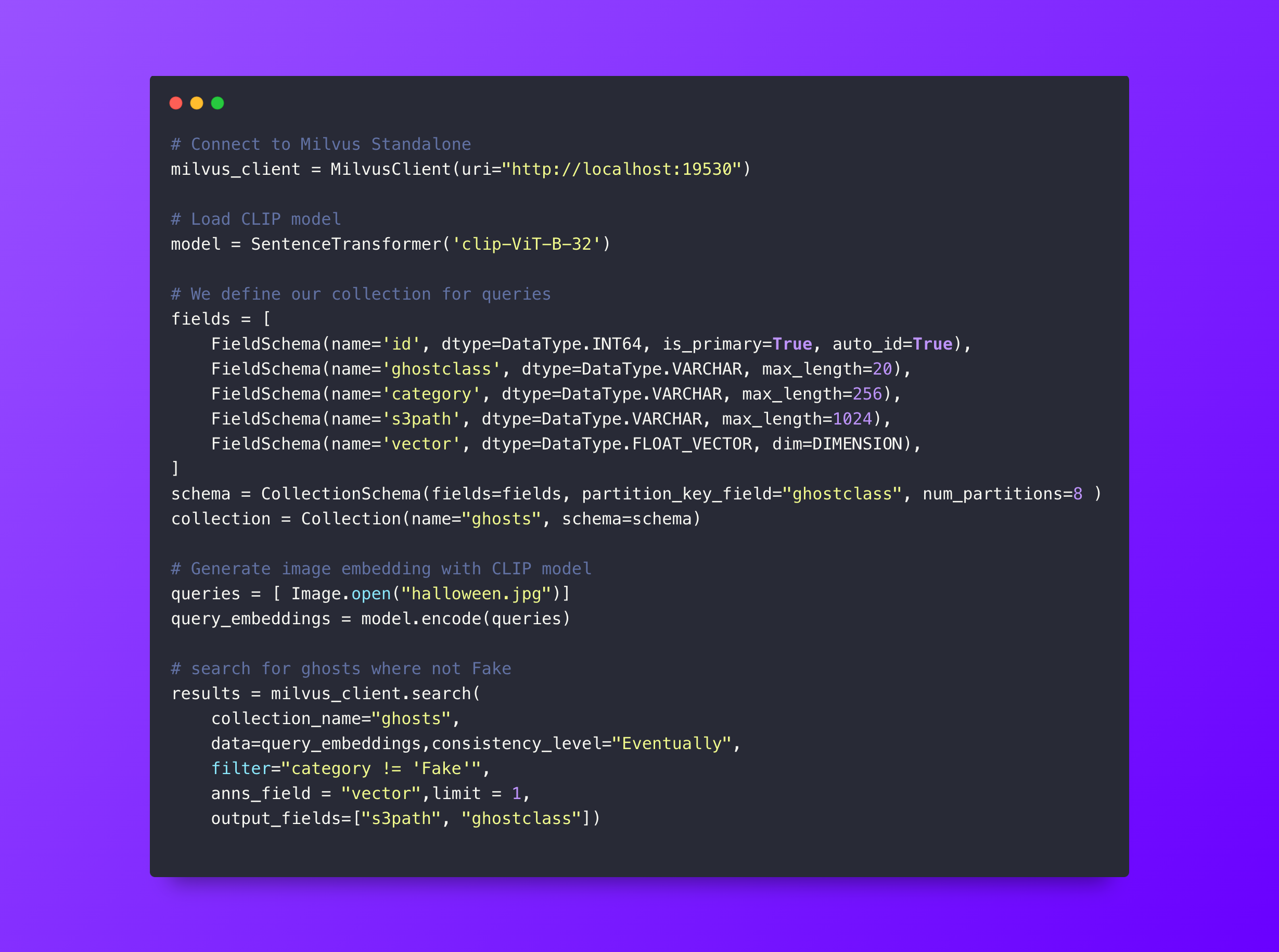
- Step 1: Connect to Milvus standalone.
- Step 2: Load the CLIP model.
- Step 3: Define our collection with its schema of vectors and scalars.
- Step 4: Encode our image to use for a query.
- Step 5: Run the query against the ghosts collection in our Milvus standalone database and look only for those filtered by the category of not
Fake. We limit it to one result. - Step 6: Check the distance. If it is 0.8 or higher, we will consider this a ghost. We do this by comparing the suspected entity to our large database of actual ghost photos, if something is the current class of ghost it should be similar to our existing ones.
- Step 7: The result is displayed with the prospective ghost and its nearest match.
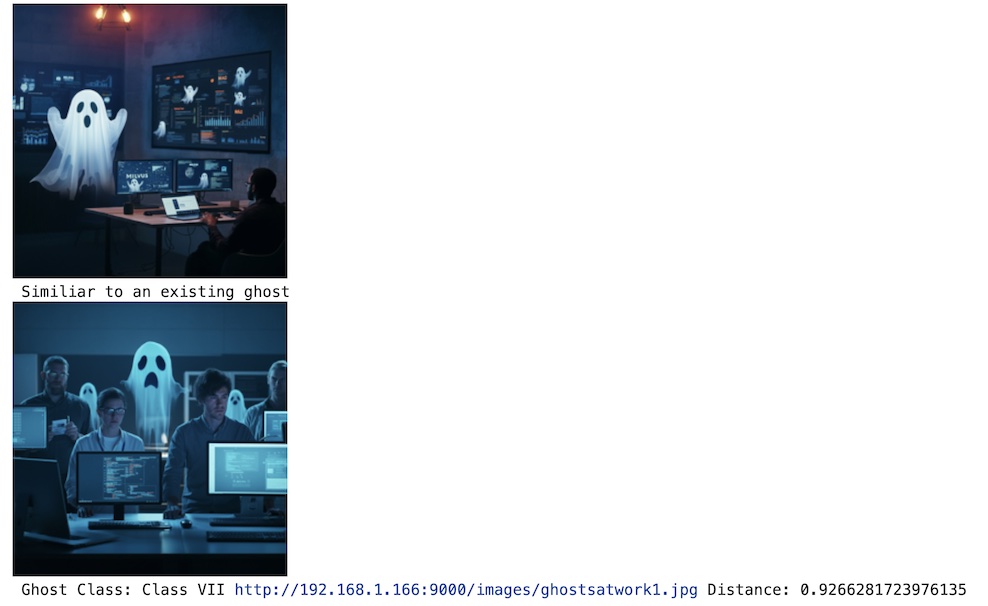
As you can see in our example we matched close enough to a similar "ghost" that was not in the Fake category.
In a separate Halloween application, we will look at a different collection and a different encoding model for a separate use case also involving Halloween ghosts.
Finding the Cutest Cat Ghost With Visualized BGE Model
We want to find the cutest cat ghosts and perhaps others for winning prizes, putting on MEMEs, social media posts, or other important endeavors. This does require adding an encode_text method to our previous Encode class that calls self.model.encode(text=text), since the other options are just for images alone or images with text. The flexibility of the multimodal search of Milvus vectors is astounding.
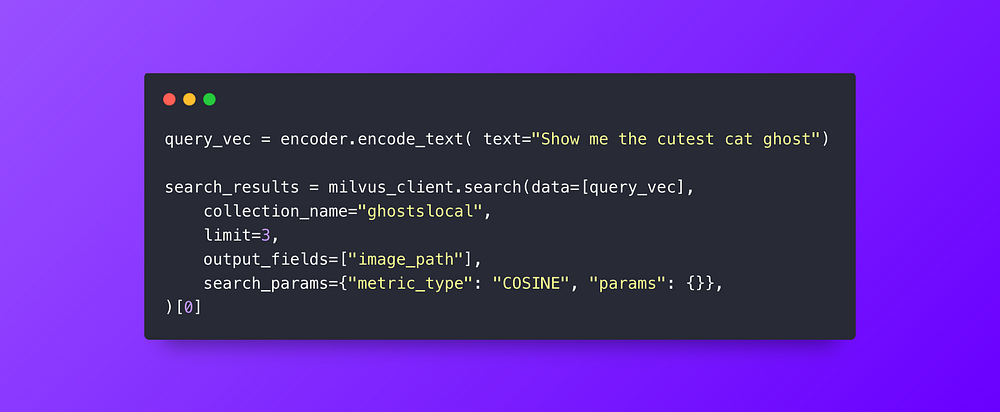
Our vector search is pretty simple: we just encode our text looking for the cutest cat ghost (in their little Halloween costume). Milvus will query the 768 dimension floating point vector and find us the nearest match. With all the spooky ghouls and ghosts in our databank, it's hard to argue with these results.

Using Ollama, LLaVA 7B, and LLM Reranking
Running Advanced RAG Locally
Okay, this is a little trick AND treat: we can do both topics at the same time. We are able to run this entire advanced RAG technique locally utilizing Milvus Lite, Ollama, LLaVA 7B, and a Jupyter Notebook. We are going to do a multimodal search with a Generative Reranker. This uses an LLM to rank the images and explain the best results. Previously, we have done this with the supercharged GPT-4o model. I am getting good results with LLava 7B hosted locally with Ollama. Let’s show running this open, local, and free!
We will reuse the existing example code to build the panoramic photo from the images returned by our hybrid search of an office photo with ghosts with the text “computer monitor with ghost”. We then send that photo to the Ollama-hosted LLaVA7B model with instructions on how to rank the results. We get back a ranking, an explanation, and an image.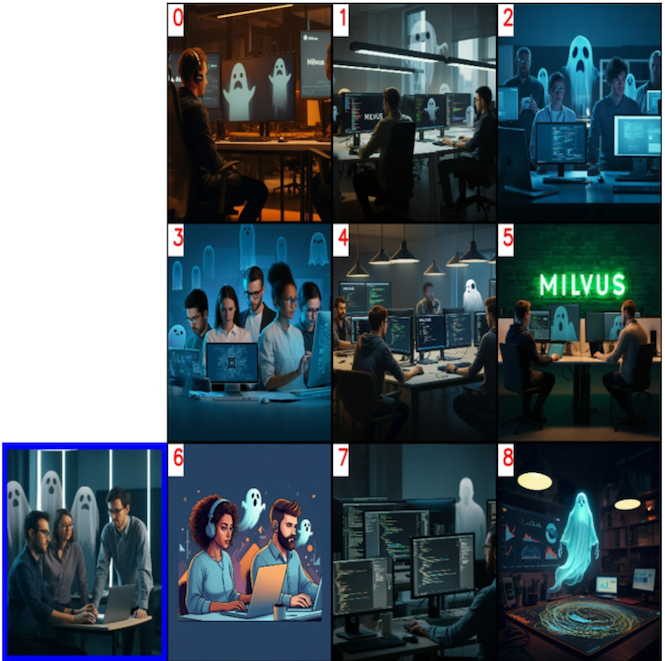
Search image and nine results

LLM returned results for ranked list order
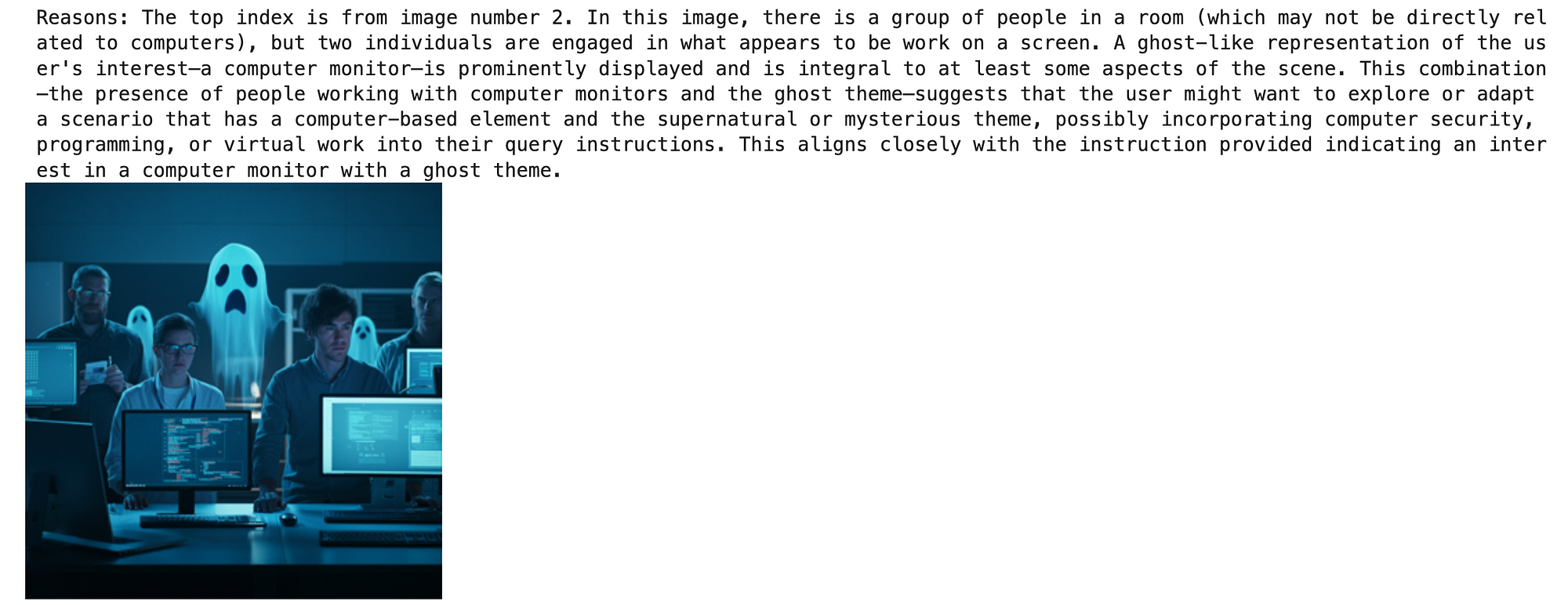
The top one chosen from the index with an explanation generated by the LLM
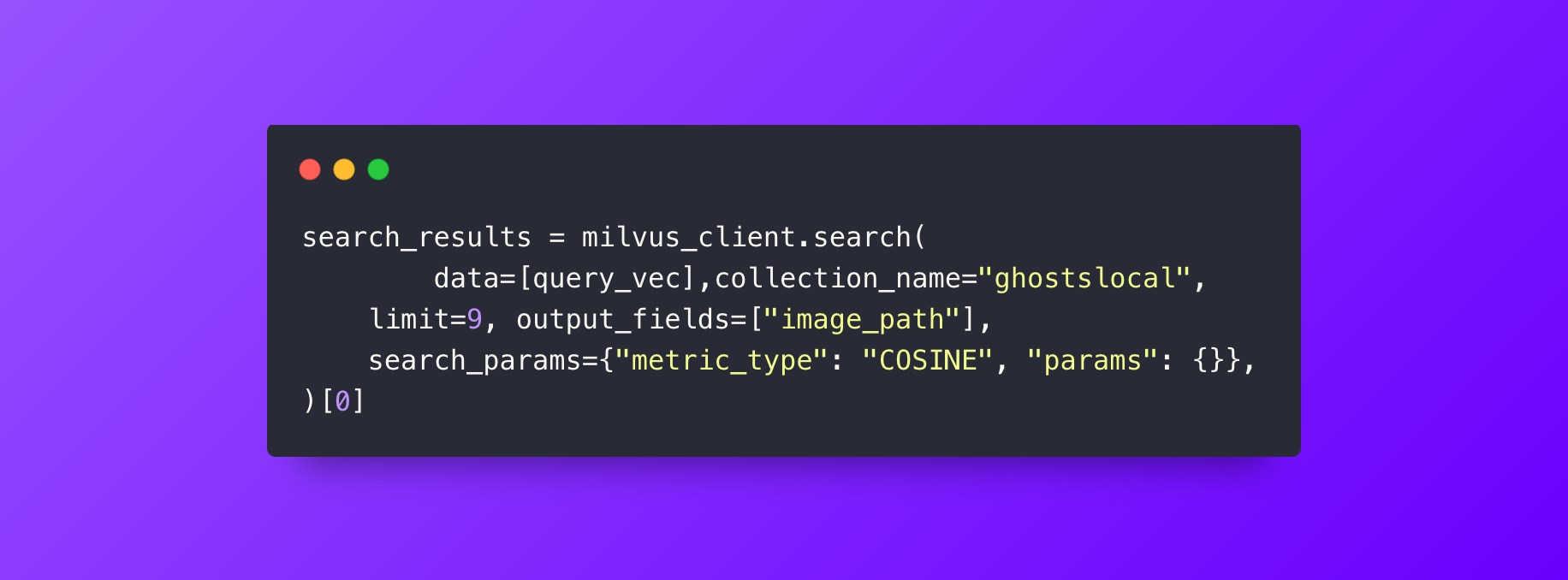
Our Milvus query to get results to feed the LLM
You can find the complete code in our example GitHub and can use any images of your choosing as the example shows. There are also some references and documented code including a Streamlit application to experiment with on your own.
Conclusion
As you can see not only is multimodal RAG not scary, it is fun and useful for many applications.
If you are interested in building more advanced AI applications, then try using the combination of Milvus and multimodal RAG. You can now move beyond only text and add images and more. Multimodal RAG opens up many new avenues for LLM generation, search, and AI applications in general.
If you like this article we’d really appreciate it if you could give us a star on GitHub! If you’re interested in learning more, check out our Bootcamp repository on GitHub for examples of how to build Multimodal RAG apps with Milvus.
Further Resources
Opinions expressed by DZone contributors are their own.
Comments