

Poetry Explained: Perils of the Unpinned Dependencies
Poetry conquers Python's dependency madness with version pinning and conflict resolution, guaranteeing smooth, stable, and hassle-free releases.
 CORE
·
CORE
·
Join the DZone community and get the full member experience.
Join For FreeImagine this: You are days away from a release, and your Python codebase is versioned, tagged, and marked as a Release Candidate. Hours from the release, out of nowhere appears a BUG! You set up a War Room, dig through the logs and the code, the team is struggling…and then it hits you: A DEPENDENCY UPDATE!
A seemingly minor version bump in a library your code depends on, introduced a breaking change, causing your cautiously crafted codebase into disarray. This problem compounds itself when your project relies on multiple libraries which in turn have their own set of dependencies. In such cases, a single incompatible update can trigger an avalanche of conflicts leading to “Dependency Hell.”
Introducing Poetry: Stability and Control
Poetry tackles dependency management issues with powerful features like version pinning, conflict resolutions, environment-specific dependency declarations, and grouped dependencies.
At the crux of Poetry’s dependency management is a pyproject.toml file, which acts as a central hub to manage the project metadata and dependencies. Once you set this file up, Poetry helps you to lock the dependencies and their specific versions using a poetry.lock file.
Advantages of Poetry
- Dependency resolution: Poetry ensures dependency resolution, with a strict emphasis on compatibility with other packages and avoiding any conflicts
- Locking: The
poetry.lockfile captures the exact state of your dependency graph, guaranteeing identical builds across multiple environments and infrastructures - Constrained updates: Using the poetry update command, you can update your dependencies while respecting the version constraints
Getting Started With Poetry
Installation
Install poetry across your system or inside a specific virtual environment using the command:
pip install poetryInitialize a Poetry Project
In any folder, you can initialize a poetry environment by running the following command:
poetry initHere I started on a fresh project, went through the metadata configuration, and added main project dependencies. Note, how you can let poetry select the latest, compatible versions or specify the required versions for each package.
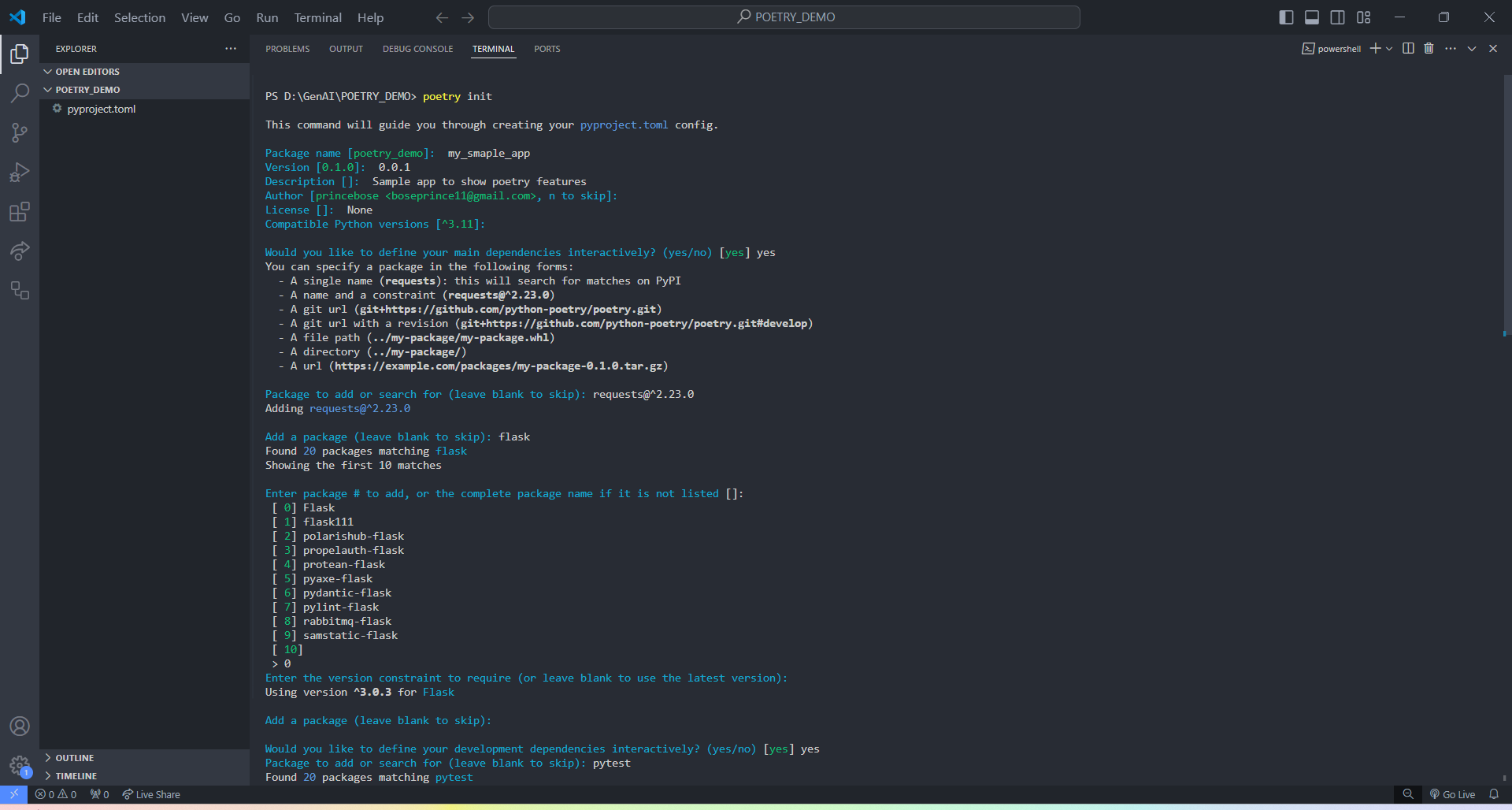
Adding Dependencies
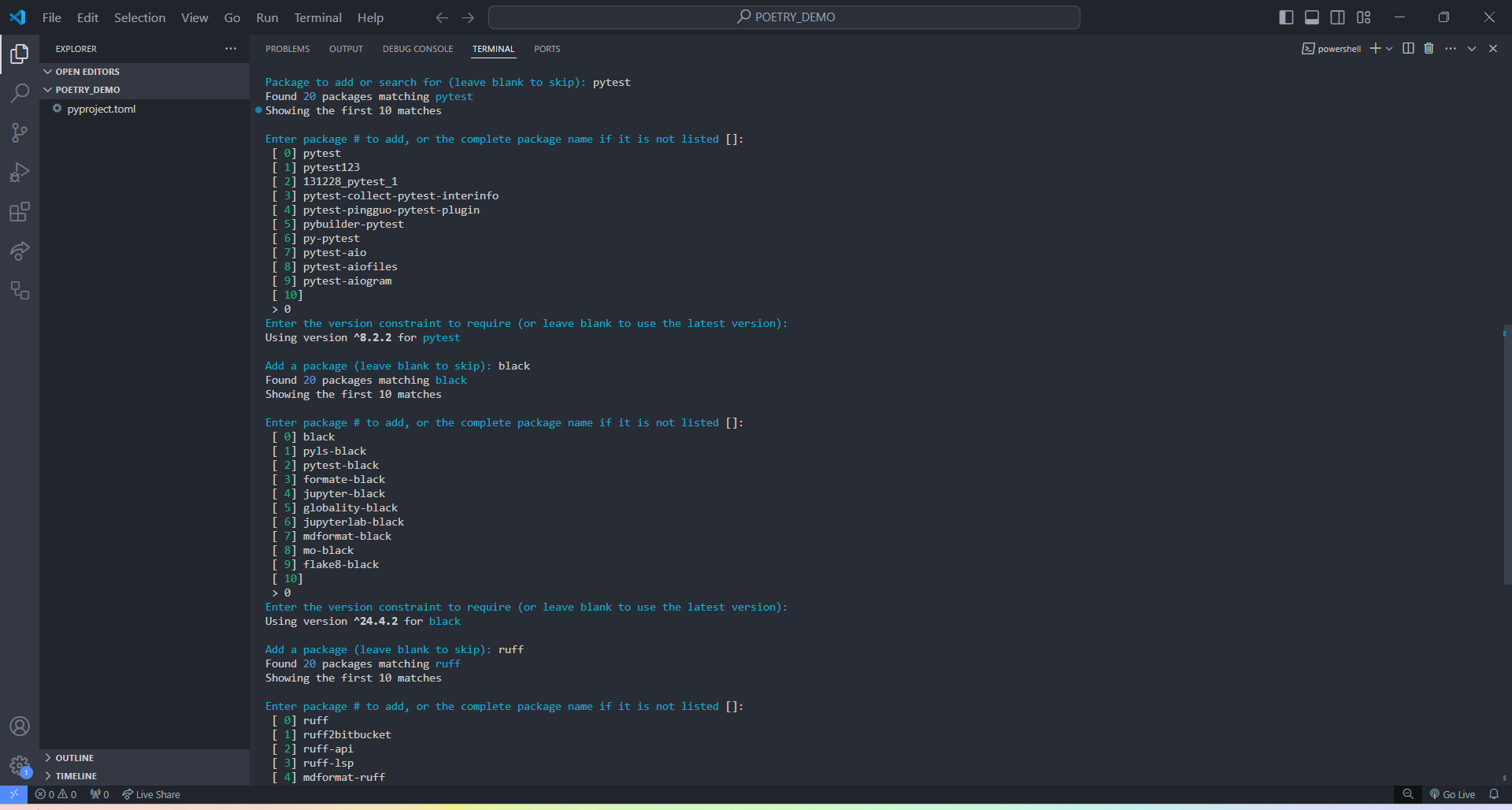
Now, we add development environment dependencies. See how poetry groups these dependencies under a `dev` group later in the pyproject.toml.
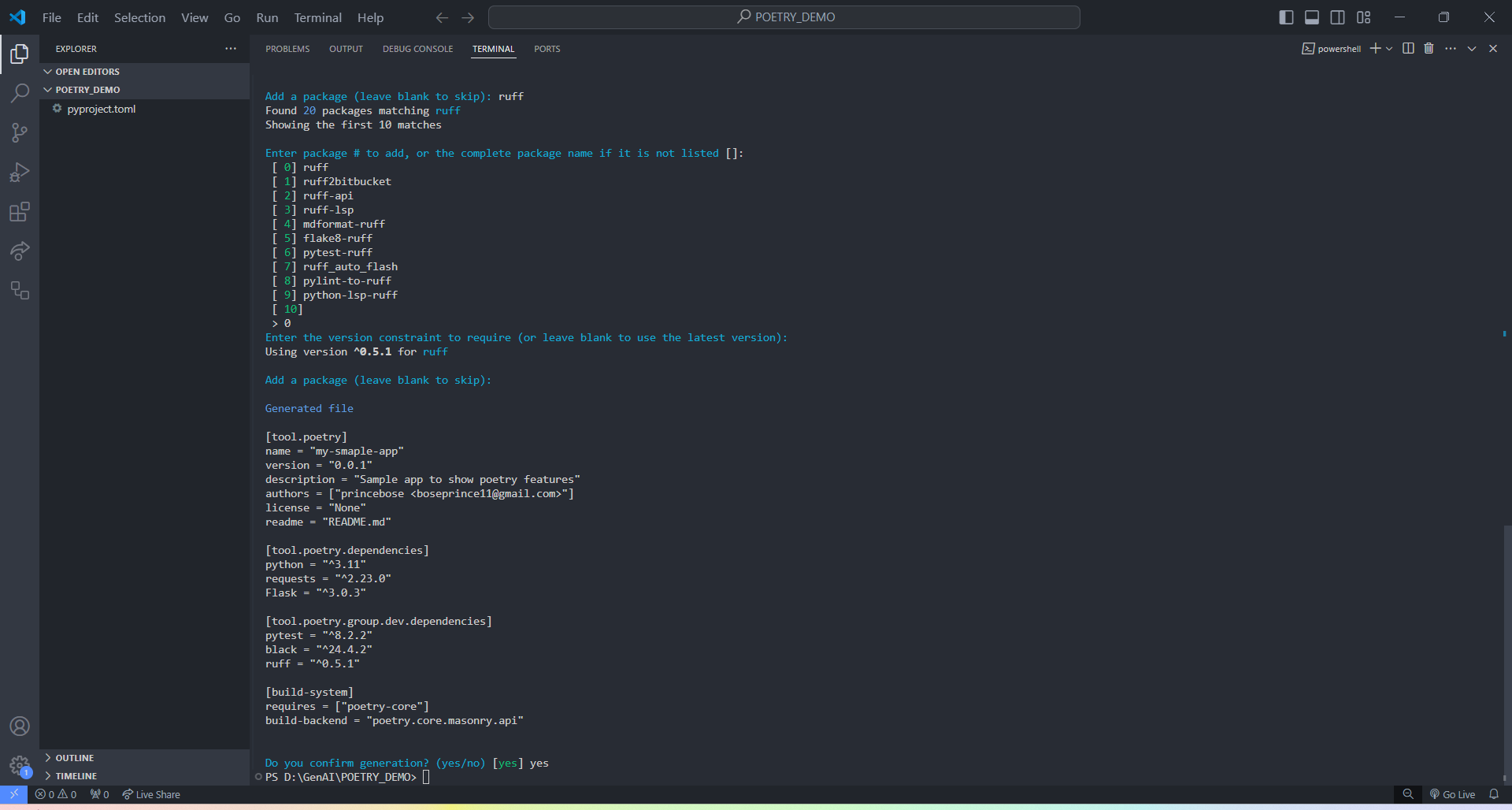
Once we confirm generation, here is the generated pyproject.toml that drives the project configuration and various dependencies.
[tool.poetry]
name = "my-smaple-app"
version = "0.0.1"
description = "Sample app to show poetry features"
authors = ["princebose <[email protected]>"]
license = "None"
readme = "README.md"

[tool.poetry.dependencies]
python = "^3.11"
requests = "^2.23.0"
Flask = "^3.0.3"

[tool.poetry.group.dev.dependencies]
pytest = "^8.2.2"
black = "^24.4.2"
ruff = "^0.5.1"

[build-system]
requires = ["poetry-core"]
build-backend = "poetry.core.masonry.api"
Installing the Dependencies
Now, to install and initialize the Python environment in your machine, run the following command:
poetry install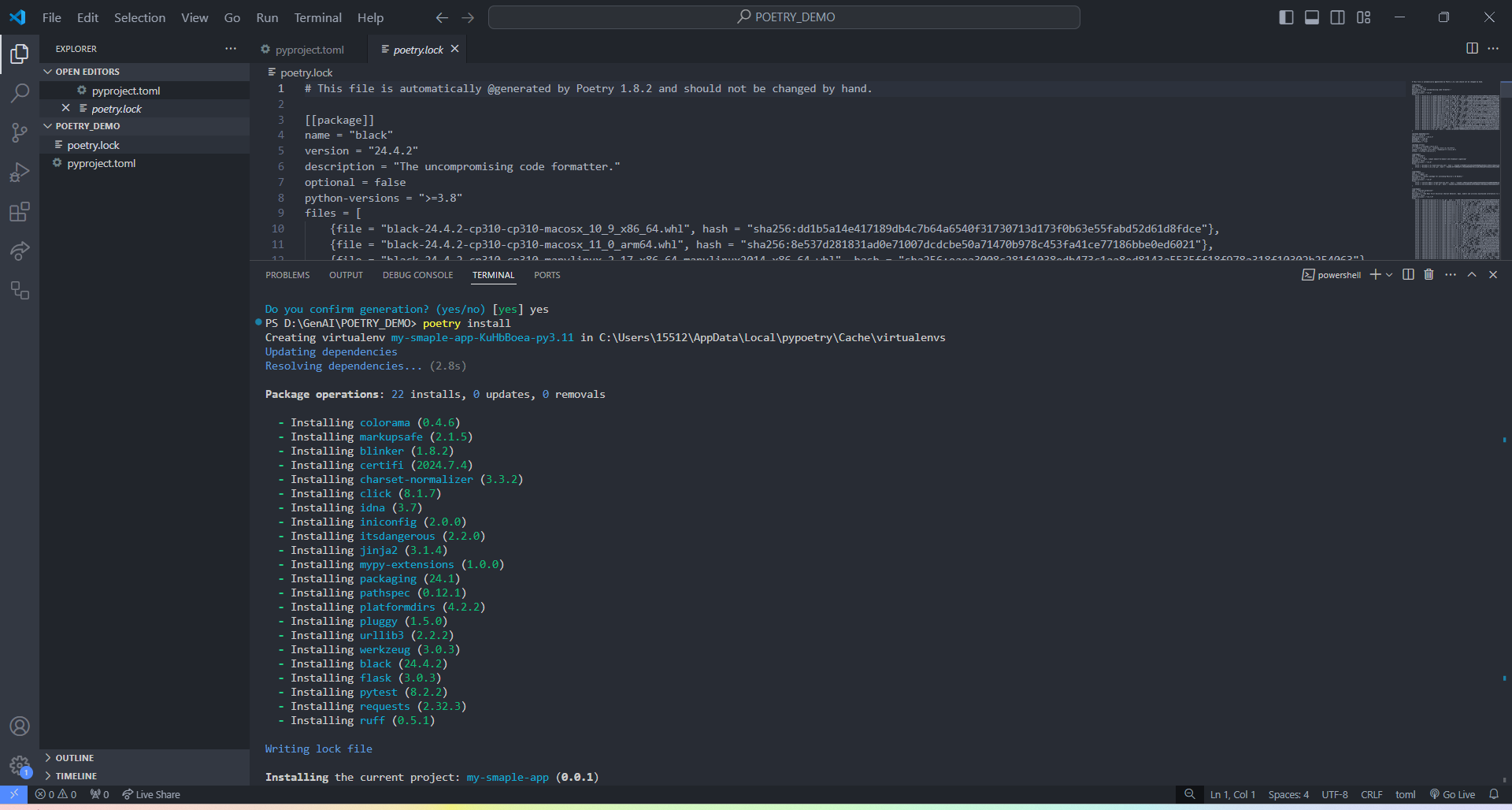
Once installed, poetry creates a poetry.lock file that locks the exact dependency state and ensures identical environments, wherever you install. You can further investigate the poetry.lock file to find your dependency listed in the pyproject.toml and find the version constraints created.
Adding More Dependencies
While developing, we always work on implementing new features that may require some additional dependencies.
Can Poetry add some dependencies after creating the pyproject.toml and locking the versions?
Absolutely. Here, I add one main dependency and one dev-only dependency using the following commands:
poetry add <package-name>

poetry add --group <group-name> <package-name>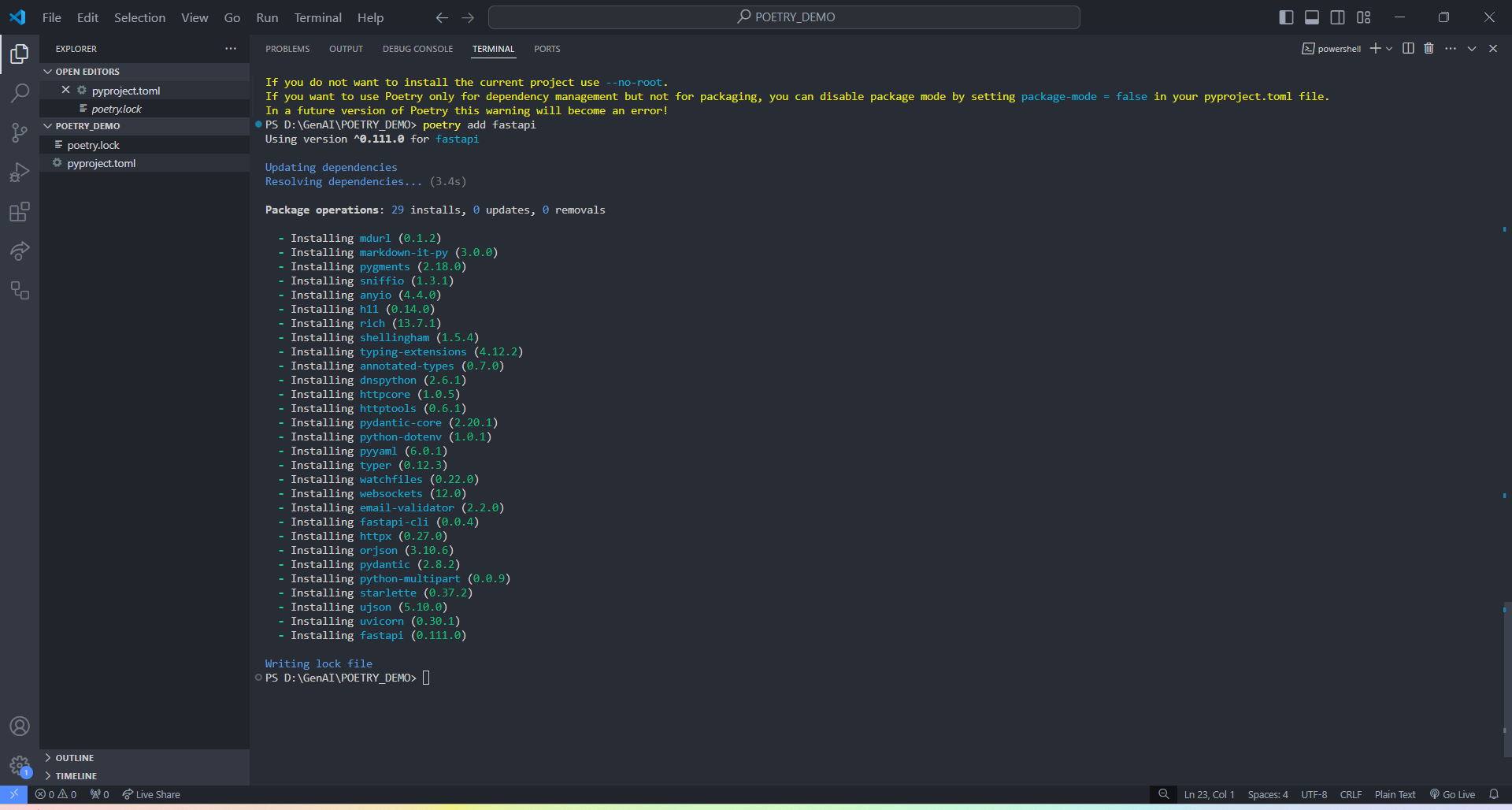
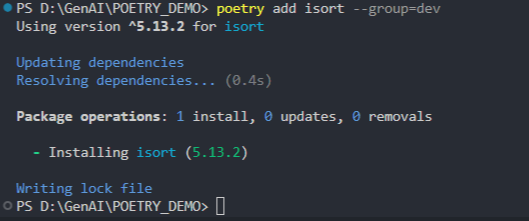
Final Result
You now have a version pinned dependency list, which ensures a huge reduction in tech debt.
[tool.poetry]
name = "my-smaple-app"
version = "0.0.1"
description = "Sample app to show poetry features"
authors = ["princebose <[email protected]>"]
license = "None"
readme = "README.md"

[tool.poetry.dependencies]
python = "^3.11"
requests = "^2.23.0"
Flask = "^3.0.3"
fastapi = "^0.111.0"

[tool.poetry.group.dev.dependencies]
pytest = "^8.2.2"
black = "^24.4.2"
ruff = "^0.5.1"
isort = "^5.13.2"

[build-system]
requires = ["poetry-core"]
build-backend = "poetry.core.masonry.api"
Advanced Features
Poetry offers a range of advanced features to efficiently manage complex dependency scenarios.
- Private/external repository: If you create and host your own Python packages in your personal/ enterprise repository/registry, you can link a particular dependency to be pulled in from an external repository (E.g., Artifact Registry, JFrog, GitHub, etc.).
- Plugins: Poetry offers the ability to extend its functionality to suit your specific needs using plugins. Think of these as custom-defined shortcuts within poetry.
Conclusion
By incorporating version pinning in your development lifecycle, you can avoid the commonly faced dependency management nuances that we come across while working in open-source packages, including, but not limited to:
- Automatic updates that backfire: As convenient as they sound, automatic updates can sometimes introduce breaking changes that cause chaos in your codebase.
- Minor bumps that cause major issues: Minor changes in a dependency—which can cause a breaking change — can vary from a renamed function to a revamped API.
- Security vulnerabilities: The consumers often do not use the latest versions, since they may pose unknown security exploits.
- Technical debt: Avoid the headaches of unexpected breaking changes and dependency conflicts, thereby saving valuable development time and resources.
- Collaboration: Identical dependency graphs ensure everyone on the team works with the same, predictable codebase.
Opinions expressed by DZone contributors are their own.
Comments