

Prompt Engineering: Retrieval Augmented Generation(RAG)
In this blog, we will understand a prompt engineering technique called retrieval augmented generation, and implement it with Langchain, ChromaDB, and GPT 3.5.
Join the DZone community and get the full member experience.
Join For FreeThe field of Natural Language Processing (NLP) has seen significant breakthroughs with the advent of transformer-based models like GPT-3. These language models have the ability to generate human-like text and have found diverse applications such as chatbots, content generation, and translation. However, when it comes to enterprise use cases where specialized and customer-specific information is involved, traditional language models might fall short. Fine-tuning these models with new corpora can be expensive and time-consuming. To address this challenge, we can use one of the techniques called “Retrieval Augmented Generation” (RAG).
In this blog, we will explore how RAG works and demonstrate its effectiveness through a practical example using GPT-3.5 Turbo to respond to a product manual as an additional corpus.
Imagine you are tasked with developing a chatbot that can respond to queries about a particular product. This product has its own unique user manual specific to the enterprise’s offerings. Traditional language models, like GPT-3, are typically trained on general data and may not have knowledge of this specific product. Fine-tuning the model with the new corpus might seem like a solution, but it comes with considerable costs and resource requirements.
Introduction of RAG
Retrieval Augmented Generation (RAG) offers a more efficient and effective way to address the issue of generating contextually appropriate responses in specialized domains. Instead of fine-tuning the entire language model with the new corpus, RAG leverages the power of retrieval to access relevant information on demand. By combining retrieval mechanisms with language models, RAG enhances the responses by incorporating external context. This external context can be provided as a vector embedding.
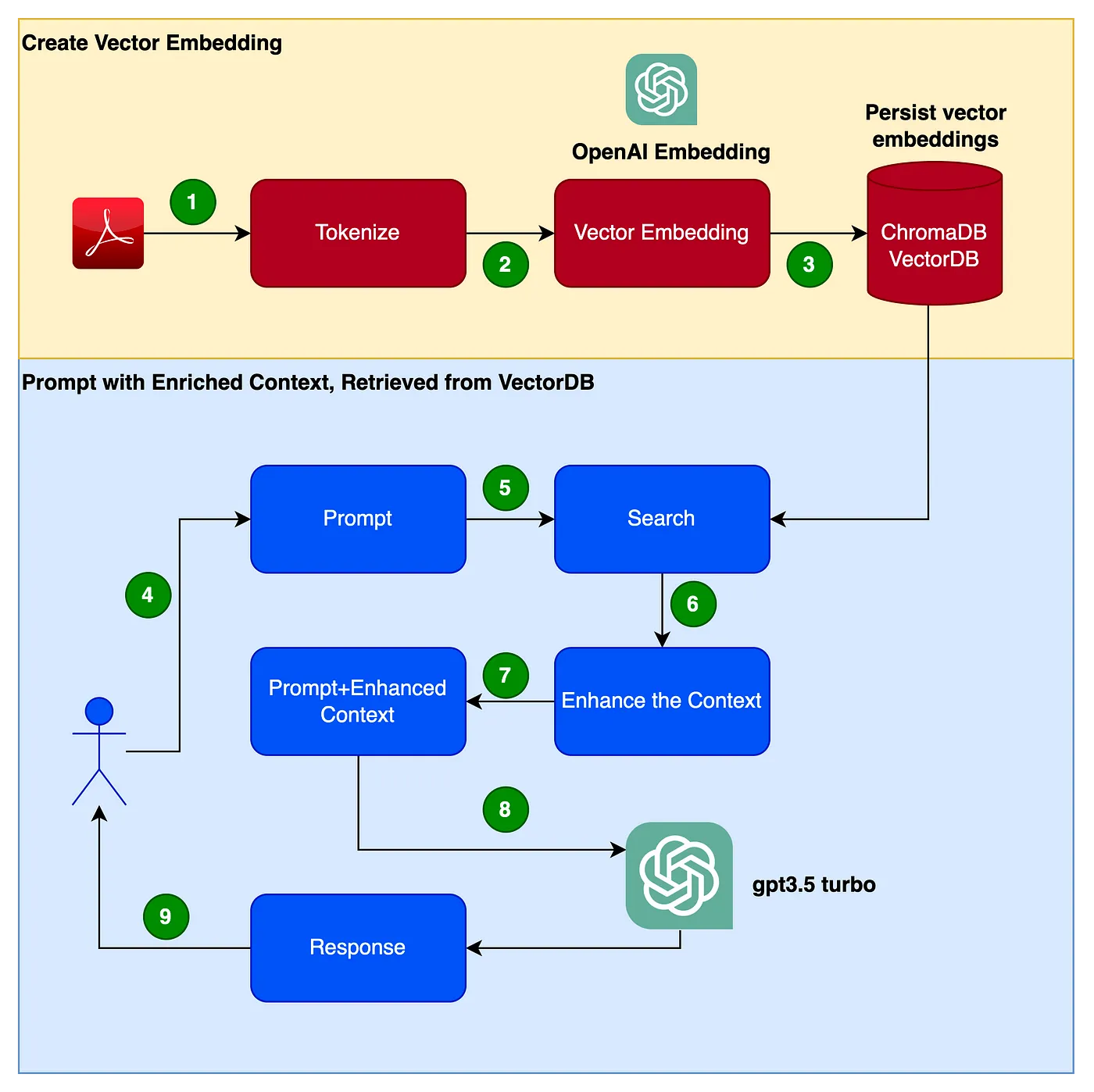
The following picture shows the flow of steps we will follow to create our application.
- Read from the PDF (Clarett user manual PDF) and tokenize with a chunk_size of 1000 tokens.
- Create a vector embedding of these tokens. We will be using OpenAIEmbeddings library to create the vector embeddings.
- Store the vector embeddings locally. We will be using simple ChromaDB as our VectorDB. We could be using Pinecone or any other such more highly available, production-grade VectorDBs instead.
- The user issues a prompt with the query/question.
- This issues a search and retrieval from the vectorDB to get more contextual data from the VectorDB.
- This contextual data is now will be used along with the prompt.
- The context augments the prompt. This is typically referred to as context enrichment.
- The prompt, along with the query/question and this enhanced context, is now passed to the LLM
- LLM now responds back, based on this context.
We will be using the Focusrite Clarett user manual as an additional corpus. Focusrite Clarett is a simple USB Audio Interface to record and playback audio. You can download the use manual from here.
Get Hands Dirty
Setup Virtual Environment
Let's set up a virtual environment to sandbox our implementation to avoid any version/library/dependency conflicts. Execute the following commands to create a new Python virtual environment
pip install virtualenv
python3 -m venv ./venv
source venv/bin/activate
Create an OpenAI Key
We will need an OpenAI key to access the GPT. Let's create an OpenAI Key. You can create the OpenAIKey for free by registering with OpenAI at here.
Once you register, log in, and select the API, Option, as shown in the screenshot (The screen designs may change since I took the screenshot)

Go to your account settings and select “View API Keys.”

Select “Create new secret key,” and you will see a popup like the one below. Provide a name, and this will generate a key.
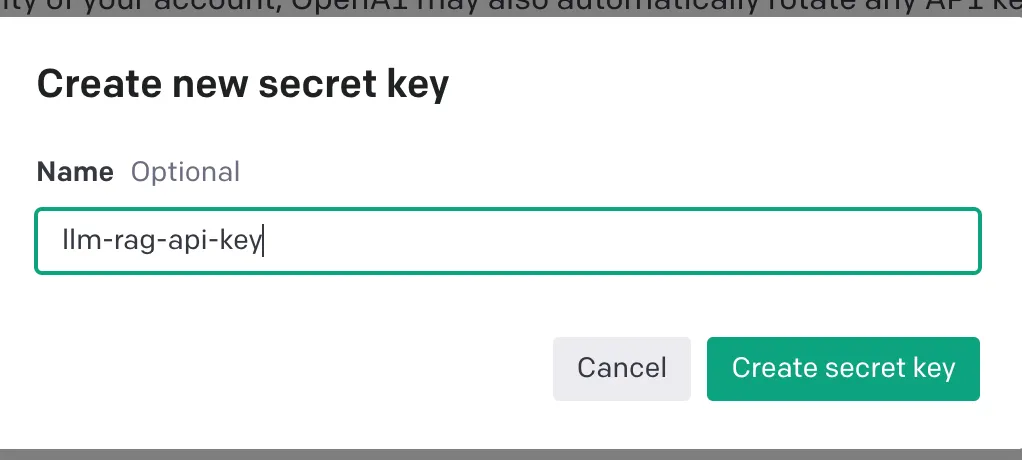
This will generate a unique key, which you should copy to the clipboard and store in a safe space.
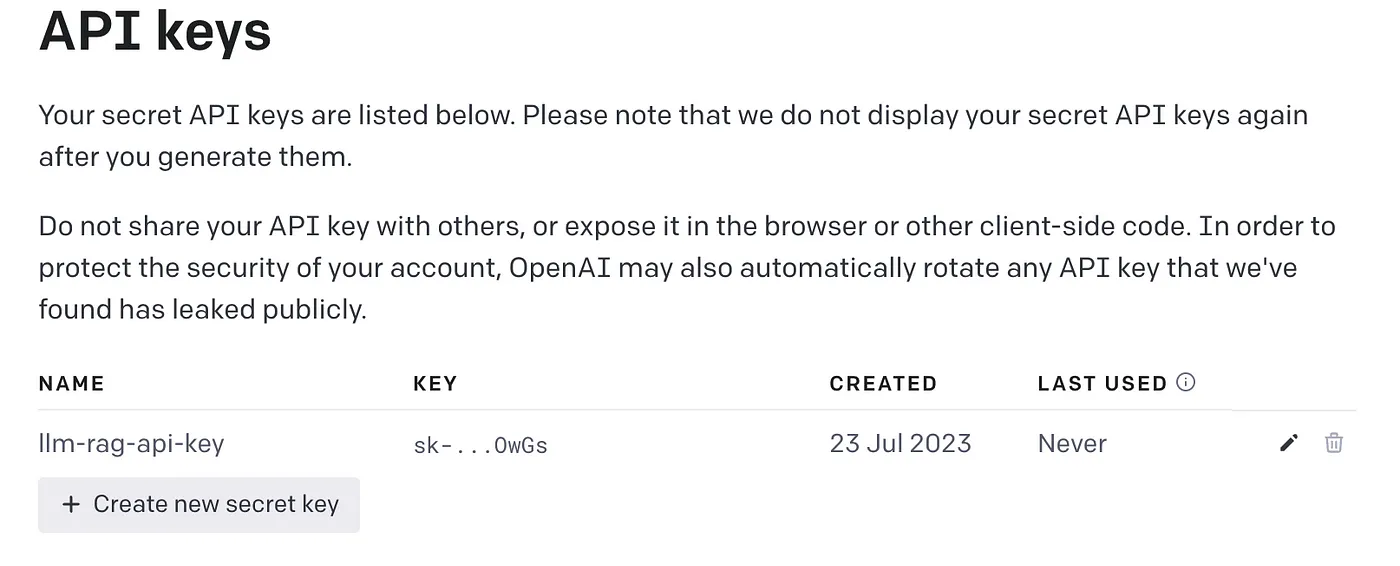
Now let's write the Python code to implement all the steps shown in the above flow diagram.
Install Dependencies
Let's install the various dependencies we will need. We will be using the following libraries:
- Lanchain: A Framework to develop LLM applications.
- ChromaDB: This is the VectorDB to persist vector embeddings.
- unstructured: Used for preprocessing Word/pdf documents.
- tiktoken: Tokenizer framework
- pypdf: Framework to read and process PDF documents.
- openai: Framework to access OpenAI.
pip install langchain
pip install unstructured
pip install pypdf
pip install tiktoken
pip install chromadb
pip install openai
Once these dependencies are installed successfully, create an environment variable to store the OpenAI keys that are created in the last step.
export OPENAI_API_KEY=<OPENAI-KEY>Let's start coding…
Create Vector Embeddings From the User Manual PDF and Store it in ChromaDB
In the following code, we are importing all the dependent libraries and functions that we will be using.
import os
import openai
import tiktoken
import chromadb

from langchain.document_loaders import OnlinePDFLoader, UnstructuredPDFLoader, PyPDFLoader
from langchain.text_splitter import TokenTextSplitter
from langchain.memory import ConversationBufferMemory
from langchain.embeddings.openai import OpenAIEmbeddings
from langchain.vectorstores import Chroma
from langchain.llms import OpenAI
from langchain.chains import ConversationalRetrievalChain
In the following code read the PDF, tokenizing and splitting the document into tokens.
loader = PyPDFLoader("Clarett.pdf")
pdfData = loader.load()

text_splitter = TokenTextSplitter(chunk_size=1000, chunk_overlap=0)
splitData = text_splitter.split_documents(pdfData)
In the following code, we are creating a chroma collection, a local directory to store the chroma db. We are then creating a vector embedding and storing it in ChromaDB.
collection_name = "clarett_collection"
local_directory = "clarett_vect_embedding"
persist_directory = os.path.join(os.getcwd(), local_directory)

openai_key=os.environ.get('OPENAI_API_KEY')
embeddings = OpenAIEmbeddings(openai_api_key=openai_key)
vectDB = Chroma.from_documents(splitData,
                      embeddings,
                      collection_name=collection_name,
                      persist_directory=persist_directory
                      )
vectDB.persist()
After you execute this code, you should see a folder created that stores the vector embeddings.
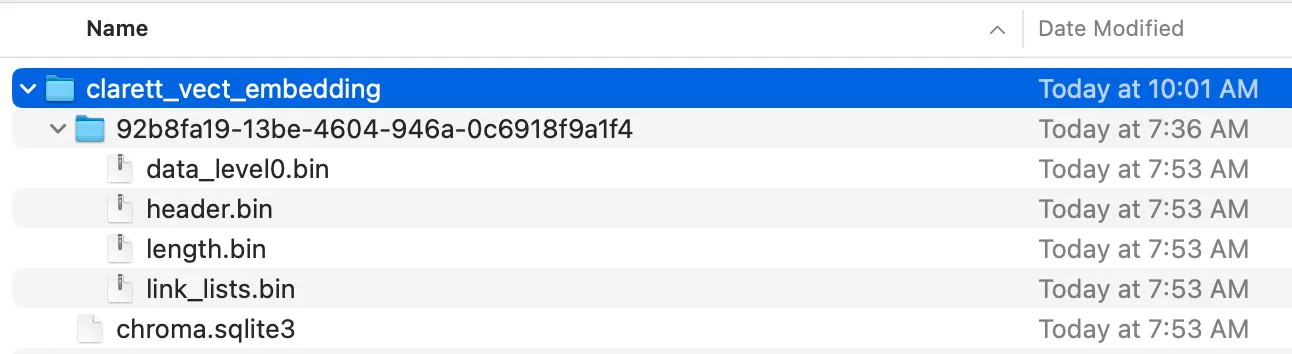
Now we have the vector embeddings stored in the ChromaDB. Let's now use the ConversationalRetrievalChain API in LangChain to initiate a chat history component. We will be passing the OpenAI object initiated with GPT 3.5 turbo and the vectorDB we created. We will be passing ConversationBufferMemory, which stores the messages.
memory = ConversationBufferMemory(memory_key="chat_history", return_messages=True)
chatQA = ConversationalRetrievalChain.from_llm(
            OpenAI(openai_api_key=openai_key,
               temperature=0, model_name="gpt-3.5-turbo"),
            vectDB.as_retriever(),
            memory=memory)
Now that we have initialized the conversational retrieval chain, we can use it for chatting/Q&A. In the following code, we accept user inputs (questions) until the user types ‘done.’ We then pass the questions to the LLM to get a response and print it.
chat_history = []
qry = ""
while qry != 'done':
    qry = input('Question: ')
    if qry != exit:
        response = chatQA({"question": qry, "chat_history": chat_history})
        print(response["answer"])
Here is the screenshot of the output.
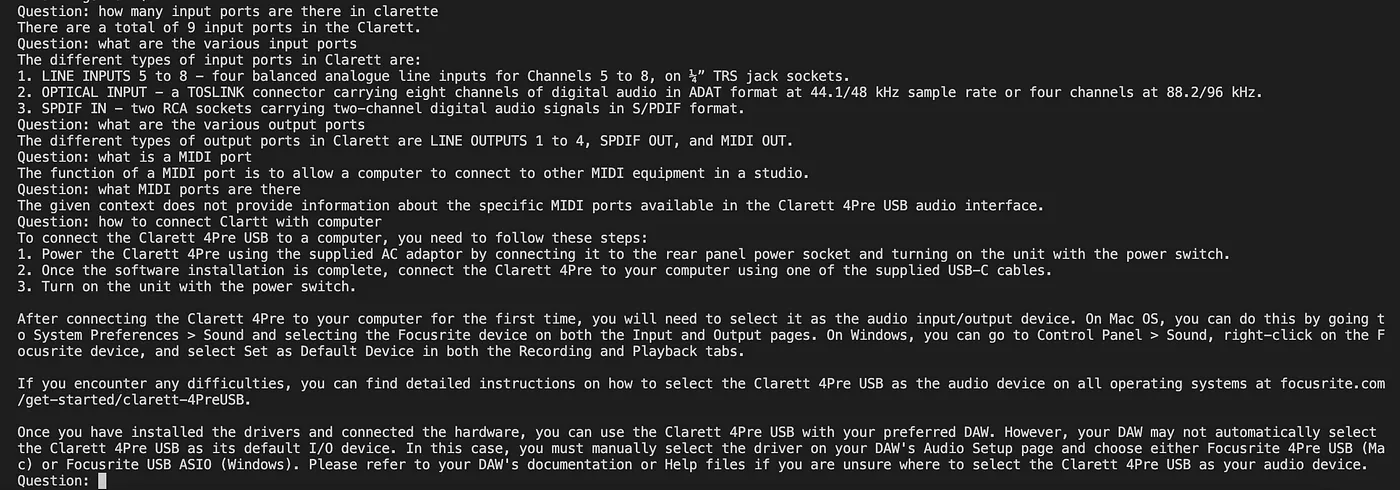

As you can see, Retrieval Augmented Generation is a great technique that combines the strengths of language models like GPT-3 with the power of information retrieval. By enriching the input with context-specific information, RAG enables language models to generate more accurate and contextually relevant responses. In enterprise use cases where fine-tuning might not be practical, RAG offers an efficient and cost-effective solution to provide tailored and informed interactions with users.
Hope this was useful. Please provide your views, feedback, and comments. in the meantime, I will be publishing more blogs in this field as I explore
Have a great time… Be right back!! until then, stay safe….
Published at DZone with permission of A B Vijay Kumar. See the original article here.
Opinions expressed by DZone contributors are their own.
Comments