

Running a Web Server on SOC (System on Chip)
This post will give introduction to ESP32 and how you can use it in your IoT projects.
 CORE
·
CORE
·
Join the DZone community and get the full member experience.
Join For FreeIoT devices are gaining popularity with every single day. The specialist hardware is becoming standardized and the specialized software is getting abstracted away with the ability to compose our applications using higher-level frameworks. One example of that device is ESP32 and in this post I will give a brief introduction to it. Though the demos shown here are very basic but you can see its potential. Lets start.
Introduction to ESP32
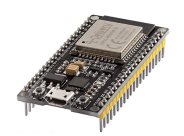
Created by Espressif Systems, ESP32 is a low-cost, low-power system on a chip (SoC) series with Wi-Fi and dual-mode Bluetooth capabilities for a wide-range of applications. You can purchase it easily for the cost of approx. 8-10 Euro.
Highlights
- Robust Design: capable of functioning reliably in industrial environments, with an operating temperature ranging from –40°C to +125°C.
- Ultra-Low Power Consumption: Engineered for mobile devices, wearable electronics and IoT applications.
- Hybrid Wi-Fi & Bluetooth Chip: Can perform as a complete standalone system or as a slave device to a host MCU. ESP32 can interface with other systems to provide Wi-Fi and Bluetooth functionality through its SPI / SDIO or I2C / UART interfaces.
Characteristics
- The ESP32 is dual core, this means it has 2 processors.
- It has Wi-Fi and bluetooth built-in.
- It runs 32 bit programs.
- The clock frequency can go up to 240MHz and it has a 512 kB RAM.
- It also has wide variety of peripherals available, like: capacitive touch, ADCs, DACs,
- UART, SPI, I2C and much more.
Programming Environments
The ESP32 can be programmed in different programming environments. You can use:
- Arduino IDE
- Espressif IDF (IoT Development Framework)
- Micropython
- JavaScript
- LUA
I am going to use Arduino IDE for the demos in this post but very much interested in trying out Micropython as well. For setting up the development environment, please check the official website (link in the references section).
Demos
You can do a lot of interesting things using this board. Links in the references section will provide you a lot of interesting projects which you can do. I am going to build two very simple applications as follows:
- Blink LED (hello world for micro-controllers)
- ESP32 Web Server
I am using Arudino for these. All the sample code is available on the git repo and you can download the sketches and check it.
If you are new to Arudino, then you can read some of my earlier posts on that topic as well.
Demo 1: Blink LED
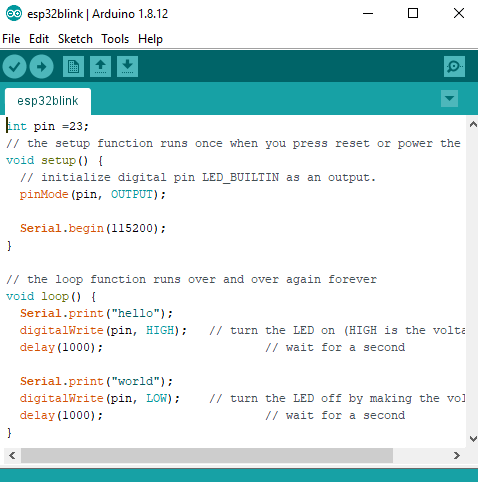
The following sketch, once uploaded to the board will make an LED blink. Wiring is very typical for this demo and I have already explained that setup in one of my earlier post, you can read on this link. Only thing different is the device used, instead of Arduino, now we are using ESP32.
Demo 2: ESP32 WebServer
Again, You can download all the code for this part from the repo on this link. Its pretty boiler-plate. However I will show you the UI and output.
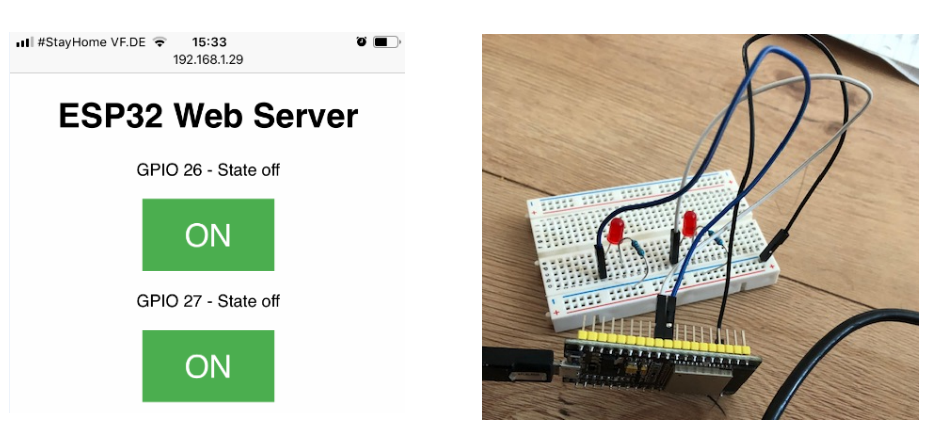
The web-server is running on ESP32 and you can use a browser to access the UI and ON/OFF LEDs using GPIOs on device. Instead of LED you can control something else as well with small modifications.
Code
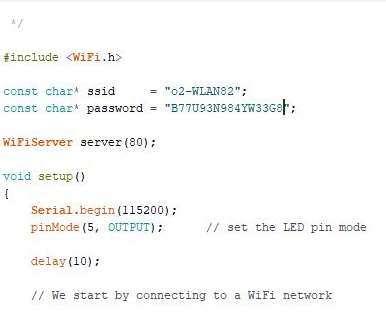
Partial code shown here. Builtin WiFi module is used as well:
Web UI and Wiring
Both LEDs Are OFF
Initially both LEDs are off and UI shows those as follows:
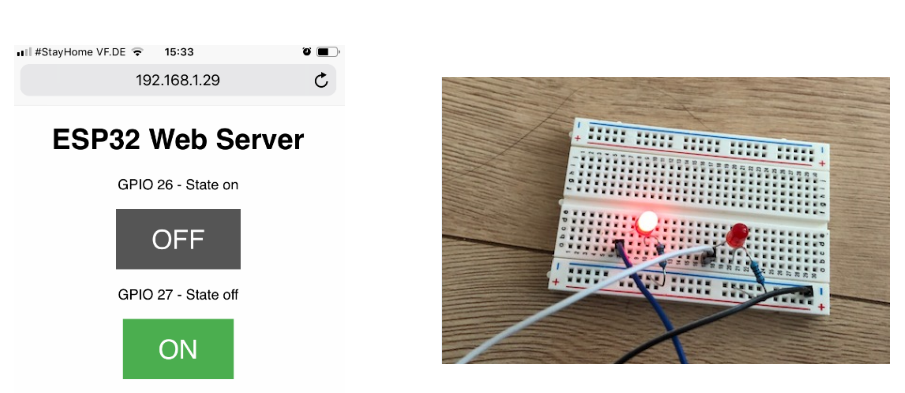
One LED Is ON
By clicking on the button you can turn ON the LED.
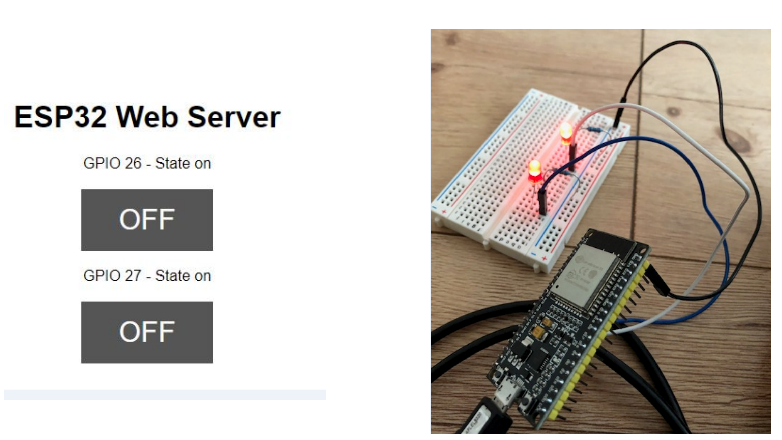
Both LEDs Are ON
Here is how it looks when both LEDs are on:
Summary
This was a short introduction to ESP32. I found this device capable and there is a good community behind it. You can use it easily in your IoT projects. People have done very interesting things with it and you can find more about it online. You can download the code for above mentioned demos from this git repo. If you have some question, feel free to ask in comments. I will share with you my other projects using this device. Till next time, happy coding.
References
Published at DZone with permission of Jawad Hasan Shani. See the original article here.
Opinions expressed by DZone contributors are their own.
Comments