

How to Test QR Codes in Your Applications
You’ve embraced QR codes in your applications, but are you actually testing them? See how easy it can be to include this crucial step in your SDLC.
 CORE
·
CORE
·
Join the DZone community and get the full member experience.
Join For FreeBuilding quality software is only possible with quality tests. Whether you write test scripts for QA engineers or build automated tests, tests help to ensure that your applications continue to function as they grow and evolve.
However, using automated testing to verify correct behavior can be challenging if your application generates visual artifacts, such as QR codes. Granted, you can write unit tests to ensure your code for generating QR codes does what it should; however, the danger is that your tests will be too tightly coupled to your application code. You’ll need to update your tests whenever you change the application.
I’ve written about Tricentis Tosca before but recently uncovered one of its newer features. Among the suite of tools in the product is the visual verification of QR codes and barcodes. Instead of writing code to decode what my app just encoded, I can just point Tosca at my app and assert what should be in the QR code, setting aside the implementation details of how the tests work. Yes, this is how QR code testing ought to work.
Let’s take a look at an example of how this testing works.
Demo Application
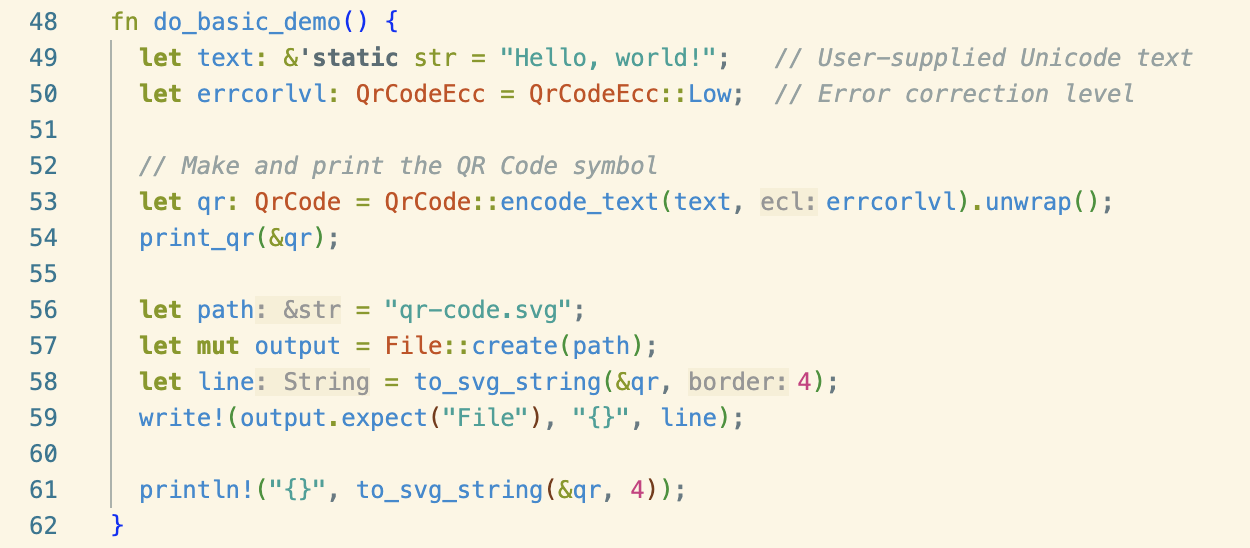
Before we can test QR code generation, we need to build an app that generates QR codes. Fortunately, we can use an open source QR code generator library. This repo includes examples for implementing QR code generation in several different languages, including Java, Python, TypeScript, C, and C++. I decided to go with the Rust implementation.
When I built the Rust example, it had nice output in my console, so I went with that.

I also added some code to the example to write the first QR code to an SVG file for testing later. Note that the QR code contains the string "Hello, world!" This is what we’ll test for.
Testing QR Codes With Tosca
Now that we have an app to work with, let’s look at how to test it with Tricentis Tosca.
As a reminder, Tricentis Tosca is codeless, AI-powered testing for your applications. It offers both cloud and local agents for running application tests. In a recent release, it introduced new support for testing QR codes.
Once my Rust code generated the QR code, I put the QR code in a PDF (the easiest way to do that is to open it and print it to PDF) and then put that PDF file in a location accessible to Tosca.
I decided to use the new test builder in Tosca Cloud to build this test since I just wanted to try it out with a simple test case. This was as simple as logging into my Tosca Cloud account and starting a new test suite. Since I’d already connected the machine to Tosca Cloud and the VM is where I’ve set up my license to use Tosca, Tosca Cloud could run the test on the node as a personal agent.
To configure the test, I simply dragged the module from Tosca’s module library for "Reading a PDF QR/Barcode" and pointed it at the PDF file. For the value field, I entered what should be in the file. That's it!
Here’s how it looks in Tosca Cloud:
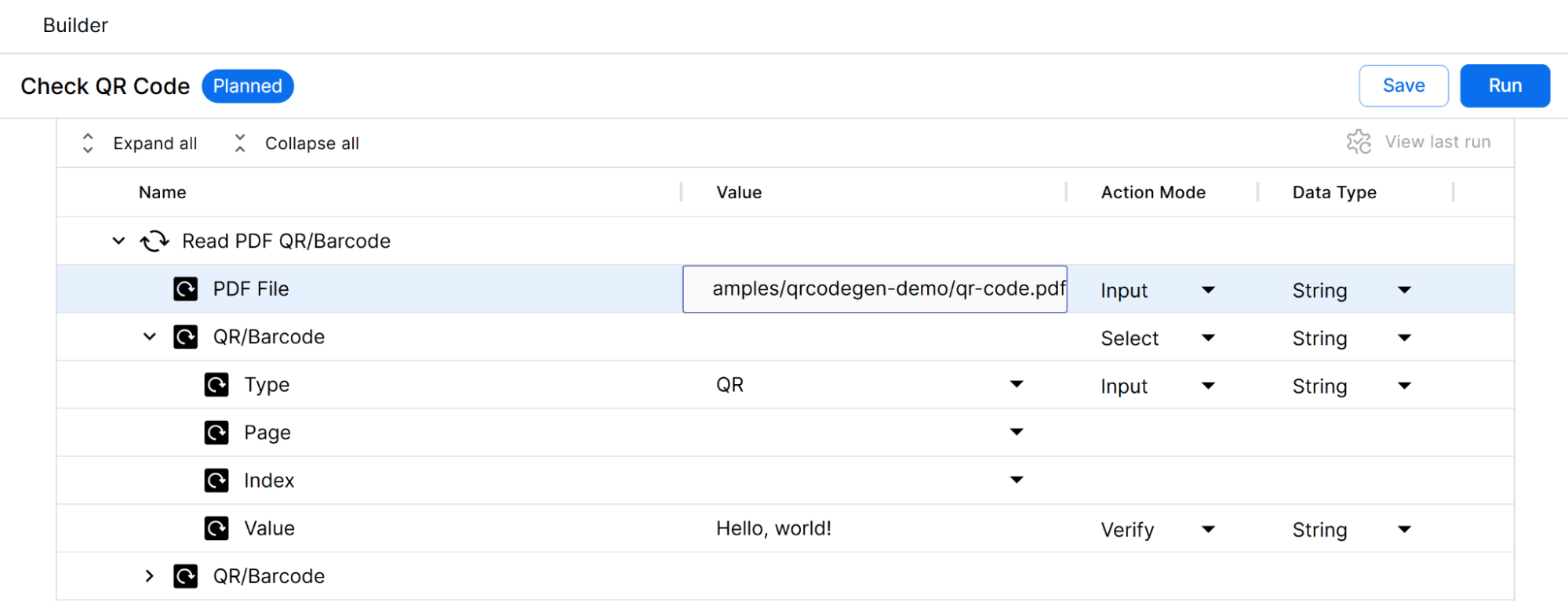
Tosca also has a Web QR/Barcode validator, but using it requires me to publish an app with a URL that a test agent can access.
After setting everything up, I clicked the Run button. Tosca Cloud starts an application locally, running on my test machine and linking the test case I’ve built. This allows me to skip much of the setup necessary for a more robust test suite.
The test runs, and the test case executes. Tosca provides access to the results:
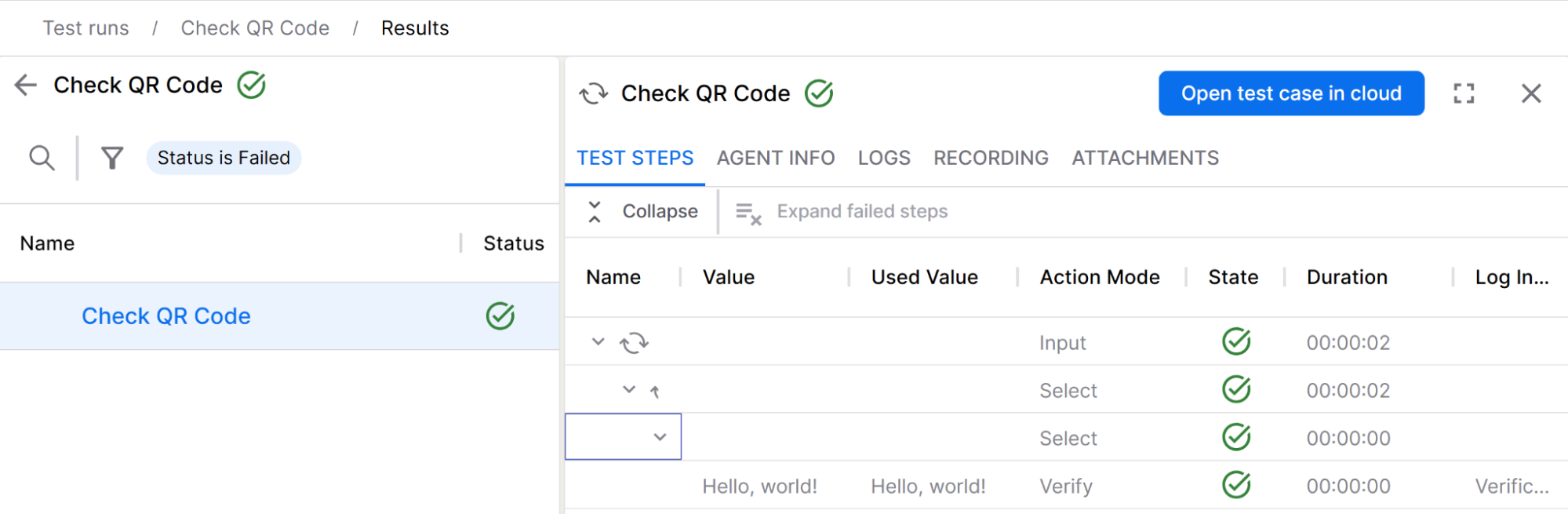
To see the full output of that last step, we can click on it to see more details.
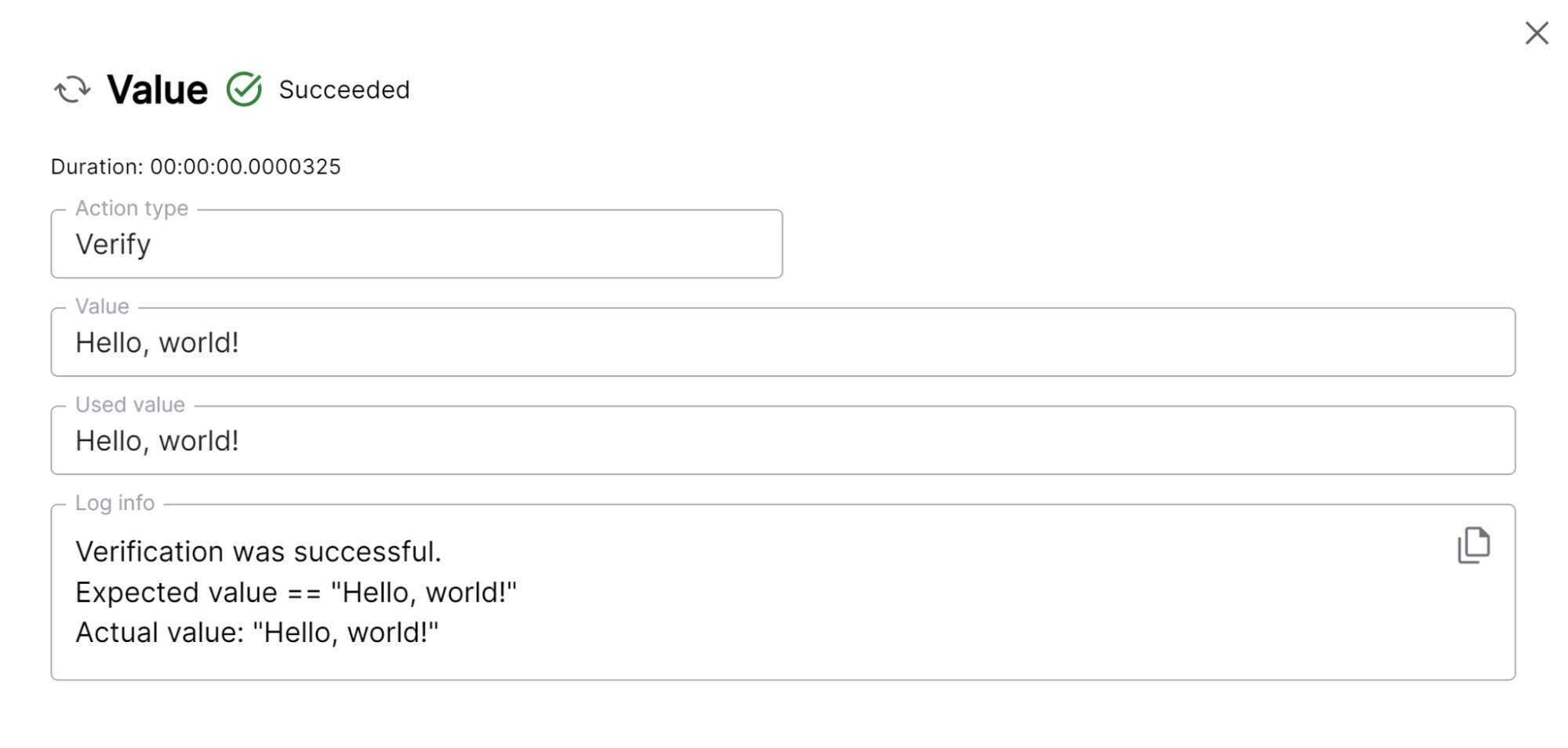
Now, we have a passing test for our application based on the value encoded in the QR code. We don’t need to build a QR code decoder ourselves. Tosca handles decoding for us! This way, we can validate that our application behaves as expected.
Let’s verify this by modifying what the test searches for in the generated QR code.
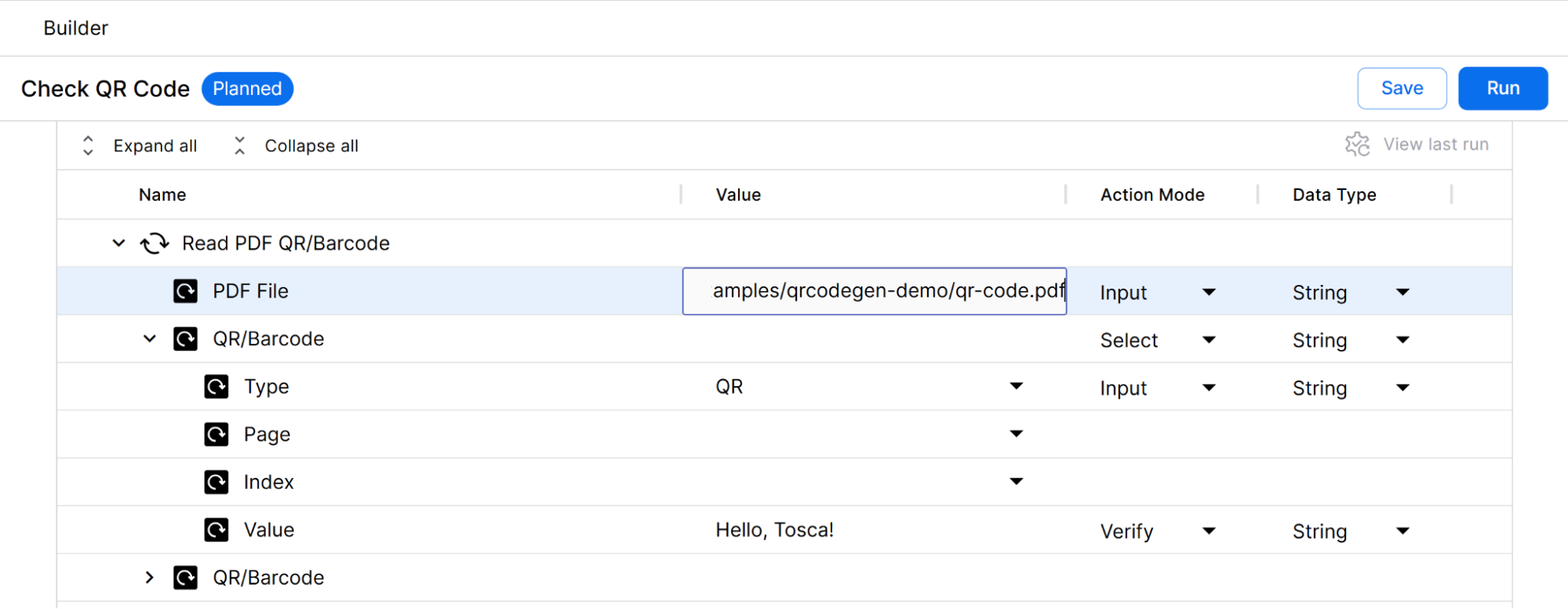
We’ve updated the test to search for "Hello, Tosca!" instead of "Hello, world!". At this point, our updated test ought to fail. We run the test and look at the result.
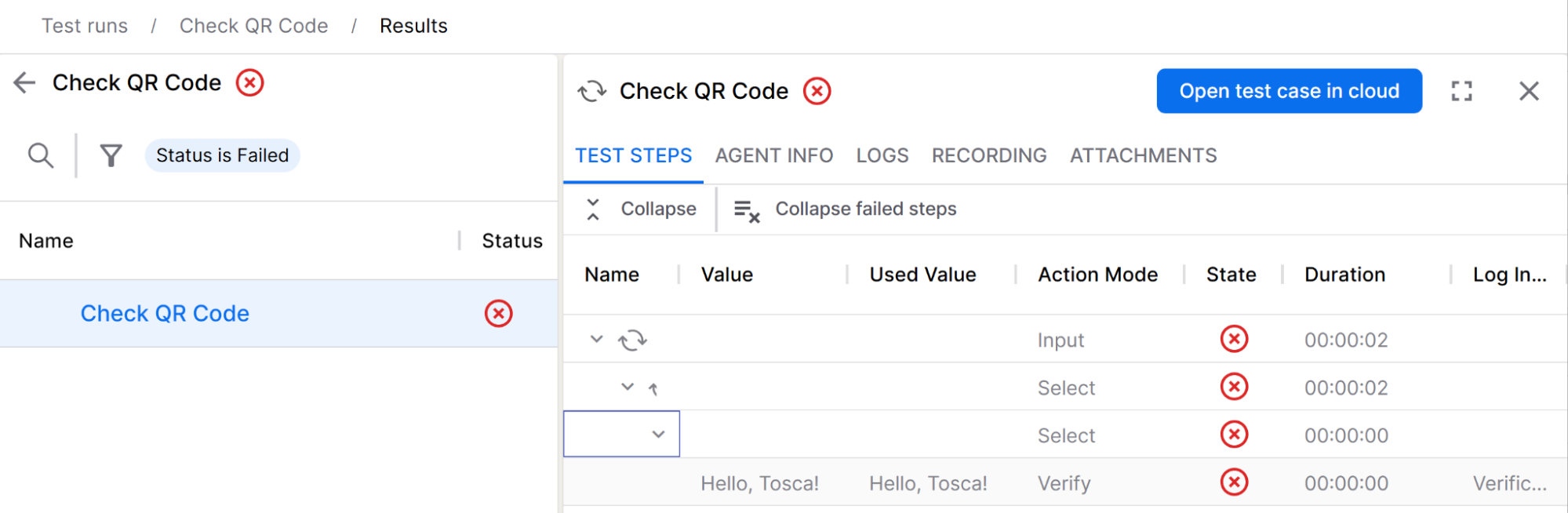
The test case fails, as expected. The details in the Verify step give us helpful information:
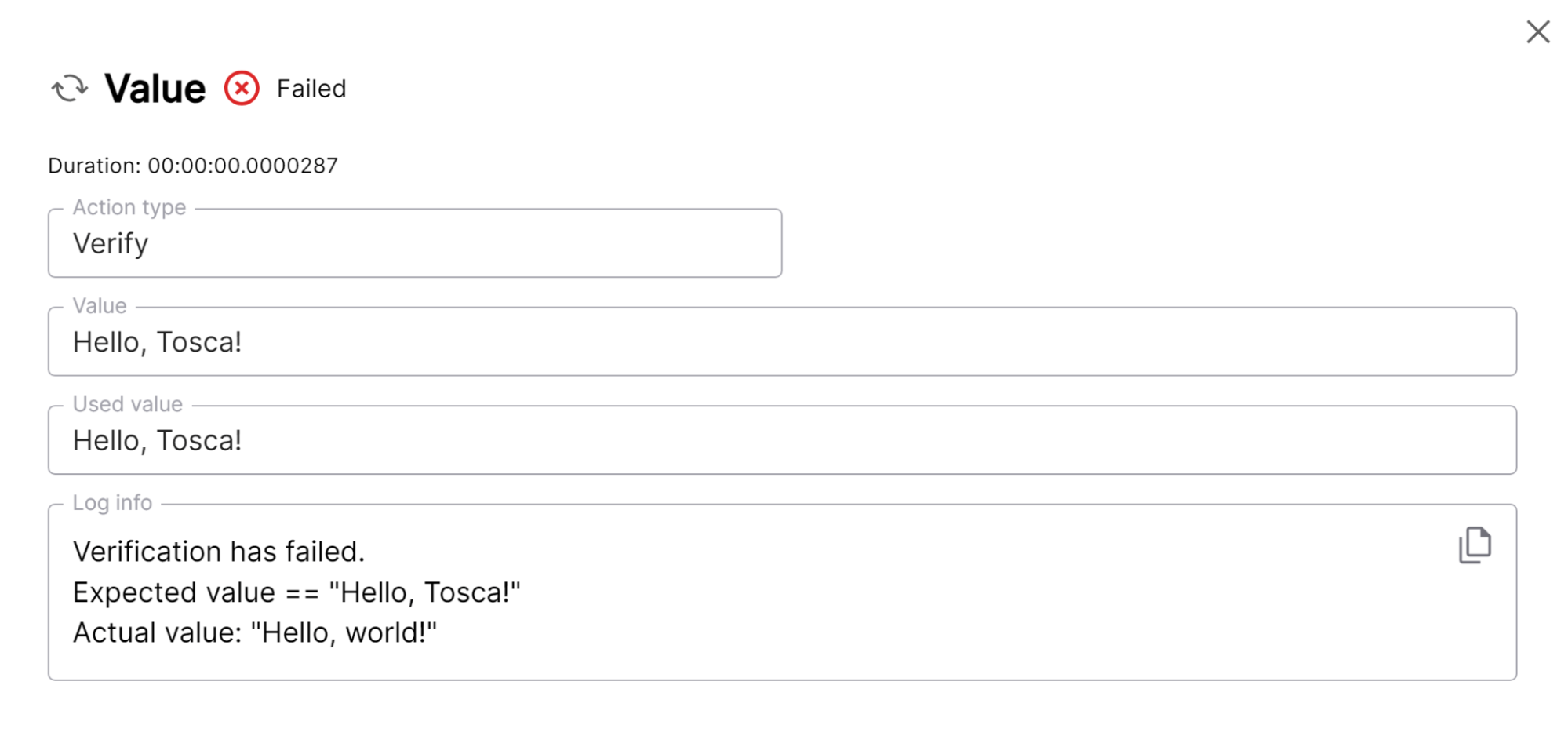
As we can see, the QR code does not contain the string that the test is looking for. With the application currently encoding "Hello, world!" our test fails. Let’s fix our code to match our test expectations.
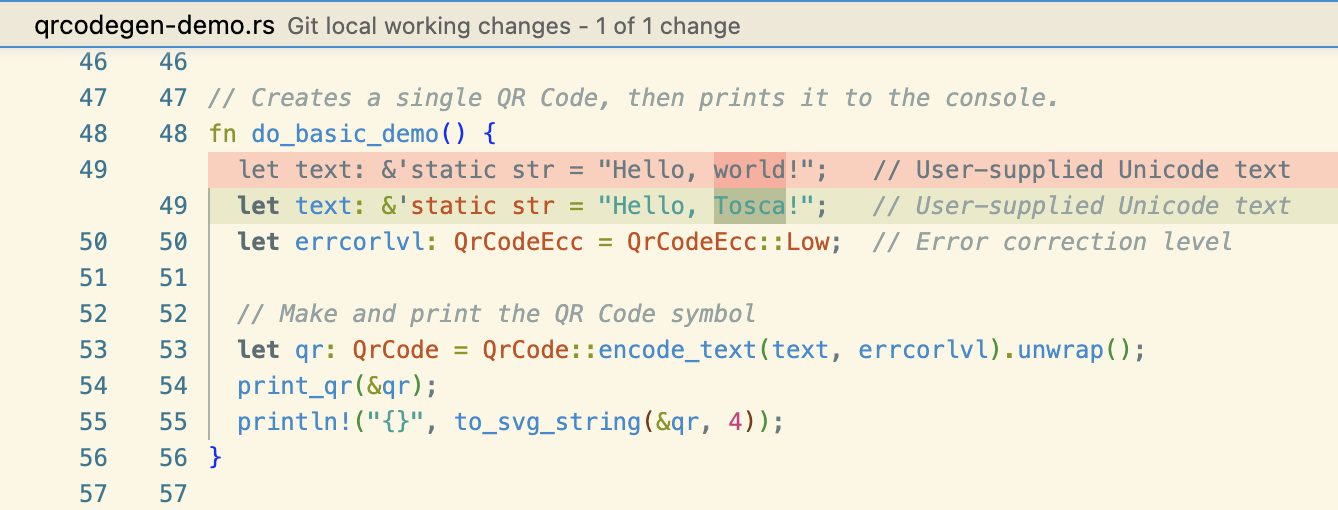
We run our test again.
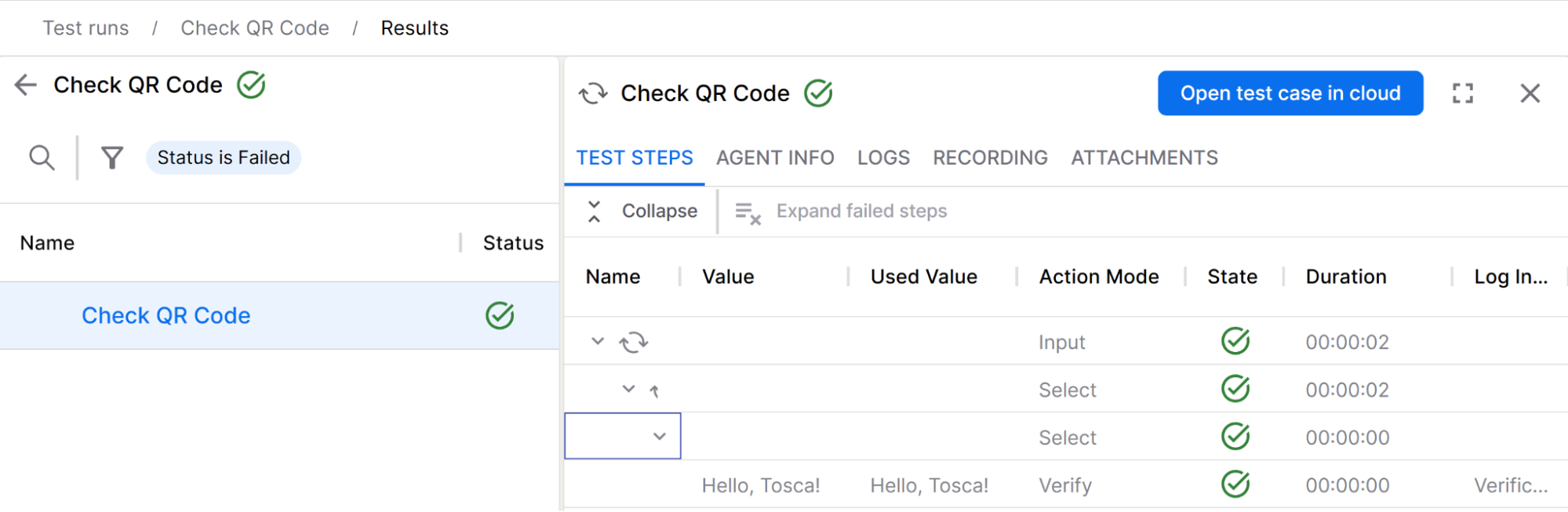
The test passes, and the test case details confirm why.
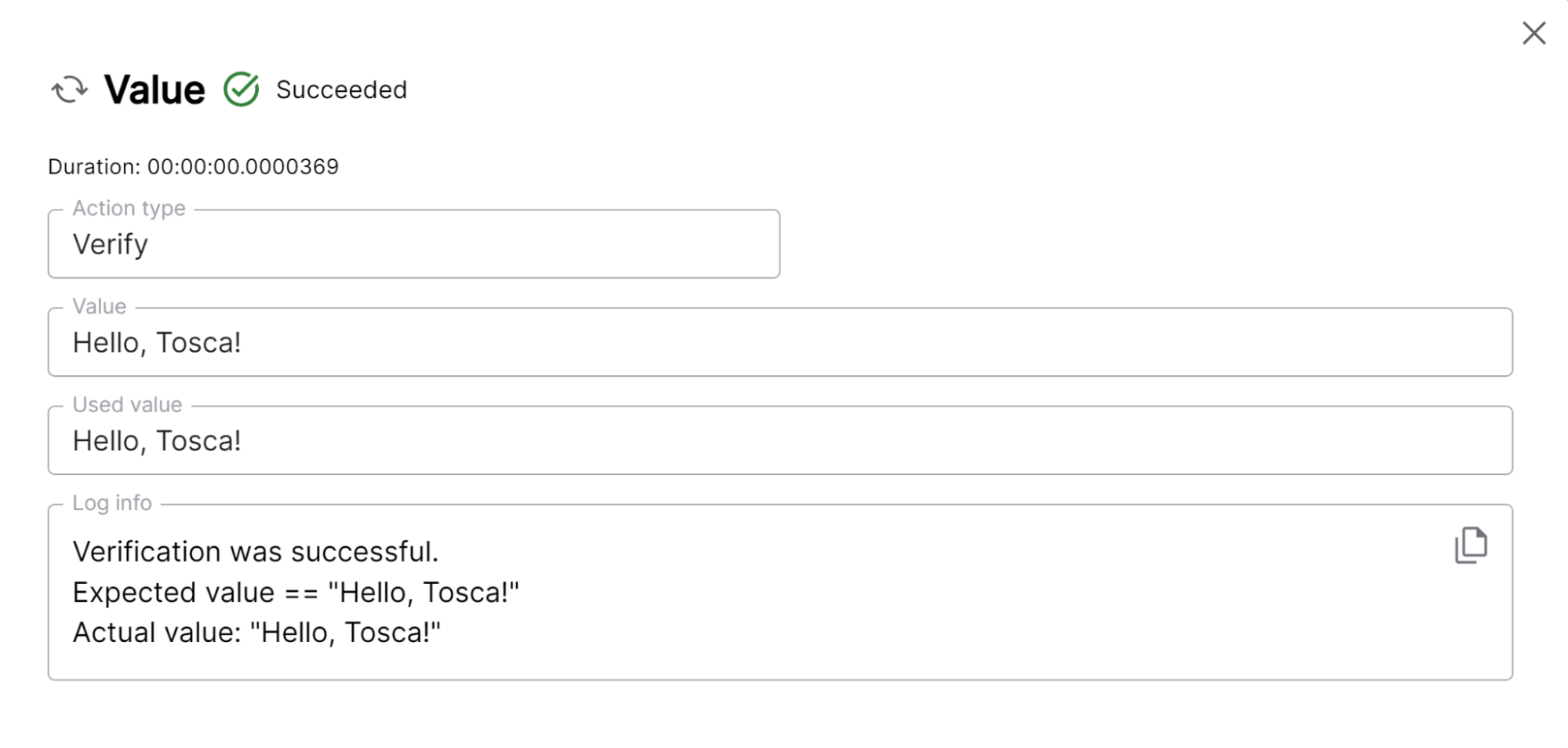
Now, as we change our application code or test requirements, we are confident that our QR codes generate according to spec.
QR Testing for the Win!
While this demonstration is somewhat simple, it shows the convenience of having a testing tool for QR code decoding. Additionally, the tests I’ve built for this feature are completely separate from the library I’ve used to implement the encoding functionality. This means that in the future, I can swap out the library without changing the tests at all, and my tests will tell me if the library change was seamless.
Have a really great day!
Opinions expressed by DZone contributors are their own.
Comments