

What Is a JWT Token?
Learn more about the JSON Web Token and how it can securely transmit information.
Join the DZone community and get the full member experience.
Join For FreeA JSON Web Token (JWT) is an open standard (RFC 7519) that defines a compact and self-contained way for securely transmitting information between parties as a JSON object. This information can be verified and trusted because it is digitally signed. JWTs can be signed using a secret or a public/private key pair.
What Is the JSON Web Token Structure?
- Header
- Payload
- Signature
Header
The header typically consists of two parts: the type of token, which is JWT, and the hashing algorithm that is used, such as HMAC SHA256 or RSA.
For example:
{
  "alg": "HS256",
  "typ": "JWT"
}
Then, this JSON is Base64Url-encoded to form the first part of the JWT.
Payload
The second part of the token is the payload, which contains the claims. Claims are statements about an entity.
Registered claims: These are a set of predefined claims which are not mandatory but recommended, to provide a set of useful, interoperable claims. refer this for more info Registered Claim Names
Public claims: These can be defined at will by those using JWTs. But to avoid collisions they should be defined
Private claims: These are the custom claims created to share information between parties that agree on using them and are neither registered or public claims.
An example payload is shown below:
{
  "sub": "1234567890",
  "name": "John Doe",
  "admin": true
}
Signature
To create the signature part, you have to take the encoded header, the encoded payload, a secret, the algorithm specified in the header, and sign that.
HMACSHA256(
  base64UrlEncode(header) + "." +
  base64UrlEncode(payload),
  secret)
Then, you have to put it all together. The following shows a JWT that has the previous header and payload encoded, and it is signed with a secret.
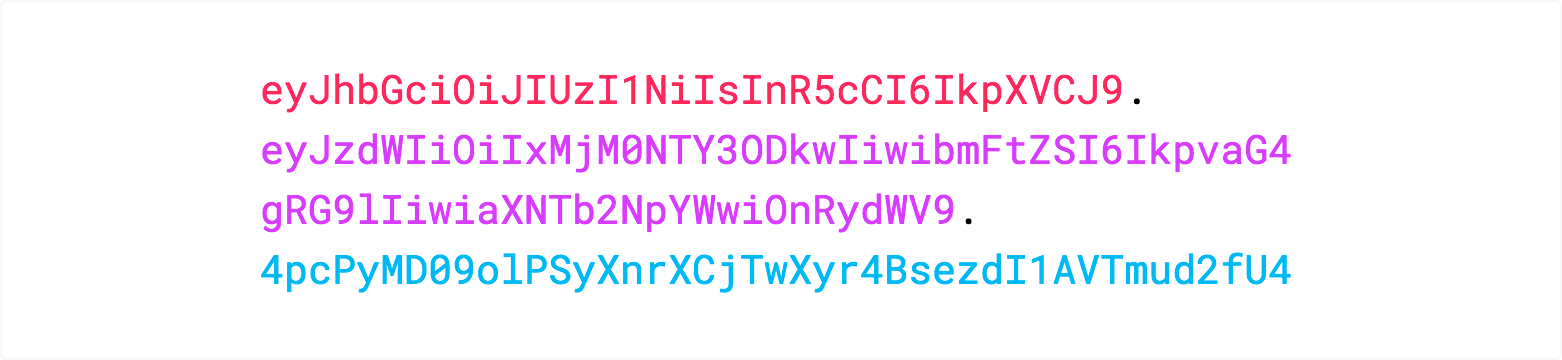
If you want to play with JWT and put these concepts into practice, you can use jwt.io.
Hope this helps! Let us know what you think in the comments below.
Opinions expressed by DZone contributors are their own.
Comments