

AWS App Deployment Basics: VPC and PostgreSQL Setup
In this post, we will start by setting up AWS VPC and PostgreSQL instances. Then we try to connect to it via a NodeJS application running locally on the same machine.
 CORE
·
CORE
·
Join the DZone community and get the full member experience.
Join For FreeIntroduction
In this series about deploying applications in AWS, I will discuss different methods and steps required to run different applications in AWS. We will be covering different moving parts in AWS as needed to run typical applications.
This series will be arranged in different parts to discuss different services, topics, and/or technologies needed for application deployment and execution.
Databases are one of the basic building blocks of many different types of applications. They can be relational or NoSQL or both. In this post, we will cover how to set up a PostgreSQL database running on AWS EC2 in a private subnet of a VPC.
Then we will try to connect to it via a NodeJS application that will be running locally on the same machine.
Background
I’ve recently written some posts on DZone about different Amazon Web Services. In those posts, I covered many different areas of AWS and those shall provide enough background information to help us deploy various application workloads in AWS.
Here are the Links:
- AWS Basics
- Amazon VPC Basics
- An Introduction to AWS Internet Gateway and VPC Routing
- AWS Basics – Bastian Hosts and NATS
- A Beginner’s Guide to AWS Security Groups
If you are new to AWS or want to refresh some of the background knowledge which I will be using in this series, you can read the above-mentioned posts as needed.
I have already set up a VPC with public and private subnets, created an internet gateway, security groups, and route tables, and configured the traffic flow.
VPC Setup
Here is how the VPC is set up. It has two subnets, an internet gateway, two custom route-tables, and few security groups:
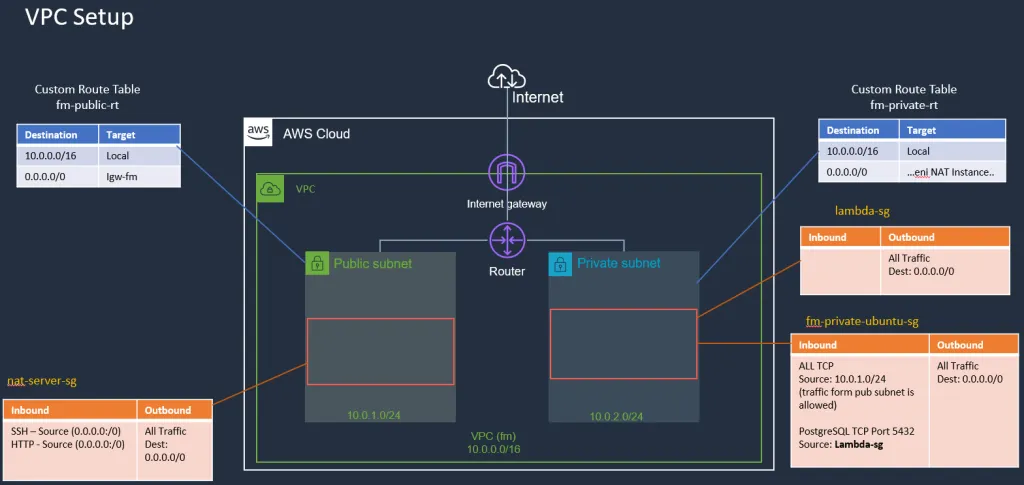
Subnets
- fm-pub-subnet (Public subnet)
- fm-private-subnet (Private Subnet)
Security Groups:
- Lambda-sg
- nat-server-sg
- fm-private-sg
I also configured inbound/outbound rules as shown in the diagram above.
Next, I launched two EC2 instances (one in each subnet) as shown in the diagram below:
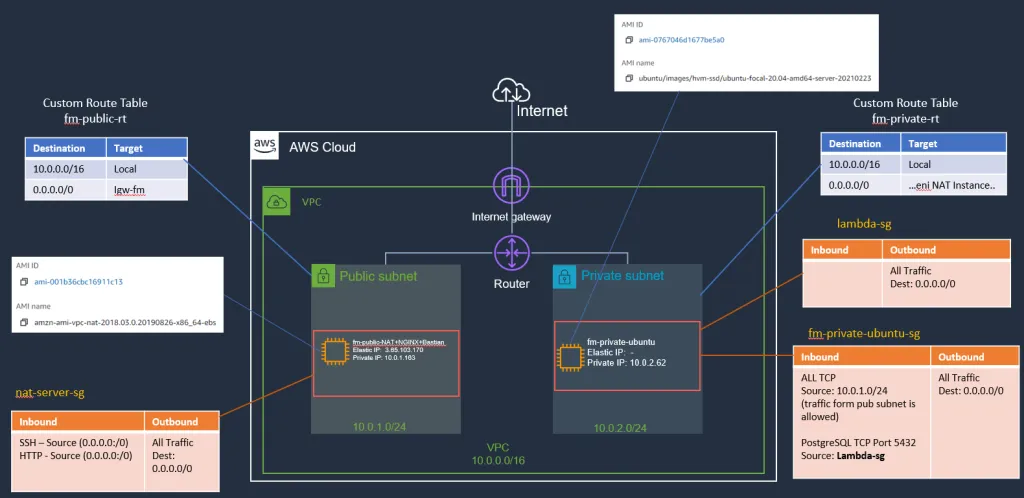
Instance 1:
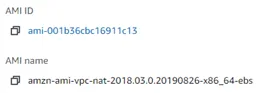
- Amazon Linux Image setup as a NAT Server
- nat-server-sg Security-Group attached
Instance 2:
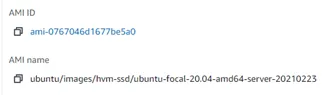
- Ubuntu Image (this also has git tools)
- fm-private-ubuntu-sg Security-Group attached
- lambda-sg Security-Group attached (we will use it later)
Starting Point
AWS Infrastructure setup up to this will be the starting point for this series. You can learn about all the above parts needed to set up this infrastructure from the posts links mentioned above.
Installing PostgreSQL on Ubuntu EC2
Now, we want to install PostgreSQL on the Ubuntu EC2 instance running in the private subnet.
1. Make an SSH Jump
ssh -i fm-keypair.pem ec2-user@elastic-ip-bastianserver //ssh to bastian
ssh -i ./fm-keypair.pem [email protected] //ssh to private ubuntu EC2
2. Update Packages on Ubuntu
sudo apt-get update3. Install Postgres on Ubuntu
sudo apt-get -y install postgresql
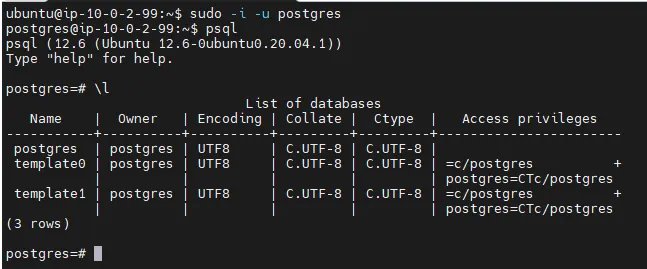
4. Test Installation Using PSQL
Cool. installation is done and let's do a small test to confirm that it is working.
sudo -i -u postgres
psql
\l
Here is the output of actions:
5. Create Database
Let’s create a database using SQL:
CREATE DATABASE productsdb;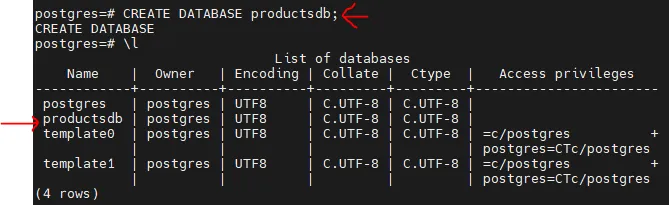
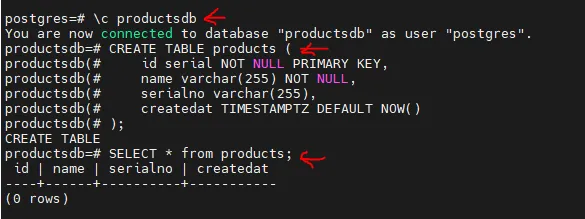
Next, connect to productsdb and create a products table by executing some SQL:
\c productsdbCREATE TABLE products (id serial NOT NULL PRIMARY KEY,name varchar(255) NOT NULL,serialno varchar(255),createdat TIMESTAMPTZ DEFAULT NOW());SELECT * from products;
You can see that table is created as expected:
Next, Let’s insert some test data using SQL as follows:
INSERT INTO products( name, serialno)
VALUES
( 'Product A', 'A12345678'),
( 'Product B', 'B12345678'),
( 'Product C', 'C12345678'),
( 'Product D', 'D12345678'),
( 'Product E', 'E12345678')
And if we execute the select statement again, we can see that now we have some test data in the table:
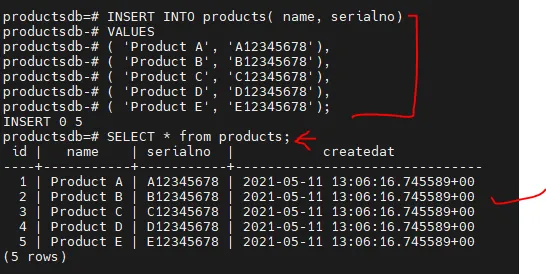
Ok, up to this point, the Postgres installation is working as expected, we also created a database with one products table and some test data.
Also, you can change the password for Postgres as follows:
sudo -u postgres psql -c "ALTER USER postgres WITH PASSWORD 'sasa';"So far, we are executing SQL statements locally on the EC2 instance which we are connected to via Bastian Host (aka jump-server).
Now, instead of PostgreSQL, if you want to use MySQL, you just need to execute the corresponding apt-get commands to install the relevant package on you Ubuntu machine.
Having a database in the private subnet is a good practice. It is secure that there is no direct incoming internet traffic to the private subnet and we have control over who has access.
Connecting with An Application Running Locally
This part is optional, you can use Java, .NET Core, Python, or any other programming language. I’ve created a very simple git repo for a Nodejs application. The application tries to read data from productsdb database and products table. I cloned the repository on the same Ubuntu instance where Postgres is installed:
git clone https://github.com/jawadhasan/nodepostgresdemo.git
cd nodepostgresdemo
npm install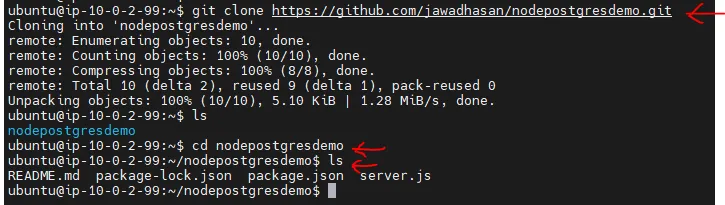
Then simply run the application:

You can see that server is up and running.
If for some reason node or npm is not installed on your ubuntu machine, you can install those using the following commands:
node -v npm -v
sudo apt install nodejs
sudo apt install npm
Test the Local Application
Now, I make another SSH connection to ubuntu EC2 (via jump host) and make a curl request on port 3000 as follows:

As you can see the Node application is able to read the data from the Postgres database.
Here is the code for server.js:
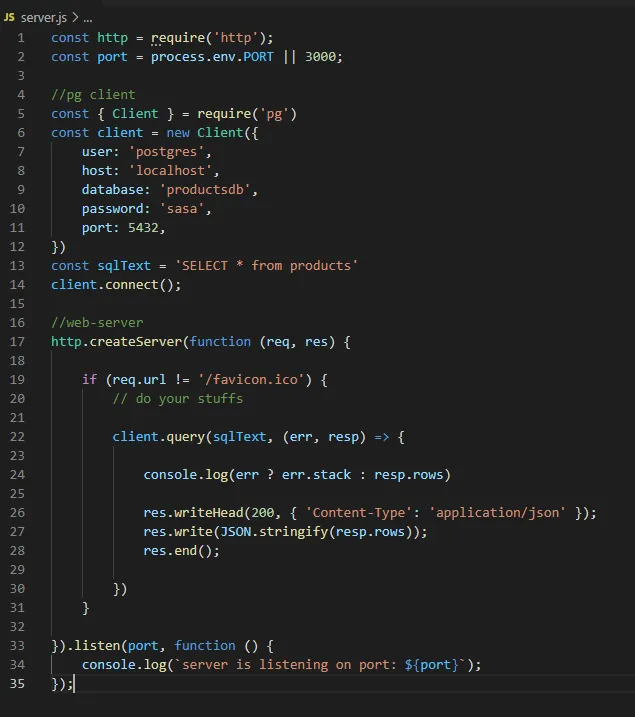
Node application is simply using pg library for the database connection and query and returning the data.
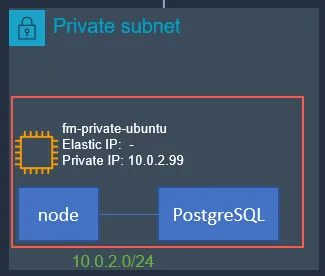
Following diagram shows the application and database running on the same EC2 instance:
Summary
This was the first post in series about application deployments on AWS. We talked about some background information and discussed a basic VPC setup with two subnets and two EC2 instances.
We then installed PostgreSQL on an Ubuntu EC2 instance running in a private subnet with some test data. We also test the database connectivity with a locally running Nodejs application. You can download the application code from this Git repo.
Later, we will be running our application on a different EC2 instance and then will check if our application can access the database while running on different EC2 or not, and what can be needed to make that happen. Let me know if you have any comments or questions.
Till next time, Happy coding!
Published at DZone with permission of Jawad Hasan Shani. See the original article here.
Opinions expressed by DZone contributors are their own.
Comments