

Build Your Own Customized ChatGPT Using OpenAI
Learn to build a no-code AI bot to generate test cases from user stories using ChatGPT. Customize tone, behavior, and export structured test scripts easily.
Join the DZone community and get the full member experience.
Join For FreeAI-powered chatbots are everywhere nowadays, taking over manual tasks and helping businesses and individuals with productive and efficient solutions. Companies like OpenAI (ChatGPT), Anthropic (Claude), Google DeepMind (Gemini), Meta (Llama), and Mistral AI are leading the way in developing these intelligent assistants.
But here’s the exciting part — you don’t need to be a programmer to create your own customized chatbot! OpenAI makes it incredibly easy to personalize ChatGPT without writing a single line of code. Whether you want an AI assistant for customer support, content creation, or industry-specific tasks, you can build one in just a few steps.
Use Case Demonstration: Test Case Generator Customized ChatGPT Bot
This guide will walk you step-by-step through creating your own no-code customized ChatGPT using OpenAI and building a customized test case generator ChatGPT bot that generates test cases from the user story requirement.
Why Customize ChatGPT?
Before we dive into the how-to, let us take a pause and talk about why you might want to create your own version of customized ChatGPT:
- Personalized responses – Adjust the chatbot’s tone and style to match your business need, brand, or personality.
- Industry-specific knowledge – Train it to understand a particular field or domain, such as finance, healthcare, or technology.
- Automated workflows – Use cases can be many, including handling customer support, generating reports, generating test cases, or assisting with repetitive tasks.
And guess what? Anyone with a minimal understanding of computers can build this as it does not require any programming skills. OpenAI’s Custom GPTs and Assistants API make it all possible with just a few clicks and an innovative case.
Prerequisites
Before we start, ensure you have the following:
- OpenAI Account – Sign up at OpenAI and log in to ChatGPT.
- ChatGPT Plus Subscription (recommended) – Required for using GPT-4o.
- Basic understanding of software testing and domain – Understanding of test case generation will help in defining prompts effectively.
- Excel or Google Sheets – To store generated test scripts.
Hands-on Exercise: Creating a "Test Script Generator" in ChatGPT UI
In this section, we’ll customize ChatGPT to act as a test script generator using OpenAI’s built-in ChatGPT UI customization.
Step 1: Accessing Custom GPTs
- Log in to ChatGPT UI. Go to ChatGPT.
- Click on Explore GPTs (available under the ChatGPT UI).
- Click Create a GPT to begin customization.
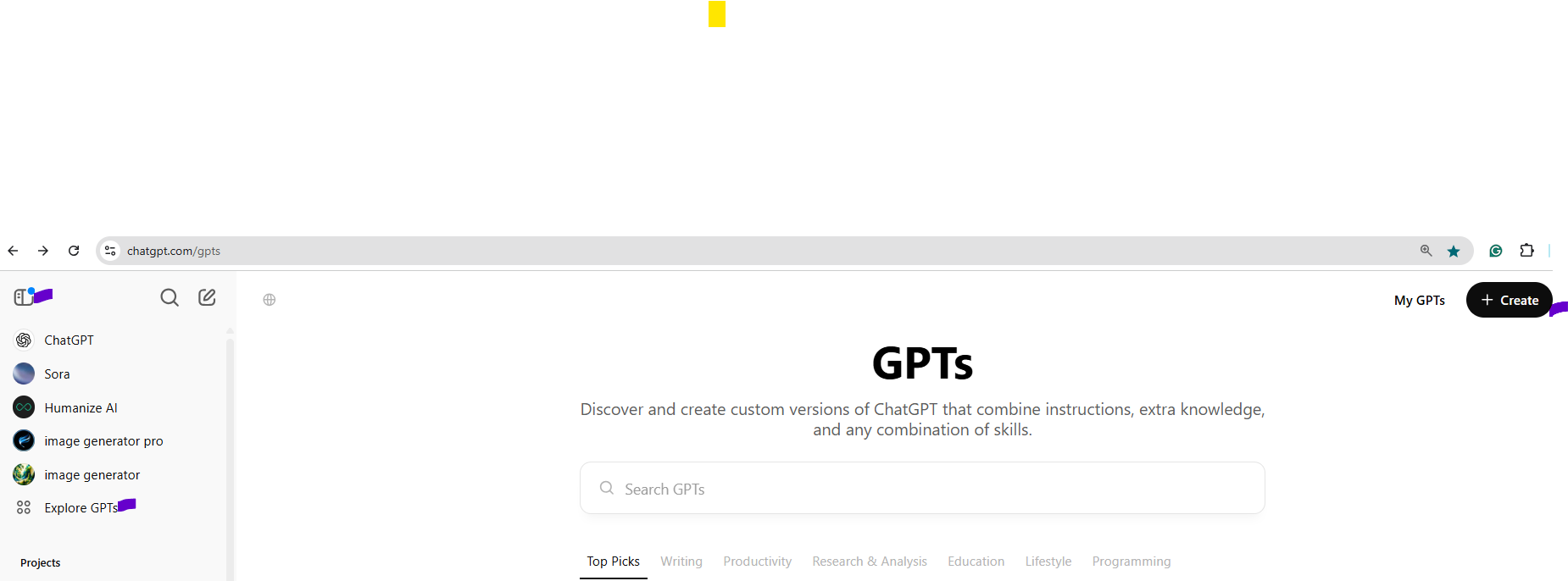
Step 2: Configuring Your Custom GPT
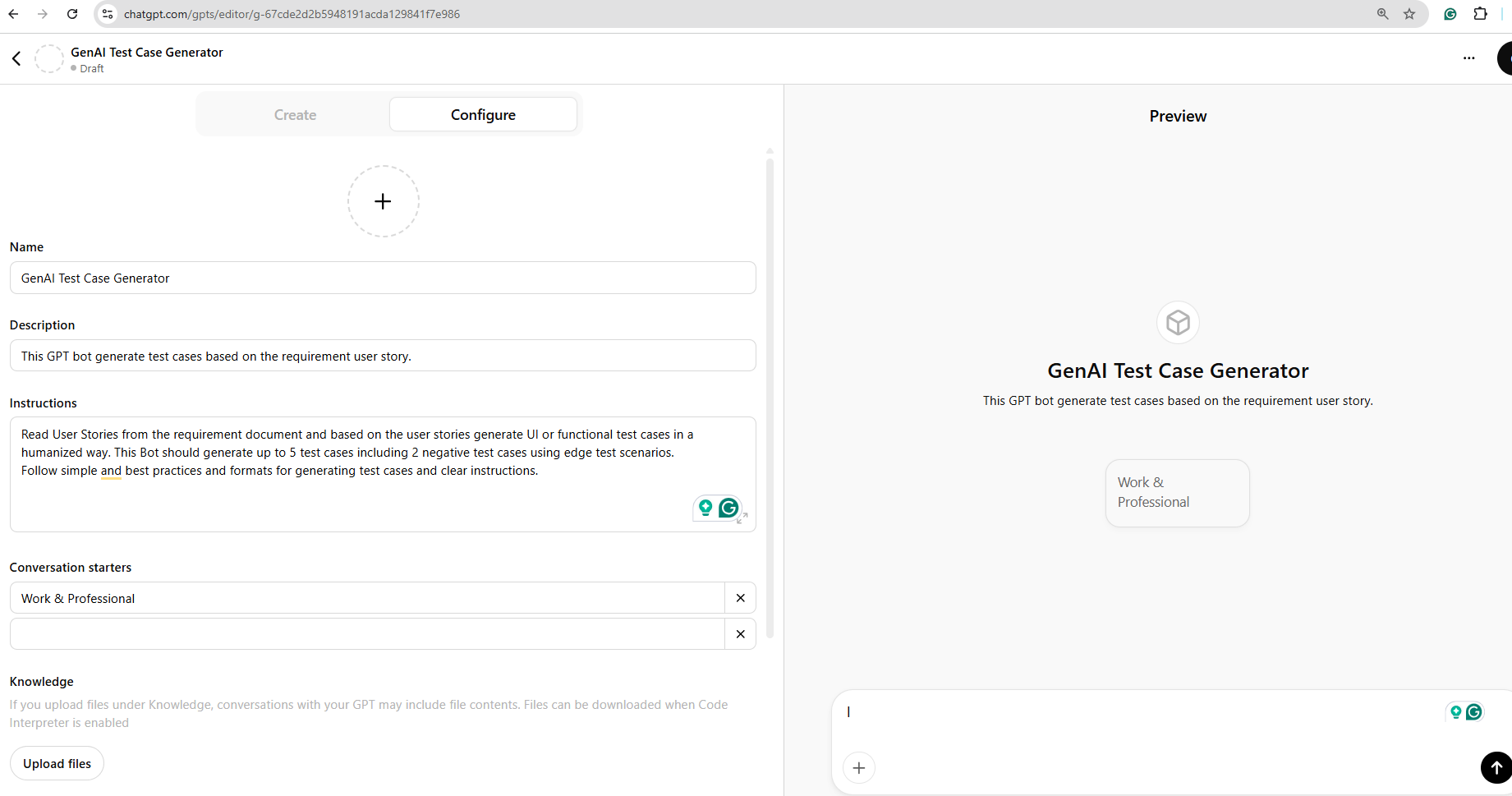
- Set a name – Enter "GenAI Test Case Generator."
- Define instructions – Modify system instructions to guide ChatGPT’s behavior:
- Example prompt: "You are a test automation expert. Generate structured test scripts based on user requirements."
- Specify behavior and tone – Set the assistant to provide clear, structured, and detailed responses suitable for automation. Example: "work and professional."
- Upload a reference document (optional) – If you have predefined test script formats, upload them as reference material.
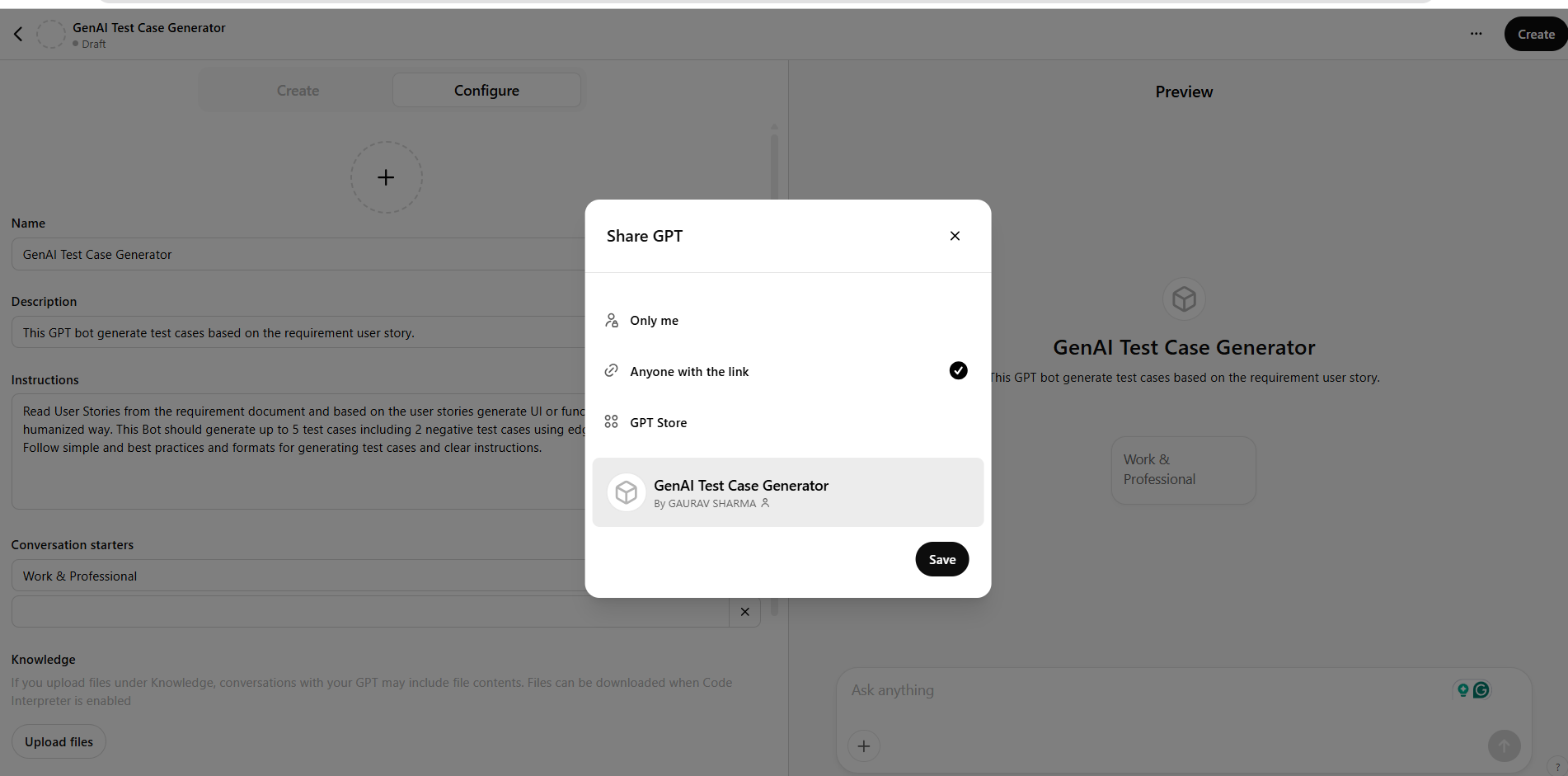
- Click on the "Create" button on the top right and select the option of who can access your bot.
Create and select the "Export" of your bot. Here, we are selecting the "Anyone with the link" radio button.
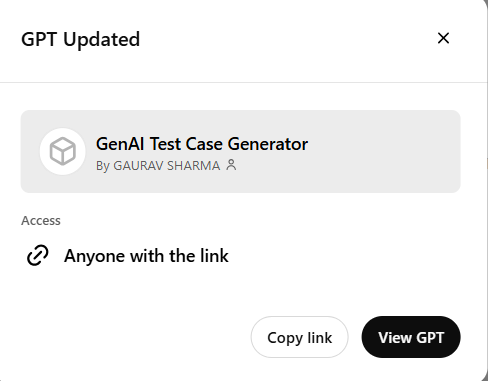
Step 3: Publish and Share Your Bot With the Link Access
- Make sure that the access is set to "Anyone with the link."
- Click "Copy link" to copy the link for sharing later.
- Click the button "View GPT."
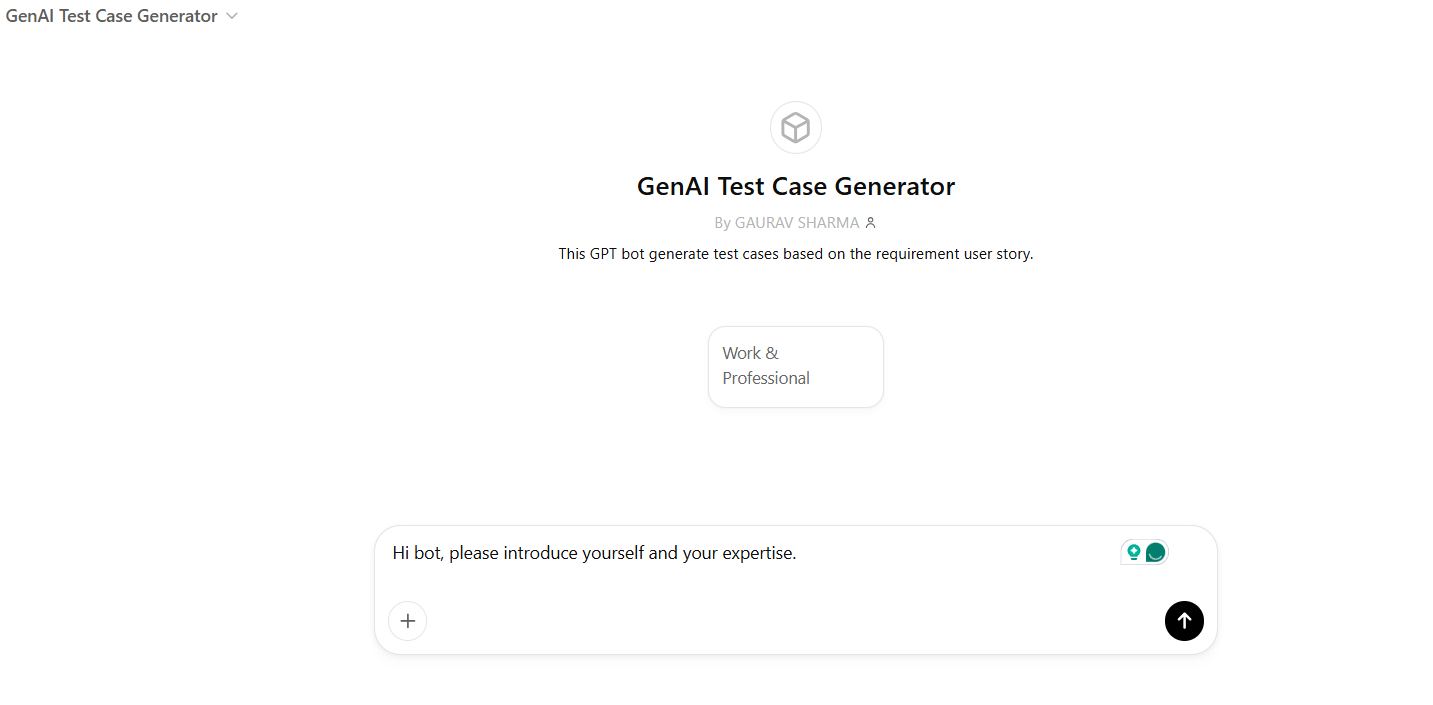
Step 4: Launch and Introduction of "GenAI Test Case Generator" Customized Bot for Test Script Generation
- Open your customized "Test Script Generator" GPT in ChatGPT UI using the link.
- Make sure the title of your customized bot is correct.
- Write a prompt, "Hi Bot, please introduce yourself and your expertise," and click on the upward arrow or hit "Enter."
- Verify that the response is correct and matches the instructions you configured while designing customized ChatGPT.
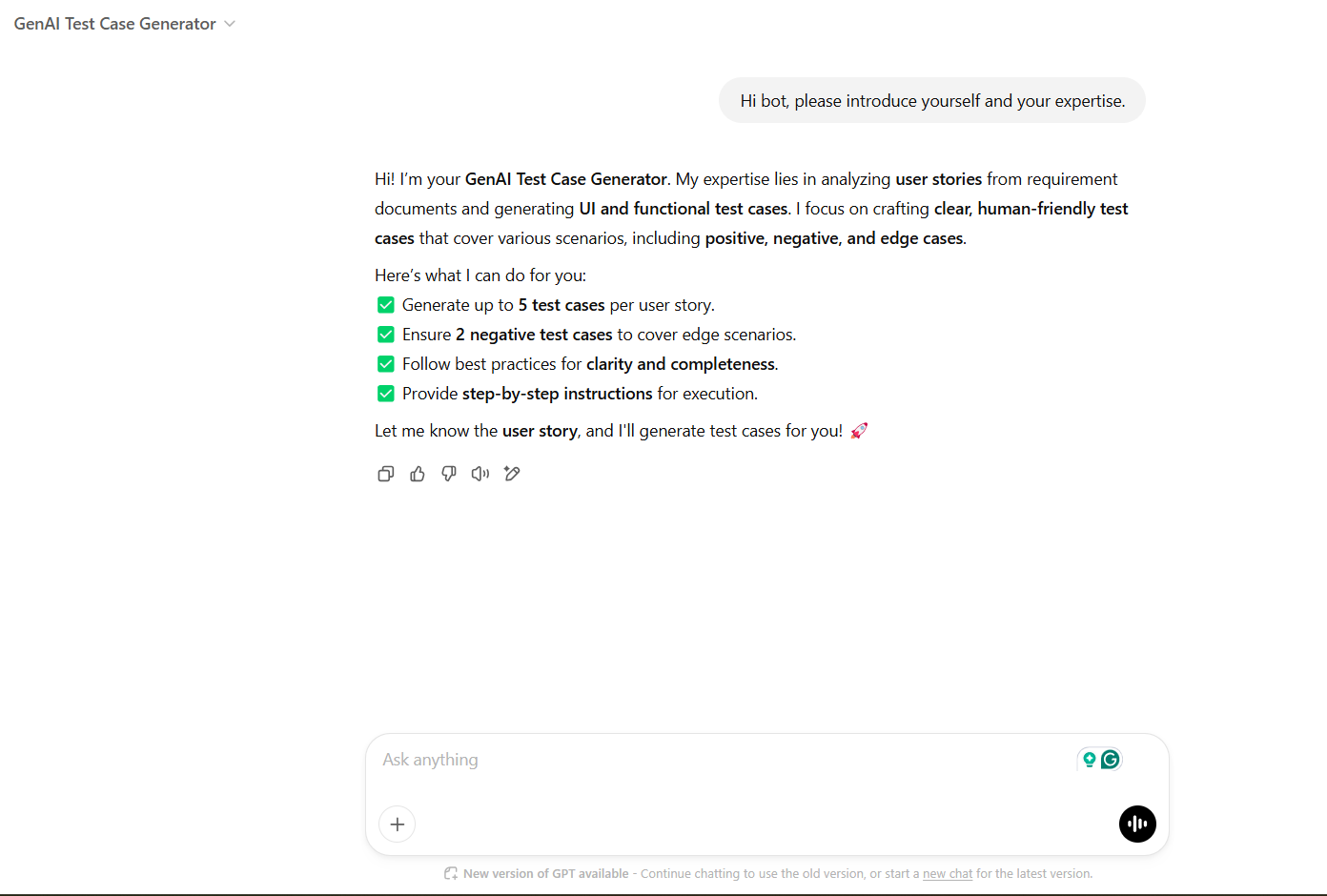
Step 5: Use and Test the "GenAI Test Case Generator" ChatGPT Bot
- Input user story requirements directly as a prompt or an input file having multiple requirements, and hit "Enter."
- Without any other prompt, the "GenAI Test Case Generator" ChatGPT bot should list test cases and generate a downloadable file.
Plain Text
Example User Story 1: Account Opening Form Submission Title: As a new customer, I want to fill out and submit an online account opening form so that I can open a bank account without visiting a branch. Acceptance Criteria: 1. The system should display an online form with the following fields: - Full Name - Date of Birth - Email Address - Phone Number - Residential Address - Social Security Number (SSN) - Account Type Selection (e.g., Checking, Savings) - Initial Deposit Amount 2. The SSN and Phone Number fields must be mandatory. 3. The system should validate that all required mandatory fields are filled out correctly before allowing submission. - Verify that test cases and a downloadable file are generated.
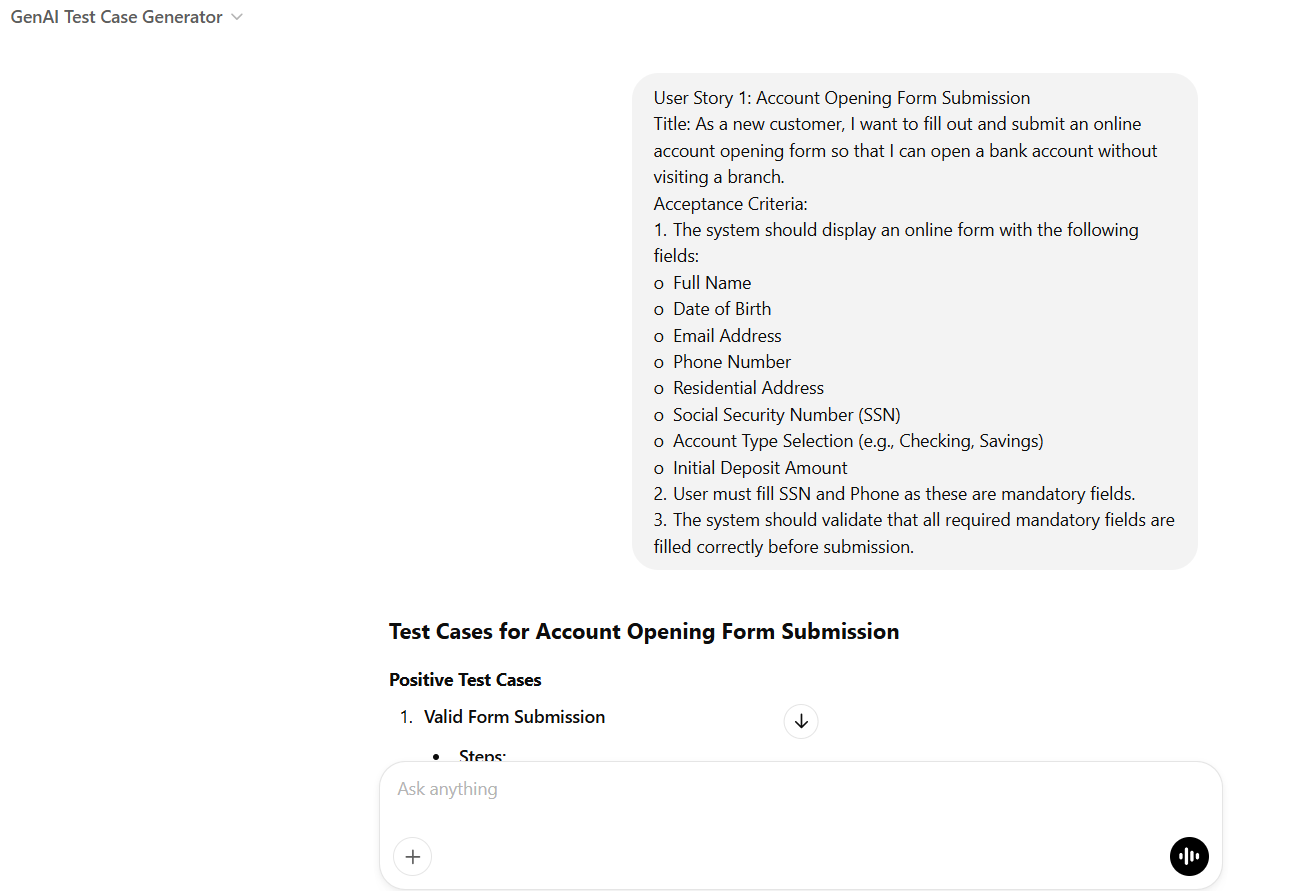
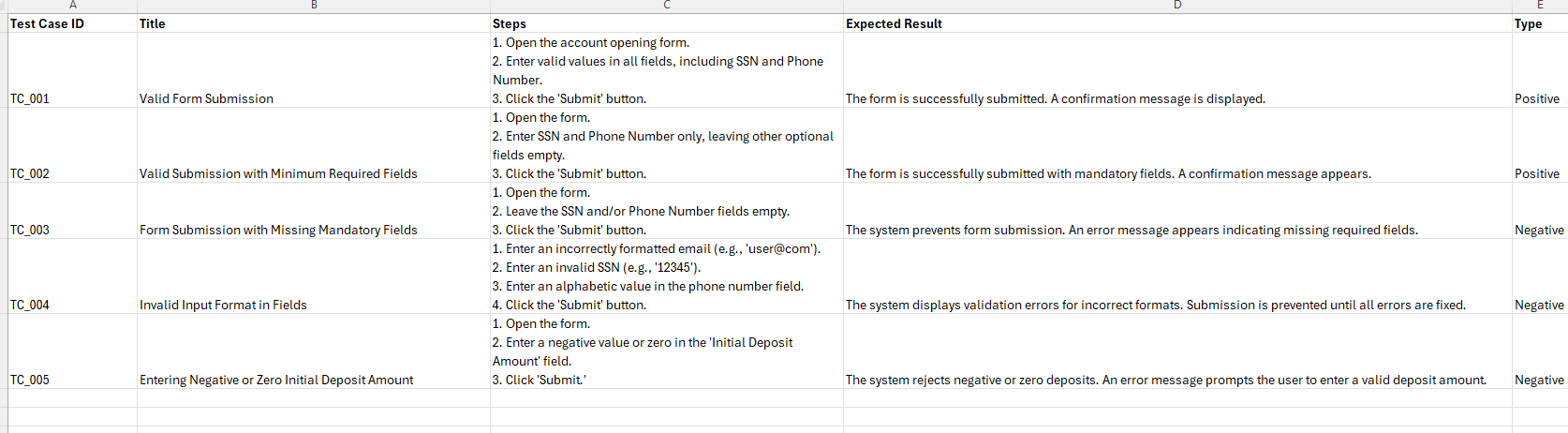
The "GenAI Test Case Generator" bot-generated downloadable file, having generated test cases:
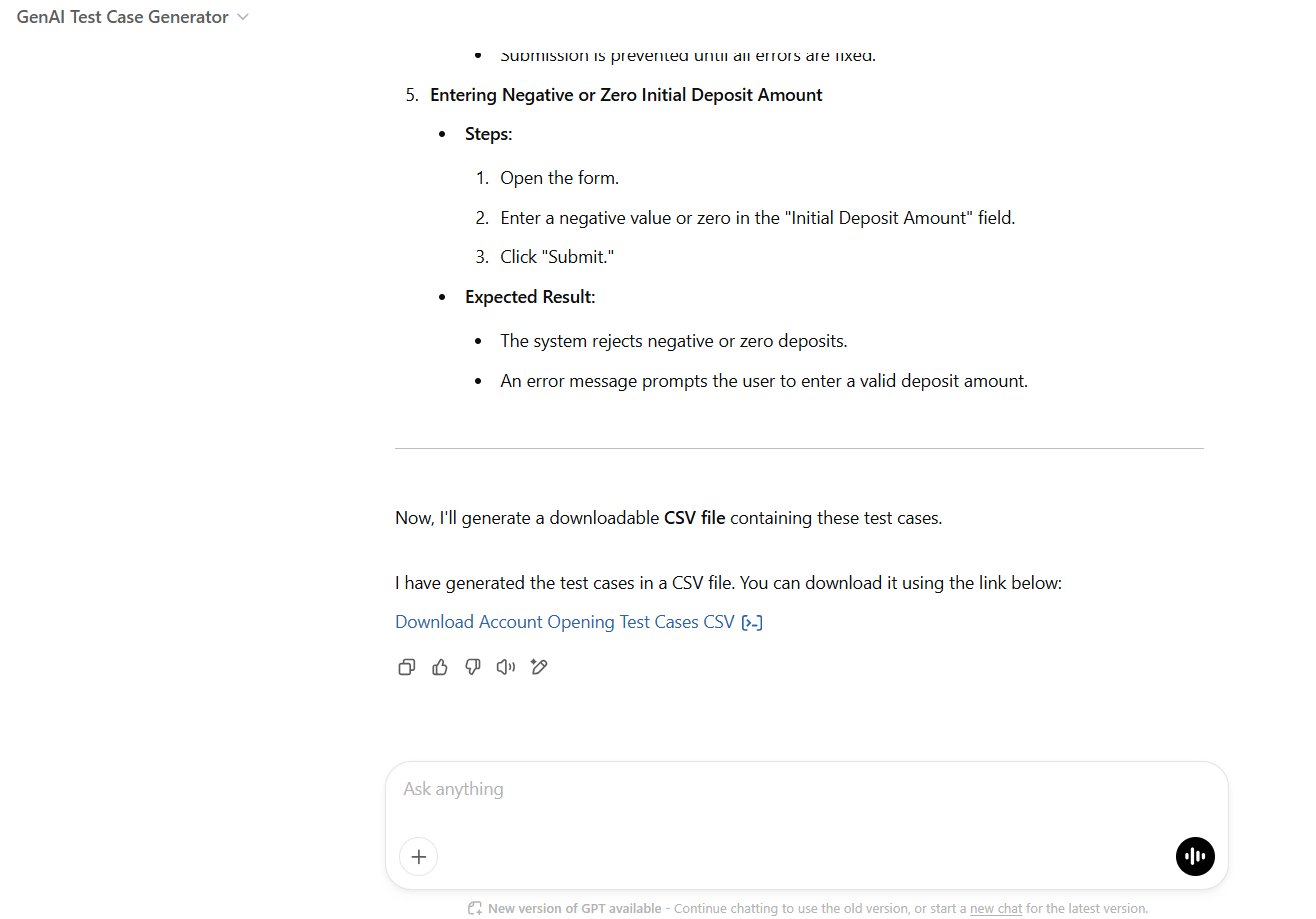
Test cases generated in an Excel file from the user story requirement:
Conclusion
The "GenAI Test Case Generator" Bot makes test case creation effortless, bringing AI-powered automation to both testers and business users — no coding required! Using OpenAI’s ChatGPT, this bot quickly generates structured test cases based on your specific instructions, saving time and effort in the testing process.
What makes it even better? You can refine and update the bot anytime to align it more closely with your unique testing needs. This doesn’t stop at test cases — this same approach can be applied to generating test data, documentation, or even bug reports, making it a versatile tool for streamlining software testing.
With an innovative approach, try fine-tuning a more customized ChatGPT bot for professional and business needs and see how it transforms your testing experience. Happy AI-powered software testing!
Opinions expressed by DZone contributors are their own.
Comments