

How to Consume SOAP-Based Web Service With Mulesoft Anypoint Studio
Consuming SOAP-based web services with Anypoint Studio is easy. Doing so assists serialization and deserialization as well as SOAP envelope and namespace processing.
Join the DZone community and get the full member experience.
Join For FreeCXF is a Java web services framework used for SOAP (Simple Object Access Protocol) messaging. It handles all serialization and deserialization as well as SOAP envelope and namespace processing.
Now, we will walk through how to consume SOAP-based web services with Anypoint Studio.
Consume SOAP-Based Web Service
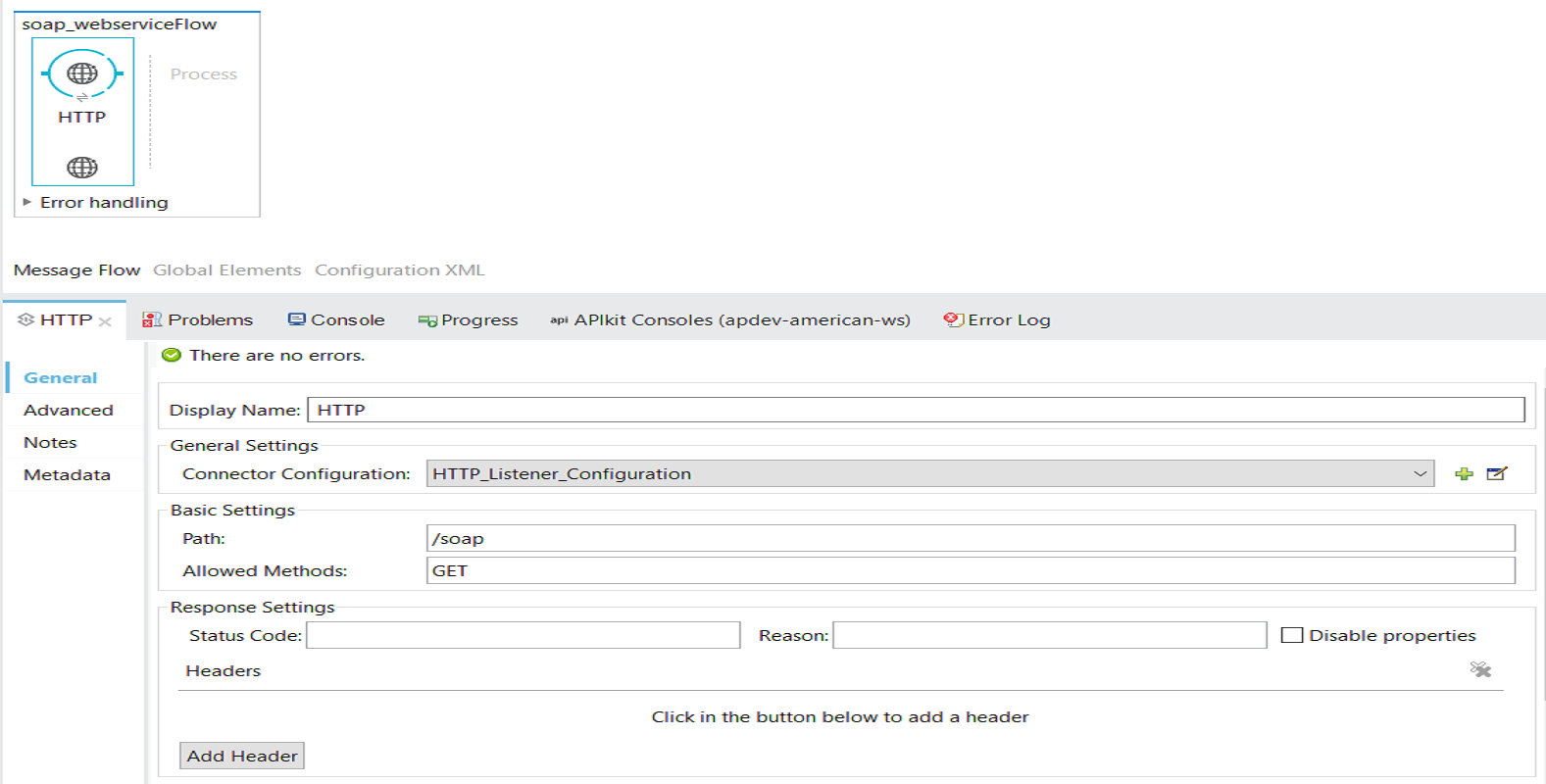
Place an HTTP listener in the source section of the flow and configure it as shown below.
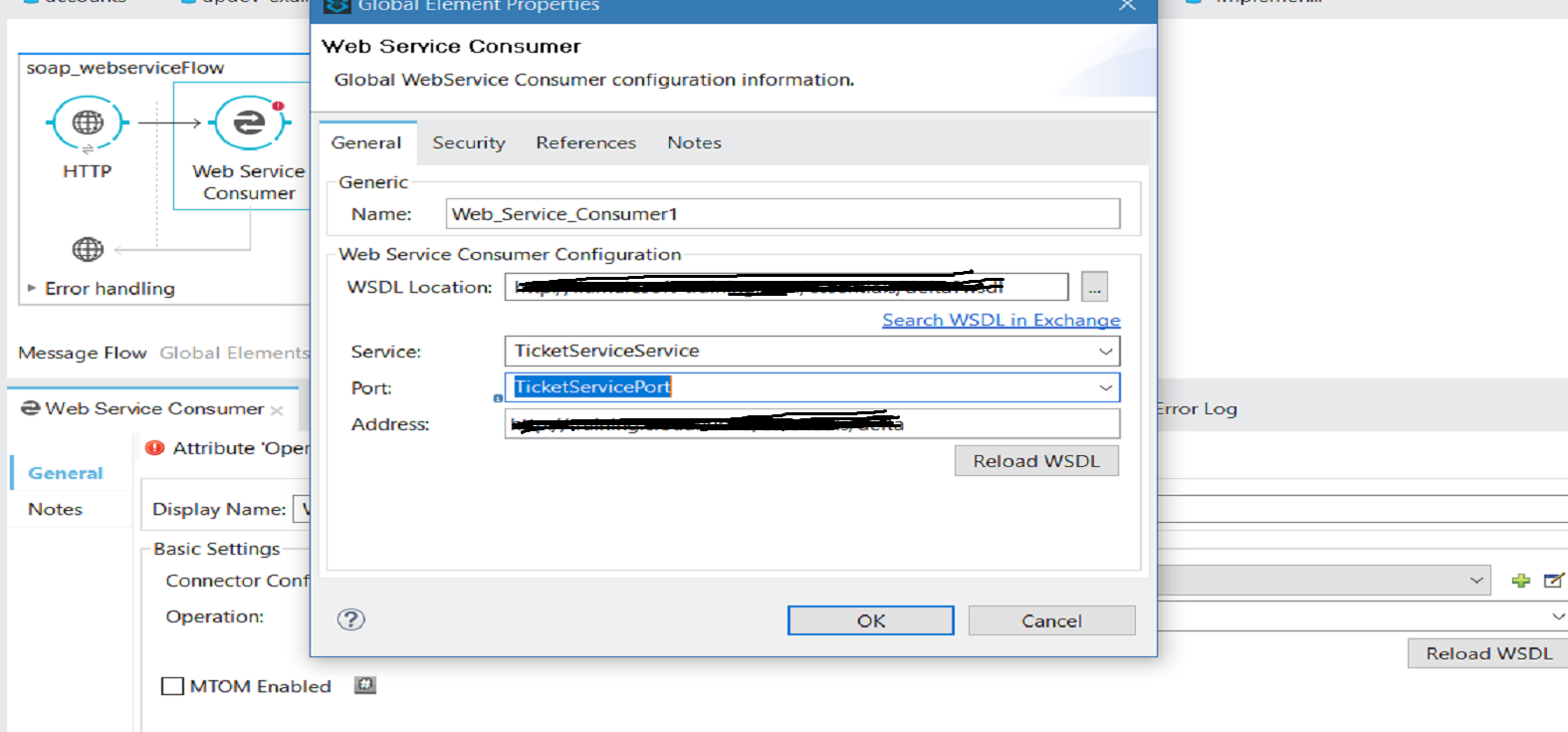
Now place the Web Service Consumer components to the message processor in flow and configure the components. Click Add Connector Configuration and it will open another window. You can provide your WSDL Location (it can web service URL or any physical WSDL location) and click Reload WSDL. It will automatically fill the Service, Port, and Address for you. Press OK.
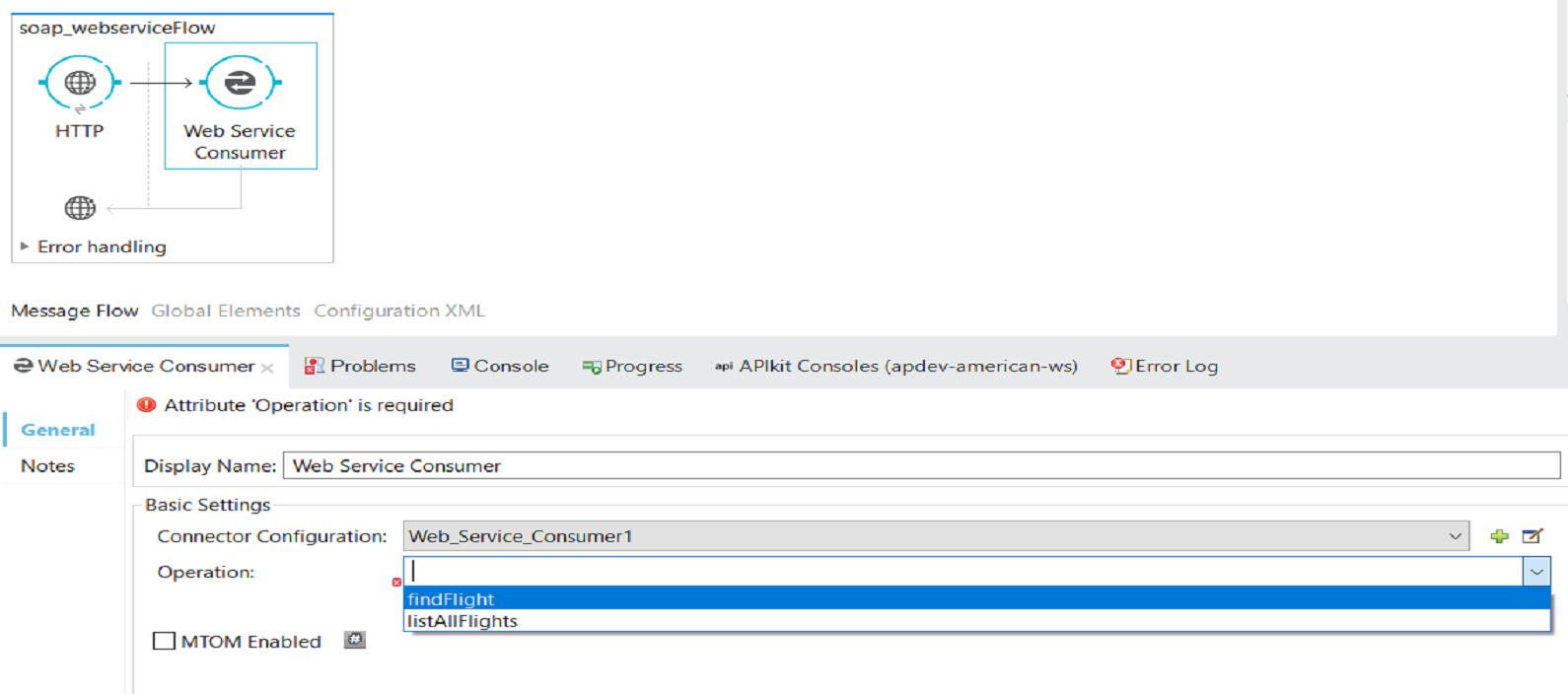
Now, you need to select one Operation that you need to perform on the Web Service. In my case, I will use findFlights. This operation is expecting one argument: destination.
Passing Arguments to Web Service
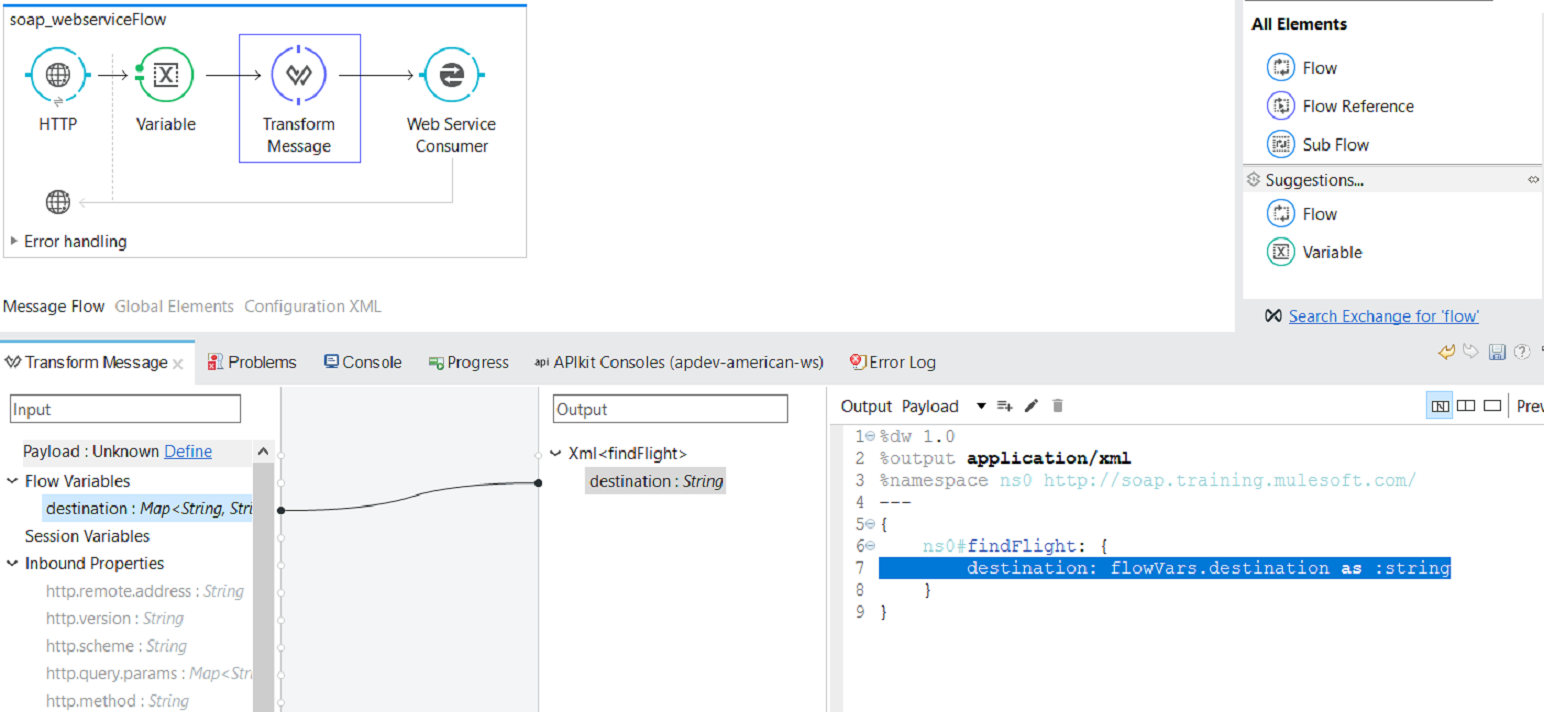
We are expecting the destination as a query parameter in input request via the HTTP listener and will store query parameter in flow variable.
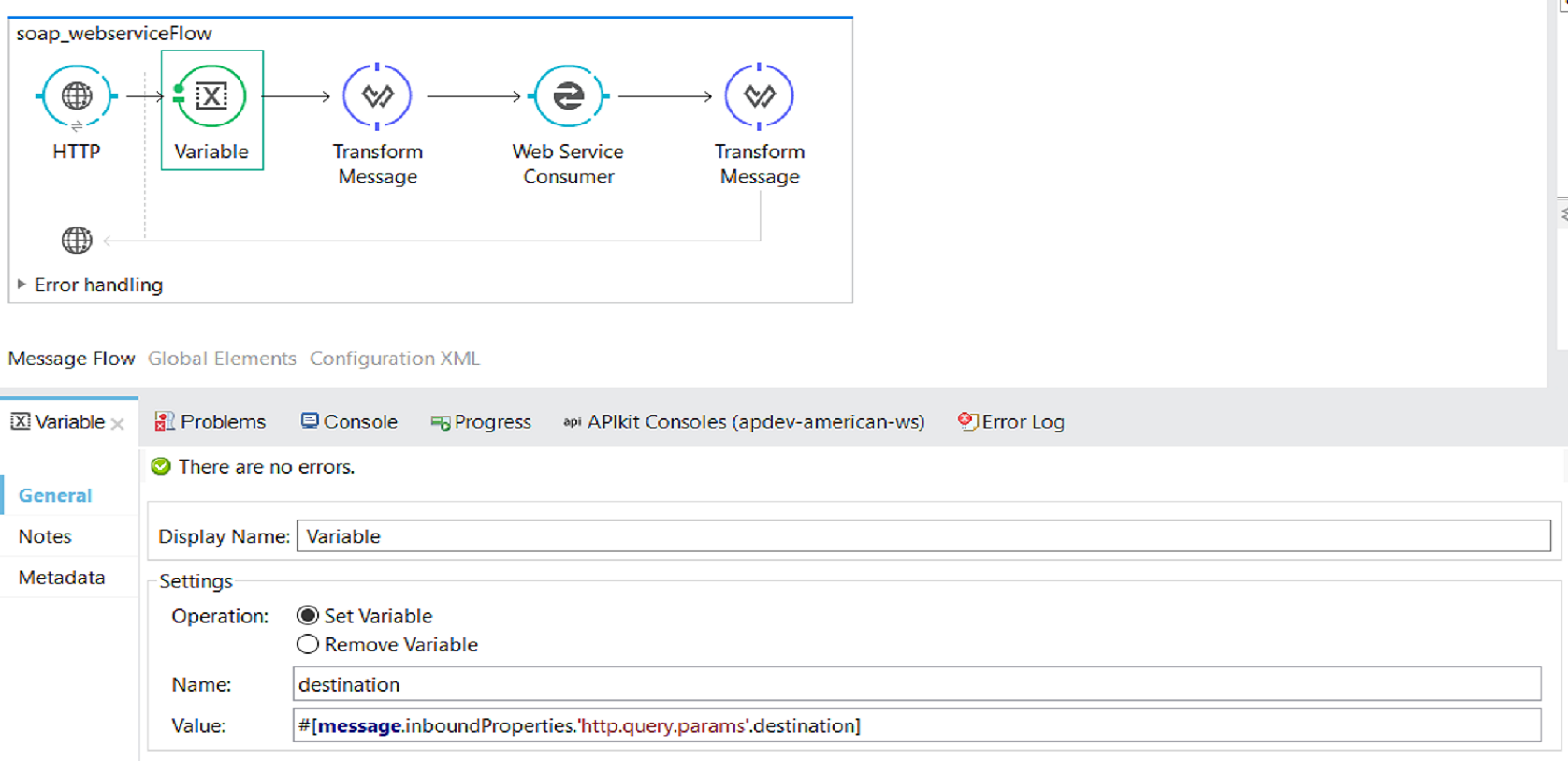
Place TransformMessage between FlowVariable and Web Service Consumer and you can see that the output metadata in DataWeave is generated automatically. You can also see the input data with the flow variable that we defined previously. We will map the destination from FlowVariable to the destination argument required by Web Service.
Transform Response From Web Service
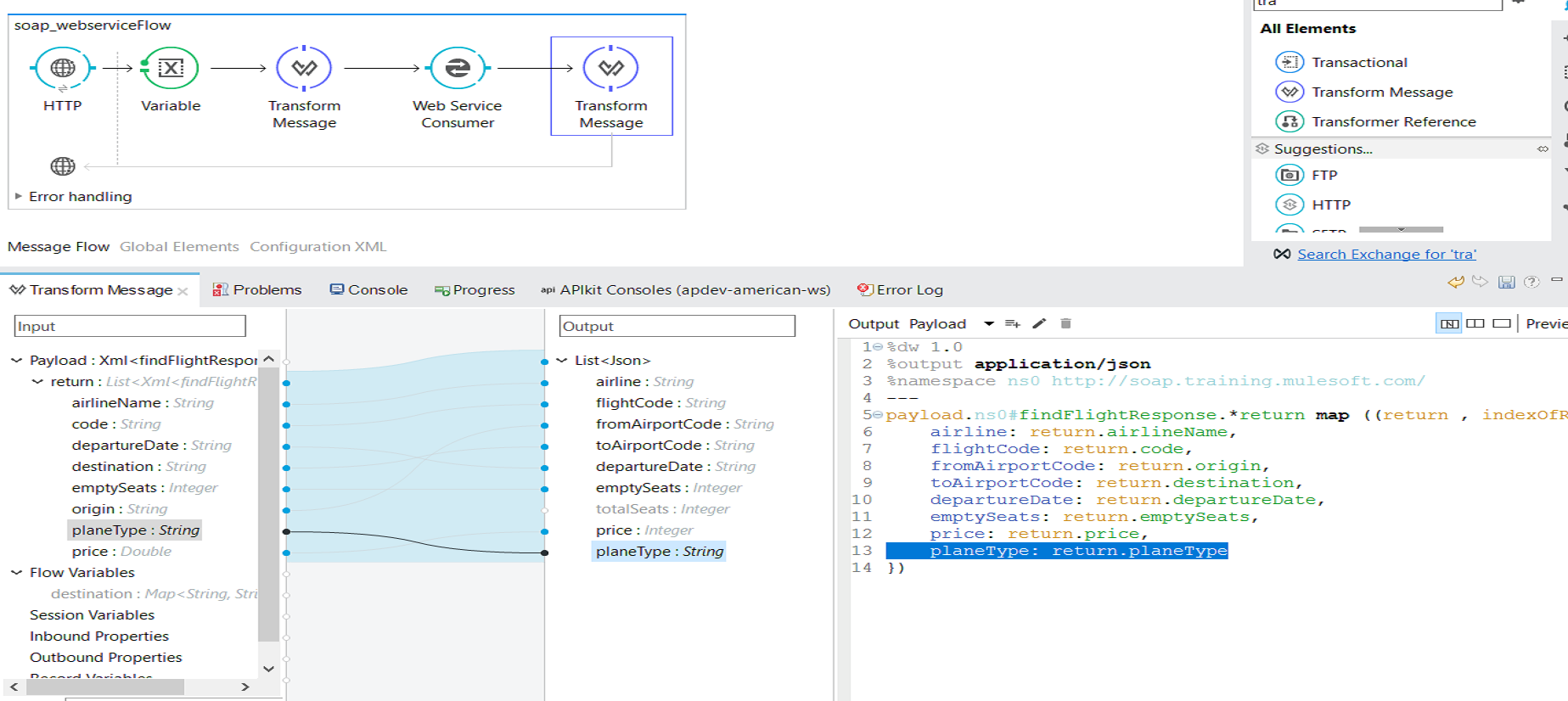
Now we will place the one more TransformMessage after Web Service Consumer to map XML result from Web Service to JSON format. You can see input metadata in DataWeave is generated automatically. You can define output metadata as per your requirements and perform mapping.
Testing the Application
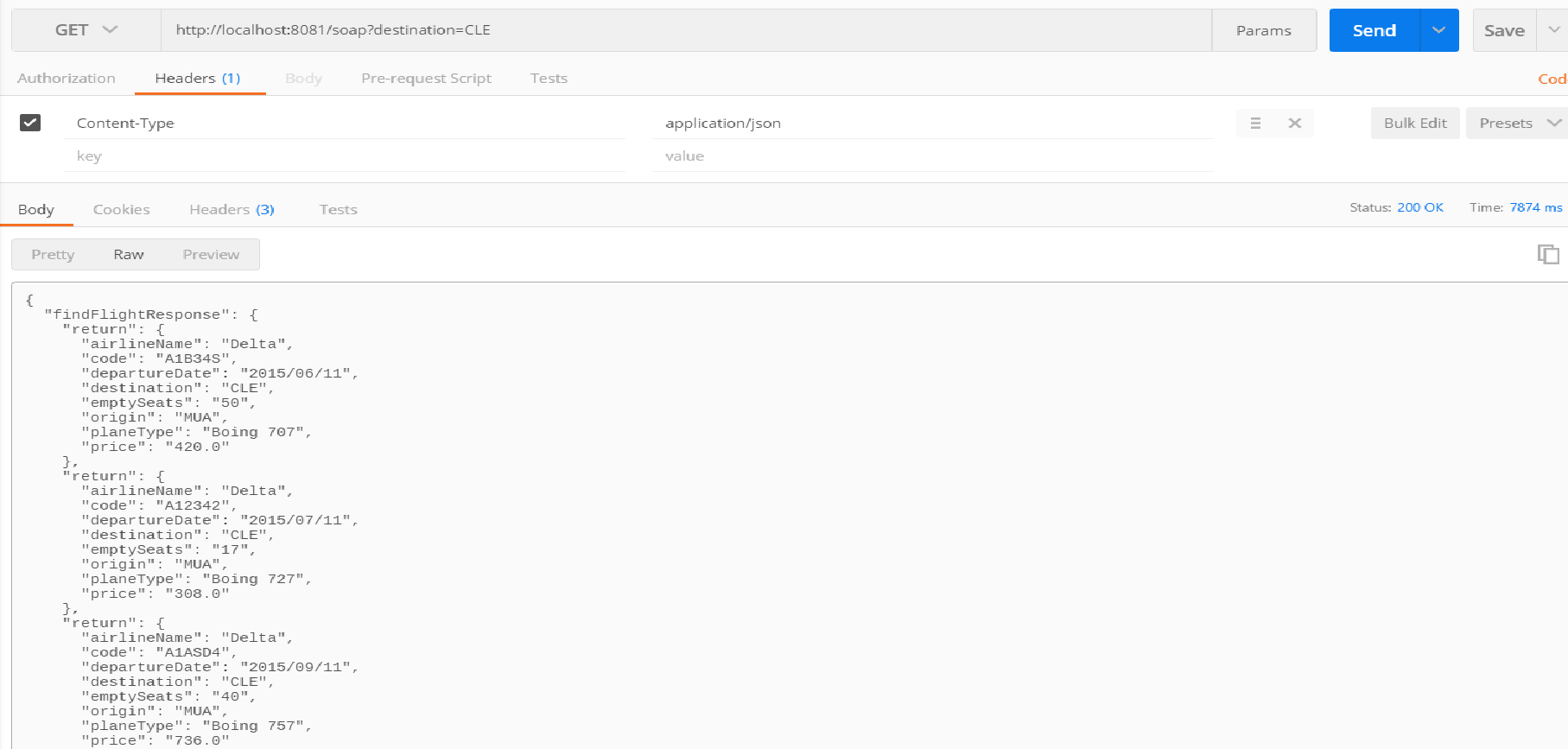
You can use Postman to test the application. First, deploy the application with Anypoint Studio.
Now, we will use the HTTP GET method in Postman to send a request to the HTTP listening to this URL.
Now, you know how to consume SOAP-based web services with Anypoint Studio!
Here is the video tutorial.
Opinions expressed by DZone contributors are their own.
Comments