

Coupling Schema Registry (Confluent) With Multi-Broker Apache Kafka Cluster
We will explain the steps to coupling Confluent Schema Registry with existed/operational multi-broker Apache Kafka cluster(Local deployment).
 CORE
·
CORE
·
Join the DZone community and get the full member experience.
Join For FreeThis article aims to explain the steps to coupling Confluent Schema Registry with existed/operational multi-broker Apache Kafka cluster(Local deployment). The Confluent is an integrated platform bundle with Apache Kafka and multiple different components starting from ksqlDB for stream processing, numerous connectors (Database, File, AWS, Azure, Google, etc), Schema Registry, Control Center, etc. Please click here to know more about the Confluent Platform.
In short, Schema Registry preserves a versioned history of all schemas, provides multiple compatibility settings, allows the evolution of schemas, etc. It supports Avro, JSON Schema, and Protobuf schemas. Can read here about the importance of Schema Registry on Kafka Based Data Pipelines
NOTE: The Schema Registry integration for Kafka is not part of the Open Source Apache Kafka ecosystem. Can execute this locally by downloading the prebuilt versions of the schema registry as part of the Confluent Platform or by building a development version with Maven. The source code in GitHub is available at https://github.com/confluentinc/schema-registry under Confluent Community License.
Article Structure
This article has segmented into five parts:
- As a beginning, I will start with the assumption on the operational multi-broker Kafka cluster
- Download and install the Confluent platform
- Independent configuration and verify/start Schema Registry
- Posting or Registering new version of JSON schemas through CLI/Terminal
- Few API usages on Schema Registry’s built-in RESTful interface through a browser plug-in
Assumptions:
Here I am considering four nodes in the cluster and each one is already installed and running Kafka of version 2.6.0 with Zookeeper (V 3.5.6) on top of OS Ubuntu 14.04 LTS and java version “1.8.0_101”. Besides, configured four brokers with two topics and each topic with three partitions.
Note:- Confluent Schema Registry can be installed and run outside of the Apache Kafka cluster. Due to hardware limitation to append another node for Schema Registry in the Kafka cluster, I have selected a healthy node in the existing Kafka cluster that having 16GB RAM and 1 TB HD for Schema Registry to install and run.
Download and Install the Confluent Platform
Here we will be integrating only Schema Registry available inside the Confluent platform with the existing/operational Apache Kafka cluster even though the Confluent platform accommodates Kafka, Zookeeper, KSqlDB, Schema Registry, etc. Downloaded prebuilt version confluent-community-5.5.0-2.12.tar from here under the Confluent Community License(https://www.confluent.io/confluent-community-license-faq/). This procedure is not recommended for commercial/ production use without a valid license from Confluent. You can read here in detail about Confluent Licenses. Besides, can visit https://github.com/confluentinc/schema-registry for the source and build subsequently.
Independent Configuration and Verify/Run Schema Registry
As mentioned in assumption, copy and extract/untar the confluent-community-5.5.0-2.12.tar with root privilege under /usr/local/

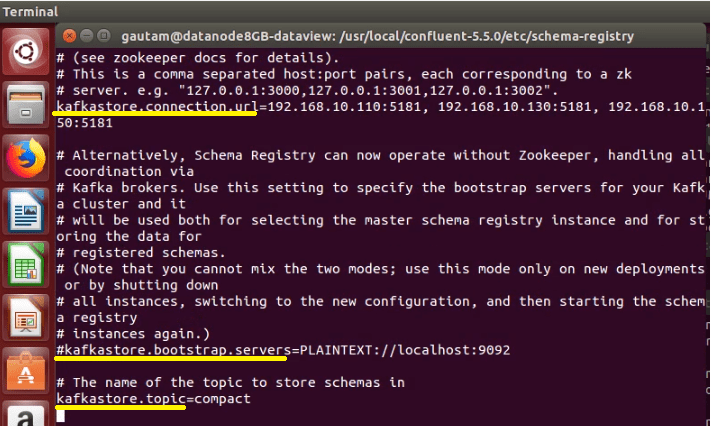
Navigated to /usr/local/confluent-5.5.0/etc/schema-registry and modified schema-registry.properties file to update the key kafkastore.connection.url with multiple zookeeper server host and port with comma separated value.

The value for the key kafkastore.bootstrap.servers can be used alternatively without Zookeeper by mentioning the host and port of all the Kafka brokers in the cluster. The value of the next key kafkastore.topic was not updated and kept as default “compact“. The topic named compact would be used by the Schema Registry to store all the schemas and this topic would be created automatically in the Apache Kafka cluster when starting the Schema Registry server for the first time.
To run the Schema Registry, navigate to the bin directory under confluent-5.5.0 and execute the script “schema-registry-start” with the location of the schema-registry.properties as a parameter.

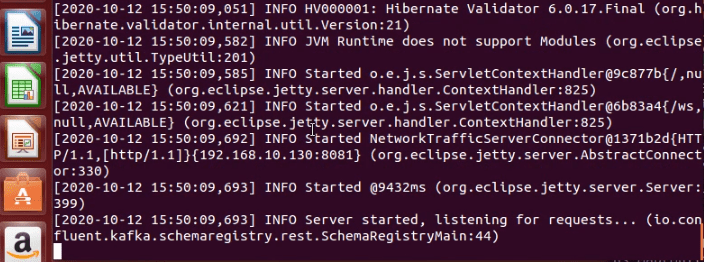
and eventually, Schema Registry will start with the following messages in the same console/terminal.
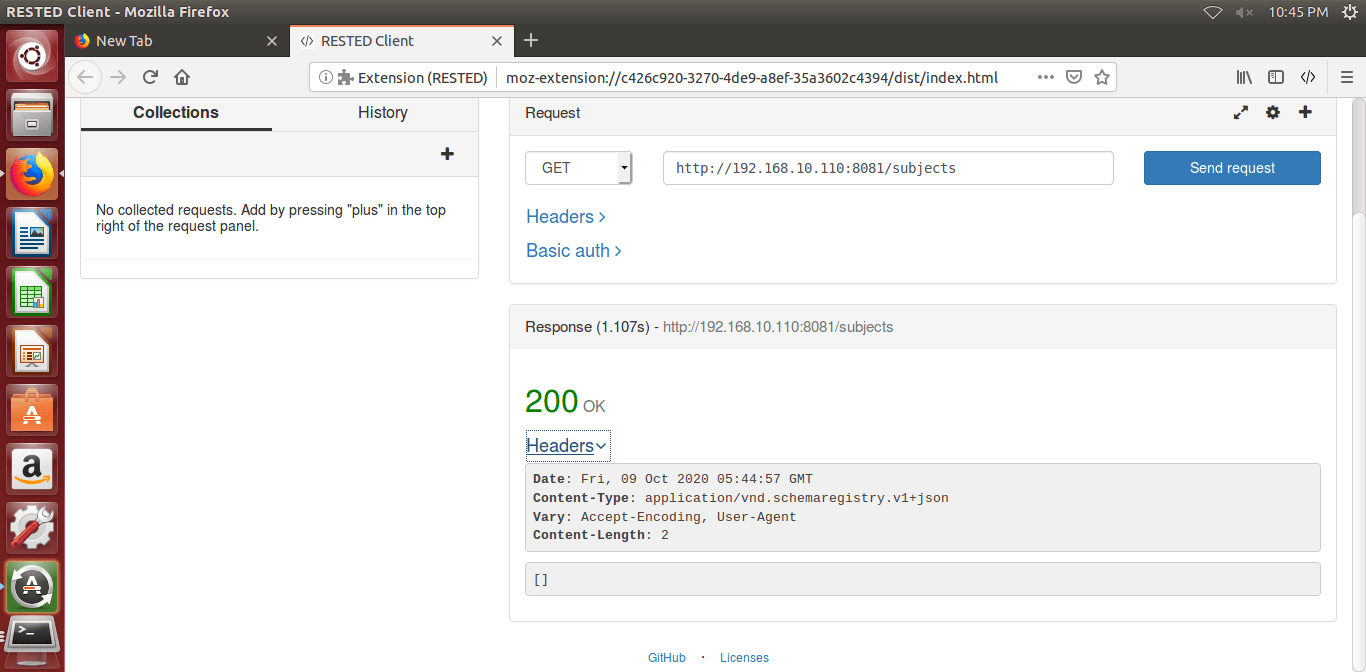
To make sure Confluent Schema Registry is up and running with RESTful interface, we can hit the following URL from the browser and get the response as the HTTP 200 OK.
http://<IP Address of the node where Schema Registry Installed>:8081/subjects
We can install the REST client browser plug-in to execute GET requests to save time depending upon the type of browser choice. Since I used Firefox Mozilla, plugged in “RESTED”(https://addons.mozilla.org/en-US/firefox/addon/rested/) as a Firefox extension for a REST client. Similarly, for the Google Chrome browser, Advanced REST Client can be used.
Posting or Registering New Version of JSON Schemas Through CLI/Terminal
Confluent Schema Registry’s RESTFul interface can be leveraged to store and retrieve AVRO, JSON Schema, and Protobuf Schemas. Here I considered JSON Schema and subsequently created or store a few new JSON Schema using terminal or CLI on the Schema Registry. As a simple example, one Order Details JSON Schema has been created and stored in Schema Registry under subject Orders. To achieved, the below steps followed
- Designed a simple/dummy Order Detail JSON as below
xxxxxxxxxx
{
"type": "record",
"name": "Order_Details",
"namespace": "dataview.in",
"fields": [
{
"name": "id",
"type": "string"
},
{
"name": "amount",
"type": "double"
},
{
"name": "payment_type",
"type": "string"
},
{
"name": "customer_email",
"type": "string"
}
]
}
xxxxxxxxxx
{
"type": "record",
"name": "Order_Details",
"namespace": "dataview.in",
"fields": [
{
"name": "id",
"type": "string"
},
{
"name": "amount",
"type": "double"
},
{
"name": "payment_type",
"type": "string"
},
{
"name": "customer_email",
"type": "string"
}
]
}
and subsequently reformatted with the escape character.
xxxxxxxxxx
{\”type\”:\”record\”,\”name\”:\”Order_Details\”,\”namespace\”:\”dataview.in\”,\”fields\”:[{\”name\”:\”id\”,\”type\”:\”string\”},{\”name\”:\”amount\”,\”type\”:\”double\”},{\”name\”:\”payment_type\”,\”type\”:\”string\”}, {\”name\”:\”customer_email\”,\”type\”:\”string\”}]}
Many free online tools are available like https://www.freeformatter.com/json-formatter.html for JSON formatting, JSON String escapes, etc to execute the above.
- ‘{“schema”: “”}’ is the template to store JSON Schema inside Schema Registry. Inside double quotes (“”), the Order Details JSON appended.
xxxxxxxxxx
'{“schema”: “{\”type\”:\”record\”,\”name\”:\”Order_Details\”,\”namespace\”:\”dataview.in\”,\”fields\”:[{\”name\”:\”id\”,\”type\”:\”string\”},{\”name\”:\”amount\”,\”type\”:\”double\”},{\”name\”:\”payment_type\”,\”type\”:\”string\”}, {\”name\”:\”customer_email\”,\”type\”:\”string\”}]}“}’
- Here is the complete command that posted from the CLI/terminal to Confluent Schema Registry to store a new JSON Schema. If successful, the schema id would be returned and displayed.
xxxxxxxxxx
curl -X POST -H “Content-Type: application/vnd.schemaregistry.v1+json” –data ‘{“schema”: “{\”type \”:\”record\”,\”name\”:\”Order_Details\”,\”namespace\”:\”dataview.in\”,\”fields\”:[{\”name\”:\”id\”,\”type\”:\”string\”},{\”name\”:\”amount\”,\”type\”:\”double\”},{\”name\”:\”payment_type\”,\”type\”:\”string\”}, {\”name\”:\”customer_email\”,\”type\”:\”string\”}]}“}’ http://<IP Address of node where Schema Registry is running>:8081//subjects/Orders/versions
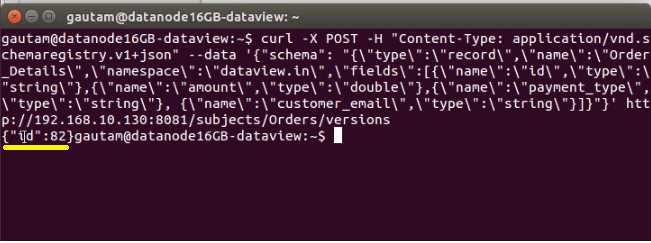
Note: Order Details schema stored under the subject Orders, might have multiple versions with id if Order Details Schema gets updated later with new fields or due to other modification.
Few API Usages on Schema Registry’s Built-in RESTful Interface Through a Browser Plug-In
As mentioned in step 3, we installed/plugged in RESTED (REST Client) on the Firefox browser and hit the URL to verify four basic API usage through the RESTful interface. The same can be done through CLI or from a terminal.
- List all the subjects
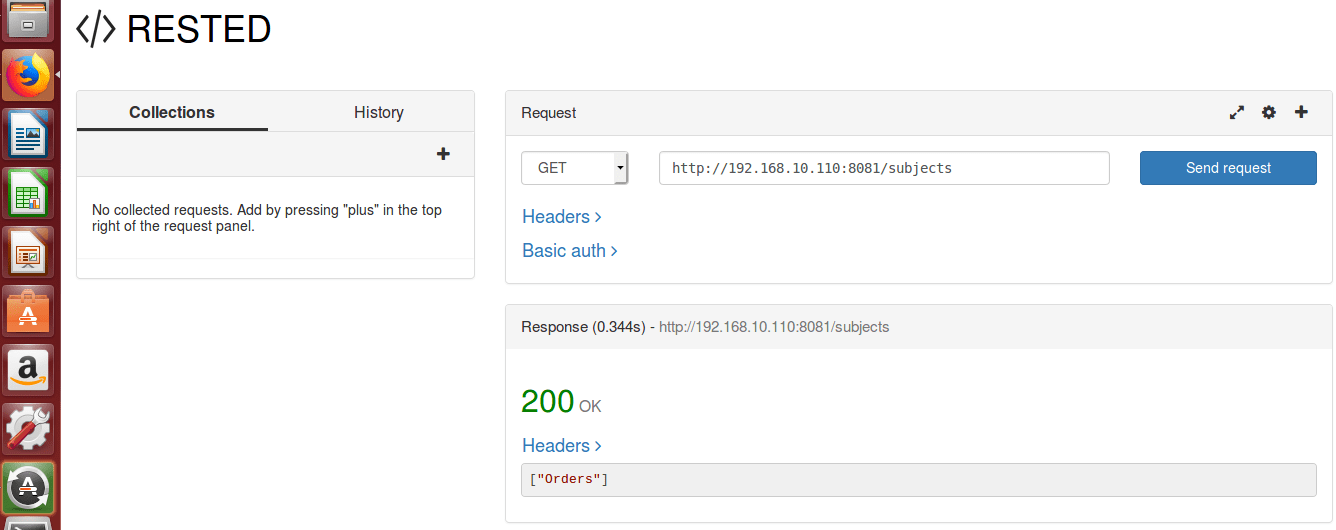
and the following command can be used on the terminal to get the same response instantly
$ curl -X GET http://< IP Address of node where Schema Registry is running>:8081/subjects
- Get or display top-level config
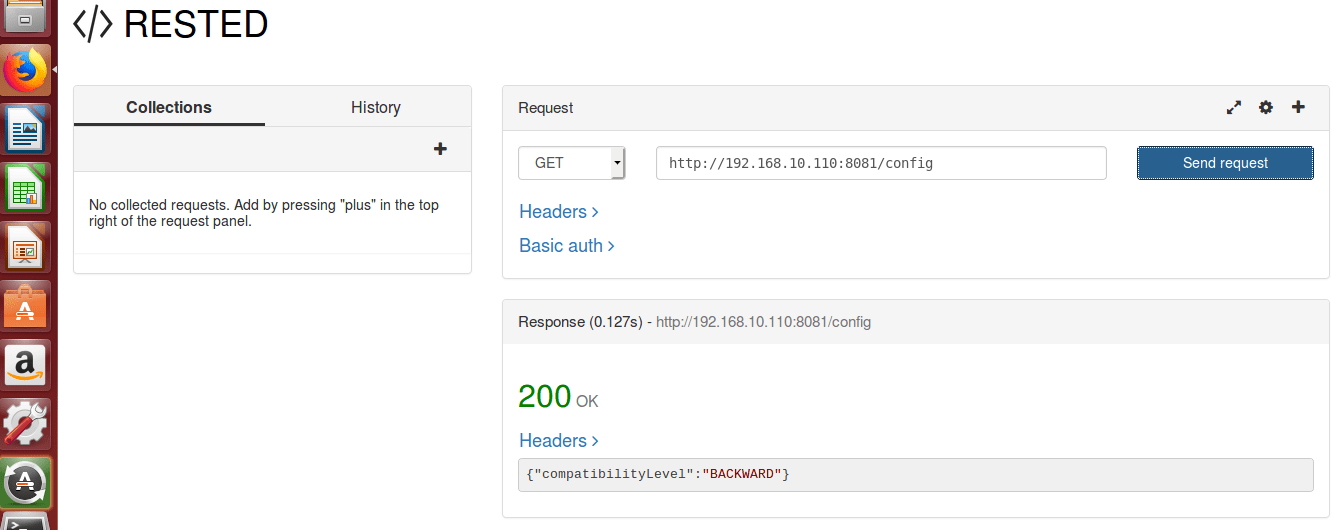
Similarly from CLI or Terminal
$ curl -X GET http://< IP Address of node where Schema Registry is running>:8081/config
- Fetch the most recently registered schema Order Details under the subject “Order”
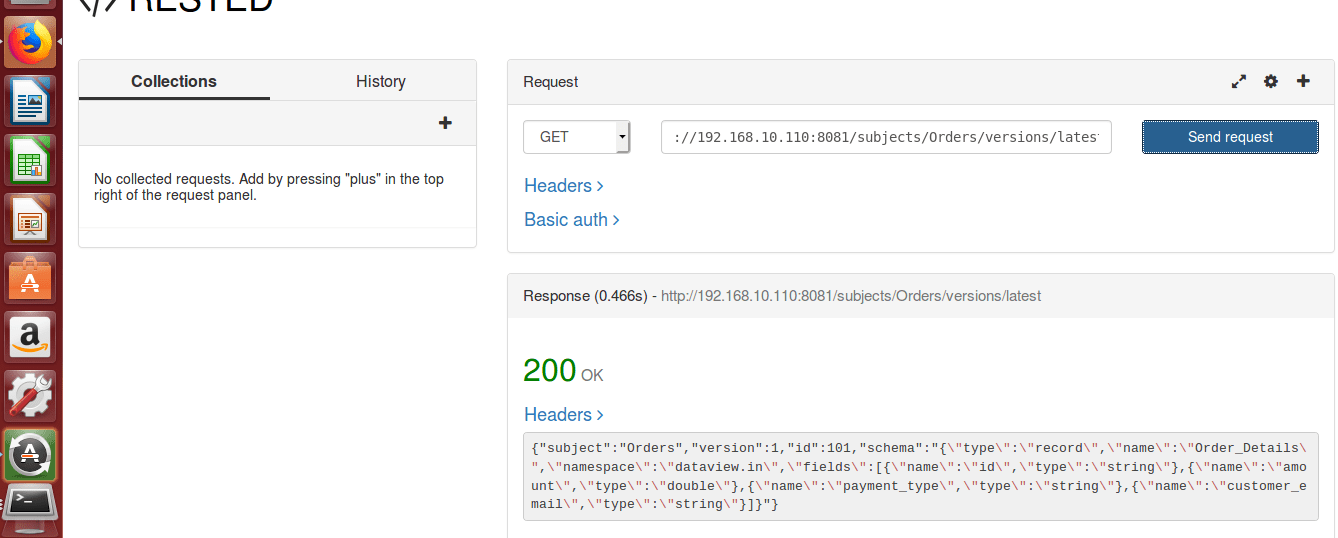
$ curl -X GET http://<IP Address of Schema Registry>:8081/subjects/Orders/versions/latest
- List or get how many version of schema registered under the subject “Orders”

Since we have newly registered Order details under subject Order and not done any changes or modification on top of it so returning only 1 version.
$ curl -X GET http://<IP Address of Schema Registry>:8081/subjects/Orders/versions
Expectation you have appreciated this perused. Please like and share if you feel this composition is valuable.
Published at DZone with permission of Gautam Goswami. See the original article here.
Opinions expressed by DZone contributors are their own.
Comments