

Distributed Cloud-Based Dynamic Configuration Management
This article is about creating dynamic configurations and efficiently reloading them with a cache to avoid charges for excessive calls.
 ·
·
 ·
·
Join the DZone community and get the full member experience.
Join For FreeIt is not uncommon for back-end software to have a configuration file to start up with. These are generally YAML or JSON files, which are loaded by the system while starting up, and are then used to set up initial configuration for a system. Values included here may affect business logic or infrastructure.
Let us create a new service called DumplingSale (because I love dumplings, or as we call them, momos). This service is used for managing the sales of dumplings.
As an example, take a look at this YAML file, used to start a service called DumplingSale.
# Production configuration for DumplingSale Java web application

# prod.yaml
redis:
host: redis-prod.example.com
port: 6379
password: ${REDIS_PASSWORD}
timeout: 3000ms

logging:
level:
com.example.dumplingsale: INFO
org.springframework.web: WARN
file:
name: /var/log/dumpling-sale/application.log
max-size: 100MB
max-history: 30
# Section we might want to change dynamically
dumpling-sale-config:
max-orders-per-minute: 100
order-timeout-minutes: 30
  enable-analytics: true

payment-provider-config:

  active-provider: "your-payment-provider.com"

  transaction-timeout-seconds: 10

  retry-attempts: 3

  default-currency: "USD"

  api-version: "2024-05-26"

  enable-3ds-secure: true

  webhook-verification-enabled: true
In the above section, let’s say we wanted to change our dumpling sale section dynamically. This could involve changing the order timeout minutes to 15 in times of increased sales, or reducing max orders per minute if the kitchen is backed up.
In a default static configuration system, the static configuration will have to be changed by making a code change and then deploying it over our servers again. This would likely involve a restart of your servers. If there is a separation of code and config, you could possibly keep the code the same, but the servers would need to be restarted. However, in a dynamic configuration system, we could change the config at one place and have it changed in all our servers.
Configuration Use Cases
- AllowLists and blocklists: Configs can allow you to manage allowlists or blocklists, and dynamically update them as your service runs.
- Performance tuning: You can change the number of threads, timeouts, workers, endpoints, etc., without having to restart your application.
- Flags: Think of any flags you pass to your application, and you could change them dynamically.
In this article, we will follow the above Dumpling Store example and modify the payment provider and the dumpling sale config dynamically.
Types of Config Delivery
There are broadly two types of config delivery: push or pull.
- Push config delivery: In this system, the config mechanism delivers the configuration to all applications using the same mechanism.
- Pull config delivery: In this system, the config mechanism waits and responds with configuration when polled by your application. In this example, we will be using a pull delivery system.
Data Structures
We will have a parent data structure called dynamic configuration, but we will have child data structures for each config type you wish to support. I will be using Java to explain the example here, but feel free to use a language of your choice.
import lombok.Data;

import lombok.Builder;

import java.util.List;

import java.util.ArrayList;

// Lombok Annotations

@Data

@Builder

public class DumplingSaleConfig {

   private int maxOrdersPerMinute;

   private int orderTimeoutMinutes;

   private boolean enableAnalytics;

}

@Data

@Builder
public class PaymentProviderConfig {
   private String activeProvider;
   private int transactionTimeoutSeconds;
   private int retryAttempts;
   private String defaultCurrency;
   private String apiVersion;
   private boolean enable3dsSecure;
   private boolean webhookVerificationEnabled;
}
Creating the Cache
Similarly, you will need to create a cache to fetch these configs. We are using the Guava Cache.
public class AppConfigManager {

   private final LoadingCache<String, AppConfigData> appConfigCache;
   private final Yaml yaml;

   public AppConfigManager(AWSAppConfig awsAppConfig) {        this.yaml = new Yaml();
       this.awsAppConfig = awsAppConfig;
       this.appConfigCache = CacheBuilder.newBuilder()
               .refreshAfterWrite(5, TimeUnit.MINUTES)
               .build(new CacheLoader<String, AppConfigData>() {
                   @Override
                   public AppConfigData load(String key) throws Exception {
                       return fetchConfigFromAppConfig();
                   }
               });
   }
Loading Contents for the Cache
As you can see above, we created a cache that would return data of the type AppConfigData. However, the cache needs to fetch this data from somewhere as well, right? So, we would program a data source for the same, which allows dynamic configuration data to be loaded.
Here are your options:
- Remote file: A remote file pulled by the servers. Could be stored in AWS S3, GCS, or any other object or file storage system you may have access to.
- Pros:
- Fast and easy deployment
- Your object/file system may offer version history and audit logs.
- Cons:
- Not great tracking of versions, comparison of config across versions.
- Pros:
- A remote database
- Pros:
- All databases come with a great set of libraries and tools to integrate easily.
- Cons:
- Not great tracking of versions, comparison of config across versions.
- Depending on the database, unlikely to have auditing.
- Unless a custom version-based solution is created, no versioning.
- Pros:
- [Recommended] Cloud Config management system: Such as AWS Appconfig, Azure App Configuration, or GCP Firebase Remote Config.
- Pros:
- Fast, standardized rollout mechanisms: Can use both push and pull methods with slow/fast rollout across your service.
- Deploy changes across a variety of targets together, including compute, containers, docs, mobile applications, and serverless applications.
- Cons:
- You need to read the rest of this article to know how to use these.
- Pros:
Creating Configuration Using AWS AppConfig
Let’s use AWS Appconfig for this example. All the cloud solutions are great services, and we need just one to learn how to create this config.
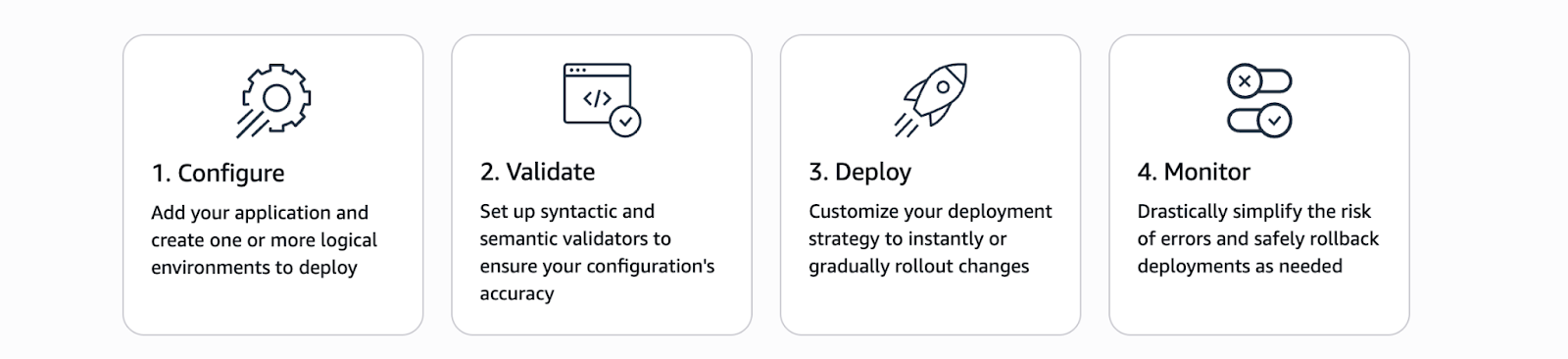
The above is a diagram from AWS AppConfig, which talks about the various steps you can take to ensure config deployments are safe and stable.
1. Choose config type: AWS allows you to use feature flags or freeform configs. We will choose freeform configs in this example to simplify config creation.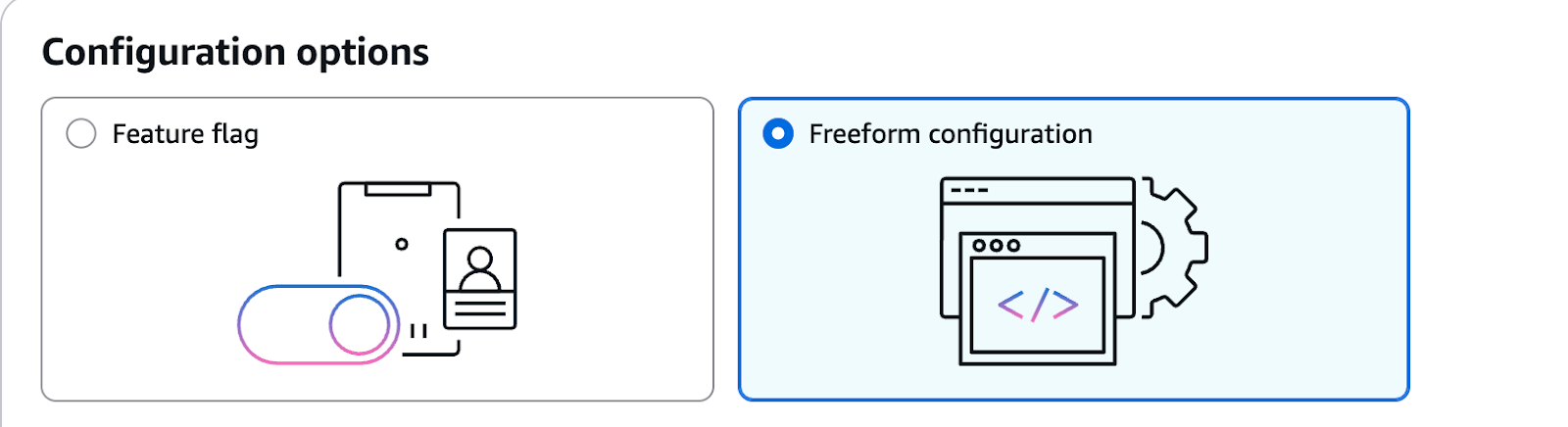
2. Choose a config name: my-config (I am keeping it simple.)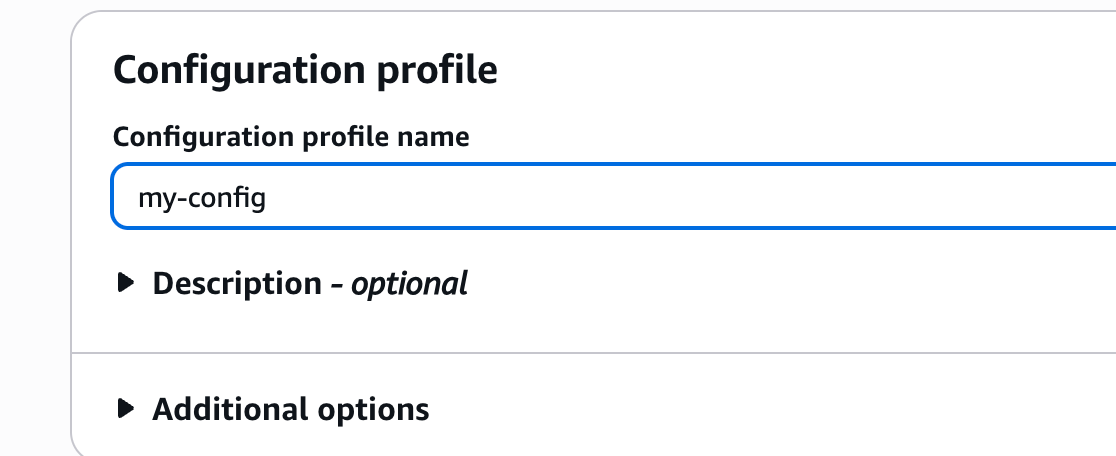
3. Choose config source: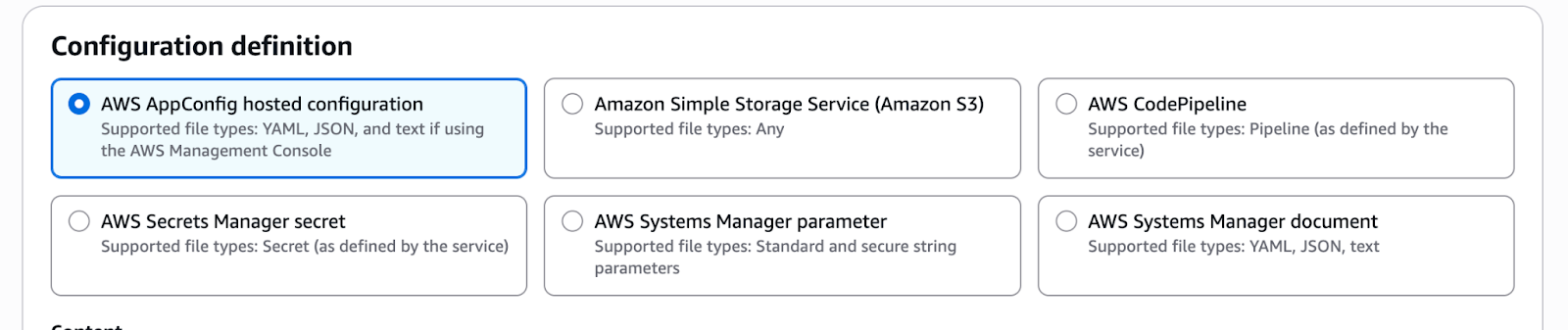
dumpling_sale_config:

  maxOrdersPerMinute: 100

  orderTimeoutMinutes: 30

  enableAnalytics: true

payment_provider_config:

  activeProvider: "your-payment-provider"

  transactionTimeoutSeconds: 10

  retryAttempts: 3

  defaultCurrency: "USD"

  apiVersion: "2024-05-26"

  enable3dsSecure: true
Simply save this to an application (to keep it simple here: my-application).
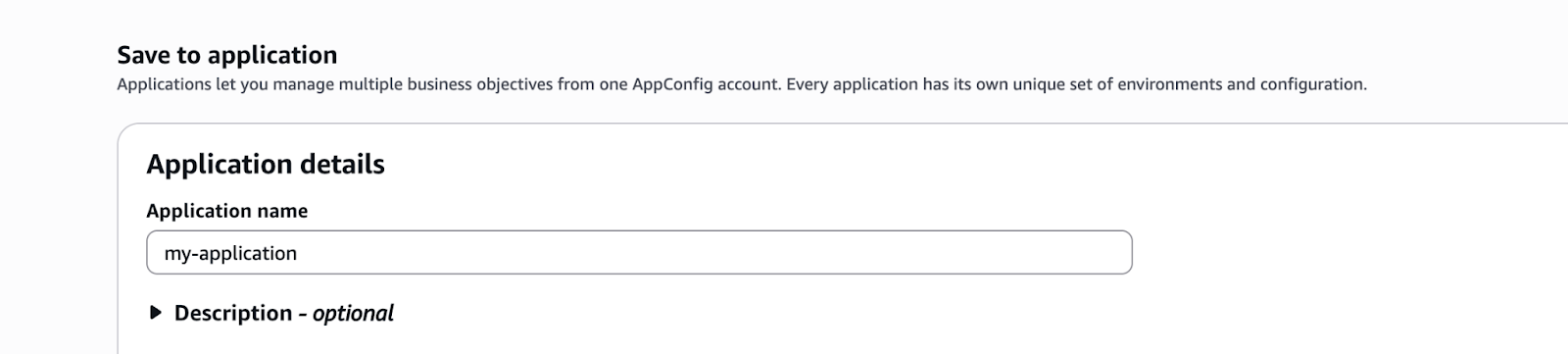
Now, let's save and deploy:
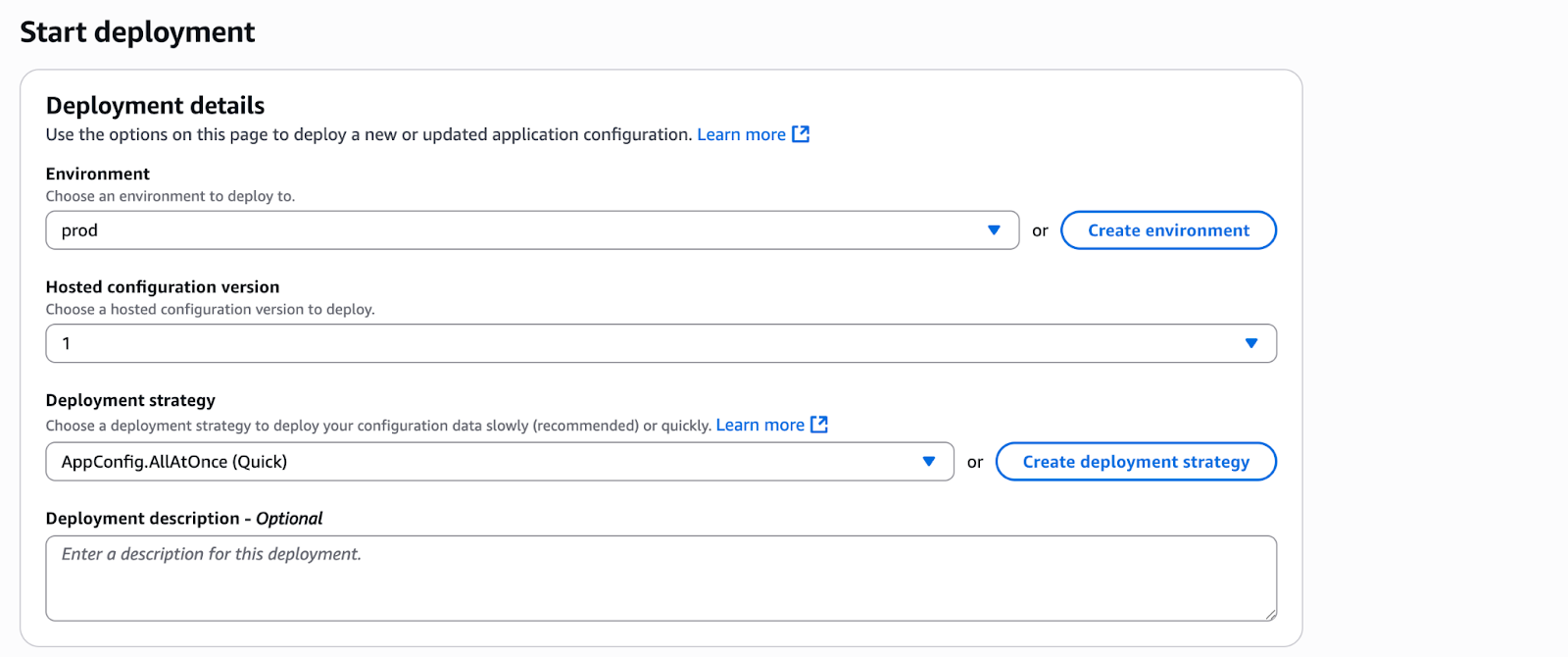
As you can see above, I made the following choices:
- Environment: I created an environment called prod. Feel free to create as many as you need.
- Hosted config version: Right now, we will have only one version. In the future, you can choose to change the ‘latest’ version and deploy whichever version you would like.
- Deployment strategy: This is crucial. For simplicity, I have chosen ‘All at once.’ However, that is not always the best strategy, as you may want to roll out slowly and observe how your service is performing and roll back if necessary. You can read about other strategies here.
Once your deployment is complete, the configuration will be deployable.
Fetching Configuration Using AWS AppConfig
private AppConfigData fetchConfigFromAppConfig() throws Exception {
// 1. Start a configuration session to get a token
StartConfigurationSessionRequest sessionRequest = new StartConfigurationSessionRequest()
.withApplicationIdentifier("my-application")
.withConfigurationProfileIdentifier("my-config")
.withEnvironmentIdentifier("prod")
.withRequiredMinimumPollIntervalInSeconds(30); // Recommended to set a minimum poll interval

StartConfigurationSessionResult sessionResult = awsAppConfig.startConfigurationSession(sessionRequest);
this.configurationToken = sessionResult.getInitialConfigurationToken();

// 2. Get the latest configuration using the token
GetLatestConfigurationRequest configRequest = new GetLatestConfigurationRequest()
.withConfigurationToken(configurationToken);

GetLatestConfigurationResult configResult = awsAppConfig.getLatestConfiguration(configRequest);

ByteBuffer configurationContent = configResult.getConfiguration();
if (configurationContent == null) {
throw new IOException("No configuration content received from AWS AppConfig.");
}

// 3. Convert ByteBuffer to String
String fatYaml = IOUtils.toString(configurationContent.asInputStream(), StandardCharsets.UTF_8);

// 4. Parse YAML into the AppConfigData class
return yaml.loadAs(fatYaml, AppConfigData.class);
   }
Bringing It All Together
import lombok.AllArgsConstructor;
import lombok.Builder;
import lombok.Data;
import lombok.NoArgsConstructor;

import com.google.common.cache.CacheBuilder;
import com.google.common.cache.CacheLoader;
import com.google.common.cache.LoadingCache;
import org.yaml.snakeyaml.Yaml;

import com.amazonaws.services.appconfig.AWSAppConfig;
import com.amazonaws.services.appconfig.model.GetLatestConfigurationRequest;
import com.amazonaws.services.appconfig.model.StartConfigurationSessionRequest;
import com.amazonaws.services.appconfig.model.StartConfigurationSessionResult;
import com.amazonaws.services.appconfig.model.GetLatestConfigurationResult;
import com.amazonaws.util.IOUtils; // For converting ByteBuffer to String

import java.nio.ByteBuffer;
import java.util.concurrent.TimeUnit;
import java.io.IOException;
import java.nio.charset.StandardCharsets;

@Data
@Builder
@NoArgsConstructor
@AllArgsConstructor
public class PaymentProviderConfig {
   private String activeProvider;
   private int transactionTimeoutSeconds;
   private int retryAttempts;
   private String defaultCurrency;
   private String apiVersion;
   private boolean enable3dsSecure;
   private boolean webhookVerificationEnabled;
}

@Data
@Builder
@NoArgsConstructor
@AllArgsConstructor
public class DumplingSaleConfig {
   private int maxOrdersPerMinute;
   private int orderTimeoutMinutes;
   private boolean enableAnalytics;
}

@Data
@Builder
@NoArgsConstructor
@AllArgsConstructor
public class AppConfigData {
   private DumplingSaleConfig dumplingSaleConfig;
   private PaymentProviderConfig paymentProviderConfig;
}

public class AppConfigManager {

   private final LoadingCache<String, AppConfigData> appConfigCache;
   private final Yaml yaml;
   private final AWSAppConfig awsAppConfig;
   private String configurationToken; // To store the session token for subsequent fetches

   public AppConfigManager(AWSAppConfig awsAppConfig) {
       this.yaml = new Yaml();
       this.awsAppConfig = awsAppConfig;
       this.appConfigCache = CacheBuilder.newBuilder()
               .refreshAfterWrite(5, TimeUnit.MINUTES)
               .build(new CacheLoader<String, AppConfigData>() {
                   @Override
                   public AppConfigData load(String key) throws Exception {
                       return fetchConfigFromAppConfig();
                   }
               });
   }

   private AppConfigData fetchConfigFromAppConfig() throws Exception {
       // 1. Start a configuration session to get a token
       StartConfigurationSessionRequest sessionRequest = new StartConfigurationSessionRequest()
               .withApplicationIdentifier("my-application")
               .withConfigurationProfileIdentifier("my-config")
               .withEnvironmentIdentifier("prod")
               .withRequiredMinimumPollIntervalInSeconds(30); // Recommended to set a minimum poll interval

       StartConfigurationSessionResult sessionResult = awsAppConfig.startConfigurationSession(sessionRequest);
       this.configurationToken = sessionResult.getInitialConfigurationToken();

       // 2. Get the latest configuration using the token
       GetLatestConfigurationRequest configRequest = new GetLatestConfigurationRequest()
               .withConfigurationToken(configurationToken);

       GetLatestConfigurationResult configResult = awsAppConfig.getLatestConfiguration(configRequest);

       ByteBuffer configurationContent = configResult.getConfiguration();
       if (configurationContent == null) {
           throw new IOException("No configuration content received from AWS AppConfig.");
       }

       // 3. Convert ByteBuffer to String
       String fatYaml = IOUtils.toString(configurationContent.asInputStream(), StandardCharsets.UTF_8);

       // 4. Parse YAML into the AppConfigData class
       return yaml.loadAs(fatYaml, AppConfigData.class);
   }

   public AppConfigData getAppConfig() {
       try {
           return appConfigCache.get("appConfig");
       } catch (Exception e) {
           System.err.println("Error loading app config: " + e.getMessage());
           return null;
       }
   }
}
Using the Config
Now let’s say you had to check if the orders per minute metric was breached and based on the same, you would take a decision, you could simply use this config manager to get details on the order.
import lombok.AllArgsConstructor;

@AllArgsConstructor
public class OrderRateLimiter {

   private final AppConfigManager appConfigManager;

   public boolean isOrderLimitExceeded(int currentOrdersThisMinute) {
       AppConfigData appConfig = appConfigManager.getAppConfig();
       if (appConfig == null || appConfig.getDumplingSaleConfig() == null) {
           System.err.println("DumplingSaleConfig not available from AppConfigManager.");
           return false;
       }
       DumplingSaleConfig config = appConfig.getDumplingSaleConfig();
       return currentOrdersThisMinute > config.getMaxOrdersPerMinute();
   }
}
As you see above, you can simply fetch the config you want, without worrying about where it is coming from (cache/AWS Appconfig), and can make decisions on the basis of the same.
Key Takeaways
Using the LoadingCache allows for :
- Faster retrieval.
- Thread safety, since the cache handles its own refresh logic, and any number of calls to the cache can be easily handled.
- Hands off management for value refresh.
- Low cost even with very high retrievals: as an example, let’s say you have a 100 servers running the application, needing a config 500 times per second, you will only still be billed for 100*12 = 1200 requests per hour since you are refreshing the cache every 5 minutes, as opposed to 100 * 500 * 3600 = 180 million requests if you didn’t have a cache.
- Low network utilization since requests are locally served.
- Higher availability, in case the config service is down.
While using Cloud-based config management systems allows for:
- Easier management of config lifecycle.
- Better rollout strategies.
- Centralized management.
Now, you are ready to create your own distributed cloud-based dynamic configurations.
Opinions expressed by DZone contributors are their own.
Comments