DZone
Thanks for visiting DZone today,
Edit Profile
  • Manage Email Subscriptions
  • How to Post to DZone
  • Article Submission Guidelines
Sign Out View Profile
  • Post an Article
  • Manage My Drafts
Newsletter
Log In / Join
Refcards Trend Reports
Events Video Library
Refcards
Trend Reports

Events

View Events Video Library

Related

  • Architectural Evidence in Enterprise Java: Making Domain-Driven Design Visible
  • Top 7 Mistakes When Testing JavaFX Applications
  • Unraveling Lombok's Code Design Pitfalls: Exploring Encapsulation Issues
  • Architecture and Code Design, Pt. 2: Polyglot Persistence Insights To Use Today and in the Upcoming Years

Trending

  • PWA on iOS, Part 1: PWAs on the iPhone Are Older Than They Look
  • Data Integration Landscape 2026: Event Streaming, API, and Batch in the Era of Agentic AI
  • Building a Software Factory With AI Agents and Workflows
  • When One Docker Swarm Replica Became Unreachable Over an Overlay Network: A Production Case With Traefik

Draft This article hasn't been published, so readers can't see it.

In moderation This article is waiting for review, so readers can't see it yet.

Deleted This article has been deleted, so readers can't see it.

  1. DZone
  2. Coding
  3. Java
  4. Fluent Design Style ComboBox and Scroll Bar for Java, JavaFX

Fluent Design Style ComboBox and Scroll Bar for Java, JavaFX

Want to learn more about the newest JMetro release? Check out this post to learn more about using the latest version of JMetro with Java, Java FX, and a fluent design.

By 
Pedro Duque Vieira
·
Aug. 08, 18 · Tutorial
Post on X (opens in a new tab) Share on LinkedIn (opens in a new tab)
13.7K Views

Join the DZone community Save articles, join the discussion, and download Refcards and Trend Reports with a free account.

Join for free Already a member? Log in

In this post, I’ll be describing version 4 of JMetro, which has just been released.

JMetro is a Java, JavaFX theme inspired by Fluent Design. This version brings new styles to the following controls:

  • Combo Box
  • Scroll Bar
  • Scroll Pane

These new styles are comprised of a new dark and light version.

JMetro 4.0 Details

I first started by updating the Combo Box.

Combo Box New Style

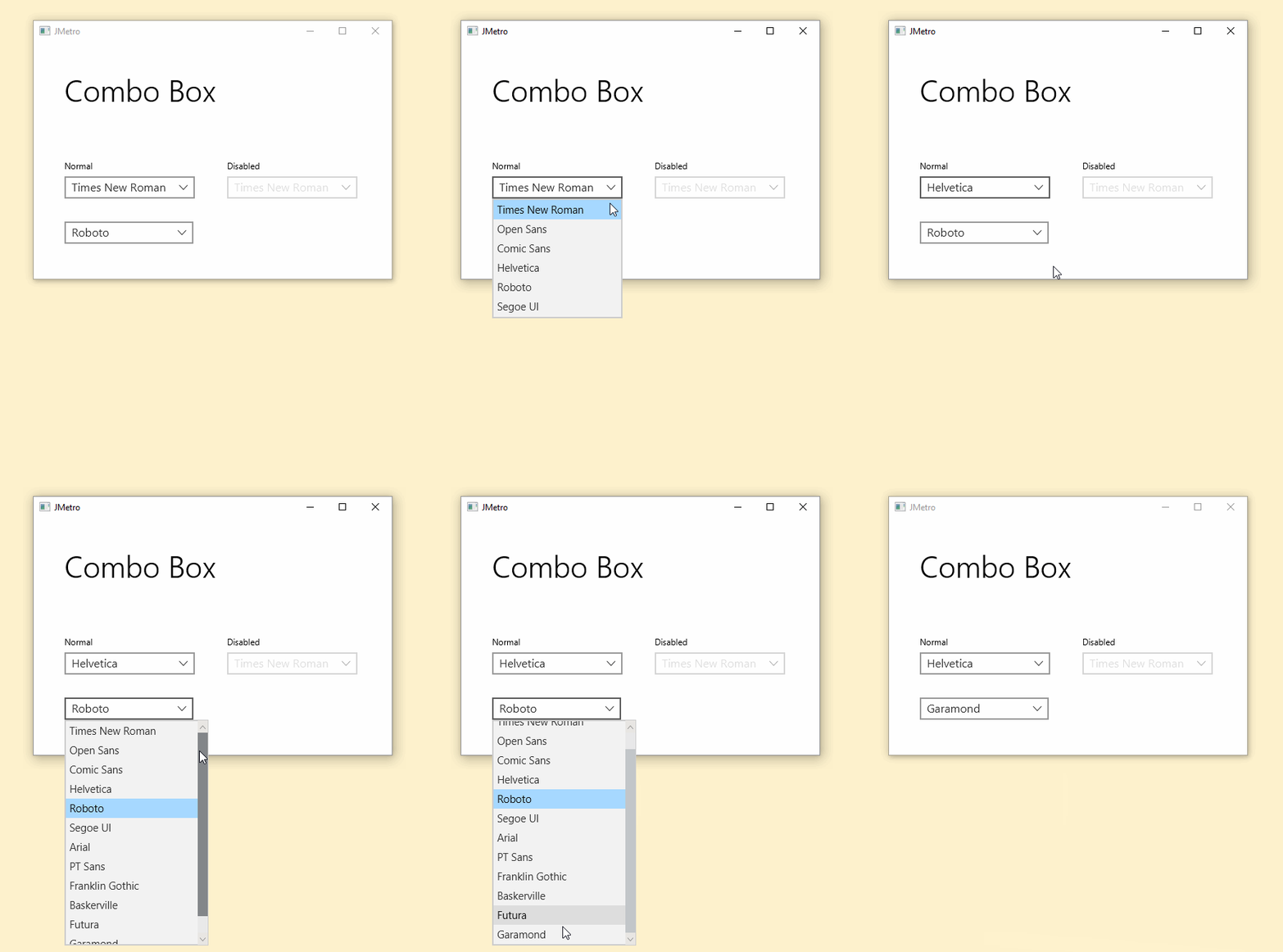
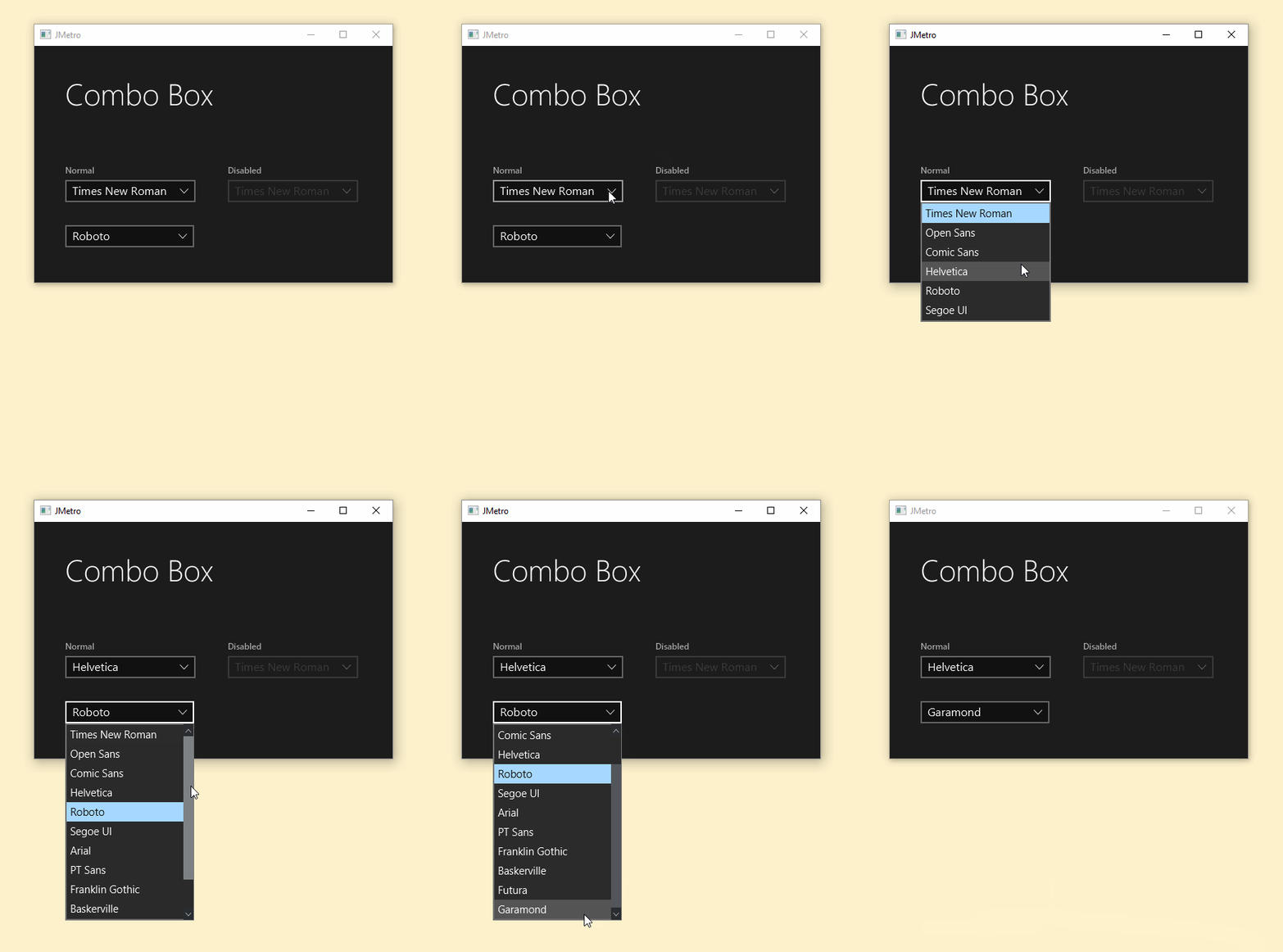
In this new Combo Box style, the colors and the down arrow image have changed:

Combo Box JMetro light theme. Java (JavaFX) UI theme, inspired by Fluent Design System (previously named 'Metro')

Combo Box OLD JMetro Light Theme

Combo Box JMetro light theme. Java (JavaFX) UI theme, inspired by Fluent Design System (previously named 'Metro').

Combo Box NEW JMetro Light Theme

You will notice here that the down arrow image has a thinner stroke and is wider. This is one thing that doesn’t happen in Fluent Design, but it happens with JMetro when you move the mouse over the Combo Box. Then, it immediately starts to open up to key presses from the keyboard. This is indicated by the focus indicator — the border of the Combo Box turns black (white in the case of the dark theme). Pressing the down and up arrow keyboard keys will now change the selected item. This is the default behavior of JavaFX.

You’ll notice above that JavaFX adds Scroll Bars when the Combo Box has more content. The first Combo Box is fine without the Scroll Bars, whereas the one below shows them for the user to be able to scroll through a larger content set.
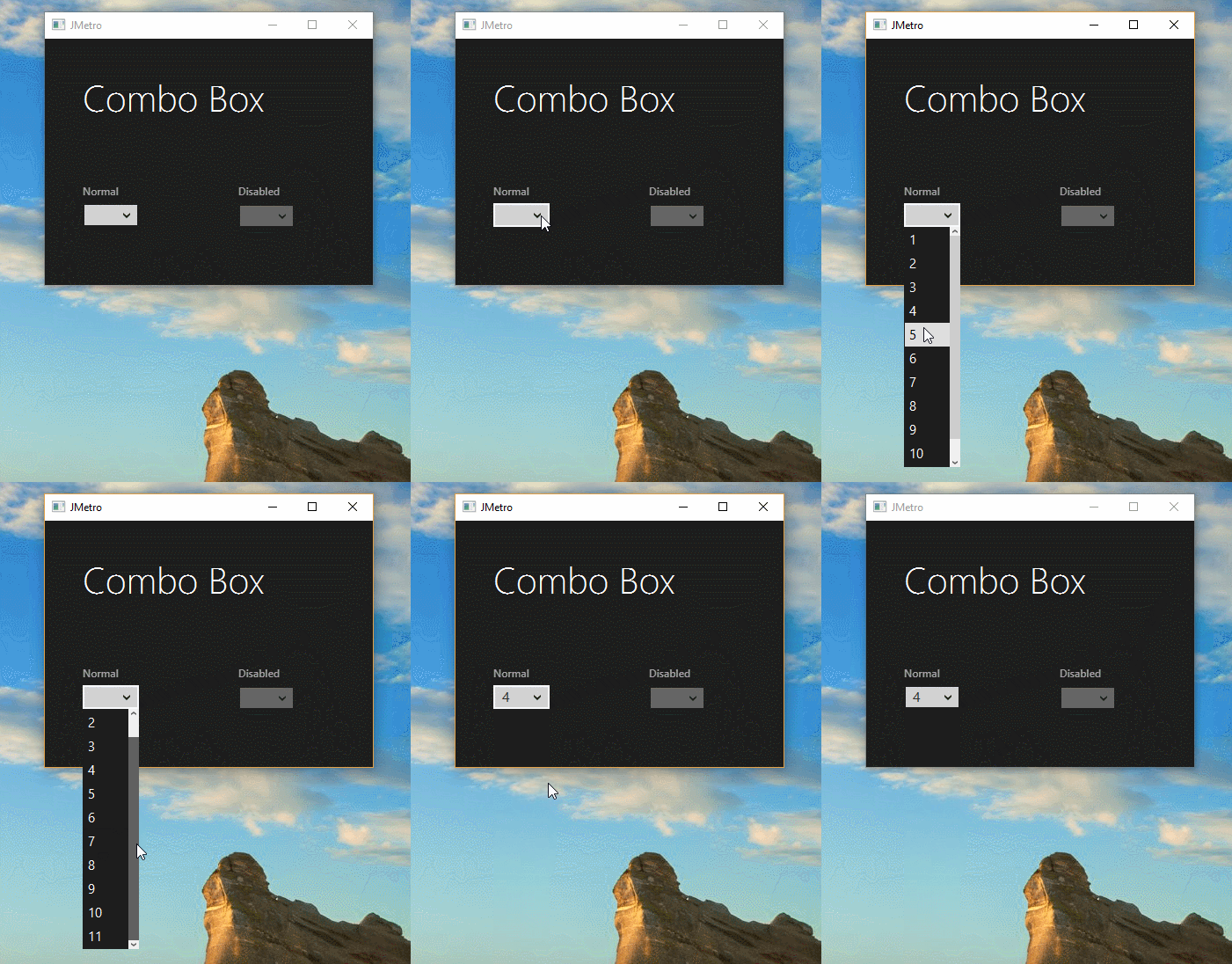
Combo Box JMetro dark theme. Java (JavaFX) UI theme, inspired by Fluent Design System (previously named 'Metro').

Combo Box OLD JMetro Dark Theme

Combo Box JMetro dark theme for Java (JavaFX). Inspired by Microsoft Fluent Design System.

Combo Box NEW JMetro dark theme

Scroll Bar Style Change

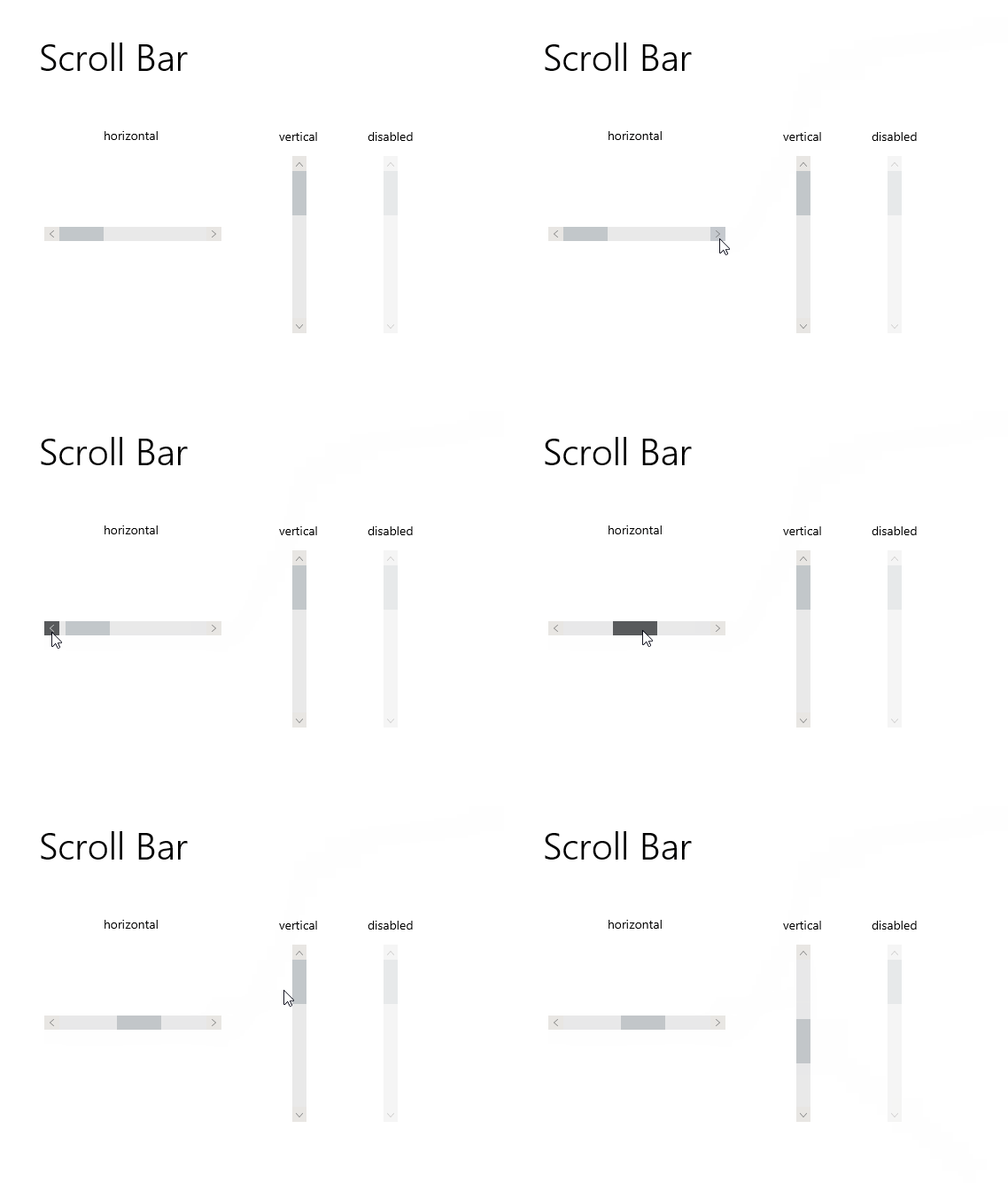
Since I’ve changed the Combo Box style, I took the opportunity to update the Scroll Bar. I did this because, like I said, Scroll Bars can also be used inside Combo Box’s.

Scroll Bar control JMetro light theme, Java (JavaFX) UI theme, inspired by Fluent Design System (previously named 'Metro').

Scroll Bar OLD JMetro light theme

Scroll Bar control JMetro light theme, Java (JavaFX) UI theme, inspired by Fluent Design System (previously named 'Metro').

Scroll Bar NEW JMetro light theme

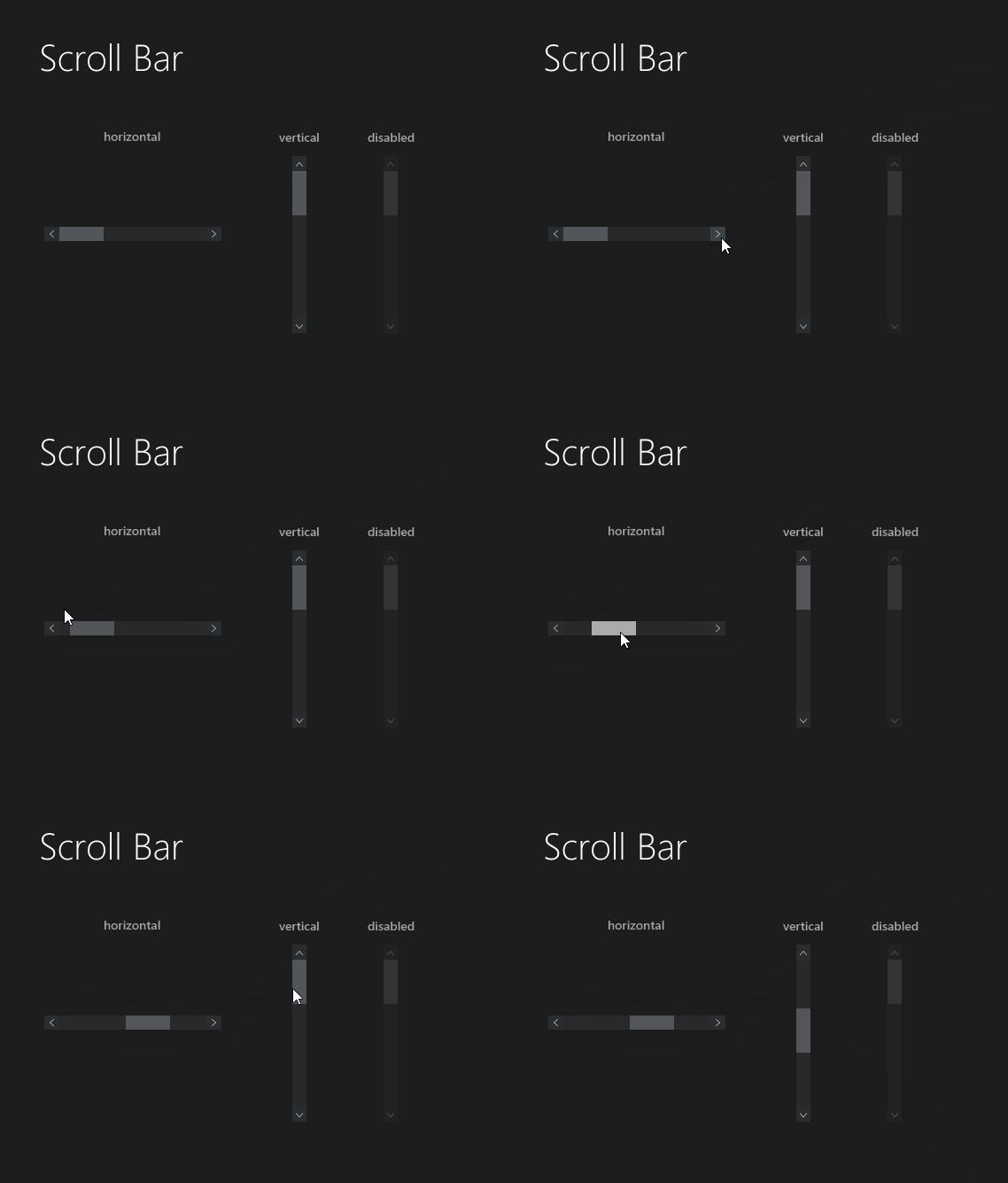
The colors are slightly different and the arrow has changed to one with a thinner stroke. The same is true of the dark style, with the arrow image color changing to white.

Scroll Bar control JMetro dark theme, Java (JavaFX) UI theme, inspired by Fluent Design System (previously named 'Metro').

ScrollBar OLD JMetro Dark Theme

Scroll Bar control JMetro dark theme, Java (JavaFX) UI theme, inspired by Fluent Design System (previously named 'Metro').

ScrollBar NEW JMetro Dark Theme

And the new Scroll Pane light and dark style:

ScrollPane NEW JMetro light theme

ScrollPane NEW JMetro dark theme

Wrapping up

Version 4.0 of JMetro brings new styles to the Scroll Bar and the Combo Box. These control’s arrow images to be made thinner and wider. Colors from light and dark theme have also changed — just slightly.

Since version 3.0 came out a few weeks ago, 12 controls have been updated. This included new styles for controls that didn’t have them as well as refreshing, existing styles. Since there is a dark and light version for every control, that’s 24 new styles since the start of this last iteration!

With those 24 new styles, there are tons of small detail changes. They might seem tiny, but all of them add up to what can be an interface shine.

The versioning I’ve been adopting might seem a bit odd to you (and, maybe, it actually is) but my objective is, in version 5.0, to finish refreshing the looks of all the important controls. Also, I might add one or two new styles for controls that don’t have them, yet, and possibly a new feature that would allow changing the colors of the theme with a method call or through a CSS variable override.

I haven't updated the documentation page for Java, JavaFX theme JMetro. I'll be doing it in the near future.

JavaFX Design Java (programming language) Light (web browser)

Published at DZone with permission of Pedro Duque Vieira. See the original article here.

Opinions expressed by DZone contributors are their own.

Related

  • Architectural Evidence in Enterprise Java: Making Domain-Driven Design Visible
  • Top 7 Mistakes When Testing JavaFX Applications
  • Unraveling Lombok's Code Design Pitfalls: Exploring Encapsulation Issues
  • Architecture and Code Design, Pt. 2: Polyglot Persistence Insights To Use Today and in the Upcoming Years

Partner Resources

×

Comments

Loading comments

The comments didn't load

Please try again in a moment.

Likes

Loading

The next likes didn't load. Please try again.

The likes didn't load

Please try again in a moment.

See who liked this

Log in or join DZone for free to see who liked this article.

Log in Join for free
  • RSS
  • X
  • Facebook

ABOUT US

  • About DZone
  • Support and feedback
  • Community research

ADVERTISE

  • Advertise with DZone

CONTRIBUTE ON DZONE

  • Article Submission Guidelines
  • Become a Contributor
  • Core Program
  • Visit the Writers' Zone

LEGAL

  • Terms of Service
  • Privacy Policy

CONTACT US

  • 3343 Perimeter Hill Drive
  • Suite 215
  • Nashville, TN 37211
  • [email protected]

Let's be friends:

  • RSS
  • X
  • Facebook