

How to Simulate a DockerHub Outage to Test Image Caching
How we simulated a DockerHub outage on our AWS infrastructure to test our new pull-through image caching.
Join the DZone community and get the full member experience.
Join For FreeFirst off, happy new year!
After facing a few patches of public registry downtime at the end of the year (both Docker Hub and ECR), one of our first goals of 2022 was to implement pull-through caching of public images. This would allow Shipyard users to continue building, testing, and reviewing their applications, even when outages happen.
The implementation was straightforward (s/o to Shipyard engineer extraordinaire Rogério Shieh), but when it came time to verify, we were faced with the Fun Engineering Problem™️ of simulating a service outage.
Quick Context: Pull-Through Caching Of Public Images
In general, it’s rare for applications to add a whole new service (e.g. postgres, redis, mysql). Most iteration is on existing services. That means that Shipyard is usually pulling the same images from Docker Hub over and over.
So if we maintained a cache of public images, Shipyard could keep building environments even when the rare Docker Hub outage happens.
Thankfully, the standard image registry server has this functionality built-in. We’ll spare the implementation details for another blog post, but in short, to enable pull-through caching, you need to:
- Run the registry in pull-through cache mode
- Configure your Docker daemon / Kubernetes nodes to use the pull-through cache
But once implemented, we’re faced with a tricky question: how do we simulate a Docker Hub outage?
Step 1: Simulating Outage For Docker Builds
In order for a Docker client to pull an image, it has to pull metadata from registry-1.docker.io. So if you add the following line to /etc/hosts, you won’t be able to pull Docker images:
127.0.0.1 registry-1.docker.ioIf you try to docker pull after adding that line, you’ll get the following error response:
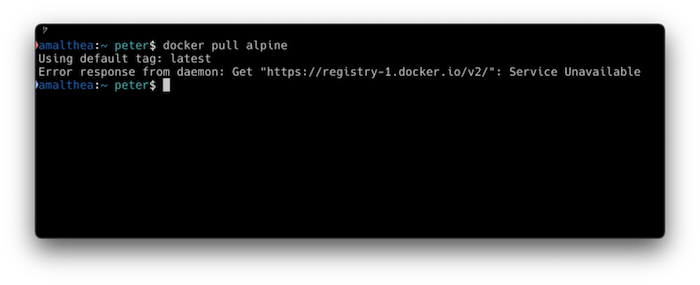
Easy peasy.
Step 2: Simulating Outage For Pull-Through Cache Registry
Whenever you pull Docker images, the images are being pulled from https://docker.io. Messing with the pull-through registry’s DNS via /etc/hosts didn’t seem to be breaking anything, so we had to go one level deeper.
First, we check the IPs that docker.io points to with:
dig docker.io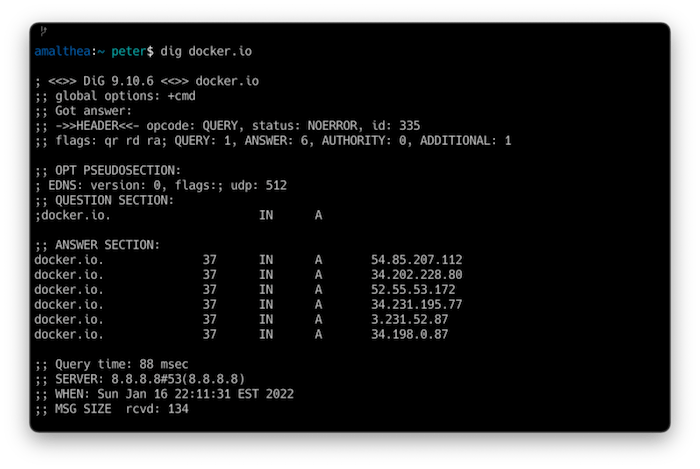
Then, since we’re on AWS, we updated the cluster’s VPC’s routing table to point those IPs to basically anything else (we pointed them to a random EC2 instance):
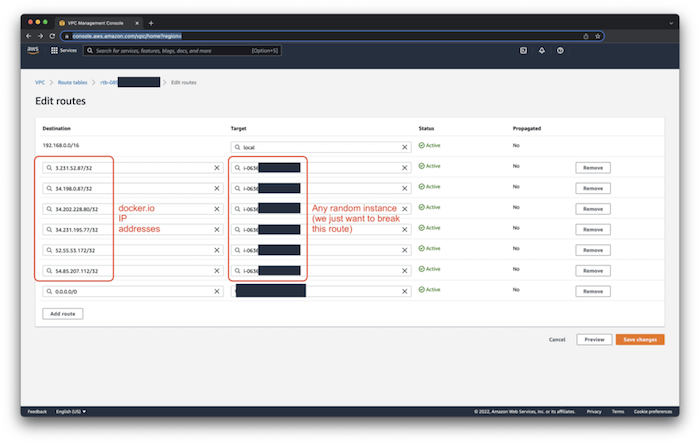
Next, let’s verify that we don’t have the ability to pull brand new images that haven’t been cached.
If you try pulling a never-used image from Docker Hub from the Docker client, you’ll get the following error response:
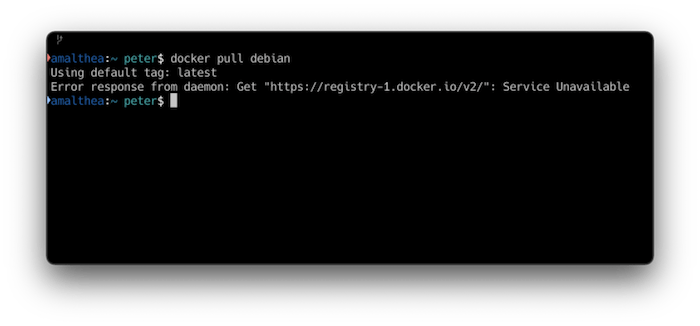
But now, if you pull an image that is cached (even though neither the client nor the pull-through can contact Docker Hub), we get:
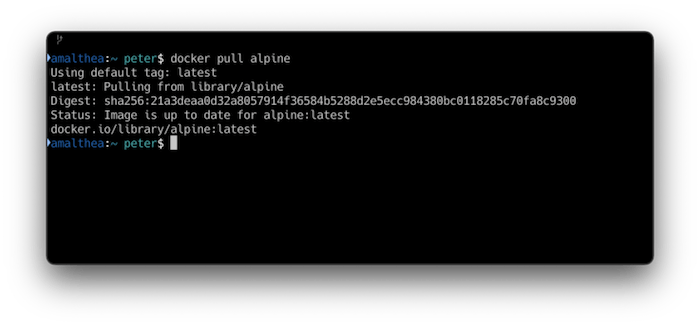
Voilà. Pull-through image caching at work.
Final Thoughts
It’s always fun to get to problems that need creative solutions. Like any engineering problem, there are definitely other ways to achieve this simulation (e.g. service mesh, iptables), but that’s precisely where the art of engineering lies: choose what works for you.
Published at DZone with permission of Peter Valdez. See the original article here.
Opinions expressed by DZone contributors are their own.
Comments