DZone
Thanks for visiting DZone today,
Edit Profile
  • Manage Email Subscriptions
  • How to Post to DZone
  • Article Submission Guidelines
Sign Out View Profile
  • Post an Article
  • Manage My Drafts
Over 2 million developers have joined DZone.
Log In / Join
Refcards Trend Reports
Events Video Library
Refcards
Trend Reports

Events

View Events Video Library

Related

  • CI/CD: 5 Simple Steps To Deploy a Mule 4 Application in CloudHub Using Jenkins and GitHub
  • A 5-Minute Fix to Our CI/CD Pipeline That Saved Us 5 Hours a Day
  • Optimizing GitHub Access Management for Enterprises: Enhancing Security, Scalability, and Continuity with Jenkins GitHub App Authentication and Load Balancing
  • Jenkins in the Age of Kubernetes: Strengths, Weaknesses, and Its Future in CI/CD

Trending

  • The Missing `bandit` for AI Agents: How I Built a Static Analyzer for Prompt Injection
  • Building a Spring AI Assistant With MCP Servers: A Step-by-Step Tutorial
  • Identity in Action
  • Building AI-Powered Java Applications With Jakarta EE and LangChain4j
  1. DZone
  2. Testing, Deployment, and Maintenance
  3. Deployment
  4. How to Start Working with the GitHub Plugin for Jenkins

How to Start Working with the GitHub Plugin for Jenkins

This plugin will both help save you time and let you incorporate your project into the Continuous Integration (CI) process.

By 
Guy Salton user avatar
Guy Salton
·
Sep. 29, 16 · Tutorial
Likes (4)
Comment
Save
Tweet
Share
34.5K Views

Join the DZone community and get the full member experience.

Join For Free

The GitHub plugin for Jenkins is the most basic plugin for integrating Jenkins with GitHub projects. If you are a GitHub user, this plugin enables you to schedule your build, pull your code and data files from your GitHub repository to your Jenkins machine, and automatically trigger each build on the Jenkins server after each Commit on your Git repository.

This saves you time and lets you incorporate your project into the Continuous Integration (CI) process.

How to Start Working with the GitHub Plugin for Jenkins

Before you begin, Install the Github Jenkins plugin and configure it. Then...

1. Go to Manage Jenkins > Configure System.
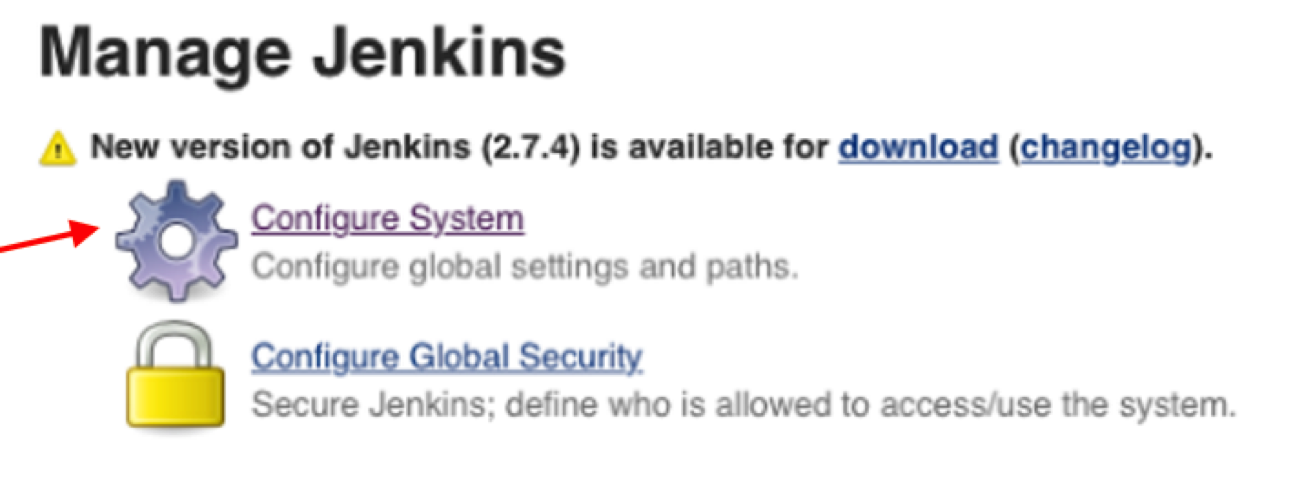
Jenkins - Configure System

1a. In the GitHub section, choose Add Github Server.
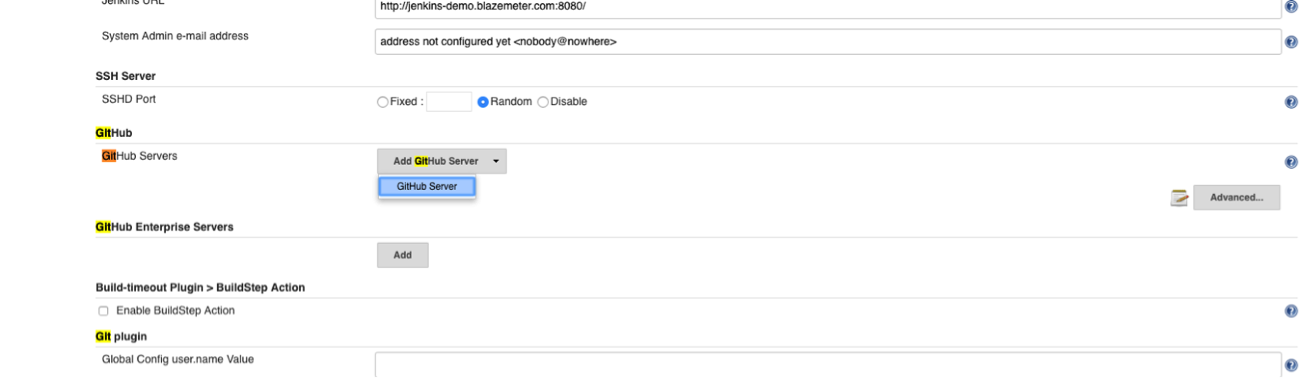
Github Server - Jenkins

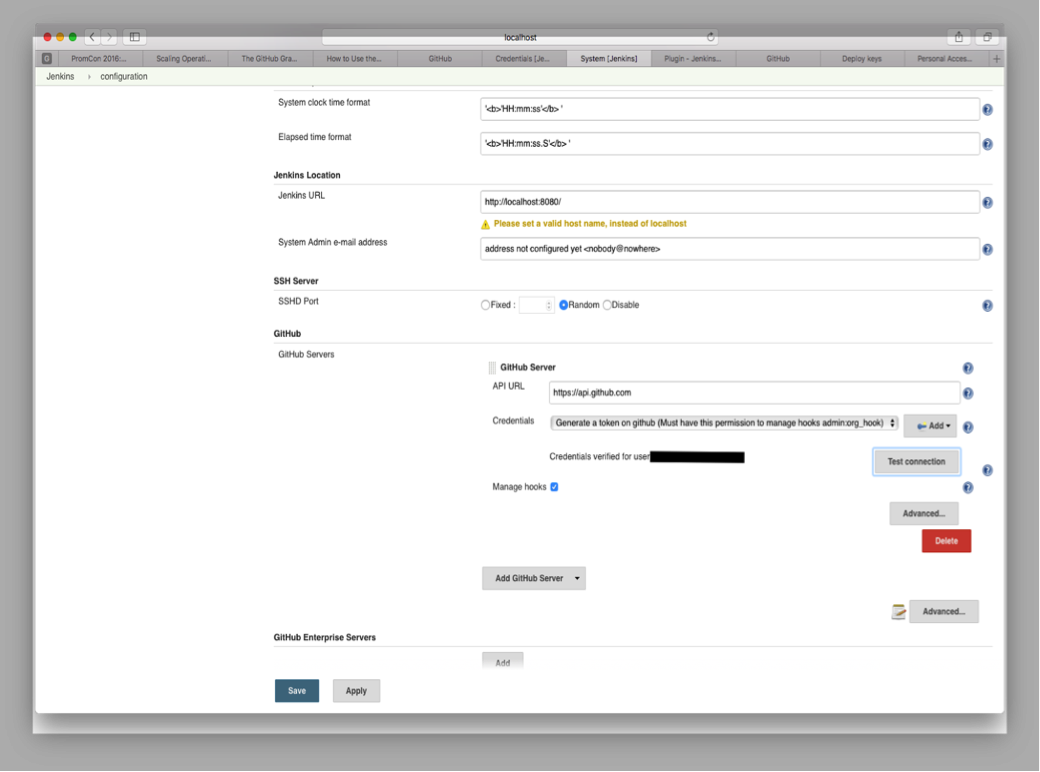
1b. Add credentials (your GitHub token) and click Save.
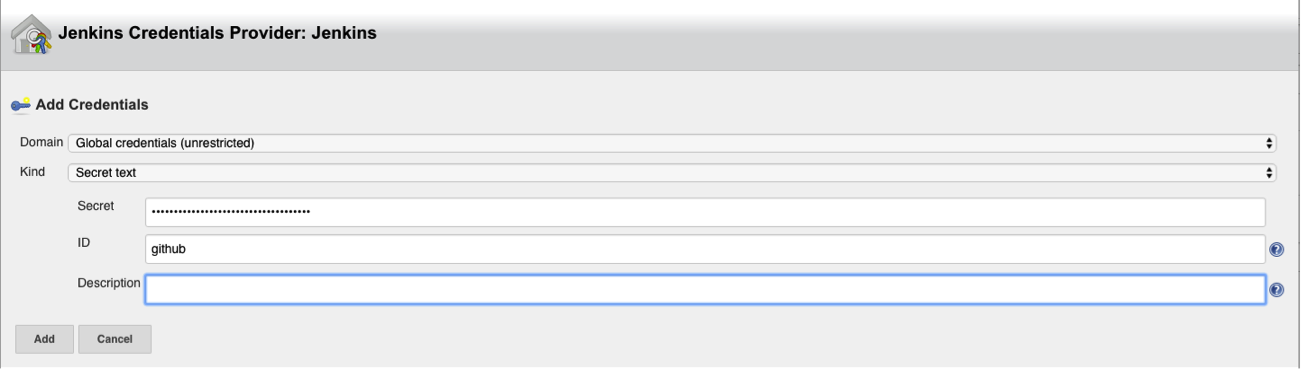
Jenkins Credentials

Jenkins Configuration

2. Open your Jenkins Project.

2a. Check the GitHub project checkbox and set the Project URL to point to your GitHub Repository.
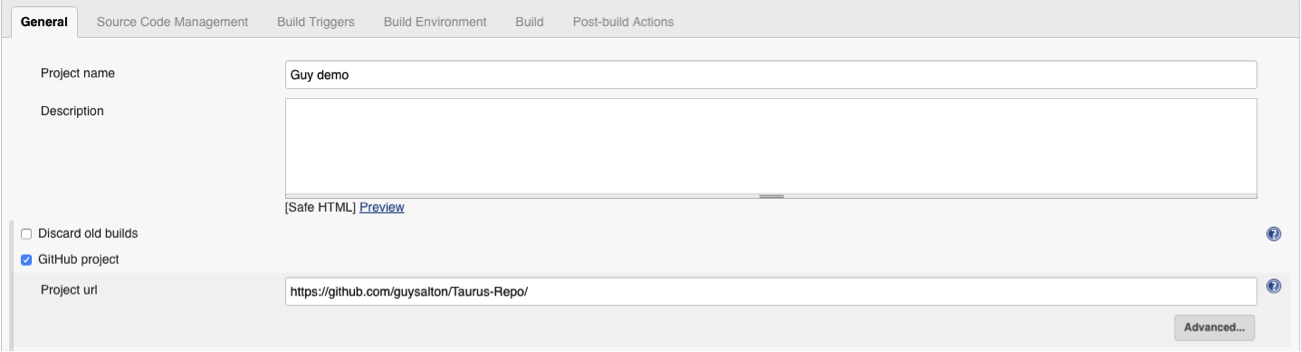
Github Project - Jenkins Continuous Integration

2b. Under Source Code Management, check Git and set the Repository URL to point to your GitHub Repository.
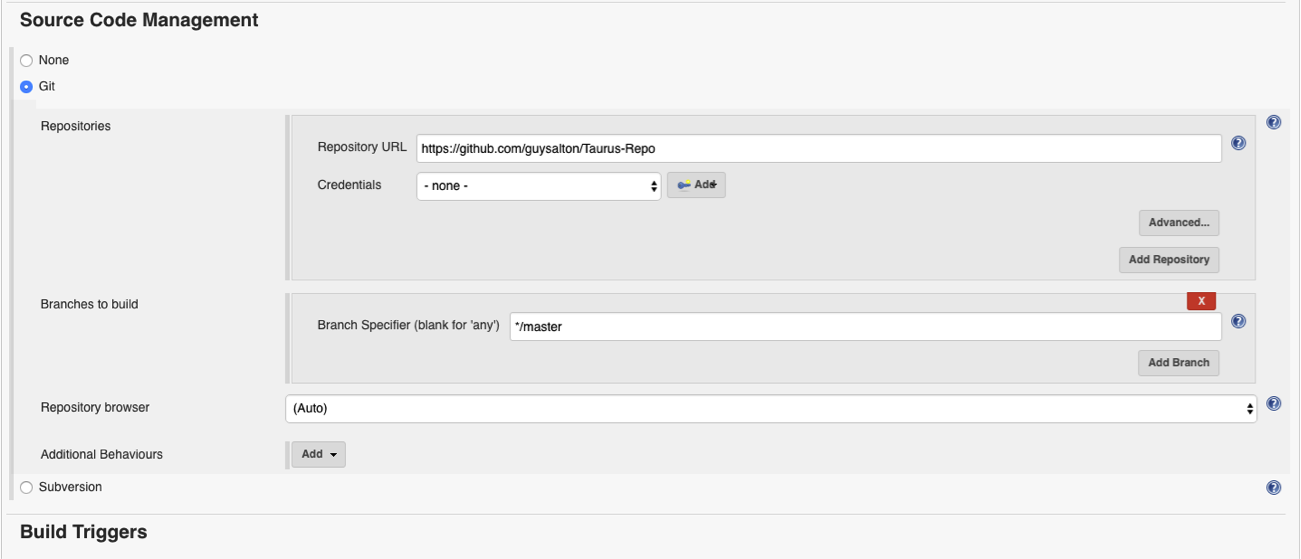
Github Source Code

2c. Under Build Triggers, check the Build when a change is pushed to GitHub checkbox. 
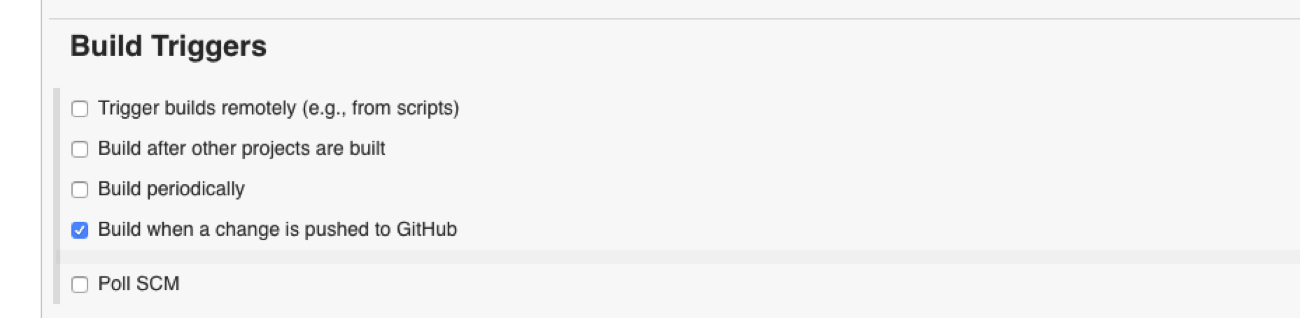
Github Triggers


3. Install the Jenkins (GitHub plugin) and set a webhook to your Jenkins machine.

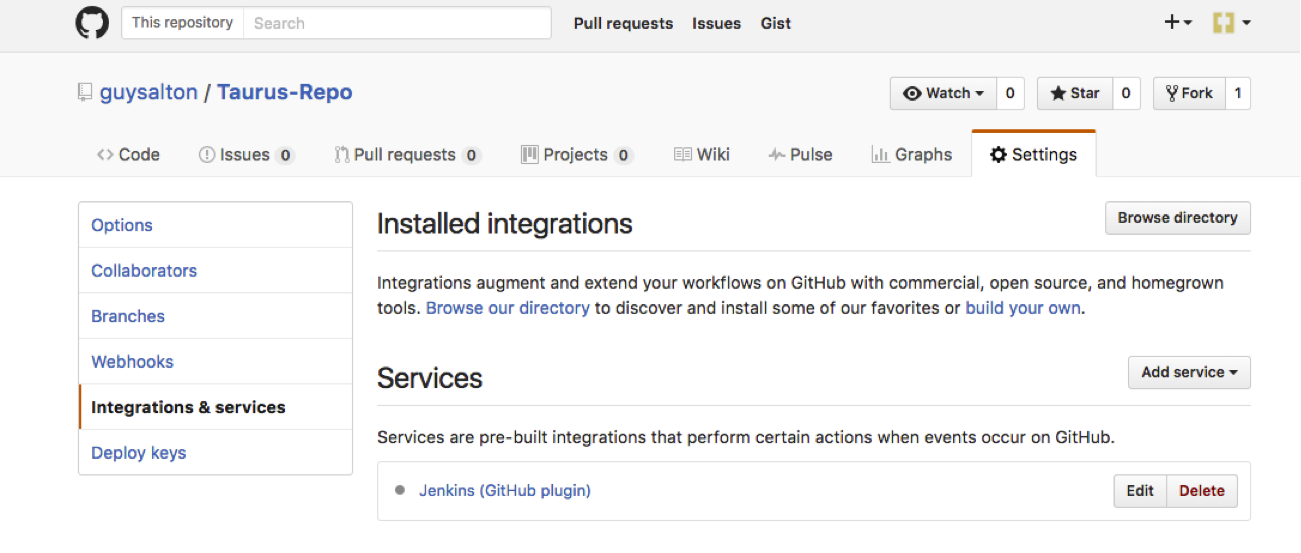
3a. From your GitHub repository, go to Settings > Integrations & Services.

3b. Click on Add Service > add Jenkins (GitHub plugin).
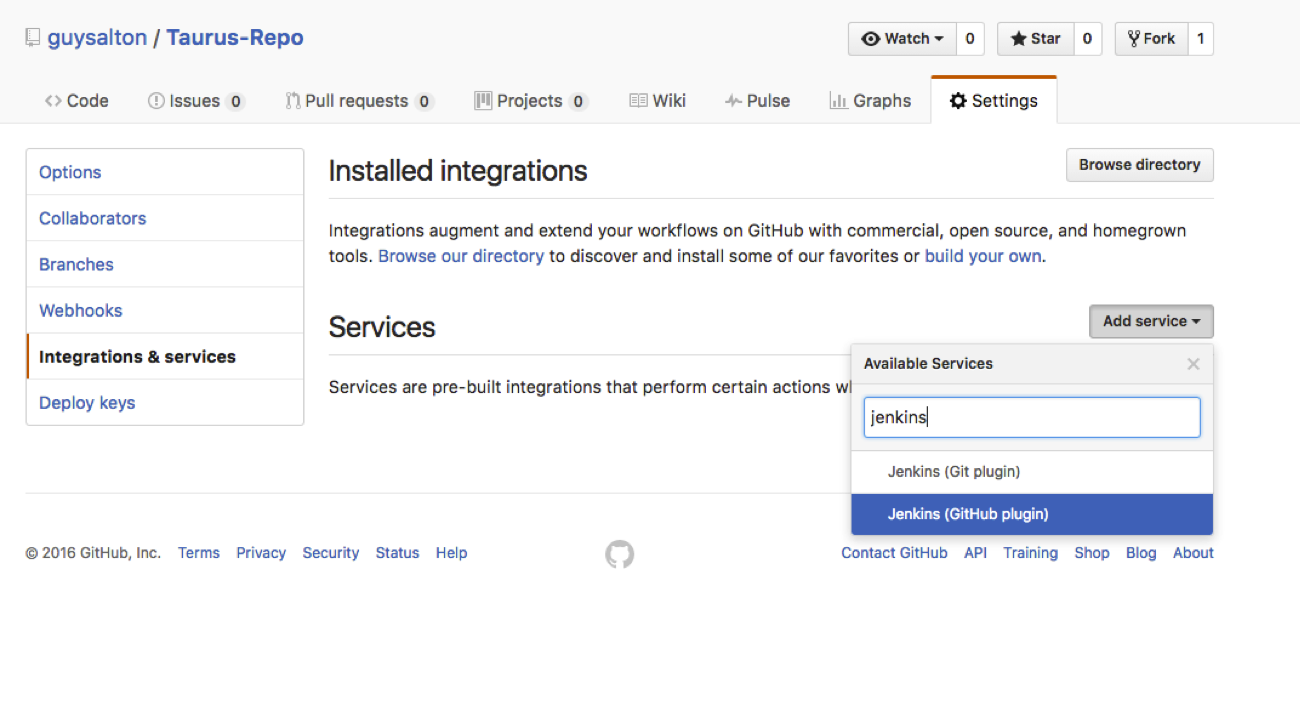
Taurus - Automated Testing

Taurus Continuous Testing

3c. Set the Jenkins hook URL as the URL for your Jenkins machine, and add /github-webhook/.
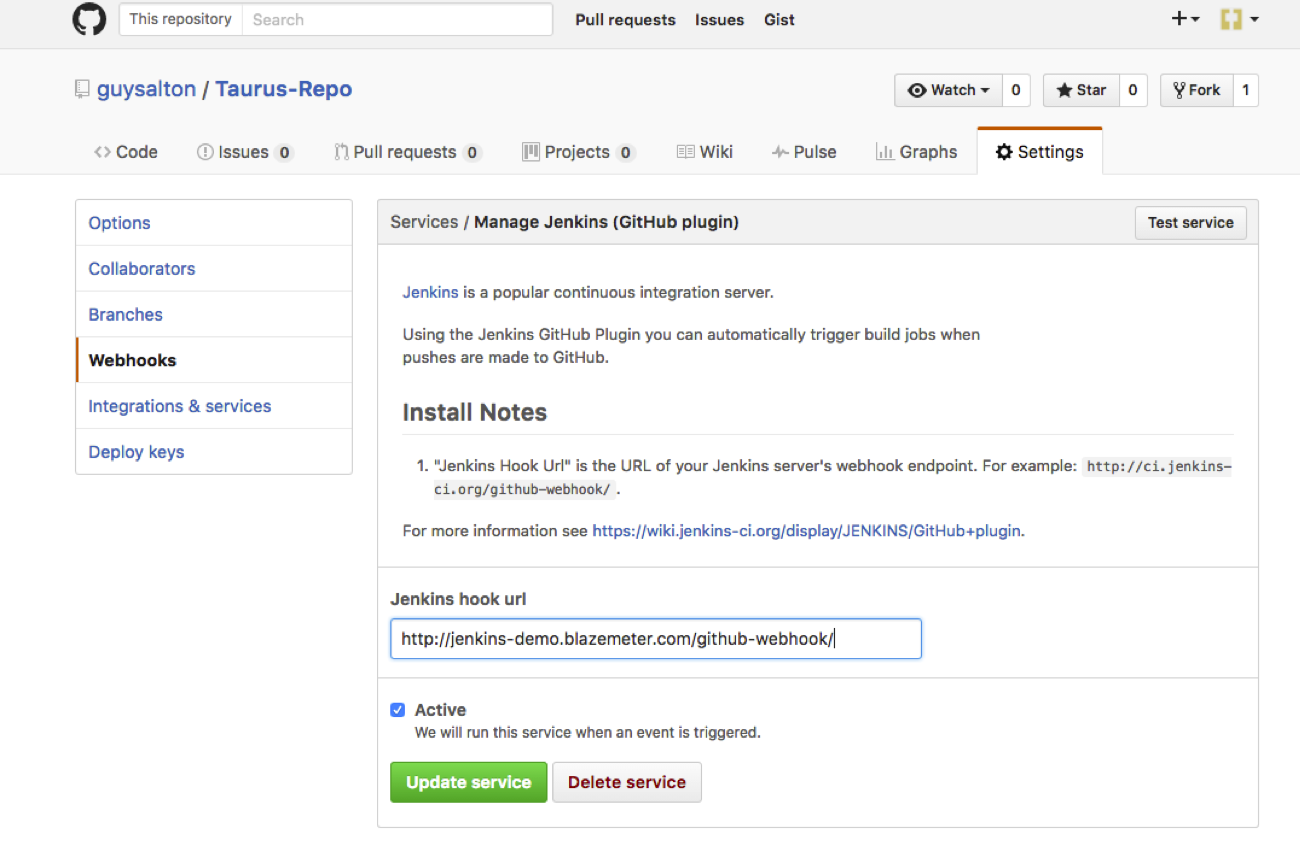
Jenkins Continuous Testing

Congratulations! Every time you publish your changes to GitHub, GitHub will trigger your new Jenkins job.

Once the GitHub plugin is fully installed and integrated into your Jenkins project, you have completed a very crucial step towards the full CI process. Now, you can proceed to the testing phase. To complete the full CI process, integrate your load testing into your CI tool. For more details about how to do this with Taurus, an open source automation tool, see here.

You might also find these useful:

Automated Performance Tests in Jenkins CI Environments

What is “Continuous Testing” and How is it Even Possible?

GitHub Jenkins (software) Continuous Integration/Deployment

Published at DZone with permission of Guy Salton. See the original article here.

Opinions expressed by DZone contributors are their own.

Related

  • CI/CD: 5 Simple Steps To Deploy a Mule 4 Application in CloudHub Using Jenkins and GitHub
  • A 5-Minute Fix to Our CI/CD Pipeline That Saved Us 5 Hours a Day
  • Optimizing GitHub Access Management for Enterprises: Enhancing Security, Scalability, and Continuity with Jenkins GitHub App Authentication and Load Balancing
  • Jenkins in the Age of Kubernetes: Strengths, Weaknesses, and Its Future in CI/CD

Partner Resources

×

Comments

The likes didn't load as expected. Please refresh the page and try again.

  • RSS
  • X
  • Facebook

ABOUT US

  • About DZone
  • Support and feedback
  • Community research

ADVERTISE

  • Advertise with DZone

CONTRIBUTE ON DZONE

  • Article Submission Guidelines
  • Become a Contributor
  • Core Program
  • Visit the Writers' Zone

LEGAL

  • Terms of Service
  • Privacy Policy

CONTACT US

  • 3343 Perimeter Hill Drive
  • Suite 215
  • Nashville, TN 37211
  • [email protected]

Let's be friends:

  • RSS
  • X
  • Facebook